Skip to content
This repository was archived by the owner on Nov 10, 2023. It is now read-only.

Feature: Safe apps search#2718

Merged
mmv08 merged 29 commits intodevfrom
feature/safe-apps-search
Sep 27, 2021
Merged

Feature: Safe apps search#2718
mmv08 merged 29 commits intodevfrom
feature/safe-apps-search

Conversation

@mmv08
Copy link
Copy Markdown
Contributor

@mmv08 mmv08 commented Sep 10, 2021

What it solves

Resolves #2712
It also fixes a small bug when the manifest.json request fails, but the app is still displayed in the list as loading

How this PR fixes it

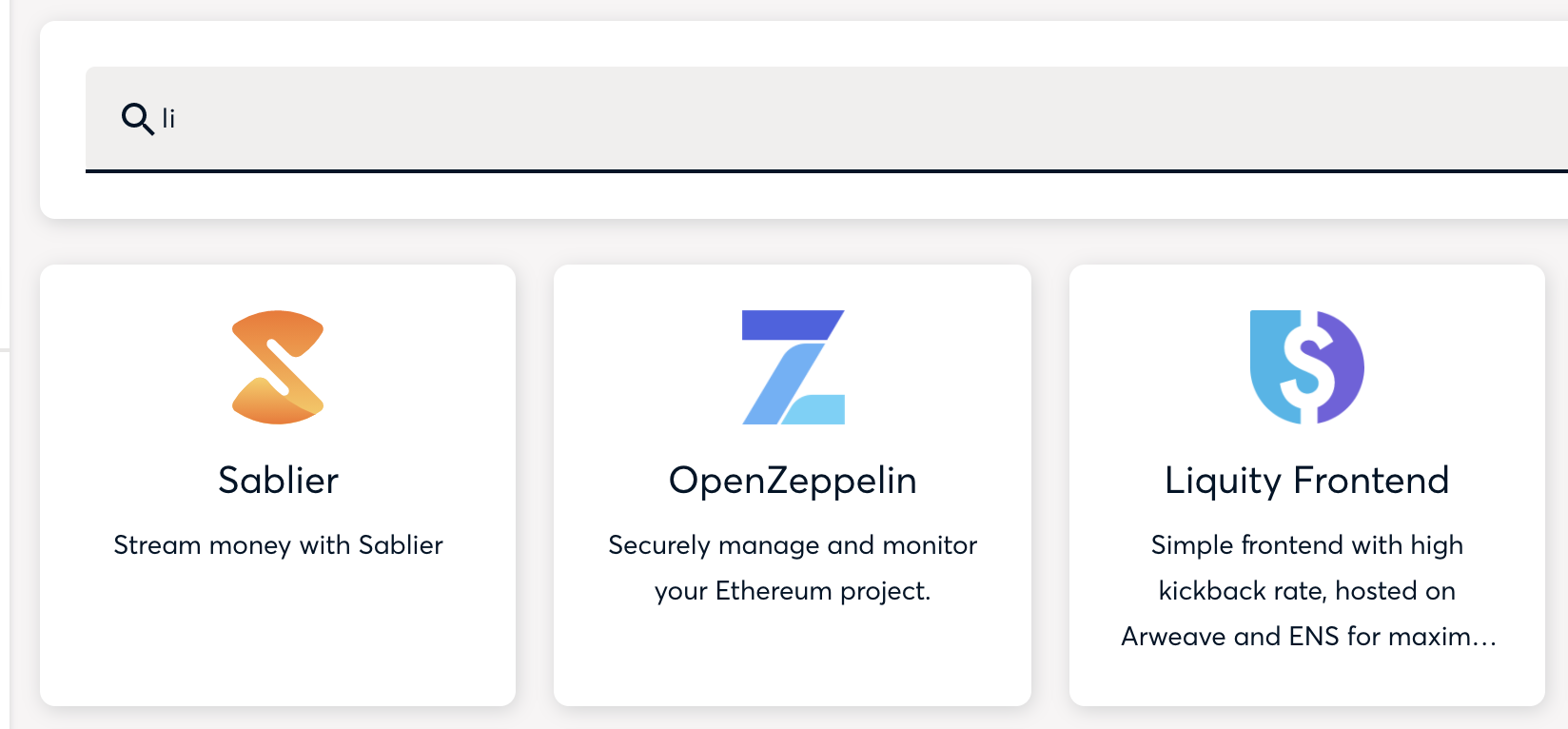
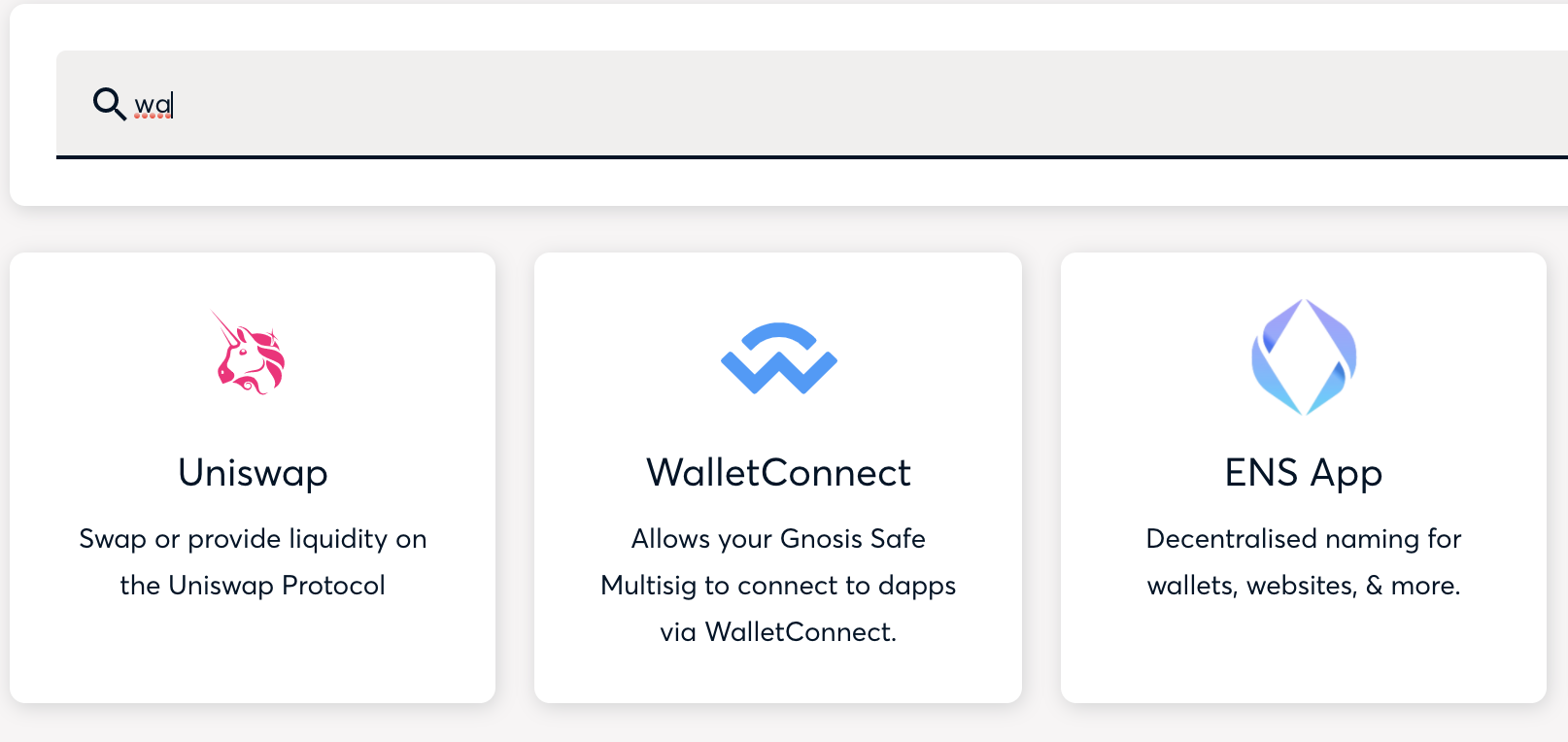
  • Adds a search input to the Safe Apps page
  • Adds useAppSearch hook, which uses fuse.js under the hood
  • Adds framer-motion library to animate list reordering and apps mounting/unmounting

How to test it

Open a safe, play with the app search

Screenshots

image
image
image

@github-actions
Copy link
Copy Markdown

github-actions Bot commented Sep 10, 2021

ESLint Summary View Full Report

Annotations are provided inline on the Files Changed tab. You can also see all annotations that were generated on the annotations page.

Type Occurrences Fixable
Errors 0 0
Warnings 0 0
Ignored 1 N/A
  • Result: ✅ success
  • Annotations: 0 total

Report generated by eslint-plus-action

@github-actions
Copy link
Copy Markdown

@github-actions
Copy link
Copy Markdown

@github-actions
Copy link
Copy Markdown

@github-actions
Copy link
Copy Markdown

github-actions Bot commented Sep 10, 2021

E2E Tests Passed
Check the results here: https://github.com/gnosis/safe-react-e2e-tests/actions/runs/1278227501

@github-actions
Copy link
Copy Markdown

CLA Assistant Lite All Contributors have signed the CLA.

@github-actions
Copy link
Copy Markdown

E2E Tests Passed
Check the results here: https://github.com/gnosis/safe-react-e2e-tests/actions/runs/1228646445

@github-actions
Copy link
Copy Markdown

E2E Tests Passed
Check the results here: https://github.com/gnosis/safe-react-e2e-tests/actions/runs/1228705197

@github-actions
Copy link
Copy Markdown

E2E Tests Passed
Check the results here: https://github.com/gnosis/safe-react-e2e-tests/actions/runs/1228746885

@mmv08 mmv08 marked this pull request as ready for review September 13, 2021 09:40
@github-actions
Copy link
Copy Markdown

E2E Tests Passed
Check the results here: https://github.com/gnosis/safe-react-e2e-tests/actions/runs/1229006208

@mmv08
Copy link
Copy Markdown
Contributor Author

mmv08 commented Sep 13, 2021

Wow, that was fast @iamacook 🏎️

@Graeme-Code
Copy link
Copy Markdown

In order to keep the input field design pattern as close as possible with the existing components, I have the following notes:

  1. On opening Safe Apps, Search bar is in a “clicked” state. As in it looks like the user has already clicked on the search input field.

Screenshot 2021-09-13 at 12 04 39

Recommendation to keep it inline designed components on storyboard:

Reference: https://components.gnosis-safe.io/?path=/docs/inputs-textfield--simple-text-field#start-adornment

On the opening of Safe Apps menu and prior to any clicks on the input field, show the line below input field in grey'd state and the "search" description be placed above the search icon. Could the search icon be the same color as the Adornment in the storybook example.

Example from story book:
Screenshot 2021-09-13 at 12 12 42

When the user's mouse hovers over the input field, the grey'd outlined below the input field show turn black.

Example from story book:
Screenshot 2021-09-13 at 12 15 46

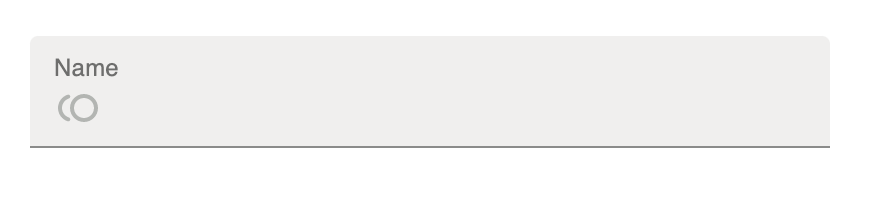
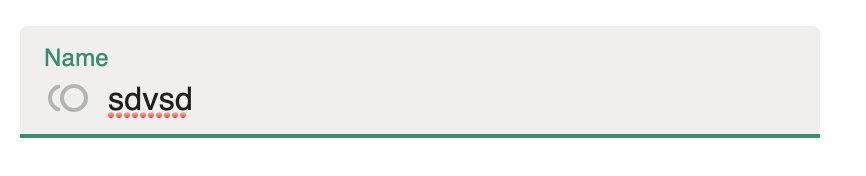
When a user populates the search input field, the line below the input field should turn green and the term "Search" should also turn green.
current implementation:
Screenshot 2021-09-13 at 12 18 09
Example from Storybook:
Screenshot 2021-09-13 at 12 17 54

Edge case, if the first two inputs spaces, will get a no search results on blank. Please could you strip spaces at the beginning of user input.

Screenshot 2021-09-13 at 12 21 25

Duplication:

I'm of the belief that duplication of paths increases complexity of design and generally leads to clutter.

Please remove the cross in the search input bar in favor of the clear search button.
Screenshot 2021-09-13 at 12 42 29

Copy link
Copy Markdown
Member

@katspaugh katspaugh left a comment

Choose a reason for hiding this comment

The reason will be displayed to describe this comment to others. Learn more.

Some tests would be nice.
Especially for the search hook.

Comment thread src/routes/safe/components/Apps/components/AppsList.tsx Outdated
Comment thread src/routes/safe/components/Apps/hooks/useAppsSearch.ts
Comment thread src/routes/safe/components/Apps/components/AppsList.tsx Outdated
@mmv08
Copy link
Copy Markdown
Contributor Author

mmv08 commented Sep 13, 2021

Thanks for the feedback @Graeme-Code!

I have one question related to:

Duplication:

I'm of the belief that duplication of paths increases complexity of design and generally leads to clutter.

Please remove the cross in the search input bar in favor of the clear search button.

Since the button only appears when there are no matching results. Would it make more sense to do the opposite: remove the button and use the cross instead?

@katspaugh
Copy link
Copy Markdown
Member

katspaugh commented Sep 13, 2021

I've tested it locally, a couple more comments:

  • Do we need the initial animation on load?
  • It looks like the Name already takes priority, so ignore my question above
  • When you type just two letters, the results aren't what I would expect, is this easily fixable?

Screenshot 2021-09-13 at 14 06 11

Screenshot 2021-09-13 at 14 06 20

Works really great btw!

@mmv08
Copy link
Copy Markdown
Contributor Author

mmv08 commented Sep 13, 2021

Can I just take Aaron's review? 🙈

JK, will fix everything :)

@github-actions
Copy link
Copy Markdown

E2E Tests Passed
Check the results here: https://github.com/gnosis/safe-react-e2e-tests/actions/runs/1241127965

@mmv08 mmv08 requested review from iamacook and katspaugh September 16, 2021 11:16
@github-actions
Copy link
Copy Markdown

E2E Tests Passed
Check the results here: https://github.com/gnosis/safe-react-e2e-tests/actions/runs/1241370122

Comment thread src/routes/safe/components/Apps/components/AppsList.test.tsx
Comment thread src/routes/safe/components/Apps/components/AppsList.tsx
Comment thread src/routes/safe/components/Apps/components/NoAppsFound.tsx Outdated
@mmv08
Copy link
Copy Markdown
Contributor Author

mmv08 commented Sep 20, 2021

The pull request is waiting for user feedback results and will need to be adjusted

@Graeme-Code
Copy link
Copy Markdown

Graeme-Code commented Sep 21, 2021

Hi,

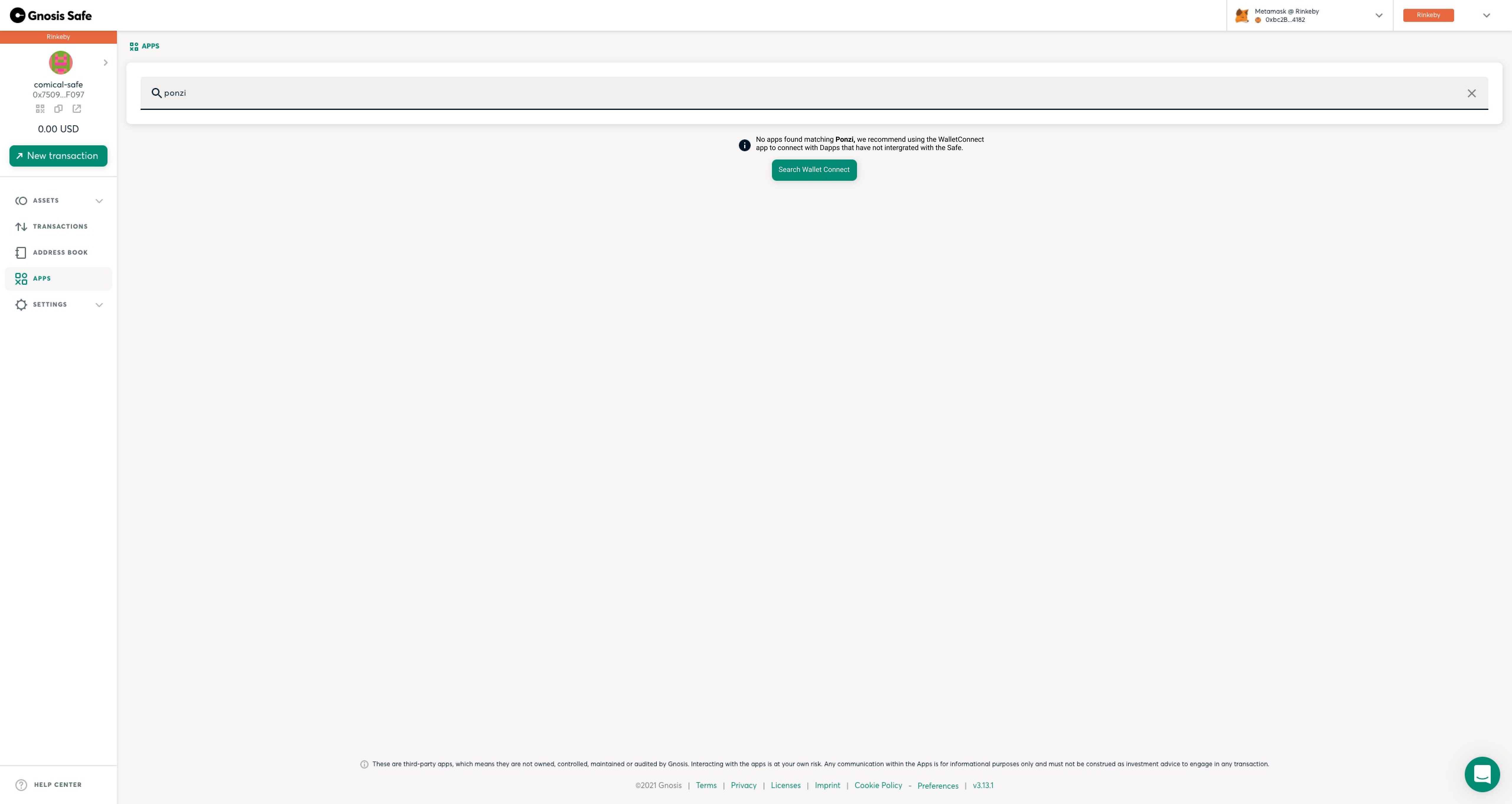
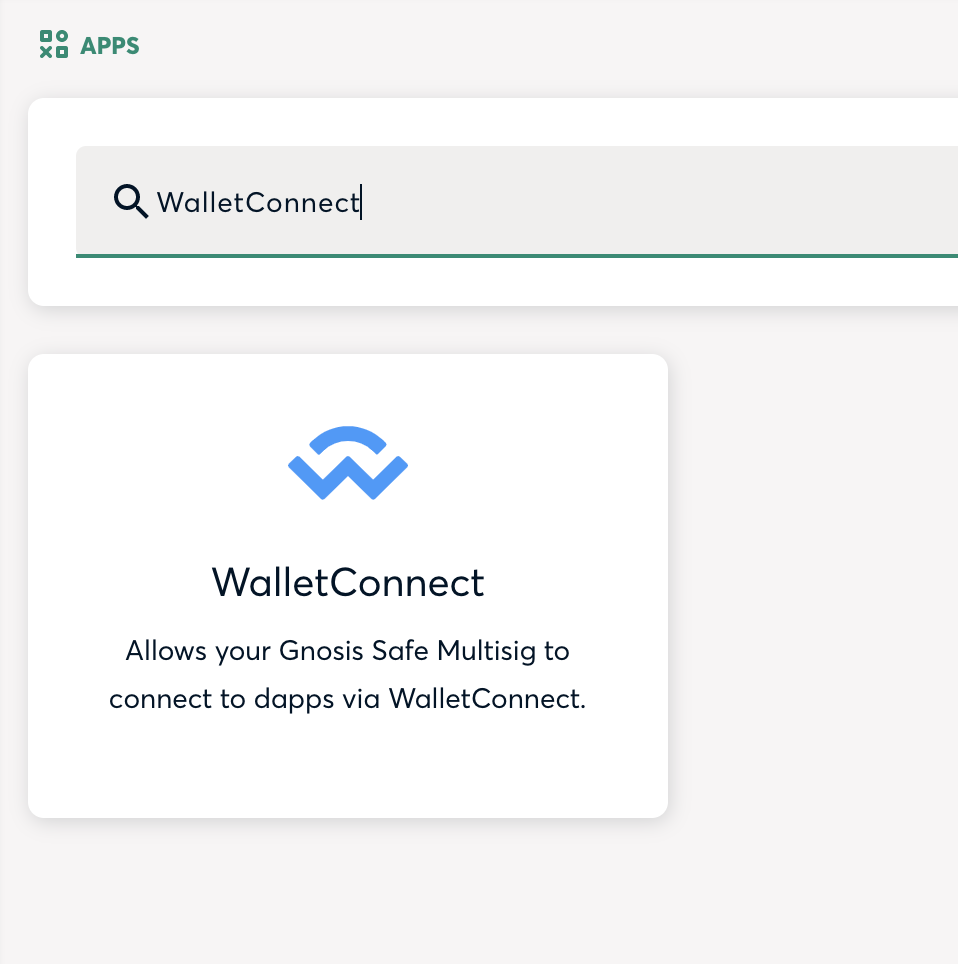
We got user feedback that when there are no results, users are kinda 'stuck'. As in they don't know what to do. To counter this I recommend using Mikhails original design, but instead of clearing the search, it populates the search with wallet connect.

image

Clicking on the "search WalletConnect", would open:

Screenshot 2021-09-21 at 15 29 34

@francovenica
Copy link
Copy Markdown
Contributor

Notes:
Ok, so the green button to clear the search was for now removed in favor to the X
Also I know that the "WalletConnect" default result is not still here, so I'll ignore it for now
Personally I don't mind the animation as you open the Apps page. I think it fine as it is.
I don't understand Ivan's comment regarding "typing 2 characters and getting unexpected results". For me so far it seems it matches both the title and the description of the apps, so is fine for me

It worked fine for me:
Tried with default apps, custom apps, even custom apps that show more than once.
The app list still works as intended (you can click in the items, the trashcan to remove them, adding custom apps is working just fine)
Made sure that the "add custom app" block is ignored by the search
The X clears the search just fine

Something curious (that I don't consider an that big of a deal) is that the search sometimes can ignore a character not written or a character that doesn't match:
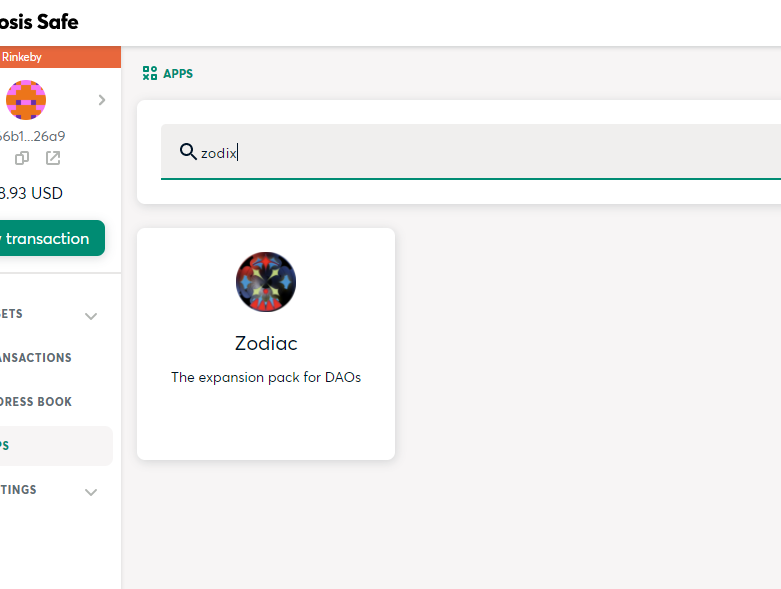
I have app called "Zodiac" if you write "Zx" "Zox" "Zodx" it won't show it as expected, but if you write "Zodix" it will show it as a result.
image

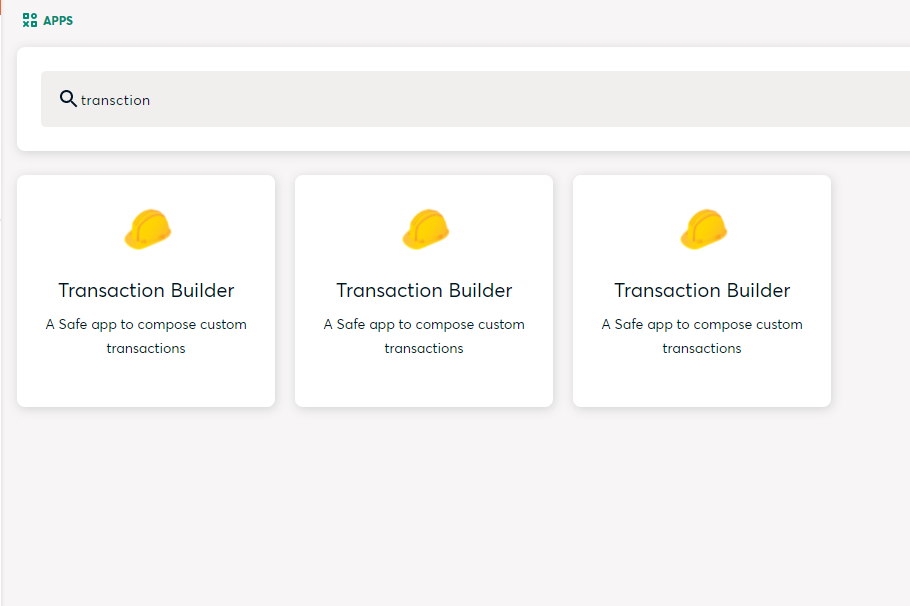
Another case is when characters are ignored. So If I want to find the "Transaction Builder" I can ignore one of the characters as long is the after the 4th one, so I can write "transction" or "transation" and it will find the app
image

Again, I don't think this is going to break the search for any user, but I wonder why that happens

Copy link
Copy Markdown
Member

@katspaugh katspaugh left a comment

Choose a reason for hiding this comment

The reason will be displayed to describe this comment to others. Learn more.

I suggest we merge this as is (after QA), and then tweak the no-results screen as necessary.

@mmv08
Copy link
Copy Markdown
Contributor Author

mmv08 commented Sep 24, 2021

I'll update the PR with not found screen suggestion from Graeme. The update I gave before in the standup that we want to do one more round of user tests was wrong, sorry.

@francovenica
Copy link
Copy Markdown
Contributor

@mikheevm @katspaugh for me the search is fine. The only thing I want to know if we are going to add here the WC "by default" if there are no results

@mmv08
Copy link
Copy Markdown
Contributor Author

mmv08 commented Sep 27, 2021

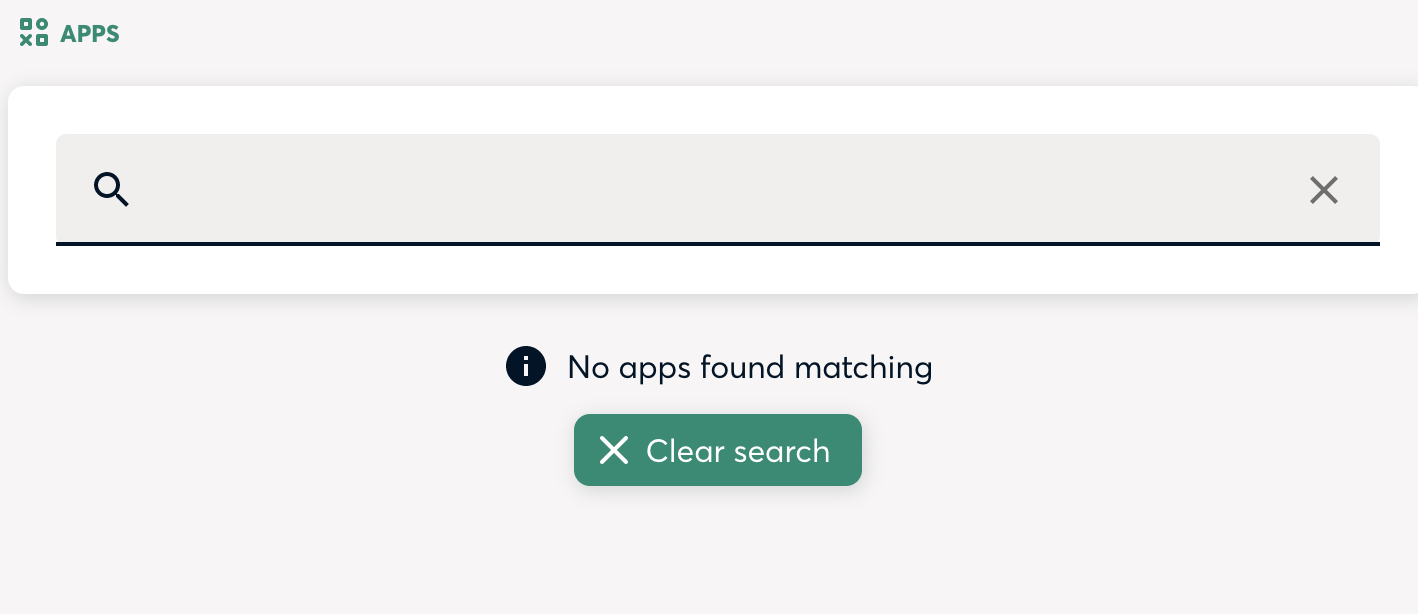
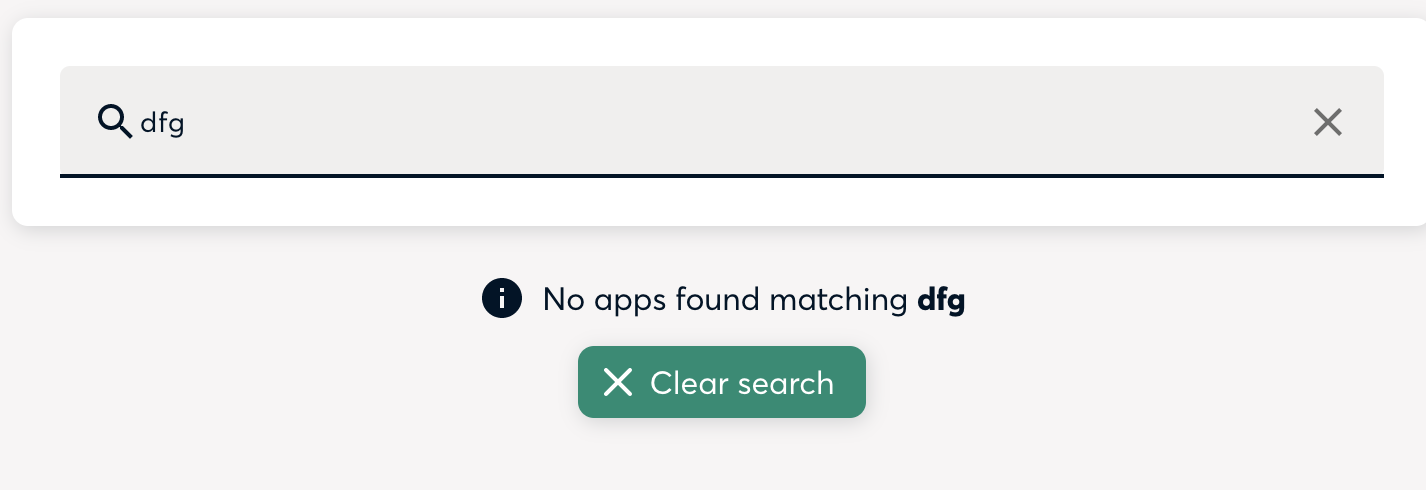
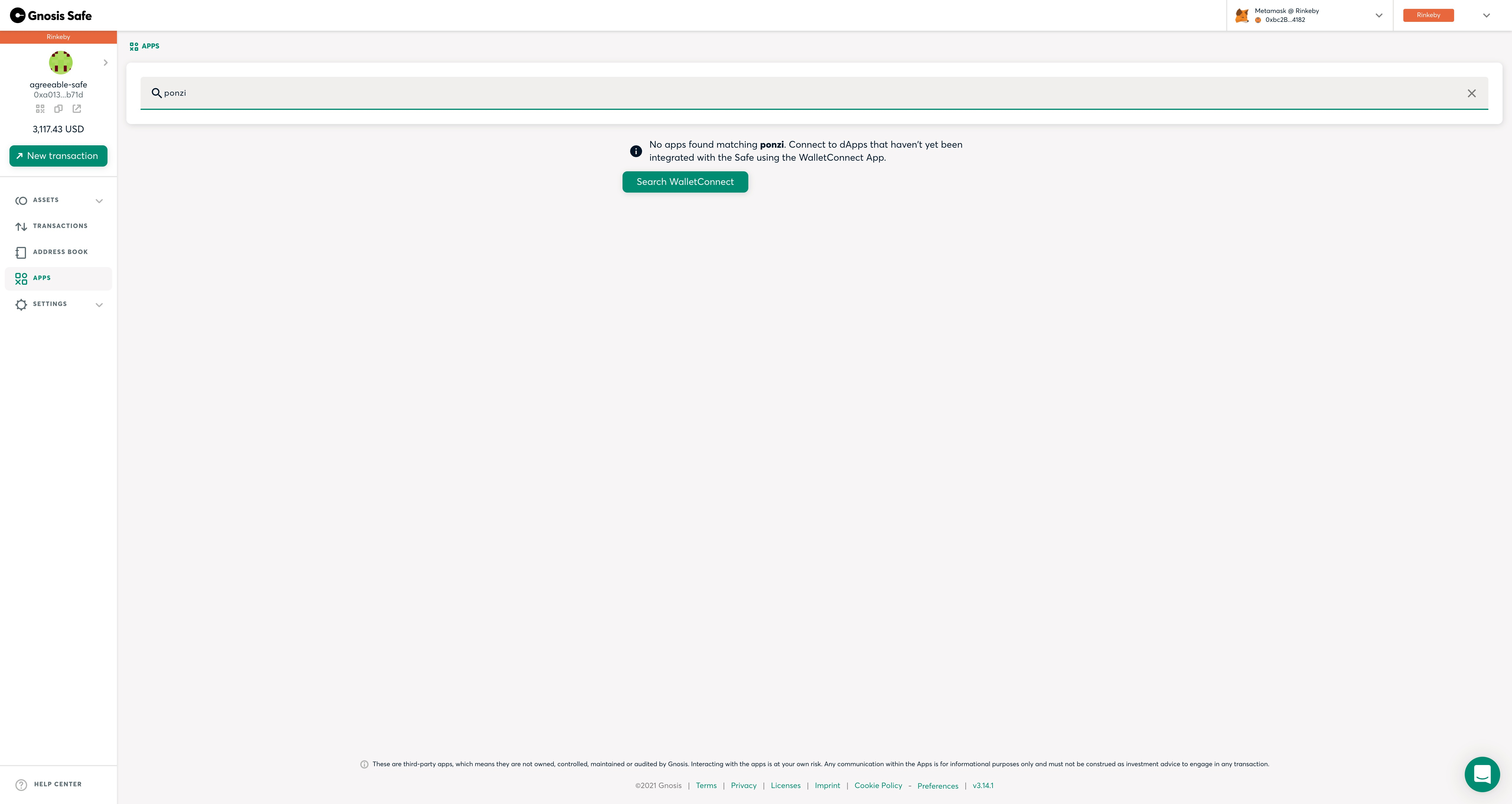
image

This is how the new "not found" page looks like

@github-actions
Copy link
Copy Markdown

github-actions Bot commented Sep 27, 2021

ESLint Summary View Full Report

Annotations are provided inline on the Files Changed tab. You can also see all annotations that were generated on the annotations page.

Type Occurrences Fixable
Errors 0 0
Warnings 0 0
Ignored 1 N/A
  • Result: ✅ success
  • Annotations: 0 total

Report generated by eslint-plus-action

Comment thread package.json Outdated
@katspaugh
Copy link
Copy Markdown
Member

katspaugh commented Sep 27, 2021

@mikheevm I would make the green button centered relative to the text above. And add a bit of margin on top.

@mmv08
Copy link
Copy Markdown
Contributor Author

mmv08 commented Sep 27, 2021

@katspaugh it is centered. Graeme has shared the new implementation privately on Slack. Also, the info icon is not there anymore

@mmv08
Copy link
Copy Markdown
Contributor Author

mmv08 commented Sep 27, 2021

I tested it and it worked according to the specs: https://www.loom.com/share/16a676bda3194afbbfb1be12f6cbf05d

@mmv08 mmv08 merged commit 2e93e7c into dev Sep 27, 2021
@mmv08 mmv08 deleted the feature/safe-apps-search branch September 27, 2021 13:28
@github-actions github-actions Bot locked and limited conversation to collaborators Sep 27, 2021
Sign up for free to subscribe to this conversation on GitHub. Already have an account? Sign in.

Labels

None yet

Projects

None yet

Development

Successfully merging this pull request may close these issues.

Search Safe Apps

5 participants