
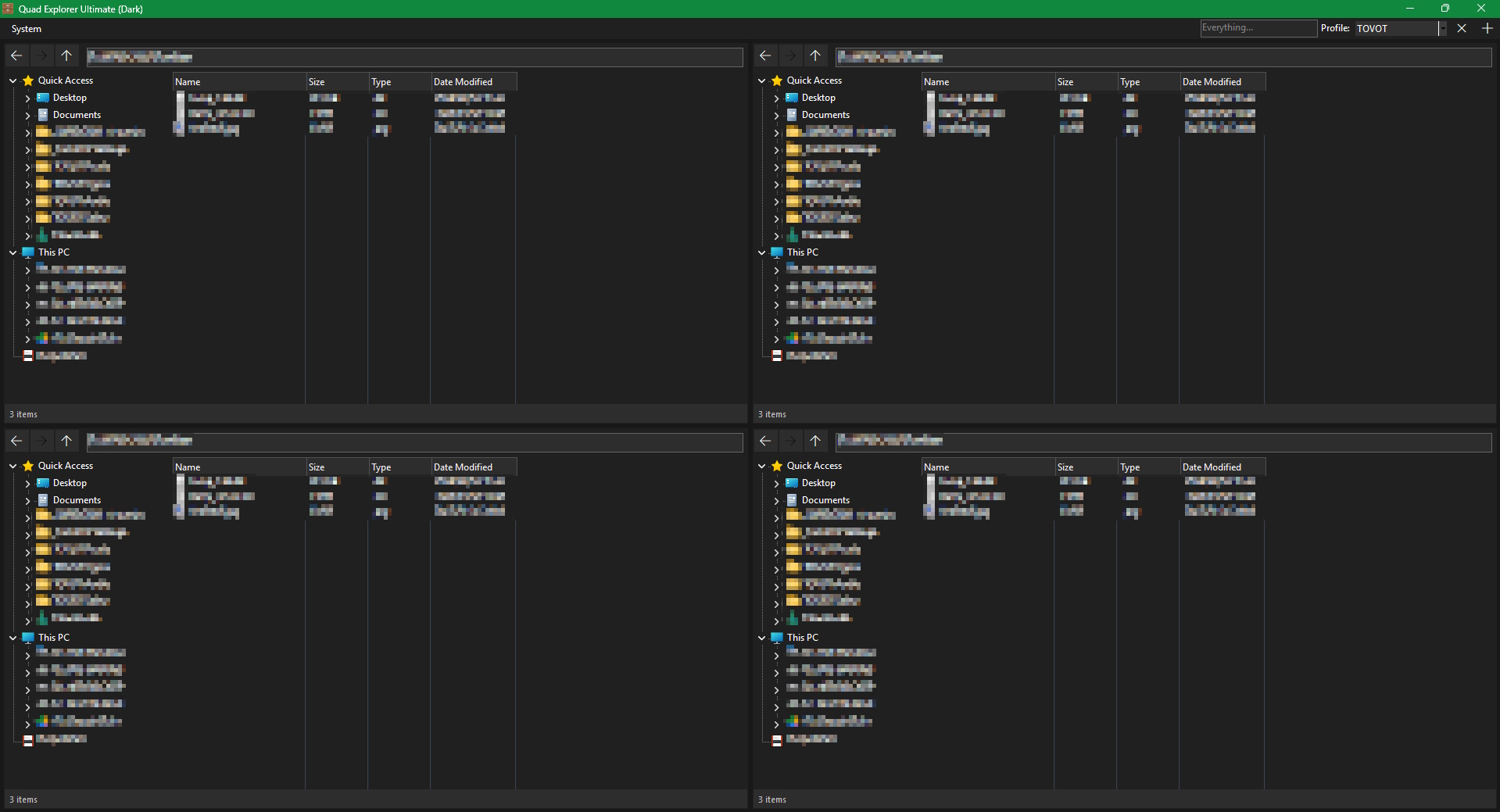
4TABs is a 4 tabs file manager for Windows 10/11+
designed to enhance file manipulation efficiency through a centralized four-unit interface
⚖️ Disclaimer:
this software is provided "as is", without warranty of any kind. the Author takes no responsibility for data loss or system instability
VirusTotal reports:
detection results are false positives due to the nature of low-level Windows API hooks for the dark theme and shell integration
Im looking for solutions that will be implemented in the next release
if you have ideas open an issue...
-
files deleted dont go in trash bin, just permanently removed
-
when cut/paste from one path to another (also when drag'n'drop), the original file remains in the initial path, so it actually does copy/paste
-
the path section does not refresh after changes (copy/paste)
- Windows 10/11
- .NET Framework 4.7.2 or higher
download the Latest Relase or compile from source (or any other C# compiler):
& "C:\Windows\Microsoft.NET\Framework64\v4.0.30319\csc.exe" /target:winexe /win32icon:"<PATH_SOURCE>\4TABs.ico" /reference:System.Windows.Forms.dll /reference:System.Drawing.dll /out:"<PATH_OUTPUT>\4TABs.exe" "<PATH_SOURCE>\*.cs"
- Quad-Pane Layout:
four independent explorer units within a single window (high performance and almost total control) - Navigation & File Management shortcuts:
buttons next to the path bar and few Keyboard shortcuts, also a simple context menus (WIP) - Profile Management:
save and load custom path configurations for all tabs (profiles are saved viaprofiles.cfg) - Immersive Dark Mode:
full integration with Windows dark theme (only), including custom-drawn scrollbars and headers - Sync-Resizing:
dynamic synchronization of sidebar and column widths across all panes - Shell Integration:
high-quality system icons and native context menus (WIP) - Persistent Settings:
remembers window size, positions, any column and sidebar dimensions and last used paths, also last profile used (all stored insettings.cfg) - Smart Sorting:
column sorting with logic for file sizes (KB/MB/GB) and alphabetical order, and clickable column sorting (Name, Smart Size, Date, Type) - Drag and Drop:
full drag and drop functionality inside and outside (example: to and from other file managers) - MISC QOL:
Recycle Bin under Drives in sidebar, Pinned in File Explorer are mirrored in 4TABs, simple status bar - Smart CopyPasta:
automatic conflict handling with Windows-style renaming (example: File[1].txt) and recursive folder copy support - Properties Dialog:
integration with the native Windows Properties panel (light theme right now due the confusion of Microsoft development -_-)
| Combo | Action |
|---|---|
[CTRL] + [C] |
Copy selected items |
[CTRL] + [X] |
Cut selected items |
[CTRL] + [V] |
Paste items to current directory |
[DEL] |
Delete selected items |
[ENTER] |
Navigate to path in Address Bar |
[Mouse XButton 1] |
History Back |
[Mouse XButton 2] |
History Forward |
refer to related Wiki page: https://github.com/70V07/4TABs/wiki/.CFG-Files
- Localizations (99):
right now is all in English (maybe some comments inside the source are in italian), so in future I made the translation in Italian, and maybe a system for create translation in your other language :| - Self-made and Community ADDONS (10):
like Tablacus Explorer - Custom themes (74):
self-explanatory
4TABs License ─ This project is licensed under the GNU General Public License v3.0 - see the LICENSE file for details.