


This project is the second iteration of my Cosplay Bot AI. Building upon the foundational Finite State Machine (FSM) developed in Assignment 1, this version completely overhauls the AI architecture by implementing Behavior Trees using the Unity Behavior Graph.
In addition to advanced AI decision-making, this project features intentional level design, creating a medieval fair environment where the AI agent can intelligently navigate, interact with environmental objects, and dynamically respond to the player's presence and actions.
- Behavior Tree Architecture: Transitioned from rigid FSMs to flexible, scalable Behavior Trees for complex decision-making.
- Dynamic Player Perception: Implemented custom Field of View (FOV) and proximity detection algorithms, allowing the bot to organically notice and lose track of the player.
- Contextual Actions & Animation: The AI dynamically switches between states (Greeting, Singing, Dancing, Navigating) based on blackboard variables and player input.
- Player-Driven Interactions: Players use specific keyboard commands to trigger interactions (asking questions, insulting, taking pictures, or requesting performances), which dynamically update the bot's blackboard and force real-time reactions.
- Custom Behavior Actions: Developed modular C# action nodes (e.g.,
TalkAction,SetRandomTargetAction) that integrate seamlessly with the Unity Behavior Graph. - Immersive Level Design: Built an optimized, low-poly medieval fair level featuring occlusion culling, baked lighting, and navigation meshes for pathfinding.
Watch the Cosplay Bot's Behavior Tree in action:
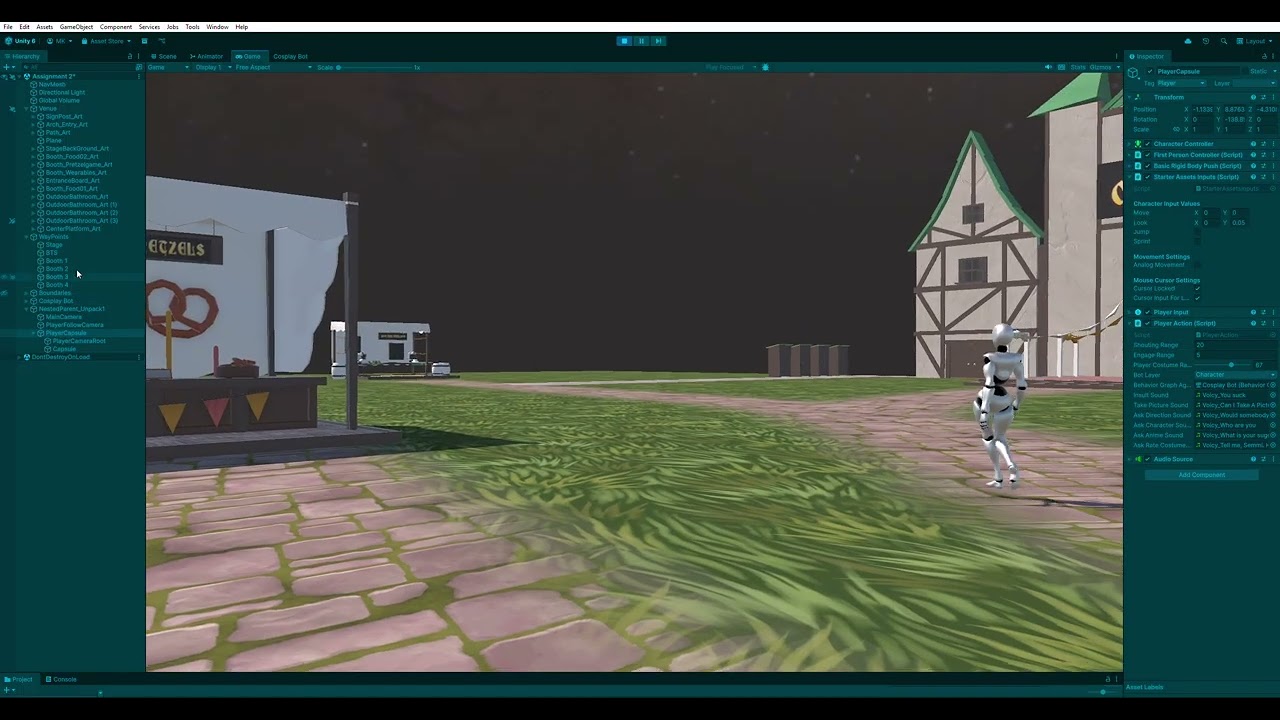
(Note: Some background audio in the demo video may be muted or restricted due to YouTube copyright claims on the fairground music).
While the project utilizes several third-party visual assets (Polygonal Mind, StarterAssets) to build the environment, the core AI logic is entirely custom. Key scripts include:
- PlayerDetector.cs
Manages the AI's perception. Uses proximity checks and raycasting to determine if the player is within the bot's line of sight, updating the Behavior Tree's blackboard variables in real-time. - PlayerAction.cs
Handles the player's side of the interaction. It listens for specific keyboard inputs (e.g.,Ifor Insult,Cfor Camera,Q/E/Rfor Dialogue,J/K/Lfor Performances), usesPhysics.OverlapSphereto detect the bot in range, and directly updates the bot'sBehaviorGraphAgentblackboard to trigger branch executions. - SetRandomTargetAction.cs
A custom Unity Behavior Graph Action node. It allows the AI to query the environment for objects matching specific tags and randomly assigns one as a navigation target, creating wandering/exploration behaviors. - TalkAction.cs
A custom Action node that handles interactive dialogue, displaying floating speech text above the bot for a set duration while triggering the appropriate animator states. - Cosplay Bot.controller
The underlying animation state machine that seamlessly blends the bot's physical reactions (dancing, waving, walking) driven by the Behavior Tree logic.
Follow these instructions to run the project locally in the Unity Editor.
- Unity Editor: Version 2022.3 LTS (or the specific version you used).
- Git: To clone the repository.
- Clone the repository:
git clone https://github.com/7450N/Game-AI-Assignment-2.git - Open in Unity:
Launch the Unity Hub, click Add project from disk, and select the cloned Game-AI-Assignment-2 folder. - Load the Scene:
In the Unity Project window, navigate toAssets/Resources/Scenes/and double-click the Assignment 2 scene. - Play & Interact:
Hit the Play button at the top of the Unity Editor. Walk up to the bot and use the following keys to interact:- I - Insult the bot
- C - Take a picture
- G - Ask for directions
- Q - Ask about the character
- E - Ask for an anime recommendation
- R - Ask the bot to rate your costume
- J - Ask the bot to act
- K - Ask the bot to sing
- L - Ask the bot to dance
Developed for Game AI Assignment 2.