


ASAP Utilities is a legendary productivity add-in for Microsoft Excel, designed to eliminate repetitive tasks and dramatically speed up your daily spreadsheet work. With over 300 powerful tools, ASAP Utilities helps you clean data, manage worksheets, adjust formatting, insert formulas, and much more — often with a single click. Trusted by more than 500,000 Excel users worldwide, ASAP Utilities turns complex, multi-step operations into instant actions. Whether you are a financial analyst, data controller, reporting specialist, or Excel hobbyist, ASAP Utilities brings professional-grade automation directly into your Excel ribbon. Unlike generic macros, ASAP Utilities is battle-tested, regularly updated, and exceptionally stable. Each tool within ASAP Utilities has been refined over 20 years of real-world feedback, making it one of the most reliable Excel enhancements ever created.
| Feature | What It Means |
|---|---|
| One job, done well | ASAP Utilities focuses 100% on Excel productivity — every dialog and shortcut exists to save you clicks and time. |
| Light on resources | ASAP Utilities adds almost no memory overhead to Excel, even with 300+ tools loaded and ready. |
| Remembers your choices | ASAP Utilities preserves your tool preferences, recent operations, and favorite utilities across sessions and Excel restarts. |
| Instant response | No lag when opening menus. No "are you sure?" dialogs for repetitive tasks in ASAP Utilities. |
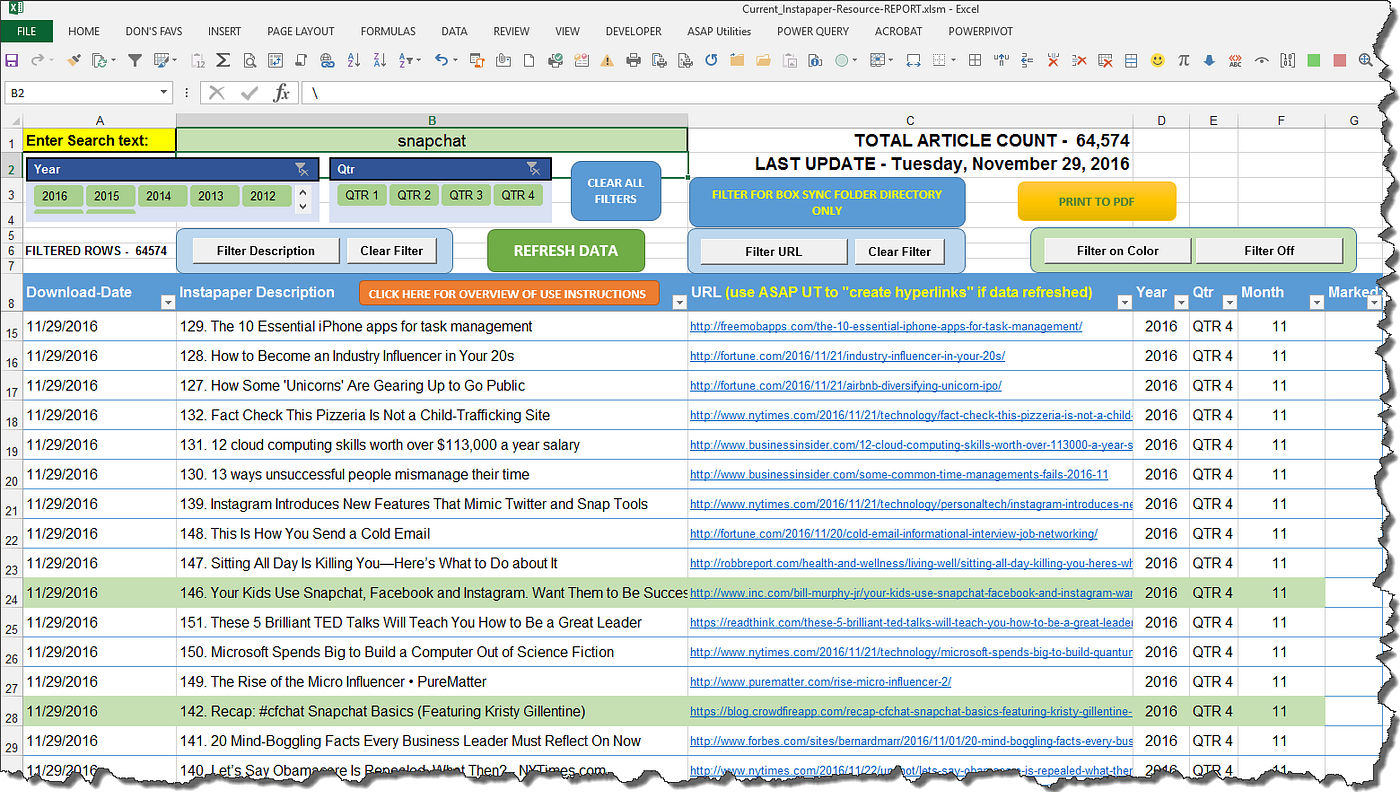
- Text Cleaning — Trim, remove unwanted spaces, change case, extract patterns, and clean CSV data instantly with ASAP Utilities.
- Data Filtering — Advanced filter, select by value, color, or condition — ASAP Utilities makes complex filtering simple.
- Worksheet Management — Create, sort, hide, or copy multiple sheets in one operation using ASAP Utilities.
- Formula Tools — Convert, analyze, debug, and document formulas — ASAP Utilities turns formula chaos into clarity.
- Column & Row Operations — Insert, delete, move, or transform ranges without manual selection loops in ASAP Utilities.
- Selection Tools — Select cells based on content, formatting, or formula errors — ASAP Utilities expands what Excel can select.
- Auditing & Reporting — Highlight inconsistencies, compare ranges, and generate sheet summaries with ASAP Utilities.
- Date & Time Utilities — Fast date conversions, age calculations, and time interval handling inside ASAP Utilities.
- Get ASAP Utilities — Download the latest version from the official installer (one
.exefile). - Install — Run the installer with default settings. ASAP Utilities integrates directly into your Excel ribbon.
- Launch Excel — Open any workbook. You will see a new "ASAP Utilities" tab in the ribbon.
- Start your first tool — Click any tool, e.g., "Text" → "Change case" → "Proper case". Select a range and apply.
- Explore the menu — Browse through 300+ tools grouped logically: Text, Numbers, Dates, Select, Sheets, Formulas, etc.
- Use shortcuts — Many ASAP Utilities tools support keyboard shortcuts and quick-access customization.
- Work normally — ASAP Utilities becomes part of your daily Excel workflow without interrupting how you work.
- Financial analysts — Automate monthly reconciliations, format reports, and clean trial balances with ASAP Utilities.
- Data analysts — Remove duplicates, split columns, filter by patterns, and prepare datasets faster using ASAP Utilities.
- Excel trainers — Demonstrate advanced productivity techniques with ASAP Utilities in front of any audience.
- Auditors — Compare ranges, find mismatches, and highlight exceptions instantly using ASAP Utilities.
- Administrative staff — Merge sheets, print settings, and batch operations become one-click tasks in ASAP Utilities.
- Power users — Replace fragile macros with robust, tested tools from ASAP Utilities.
- Beginners — Perform advanced Excel operations without learning complex formulas or VBA code thanks to ASAP Utilities.
| Feature | ASAP Utilities | VBA Macros | Power Query | Manual Excel |
|---|---|---|---|---|
| 300+ ready tools | Yes | No | No | No |
| No coding required | Yes | No | Partial | Yes |
| Works across all Excel versions | Yes | Partial | Limited | Yes |
| One-click text cleaning | Yes | Manual coding needed | Partial | No |
| Batch sheet operations | Yes | Complex coding | No | No |
| Selection by color / format | Yes | Difficult | No | No |
| Regular updates | Yes | Varies | Yes | N/A |
| Instant support & documentation | Yes | No | Microsoft docs | No |
ASAP Utilities replaces hundreds of manual steps and fragile macros with one consistent, reliable Excel add-in.
| Component | Minimum | Recommended |
|---|---|---|
| OS | Windows 10 | Windows 11 |
| Excel version | 2016 (32/64-bit) | Microsoft 365 / Excel 2021+ |
| RAM | 4 GB | 8 GB or more |
| Storage | 100 MB free space | SSD recommended |
| .NET Framework | 4.7.2 or later | Latest version |
ASAP Utilities Excel add-in • ASAP Utilities productivity tool • ASAP Utilities text cleaning • ASAP Utilities data cleaning • ASAP Utilities worksheet manager • ASAP Utilities formula tools • ASAP Utilities selection tools • ASAP Utilities column operations • ASAP Utilities row operations • ASAP Utilities audit tools • ASAP Utilities date utilities • ASAP Utilities reporting tools • ASAP Utilities Excel automation • ASAP Utilities batch processing • ASAP Utilities Excel ribbon tool • ASAP Utilities professional Excel • ASAP Utilities time-saving tools • ASAP Utilities no macros needed