A secure full-stack contact management app built with Spring Boot, Spring Security, Spring AI, Thymeleaf, and MySQL. Manage contacts with CRUD, search, CSV tools, and an AI Assistant powered by OpenAI through Spring AI.
This project integrates Spring AI with OpenAI to add intelligent features on top of your contact data.
| Feature | Description |
|---|---|
| Contact Q&A | Ask natural-language questions about your contacts (e.g. "Who are my favorite work contacts?") |
| Contact Summary | AI-generated overview of your contact book — totals, categories, favorites |
| AI Notes | Auto-generate short professional notes for any contact |
| Context-aware | Only uses your contacts as context — no hallucinated data |
| Graceful fallback | App runs without AI if OPENAI_API_KEY is not set |
How it works:
ContactAiServicebuilds a contact context from the user's database recordsChatModel(Spring AI) sends structured prompts with system + user messagesAiControllerserves the chat UI;AiApiControllerexposes JSON endpointsAiConfigactivates only when an API key is present (@ConditionalOnExpression)
Enable AI locally:
export OPENAI_API_KEY=your-openai-api-key
./mvnw spring-boot:run
Then open AI Assistant from the sidebar at /user/ai.
- Spring AI Assistant — chat, summaries, and contact note generation
- User registration and authentication (BCrypt password hashing)
- Create, view, update, and delete contacts
- Search, filter, favorites, and pagination
- Contact categories (Work, Personal, Family, Other)
- REST API (
/api/contacts,/api/ai) with JSON responses - CSV import & export for bulk contact management
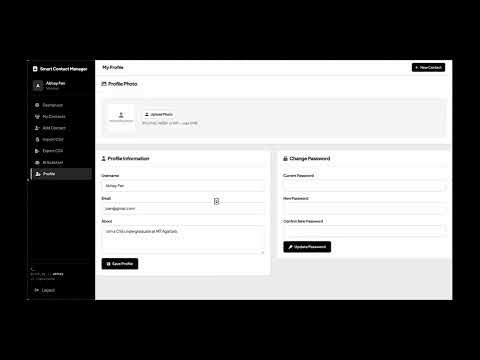
- User profile management with photo upload
- Dashboard analytics (totals by category and favorites)
- Responsive UI with Bootstrap 5
- Per-user data isolation and ownership checks


| Layer | Technologies |
|---|---|
| Backend | Java 17, Spring Boot 3.5, Spring MVC, Spring Data JPA, Spring Security |
| AI | Spring AI 1.0, OpenAI ChatModel, Prompt API |
| Frontend | Thymeleaf, HTML5, CSS3, Bootstrap 5 |
| Database | MySQL |
| Build | Maven |
| Container | Docker, Docker Compose |
| Testing | JUnit 5, Spring Boot Test, H2 (test profile) |
.
├── .github/workflows/ci.yml
├── docker-compose.yml
├── Dockerfile
├── mvnw
├── pom.xml
└── src/
    ├── main/java/
    │   ├── Controllers/     # MVC + REST (Contact, AI, CSV, Auth)
    │   ├── service/         # ContactAiService, ContactService
    │   └── config/          # Security, AiConfig, WebConfig
    └── main/resources/
        ├── application.properties
        ├── templates/
        └── static/image/ss/
- Java 17+
- Maven 3.8+ (or use the included Maven wrapper)
- MySQL 8+ (or Docker)
- OpenAI API key (optional, for AI Assistant)
git clone https://github.com/Ferryx349/SCM.git
cd SCM
cp .env.example .env
docker compose up --buildgit clone https://github.com/Ferryx349/SCM.git
cd SCM
cp .env.example .env
docker compose up -d mysql
export DB_HOST=localhost
export DB_PORT=3307
export DB_USERNAME=root
export DB_PASSWORD=scm_secret
export SERVER_PORT=8085
export OPENAI_API_KEY=your-key-here # optional
./mvnw spring-boot:run./mvnw testTests use an in-memory H2 database — no MySQL required.
Copy .env.example to .env or export these before running:
| Variable | Default | Description |
|---|---|---|
DB_HOST |
localhost |
MySQL host |
DB_PORT |
3306 |
MySQL port |
DB_NAME |
smart_contact_manager |
Database name |
DB_USERNAME |
root |
Database user |
DB_PASSWORD |
— | Database password |
SERVER_PORT |
8085 |
App port |
UPLOAD_DIR |
uploads |
Image upload folder |
OPENAI_API_KEY |
— | Enables Spring AI / OpenAI |
OPENAI_MODEL |
gpt-4o-mini |
OpenAI model name |
| Method | Route | Description | Auth |
|---|---|---|---|
| GET | / |
Home page | No |
| GET | /signin |
Login page | No |
| GET | /signup |
Signup page | No |
| GET | /user/index |
User dashboard | Yes |
| GET | /user/ai |
AI Assistant chat | Yes |
| GET | /addcontact |
Add contact form | Yes |
| GET | /user/export/csv |
Download CSV | Yes |
| GET/POST | /user/import |
Import CSV | Yes |
| POST | /user/ai/generate-notes |
AI notes for contact | Yes |
Requires an authenticated session.
| Method | Endpoint | Description |
|---|---|---|
| GET | /api/contacts |
List contacts |
| GET | /api/contacts/stats |
Dashboard stats |
| POST | /api/contacts |
Create contact |
| PUT | /api/contacts/{id} |
Update contact |
| DELETE | /api/contacts/{id} |
Delete contact |
| Method | Endpoint | Description |
|---|---|---|
| GET | /api/ai/status |
Check if AI is enabled |
| POST | /api/ai/chat |
Ask a question about your contacts |
| POST | /api/ai/summary |
Get AI summary of contact book |
| POST | /api/ai/contacts/{id}/notes |
Generate notes for one contact |
- BCrypt password encoding
- Authenticated access for all
/user/**and/api/**routes - Contact ownership validation before view/update/delete
- CSRF protection on form submissions
- OpenAI API key stored via environment variables only
Abhay Pandey