2.10.3

This time, we focused on making AdGuard VPN Browser Extension more flexible for different everyday scenarios. In v2.10, we’ve added custom profiles — a faster way to switch between different VPN setups.
Custom profiles
You may use VPN differently throughout the day: one setup for work, another for social media, and a third for streaming or watching cartoons with your kid. Each scenario may require a different VPN location, DNS server, or exclusion list.
With custom profiles, you can save different VPN settings and switch between them in one click. You can create up to 10 profiles in total.
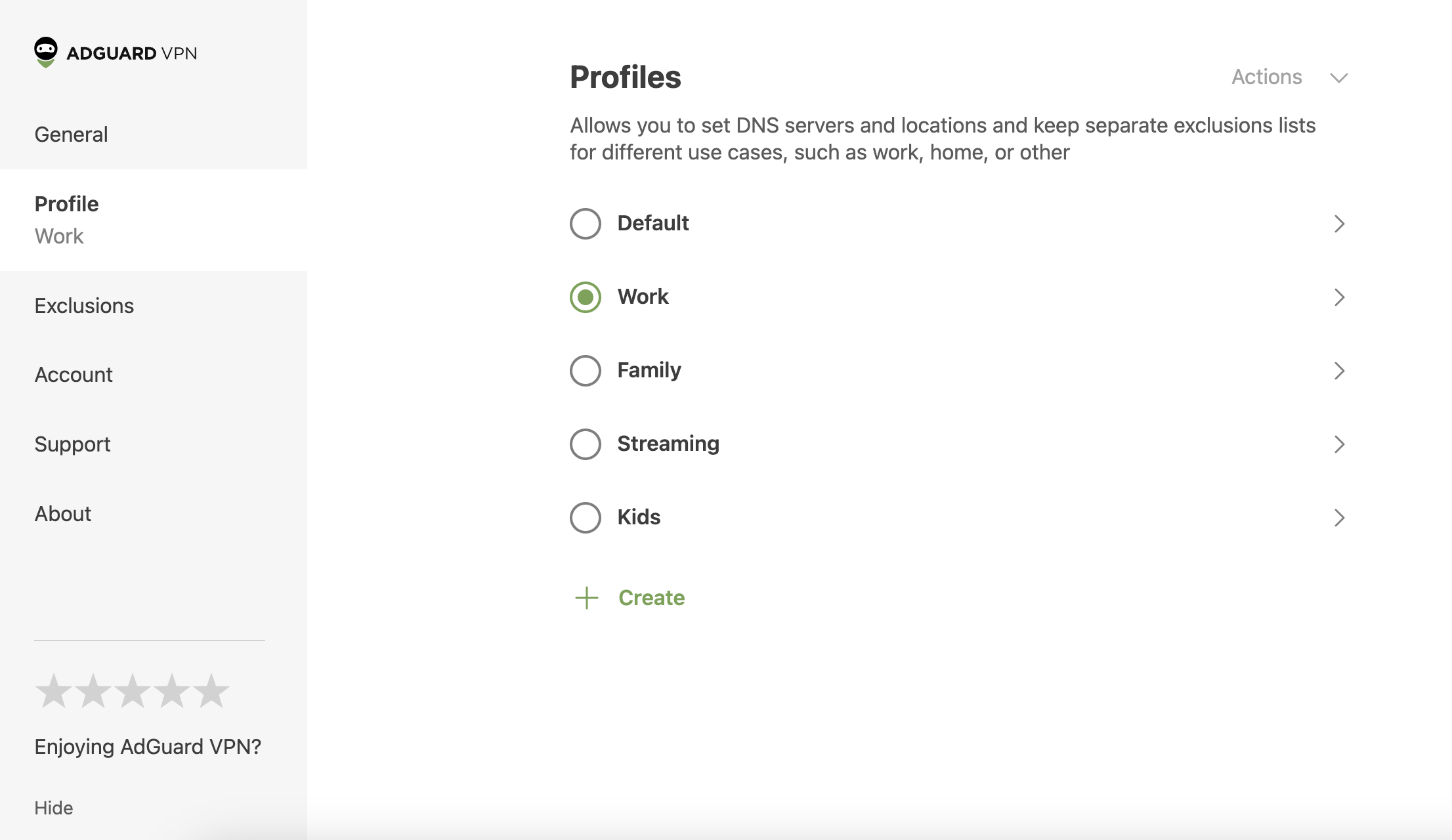
To try the new feature, click the AdGuard VPN icon in your browser → three-line menu in the upper-right corner (☰) → Profiles.
Profile settings
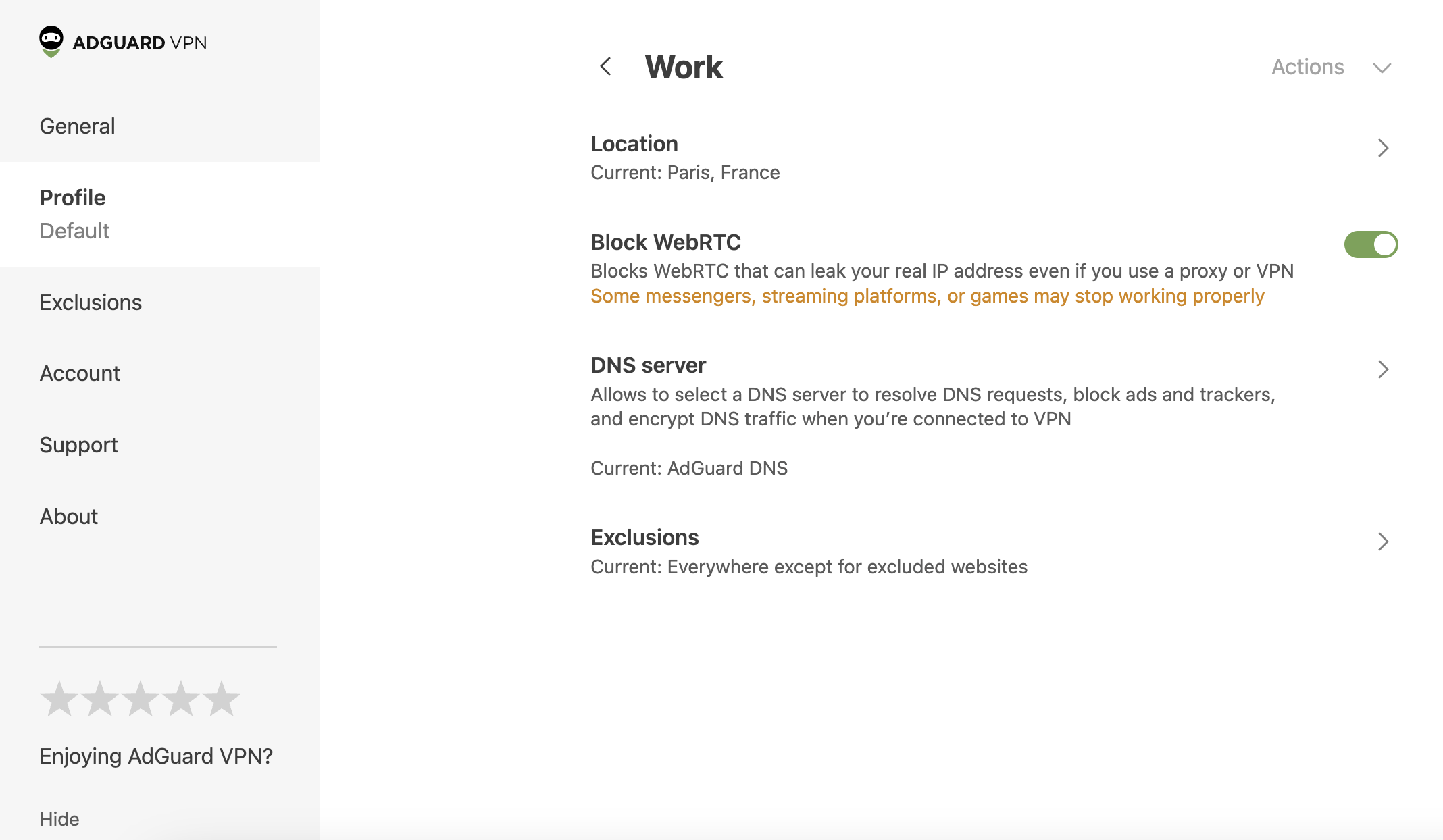
You can choose a name for each profile and configure the following settings:
- Server location
- WebRTC
- DNS server
- Exclusions
Other improvements
We’ve also fixed a few minor bugs to make the extension more stable.
Changelog
Improvements
- Added custom profiles #138
- Added version history and GitHub repository links to the About section #125