Initialize Project
Initializing the project and its resources is relatively easy unless custom changes needs to be made. This needs to be done after the transifex project have been created (See Setup Transifex Project for how).
NOTE: Everything detailed here can be done manually by creating a directory called .tx with a file called config and hand edit the config file.
The recommended way to install the transifex client is to install it through pythons pip utility.
After installing python, just run pip install transifex-client.
A cli client named tx should then be added to the path.
The first thing we need to do is create the configuration file,
This is easily done by calling tx init, you will then have to input the website we should grab the resources from (defaults to https://www.transifex.com). You may also be asked for a api token if this is the first time you've run the tx client.
To set up the resources that is currently hosted on transifex we need to create the necessary configuration, this can be done before uploading the resource file(s) to transifex.
But I prefer having it uploaded before initializing it in the source repository which is how it was done in this repository.
Run tx set --auto-remote https://www.transifex.com/[organization]/[project]/ to do the basic configuration (some manual configuration is needed after the auto configuration have run)
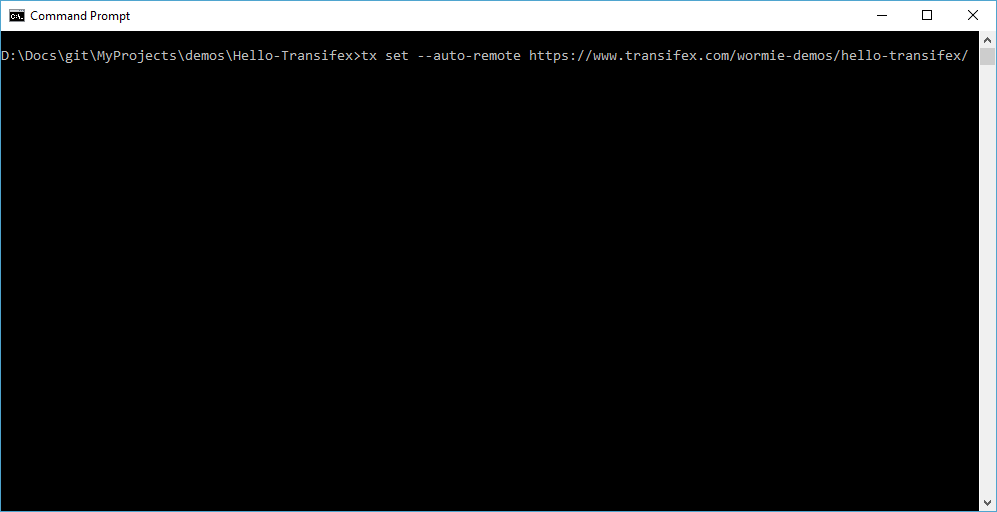
This will create add the resource files already uploaded to transifex, as is shown below.
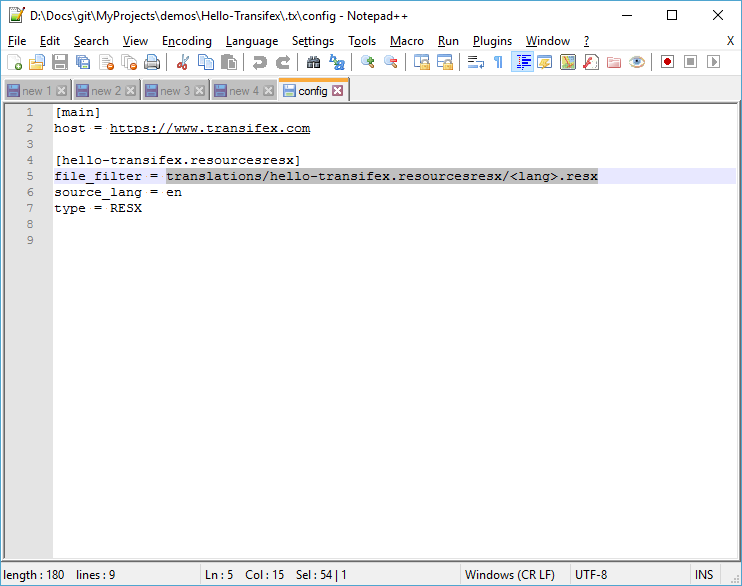
Ops, like we can see in the previous screenshot the file filter is pointing to the wrong location, as well as there is no reference to the source file in the local repo. Let us fix that.
For this demo project I expect the resource file to be called Resources.<lang>.resx and be located in the src/Hello-Transifex/Properties directory, this is easily fixed by updating the file_filter variable and changing it to file_filter = src/Hello-Transifex/Properties/Resources.<lang>.resx (<lang> is a placeholder for the culture code. ie nb, nb_NO, de etc.)
We also need to add a new variable to specify the source file since it do not use the same format as the translation files.
Let's add a new variable called source_file and set it the the source file.
source_file = src/Hello-Transifex/Properties/Resources.resx
With that done, we end up with the following configuration file:

Now the project have been initialized, however the resource files won't yet be detected when building the project yet.
That needs to be fixed (and is quite easy), we'll use a globbing pattern for the resource files.
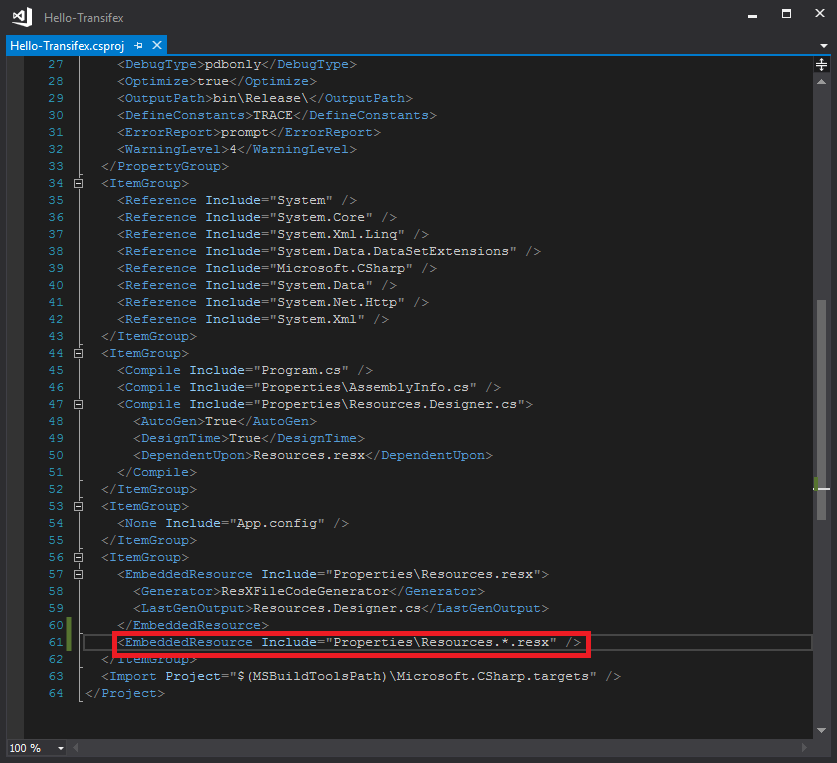
Open up your msbuild csproj file add add the following inside one of the ItemGroup elements.
<EmbeddedResource Include="Properties\Resources.*.resx" />
That's all that needs to be added, and we'll get the benefit of not needing to update the csproj file every time a new language is added.