A gallery and camera picker that lives inside your app.
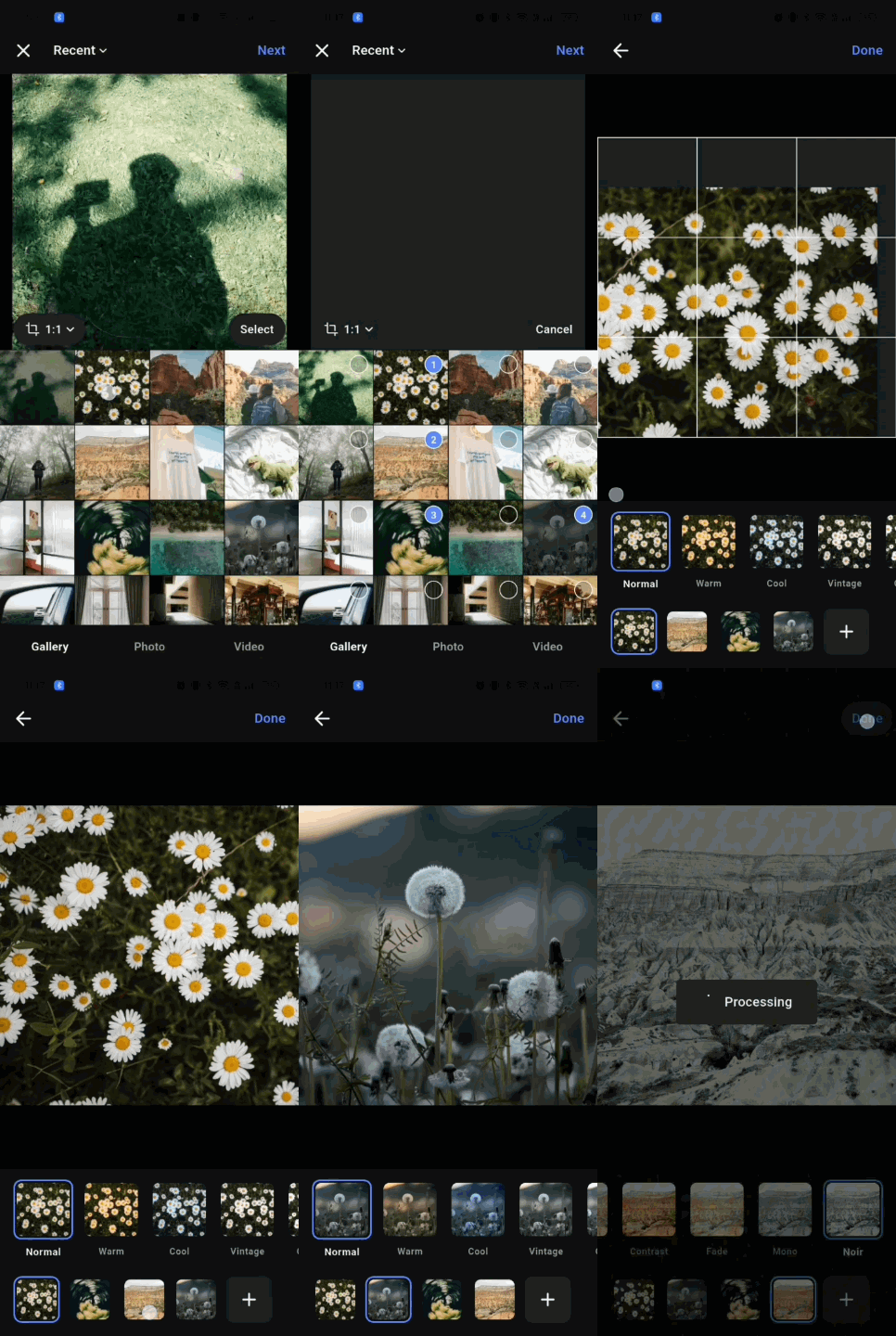
Pick images and videos, crop it, add filters them, reorder them, and get the files back.
In your theme and your language, on mobile, web and desktop.


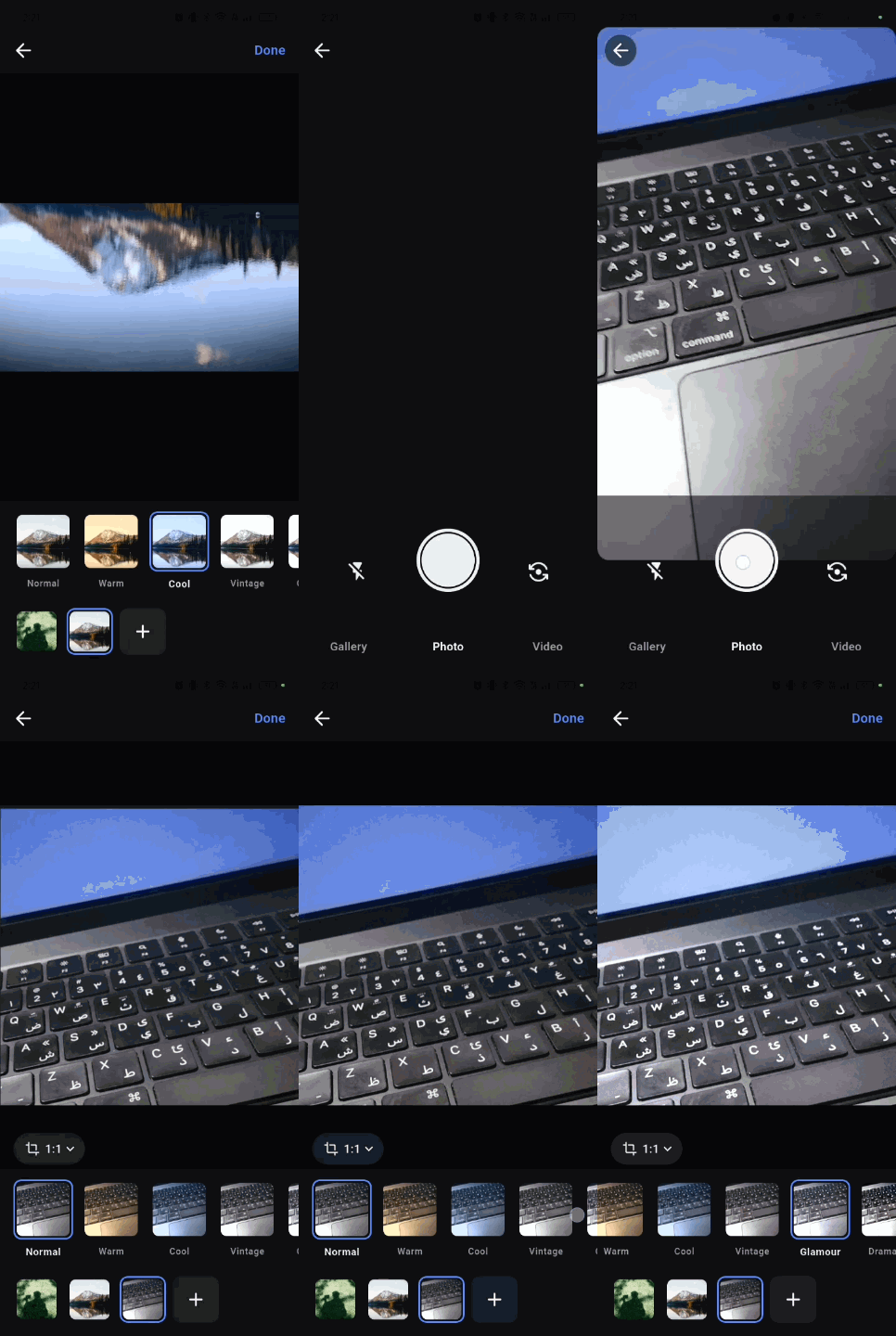
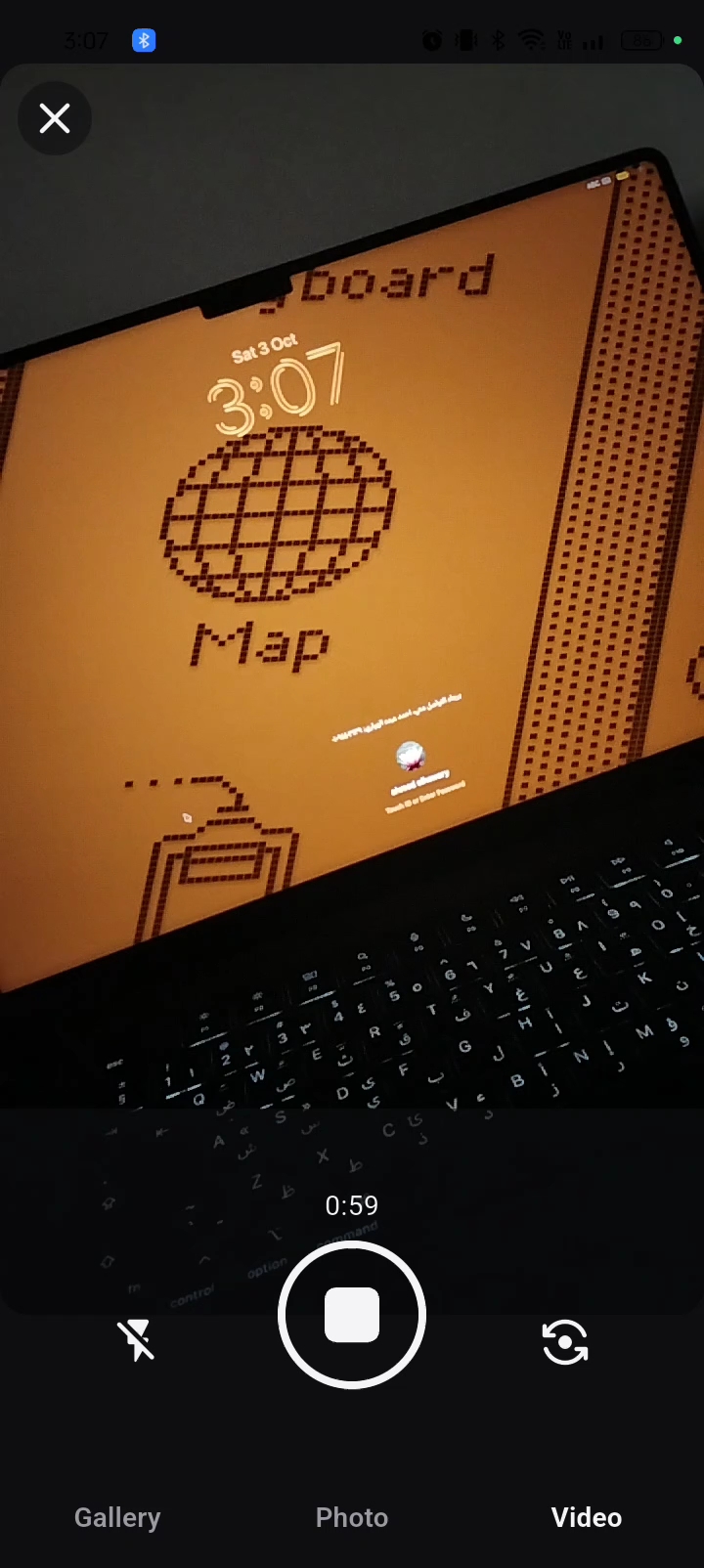
| Pick, crop, filter and reorder | Camera | Video |
|---|---|---|
 |
 |
 |
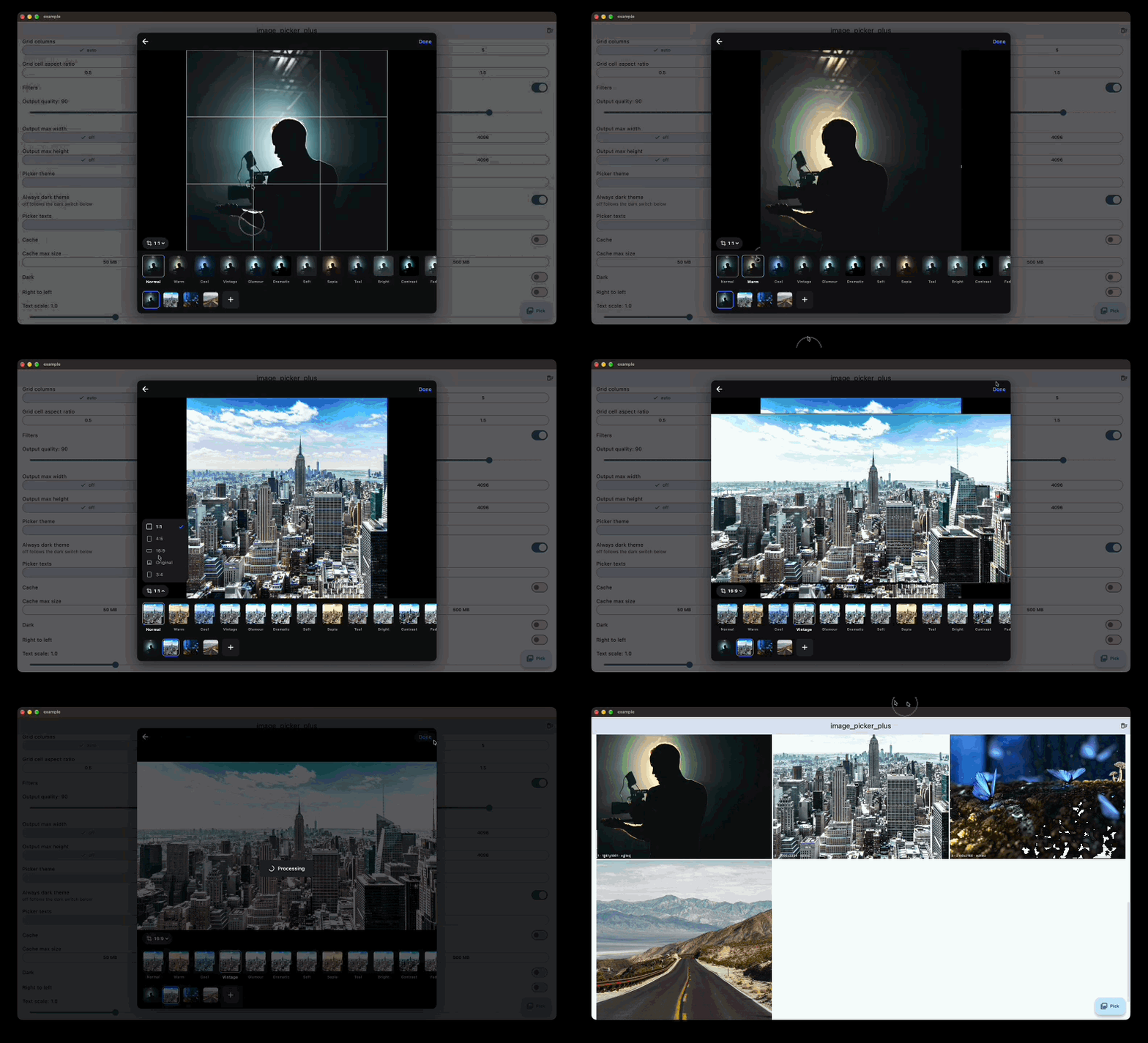
| MacOS | Web |
|---|---|
 |
 |
image_picker opens the phone's own picker. It works, but it looks nothing like your app, it can't crop, and you get the files back as they are.
image_picker_plus shows the gallery inside your app instead, so it follows your design, and the user can crop and edit before you get anything back. One call, one await, a list of files.
- Gallery with albums newest first, a preview, and a scrollbar with the month while scrolling. A tap picks one, a long press or the select button picks many up to a limit.
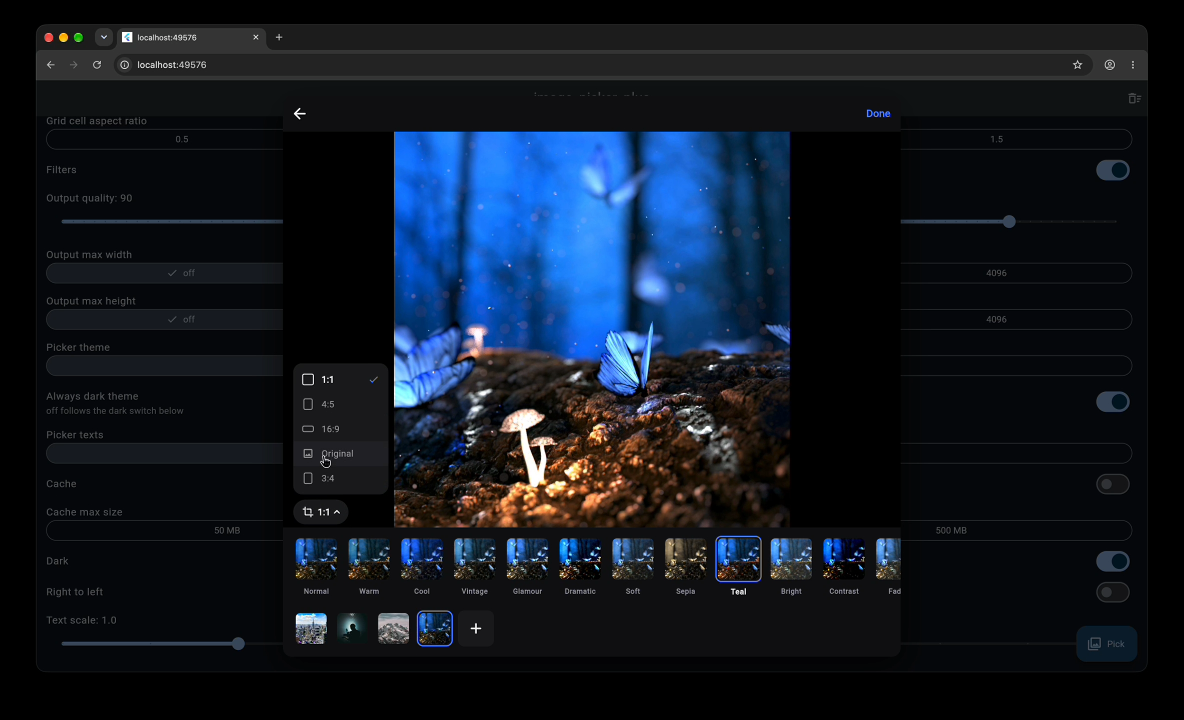
- Crop in the preview with the ratios you allow, then filters and reorder before returning. The plus on the edit screen adds more from the gallery, photo or video tab.
- Camera tabs for photo and video, with front/rear, flash and tap to focus.
- Light and dark themes, your own colors and texts, RTL, and layouts for phones and tablets.
- Optional disk cache for a faster reopen.
- No native code of its own, so there's nothing to set up besides the permissions.
final items = await ImagePickerPlus.pick(context); // by default, it has an elegant designThat's it. You get a List<PickedItem>, or null if the user closed the picker. Add the permissions and look at Settings for the rest.
Works on Android, iOS, web, macOS, Windows and Linux.
| Android, iOS | macOS, Windows, Linux | Web | |
|---|---|---|---|
| Picking | in-app gallery | system file picker | browser file picker |
| Camera | yes | no, PickerSource.camera shows "not supported" |
no, same |
| Crop, filters, reorder | yes | yes | yes |
| Edit screen | full page | a card on windows 600 px wide or more, full page under that | same as desktop |
| Videos | play | play on macOS, a placeholder on Windows and Linux | a placeholder |
| Cache | when enabled | never | never |
| Edited images | JPEG in the temp folder | JPEG in the temp folder | JPEG in memory (XFile.fromData) |
On web and desktop there's no gallery screen. The system picker opens right away, then the picked files go to the edit screen. Back on the edit screen opens the picker again.
flutter pub add image_picker_plus
The minimum iOS version is 13. Add these keys to ios/Runner/Info.plist:
<key>NSPhotoLibraryUsageDescription</key>
<string>your usage description here</string>
<key>NSCameraUsageDescription</key>
<string>your usage description here</string>
<key>NSMicrophoneUsageDescription</key>
<string>your usage description here</string>
The microphone is only needed to record videos with sound.
The minimum Android sdk is 24. Add these permissions to AndroidManifest.xml:
<manifest>
    <application
        android:requestLegacyExternalStorage="true"
        ...>
    </application>

    <uses-permission android:name="android.permission.READ_EXTERNAL_STORAGE" android:maxSdkVersion="32" />
    <uses-permission android:name="android.permission.READ_MEDIA_IMAGES" />
    <uses-permission android:name="android.permission.READ_MEDIA_VIDEO" />
    <uses-permission android:name="android.permission.READ_MEDIA_VISUAL_USER_SELECTED" />
</manifest>
The camera and microphone permissions come from the camera plugin.
Add this to macos/Runner/DebugProfile.entitlements and macos/Runner/Release.entitlements, so the app can open the files picked in the system picker:
<key>com.apple.security.files.user-selected.read-only</key>
<true/>Call ImagePickerPlus.pick straight from the tap, with no await before it in that handler. The browser only opens a file picker right after a click.
Videos aren't played here, they show a placeholder saying so. They're still exported normally. The player plugin's library imports dart:io, which would keep the whole package off wasm.
Nothing to set up.
import 'package:image_picker_plus/image_picker_plus.dart';

final items = await ImagePickerPlus.pick(
  context,
  settings: const PickerSettings(
    source: PickerSource.both,
    mediaType: MediaType.all,
    maxSelection: 10,
    cropRatios: [CropRatio.square, CropRatio.portrait],
    filters: true,
    output: OutputOptions(quality: 85, maxWidth: 2048),
    cache: PickerCache(enabled: true),
  ),
);
if (items == null) return; // closed

for (final item in items) {
  print("${item.file.path} ${item.type} ${item.width}x${item.height} edited: ${item.edited}");
}
items keeps the order the user picked, or the order they set on the edit screen.
| Setting | Default | |
|---|---|---|
source |
PickerSource.gallery |
gallery, camera or both. With both there are tabs for gallery, photo and video |
mediaType |
MediaType.image |
image, video or all |
maxSelection |
1 |
1 is single selection. above 1, counting starts on a long press or the select button |
cropRatios |
CropRatio.all |
the ratios the user can pick, [] means no crop. CropRatio.all is original, square, portrait (4:5) and landscape (16:9), or pass your own like CropRatio(3, 2). Only these show in the ratio menu |
showPreview |
true |
false hides the preview above the grid. The crop is then only on the edit screen, at the image's own ratio |
resizePreview |
true |
decodes the preview and edit images at the size they're shown. false decodes them at 1080 pixels, more memory but sharper when zooming the crop |
gridColumns |
null |
images per row, null follows the screen width (4, 6 or 8) |
gridCellAspectRatio |
1 |
width / height of a grid cell, 0.5 is twice as tall as wide |
filters |
false |
shows the filters on the edit screen |
output |
OutputOptions() |
JPEG quality (90) and optional max width and height for edited images |
theme |
null |
null uses PickerTheme.dark(), or follows the app brightness with PickerTheme.light() / PickerTheme.dark() when alwaysDarkTheme is false |
alwaysDarkTheme |
true |
false follows the app brightness. A custom theme wins over it |
texts |
PickerTexts() |
every text the picker shows, English by default |
cache |
PickerCache() |
off by default, see below |
When there's no crop and no filters, next returns the picked items right away. Otherwise next opens the edit screen.
Edited images are returned as new JPEG files with no metadata. Items that weren't edited, and all videos, are returned as the original file.
PickerSettings(
  theme: const PickerTheme(
    background: Color(0xFF0E0E10),
    surface: Color(0xFF1C1C20),
    onSurface: Color(0xFFF4F4F6),
    onSurfaceMuted: Color(0xFF9A9AA4),
    accent: Color(0xFFFF7A00),
    onAccent: Color(0xFFFFFFFF),
    scrim: Color(0xB3000000),
    // behind the edit card on web and desktop, optional
    barrier: Color(0x99000000),
  ),
  texts: const PickerTexts(next: "Weiter", done: "Fertig"),
)With PickerCache(enabled: true, maxBytes: 100 * 1024 * 1024) thumbnails and edited images are kept on disk in the app's temp folder, and the oldest go first when it's over maxBytes. When caching is off nothing is saved, and an old cache folder is removed on the next open. Caching is only on Android and iOS.
await ImagePickerPlus.clearCache();1.0.0 is a new API. The native crop plugin is gone, so you can also remove any setup you did for it.
| 0.6.0 | 1.0.0 |
|---|---|
ImagePickerPlus(context).pickImage/pickVideo/pickBoth(source: ...) |
ImagePickerPlus.pick(context, settings: PickerSettings(mediaType: ..., source: ...)) |
ImageSource.gallery/camera/both |
PickerSource |
GalleryDisplaySettings.maximumSelection |
PickerSettings.maxSelection |
GalleryDisplaySettings.cropImage / showImagePreview |
cropRatios / showPreview |
GalleryDisplaySettings.gridDelegate |
gridColumns and gridCellAspectRatio |
GalleryDisplaySettings.callbackFunction |
removed, await the result |
multiSelection: true |
maxSelection > 1 |
AppTheme |
PickerTheme |
TabsTexts |
PickerTexts |
SelectedImagesDetails / SelectedByte |
List<PickedItem> |
Android minSdk and iOS setup for the crop plugin |
not needed |
Before:
final details = await ImagePickerPlus(context).pickImage(
  source: ImageSource.gallery,
  multiImages: true,
  galleryDisplaySettings: GalleryDisplaySettings(maximumSelection: 5, cropImage: true),
);
final files = details?.selectedFiles.map((e) => e.selectedFile).toList();
After:
final items = await ImagePickerPlus.pick(
  context,
  settings: const PickerSettings(maxSelection: 5, cropRatios: [CropRatio.square]),
);
final files = items?.map((e) => File(e.file.path)).toList();Bug reports, ideas and PRs are welcome. Have a look at CONTRIBUTING first, it has the setup and the checks the CI runs.
MIT, see LICENSE.