Docker image which echoes various HTTP request properties back to client, as well as in the Docker container logs.
You can use your own certificates, choose your ports, decode JWT headers and filter out certain paths
Run with Docker
docker run -p 8080:80 -p 8443:443 --rm -t mendhak/http-https-echo
Or run with Docker Compose
docker-compose up
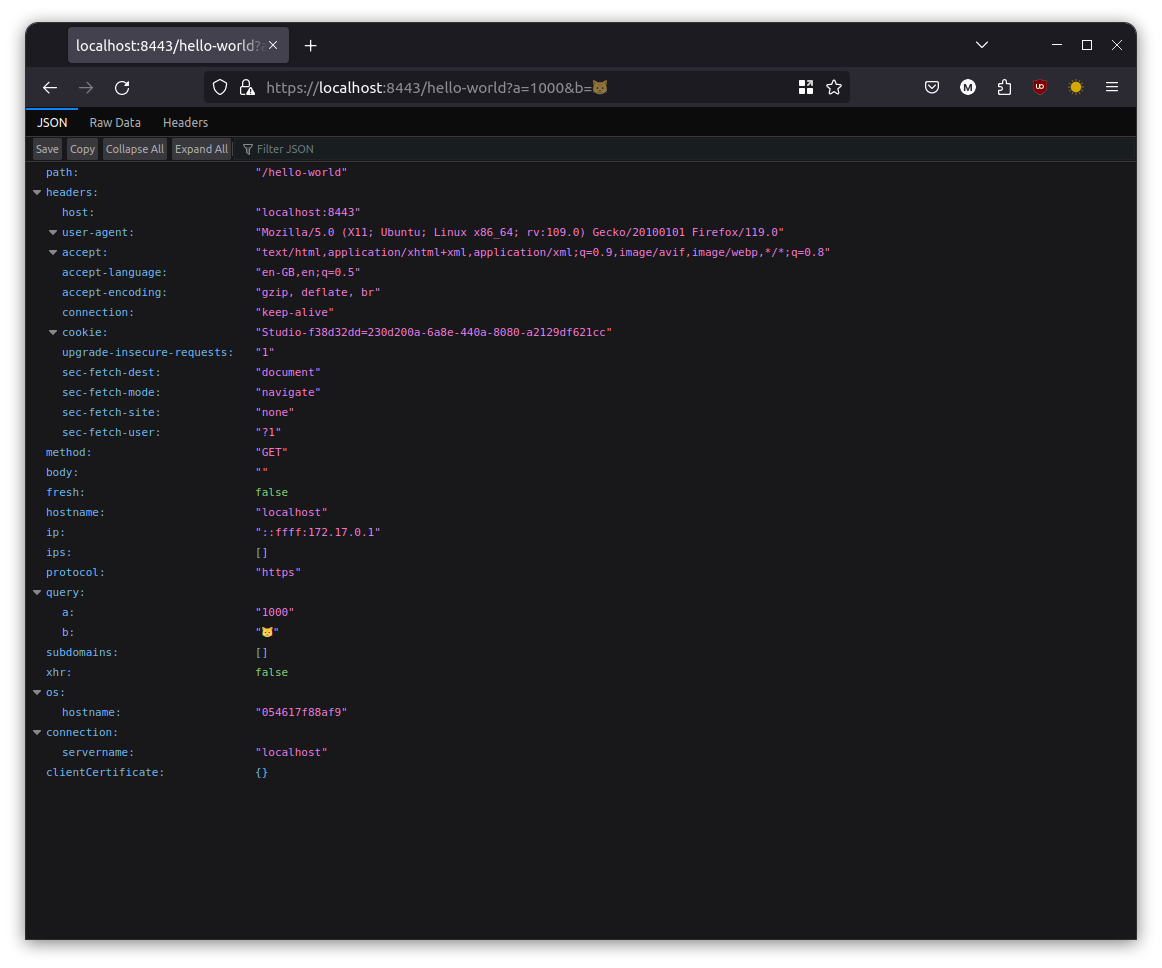
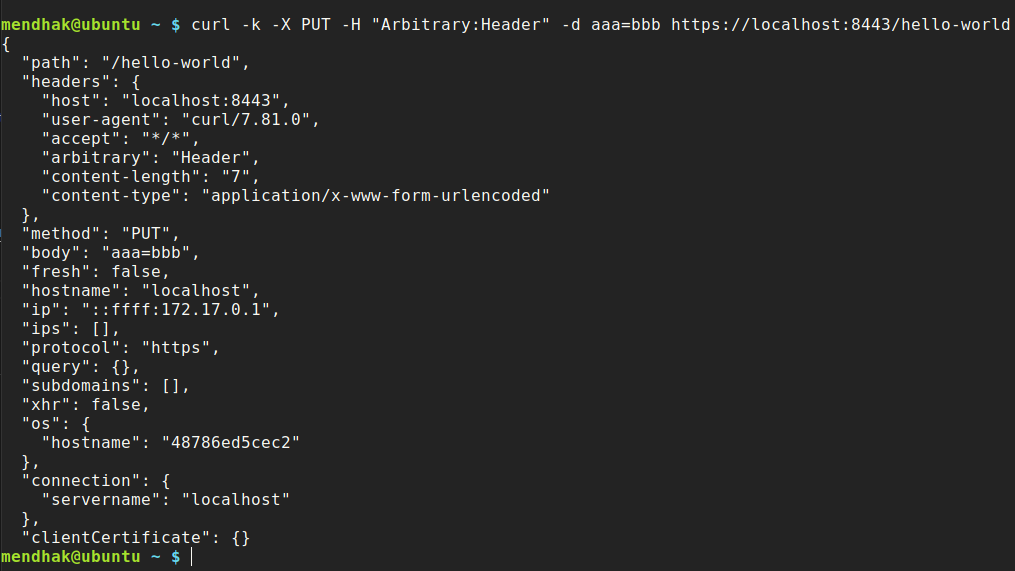
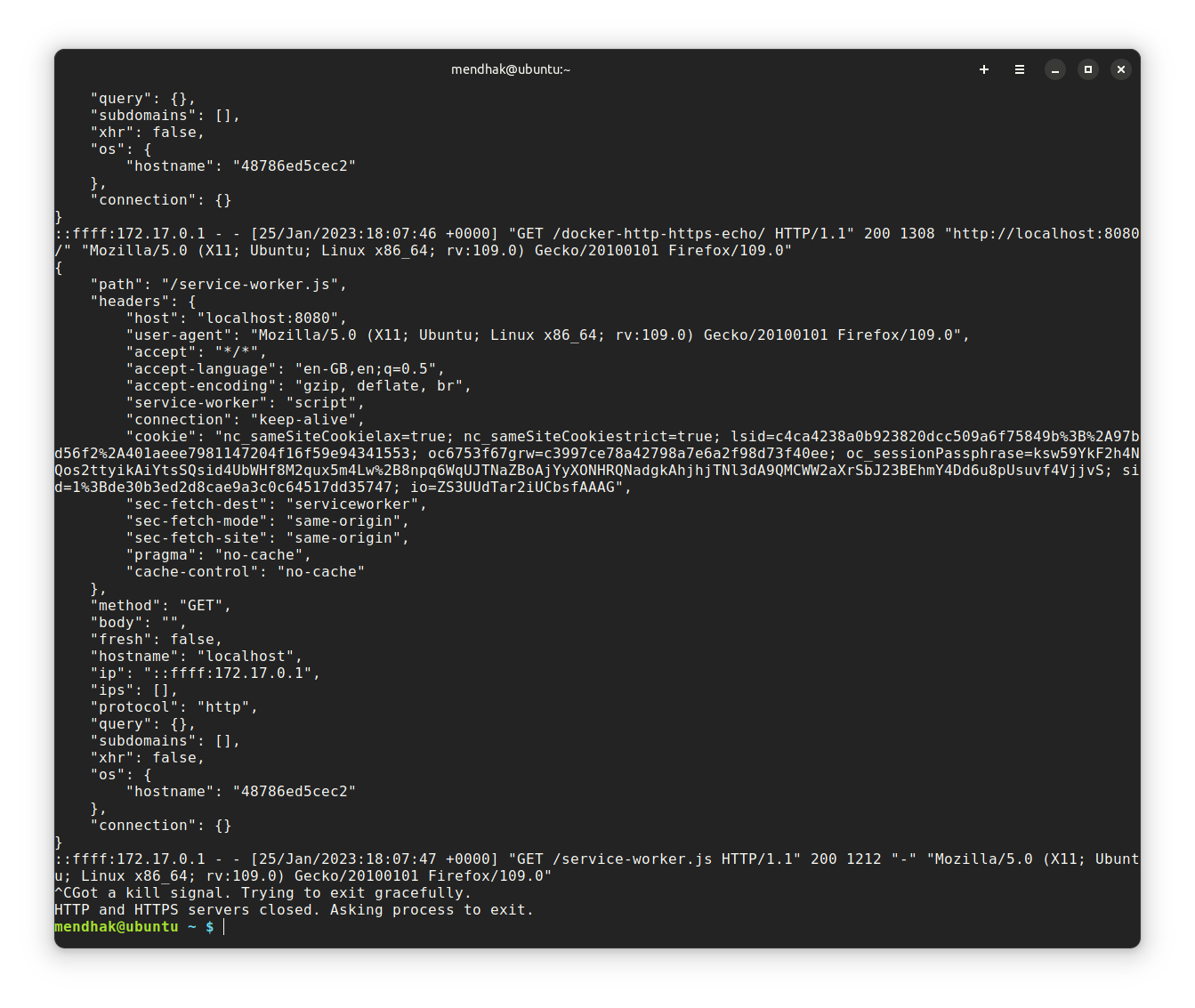
Then, issue a request via your browser or curl, and watch the response, as well as container log output.
curl -k -X PUT -H "Arbitrary:Header" -d aaa=bbb https://localhost:8443/hello-world
You can choose a different internal port instead of 80 and 443 with the HTTP_PORT and HTTPS_PORT environment variables.
In this example I'm setting http to listen on 8888, and https to listen on 9999.
docker run -e HTTP_PORT=8888 -e HTTPS_PORT=9999 -p 8080:8888 -p 8443:9999 --rm -t mendhak/http-https-echo
With docker compose, this would be:
my-http-listener:
    image: mendhak/http-https-echo
    environment:
        - HTTP_PORT=8888
        - HTTPS_PORT=9999
    ports:
        - "8080:8888"
        - "8443:9999"
Use volume mounting to substitute the certificate and private key with your own. This example uses the snakeoil cert.
my-http-listener:
    image: mendhak/http-https-echo
    ports:
        - "8080:80"
        - "8443:443"
    volumes:
        - /etc/ssl/certs/ssl-cert-snakeoil.pem:/app/fullchain.pem
        - /etc/ssl/private/ssl-cert-snakeoil.key:/app/privkey.pem
If you specify the header that contains the JWT, the echo output will contain the decoded JWT. Use the JWT_HEADER environment variable for this.
docker run -e JWT_HEADER=Authentication -p 8080:80 -p 8443:443 --rm -it mendhak/http-https-echo
Now make your request with Authentication: eyJ... header (it should also work with the Authentication: Bearer eyJ... schema too):
curl -k -H "Authentication: eyJhbGciOiJIUzI1NiIsInR5cCI6IkpXVCJ9.eyJzdWIiOiIxMjM0NTY3ODkwIiwibmFtZSI6IkpvaG4gRG9lIiwiaWF0IjoxNTE2MjM5MDIyfQ.SflKxwRJSMeKKF2QT4fwpMeJf36POk6yJV_adQssw5c" http://localhost:8080/
And in the output you should see a jwt section.
Set the environment variable LOG_IGNORE_PATH to a path you would like to exclude from verbose logging to stdout.
This can help reduce noise from healthchecks in orchestration/infrastructure like Swarm, Kubernetes, ALBs, etc.
docker run -e LOG_IGNORE_PATH=/ping -e HTTP_PORT=8888 -e HTTPS_PORT=9999 -p 8080:8888 -p 8443:9999 --rm -t mendhak/http-https-echo
With docker compose, this would be:
my-http-listener:
    image: mendhak/http-https-echo
    environment:
        - LOG_IGNORE_PATH=/ping
    ports:
        - "8080:80"
        - "8443:443"
docker build -t mendhak/http-https-echo .