Version 1.02
PLEASE NOTE that SPUM can only be legally downloaded from the following 2 sources:
- Unity Asset Store (Standard License) -Link : http://u3d.as/2mLe
- Github (Free License)
If you've obtained SPUM via some other means then note that your license is effectively invalid, as Soonsoon cannot provide support for pirated and/or potentially modified software.
If you have any questions, please contact to soonsoon@soonsoons.com
- Available for Unity 2019.4x or higher
- Only for Unity Editor
Youtube Video Link
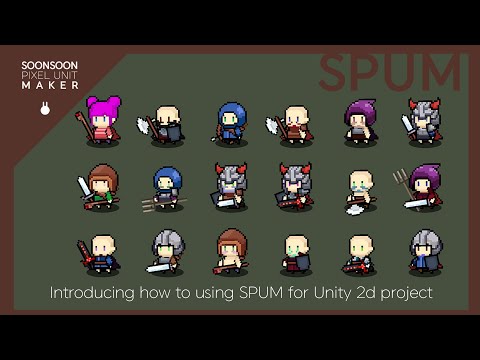
- provided by Korean Language.
- English subtitle will be provided soon.
How to make image sprite for your SPUM project
How to import image sprite in your SPUM unity project
Explain SPUM animation system for custom animation
https://i.simmer.io/@soonsoon/spum-preview
- Import this asset from asset store or Github(Free ver only)
- Select SPUM_Manager Ojbect in Scenec and Install Button at Inspector (After installed, you have to check "Assets/Resources/SPUM/SPUM_Sprites" Folder is exist)
- Play SPUM_Scene file at "Assets/SPUM/Scene/SPUM_Scene".
- You can choose part of characters and random choose, and testing animation provided.
- Save prefabs file then saved unit data located at "Assets/Resources/SPUM/SPUM_Units" with unit code name.
- You can using saved prefabs to your game project.
- You can Load saved unit data by load button.
- In load menu, you can delete unit data or choosing editing unit data.
- Loaded unit data set on main editor and you can modifying data and press Edit button to save.
- If it can't load or find Sprite data from Resources folder, you can re-install it with Reset "Reset Resources Data" button at bottom of SPUM_Manager object.
-
Character data created through SPUM can be used for personal, educational, team project, and commercial use.
-
The production tools provided by SPUM cannot be redistributed or used for commercial projects after reprocessing. If you want to use the tool itself after reprocessing, please contact the manufacturer.
1.00
- New : First Upload version
1.01
- New : Added Install System
1.02
- Fixed : Fixed Load Main Sprites
Copyright © 2021 Soonsoon