If this helped you, consider starring the repo ⭐
✨ VibeCheck - https://alexrabbit.github.io/VibeCheck/
A master checklist for vibecoding
Websites · Webapps · Windows apps · Scripts · Telegram bots · Android apps
🌐 📱 🖥️ 📜 🤖 📲
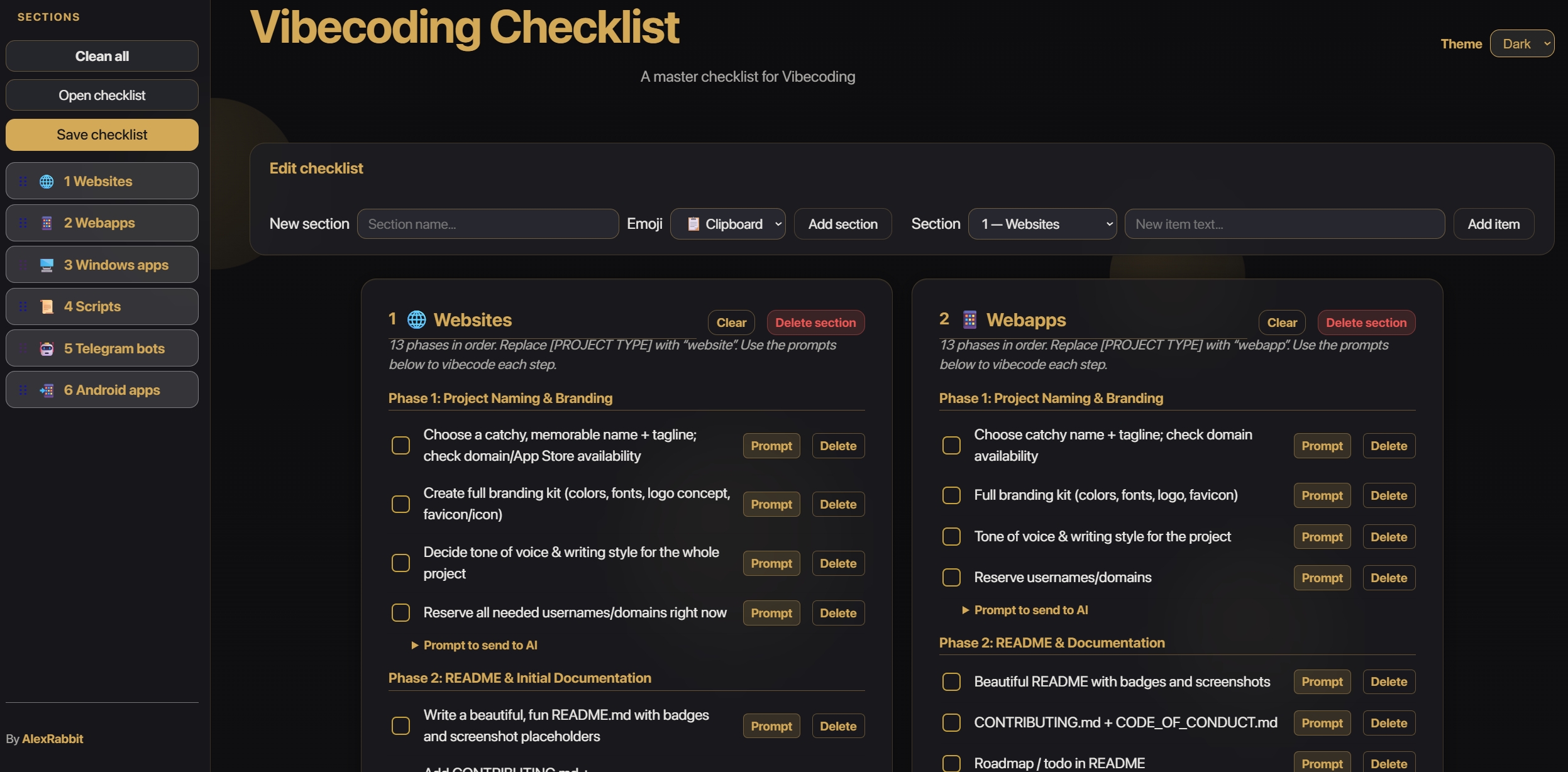
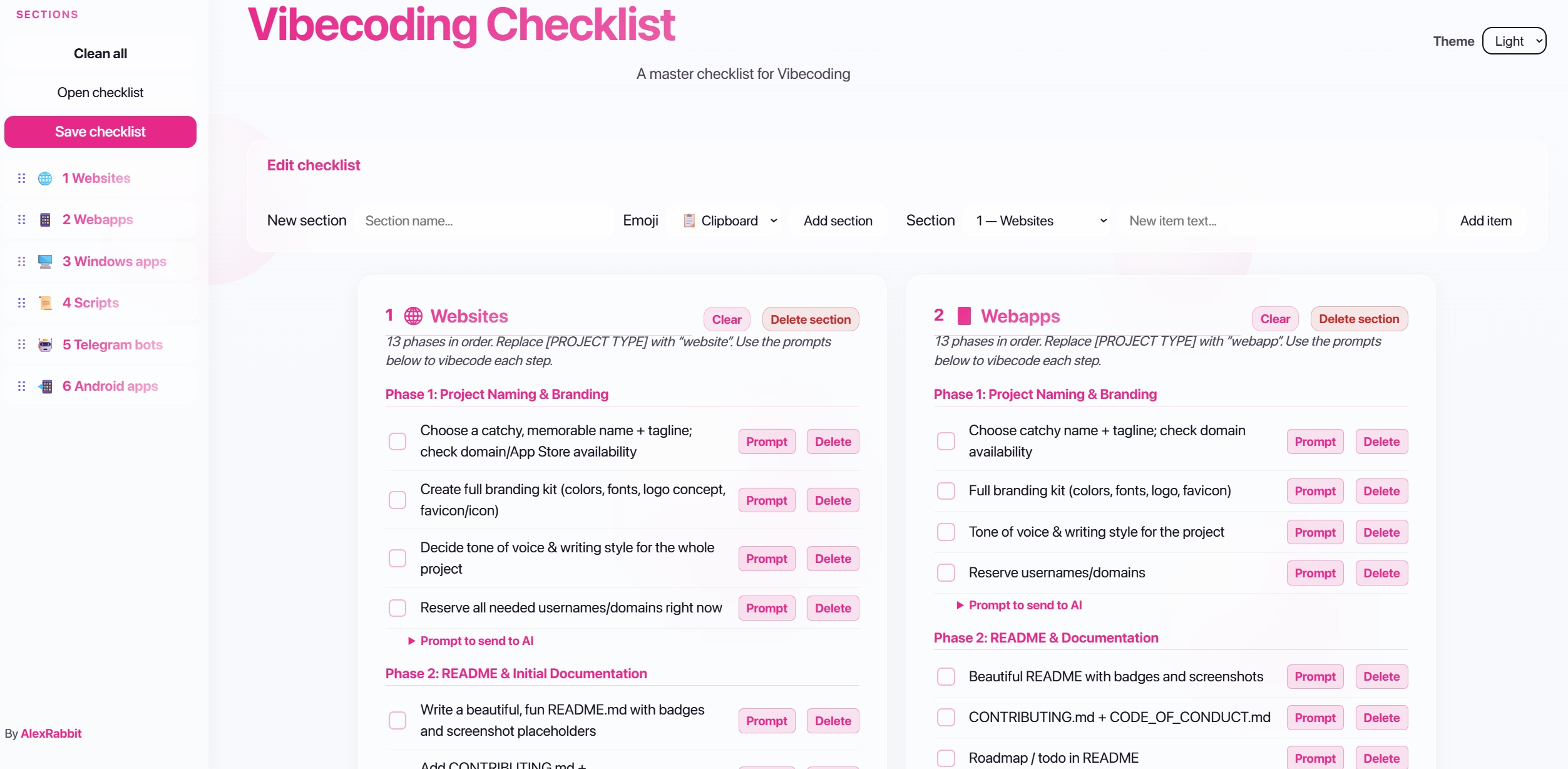
One place to tick off everything before you ship. Everything can be customized, edited, and saved—tweak prompts, reorder sections, add your own items, and build your own workflow. Glass-style UI, light/dark themes, drag-and-drop sections, and copy-paste AI prompts—so you can vibecode without missing a step.
→ Open VibeCheck (live) — Use it in the browser, no install. Customize everything, save your own copy, and make it yours.
VibeCheck is a single-page checklist for projects you build with an AI-assisted, “vibecoding” workflow. It covers 13 phases in order (naming, README, design, settings, logging, robustness, etc.) and 6 project types: Each section has checkboxes you tick as you go, editable “Prompt to send to AI” boxes you can copy and customize, and a Clear button per section. Your progress is saved in the browser (and in the file when you save).
Customized VibeCheck for your stack or workflow? You can help other vibecheckers by sharing your HTML template.
- Send a Pull Request with your saved
VibeCheck.html(SEND A RENAMED VERSION, e.g.VibeCheck-Scripting-Workflow.html) in a folderVIBING TEMPLATES. - We can collect templates for different stacks (e.g. React, Vue, Python scripts, Telegram bots) so others can Open checklist and start from your workflow.
- If this helped you, consider starring the repo ⭐—and if you share a template, even better!
Everything in VibeCheck can be customized, edited, and saved. You’re not stuck with the default—you can build your own workflow:
- Edit any text — Change checklist items, section names, and every “Prompt to send to AI” box. Your edits are saved when you use Save checklist.
- Reorder sections — Use drag and drop in the sidebar (⋮⋮ or the whole row) to put sections in the order that fits your process. Cards and the Section dropdown update automatically.
- Add and remove — Add new sections, add items to any section, delete items you don’t need. Save the file and you have your own template.
- Theme — Switch between Light and Dark in the header; your choice is remembered.
Save your customized checklist as a single HTML file. Reopen it anytime with Open checklist, or keep one file per project. Make it yours.
| Feature | Description |
|---|---|
| ✅ Checklists | Tick off items per section; state is saved in the browser and in the file when you save. |
| 🎨 Light / Dark theme | Toggle in the header; preference is remembered. Dark = black + gold. |
| ⋮⋮ Drag & drop | Reorder sections in the sidebar (drag the ⋮⋮ handle or the row); cards and the “Section” dropdown update automatically. |
| 📂 Open checklist | Load a saved .html file and continue where you left off. |
| 💾 Save checklist | Download the current page as VibeCheck.html with all checks and edits. |
| ✏️ Edit checklist | Add new sections, add items to a section, delete items, clear checks. |
| 📋 Editable prompts | Change the “Prompt to send to AI” text and save it with the checklist. |
| 🧊 Glass-style UI | Frost/glass look with a simple, readable layout. |
Use it online (recommended)
→ https://alexrabbit.github.io/VibeCheck/VibeCheck.html — Open this link and start ticking. Customize, edit, save your own copy. No install.
Use it locally
→ Download or clone this repo, then open VibeCheck.html in your browser. No server needed.
Save your progress
→ Use Save checklist to download the HTML with all your edits. Use Open checklist later to load it back. Everything you customize is in that file.
- Bookmark the live app or your local
VibeCheck.htmlfor quick access. - One file per project — Save a copy as
MyWebsite-Checklist.html,MyBot-Checklist.html, etc., and open the one you need. Everything you customized is in that file. - Custom prompts — Edit the “Prompt to send to AI” boxes for your stack and style, then Save checklist so they persist.
- Drag and drop — Put the sections you use most at the top by dragging them in the sidebar (⋮⋮ or the whole row).
VibeCheck · By AlexRabbit
If this helped you, consider starring the repo ⭐