A command-line automation tool that logs into the UNIR virtual campus, enters the specified subjects, and resolves the available tests automatically using Selenium.
- Automates login to the UNIR platform
- Navigates into one or multiple courses
- Detects and answers test questions (single choice and multi-choice)
- Collects correction results when available
- Uses Chrome WebDriver automatically (via
webdriver-manager) - Fully scriptable from the command line
- Clone the repository:
git clone https://github.com/AlvarodOrs/TestSolver.git
cd TestSolver- Python 3.10+
- Google Chrome installed
Install dependencies:
pip install -r requirements.txtThis installs:
- selenium
- webdriver-manager
Everything else used in the project is part of the Python standard library.
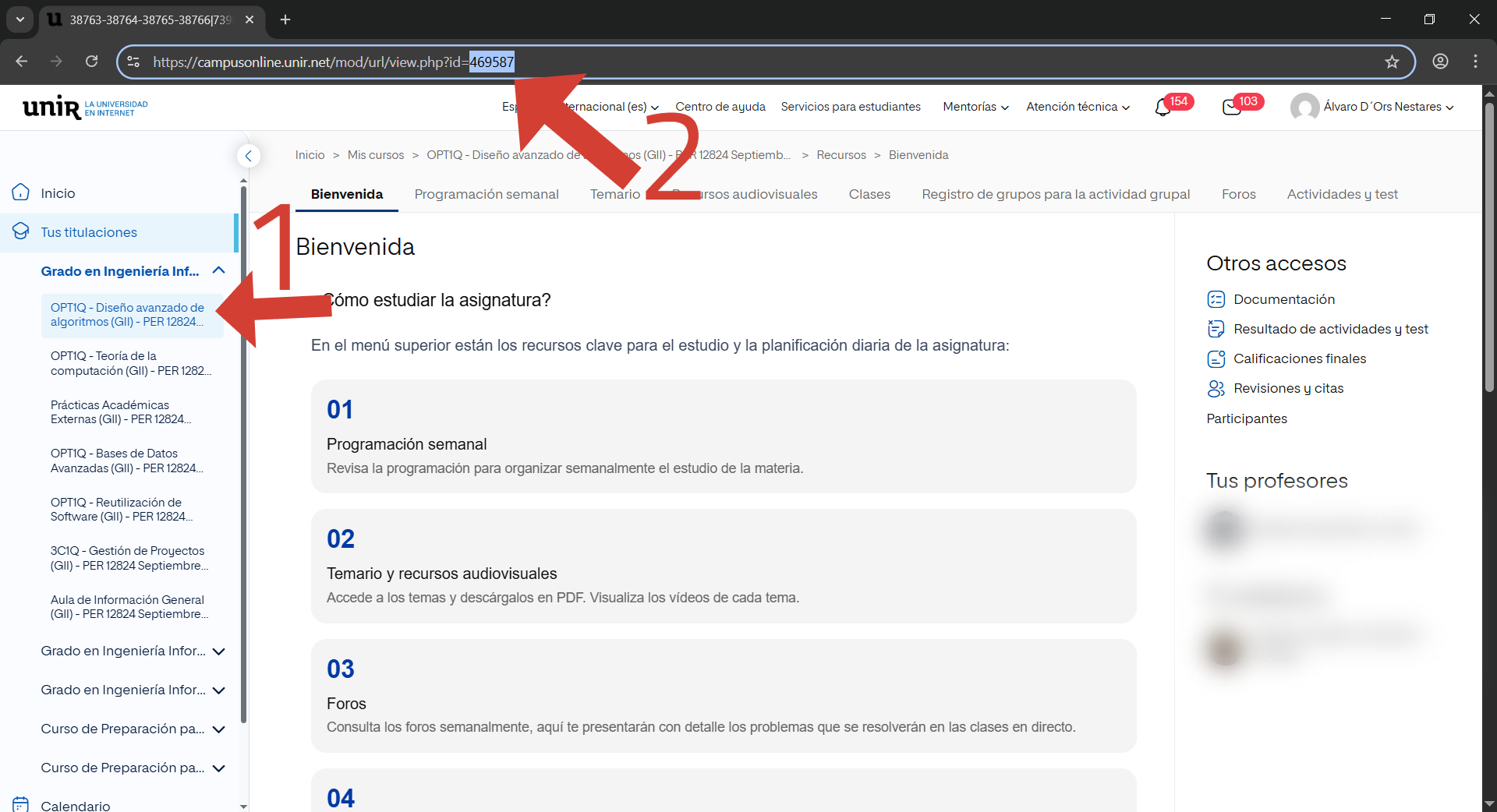
Click the wanted course (1), then copy the url code (2) and repeat with all desired courses.
python main.py --username tu@correo.com --password contraseña1234 --courses codigomateria1,codigomateria2,...| Argument | Required | Description |
|---|---|---|
--username |
Yes | Your UNIR login email |
--password |
Yes | Your UNIR campus password |
--courses |
Yes | Comma-separated list of course identifiers |
Example:
python main.py \
  --username usuario@unir.net \
  --password MiContraseñaSegura \
--courses ADS123,ALG202,POO455project/
│
├── main.py # Entry point
├── workers/ # Selenium automation logic
│ ├── __init__.py
│ ├── args.py
│ └── tools.py
│
├── utils.py
│ ├── __init__.py
│ ├── bot_launcher.py
│ ├── log_in.py
│ └── test.py
|
├── requirements.txt
└── README.md
- Use a real Chrome installation; Chromium-based forks may cause failures.
- If your campus has 2FA enabled, the bot will not complete the login automatically.
- The automation depends on UNIR’s HTML structure; if UNIR updates the site, selectors may need adjustments.
MIT License. You are responsible for any use of this script on your own account.