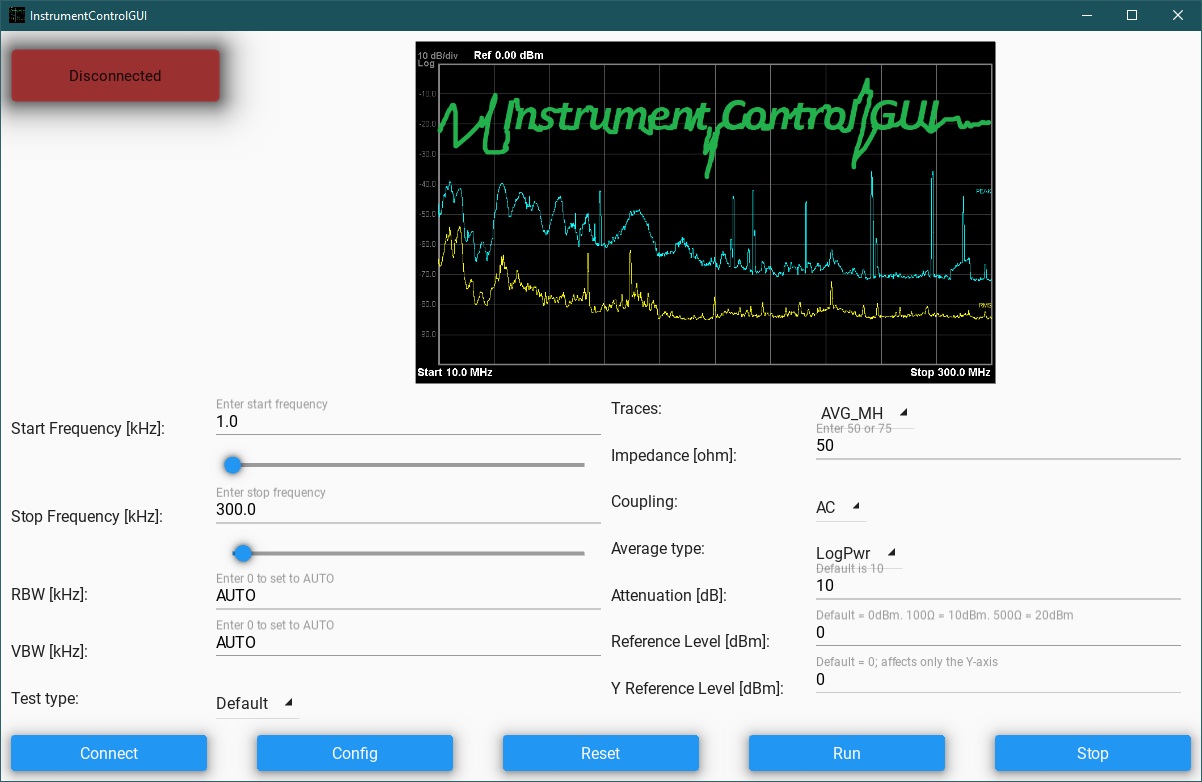
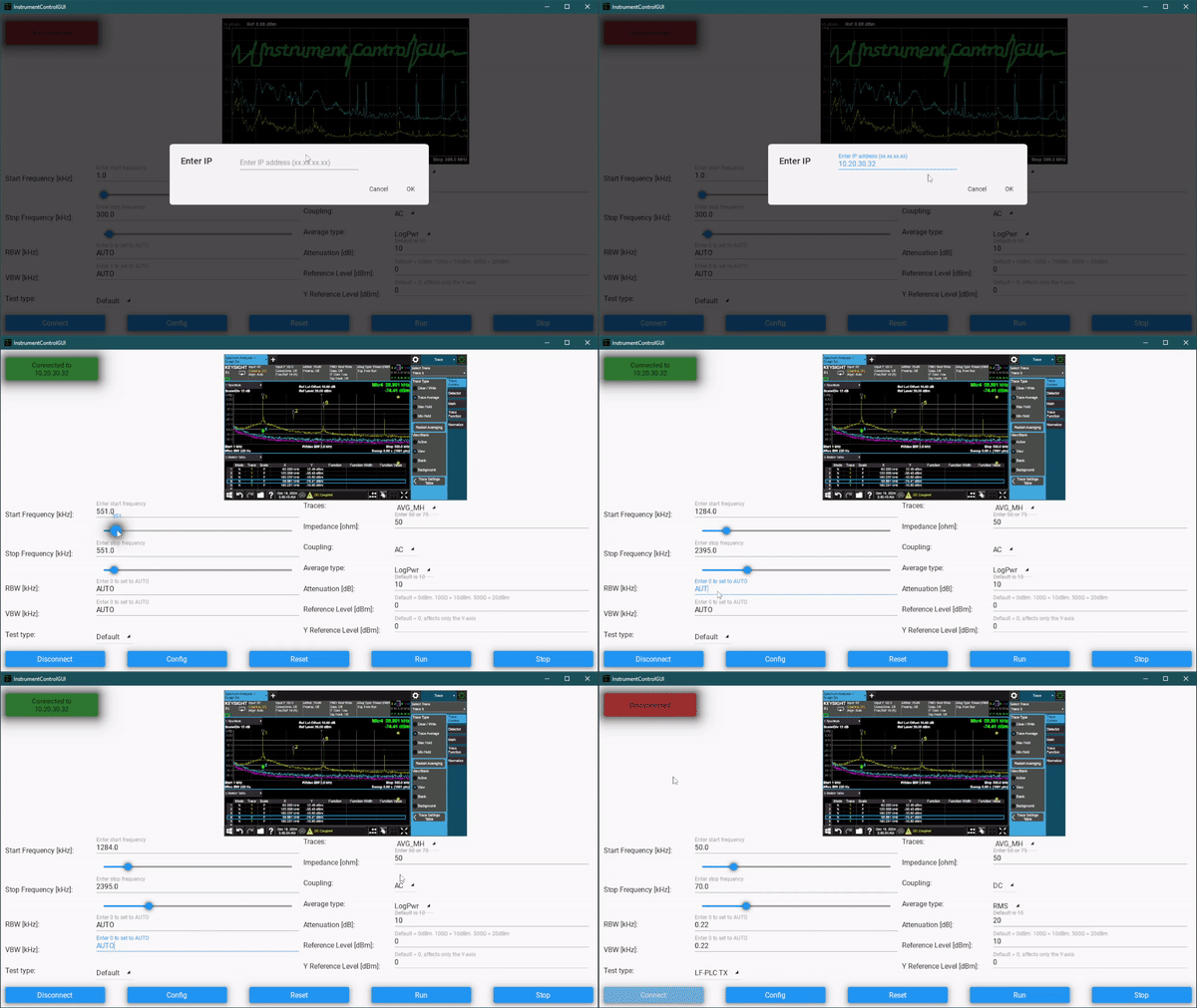
This app provides a straightforward GUI for controlling Keysight spectrum analyzers, designed to make parameter adjustments easier and more accessible. Using the app, you can set key parameters such as Impedance, Coupling, Average Type, Attenuation, Reference Levels, Frequency Range, and Bandwidth. Additionally, it allows you to manage trace settings, including selecting trace types and enabling or disabling them as needed.
Built with KivyMD and PyVisa, the app is a practical tool for anyone looking to simplify the process of working with spectrum analyzers.
- Impedance: choose between 50ohm or 75ohm.
- Coupling: choose AC or DC.
- Average Type: 3 options: LogPwr (LOG), RMS, Voltage (SCAL).
- Attenuation: enter number in dB; default = 10dB.
- Reference Level: enter number in dBm; default = 0dBm. Set to 10 to offset for external 100ohm, or to 20 to offset for external 500ohm.
- Y-axis Reference Level: enter number in dBm; default = 0dBm. This only affects the visuals, not the measurements.
- Start Frequency: enter number in kHz.
- Stop Frequency: enter number in kHz.
- Resolution Bandwidth: enter number in kHz.
- Video Bandwidth: enter number in kHz.
- Kivy==2.3.0
- Kivy-Garden==0.1.5
- PyVISA==1.14.1
- PyVISA-py==0.7.2
- Pygments==2.18.0
- certifi==2024.8.30
- charset-normalizer==3.4.0
- docutils==0.21.2
- idna==3.10
- kivy-deps.angle==0.4.0
- kivy-deps.glew==0.3.1
- kivy-deps.sdl2==0.8.0
- kivymd==1.2.0
- pillow==11.0.0
- pypiwin32==223
- pywin32==308
- requests==2.32.3
- tabulate==0.9.0
- typing_extensions==4.12.2
- urllib3==2.2.3
- pyjnius==1.6.1