





Unreal Tournament Android is an Android port of Unreal Tournament / UT99 (1999) based on the classic Unreal Engine 1 source code.
The goal of this project is to make the original Unreal Tournament playable on Android devices, including legacy Android hardware such as the OUYA console, while preserving the classic look and feel of the PC version.
Original Unreal Tournament game data is not included.
You need a valid PC installation of Unreal Tournament / UT99 and must import your own game data.
Important
This project is for preservation, experimentation and personal use only.
Unreal Tournament, Unreal Engine and related trademarks are owned by Epic Games.
This project is not affiliated with or endorsed by Epic Games.
Video games on smartphones are great, but not user-friendly if they require more than two thumbs to control. For this reason, this port is designed for controller input and does not support touchscreen controls.
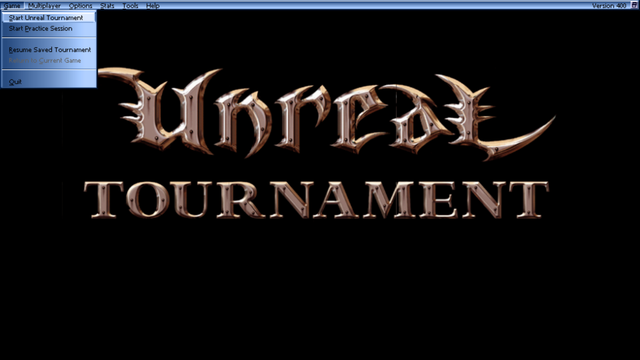
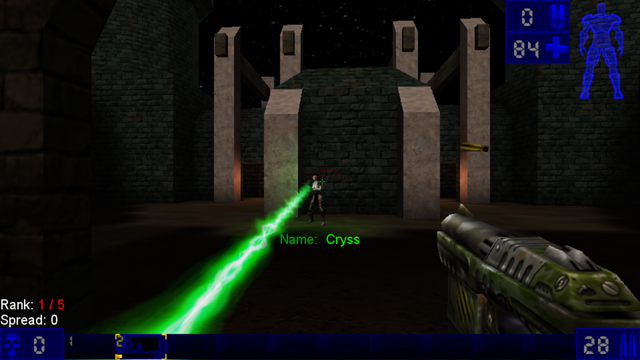

- Runs Unreal Tournament / UT99 on Android.
- Supports modern Android devices and older Android hardware.
- OUYA-compatible launcher entry.
- Android-side installer / preflight screen.
- Import game data from:
- an extracted Unreal Tournament folder
- a ZIP file containing the game data
- Automatic copy/extraction into the app's private data folder.
- OpenGL ES 2.0 rendering.
- SDL2 based native runtime.
- Controller-friendly default layout.
- Landscape fullscreen presentation.
- Legacy storage behavior kept friendly for old sideload devices.
Note
Expect occasional issues, especially on very old Android devices or unusual controller mappings.
- Android device with OpenGL ES 2.0 support.
- Android 4.1 / API 16 or newer.
- ARMv7 compatible device for the current build.
- Android-compatible game controller recommended.
- Original Unreal Tournament / UT99 PC game data v400.
Required game data folders:
UnrealTournament/
├── System/
├── Maps/
├── Textures/
├── Sounds/
└── Music/
The installer accepts the folders either directly at the selected root or inside one top-level Unreal Tournament folder.
- Install the APK on your Android device.
- Copy your Unreal Tournament game data to your device, either:
- as an extracted folder, or
- as a ZIP file.
- Start Unreal Tournament.
- If no game data is found, the installer screen appears.
- Choose one of the following:
- Select UT99 folder
- Select UT99 ZIP
- Wait until the import is finished.
- The game starts automatically once the required data is found.
The app installs the game data into its private Android data folder.
The default controller mapping is designed for Android gamepads, OUYA and handheld devices such as Retroid-style controllers.
| Control | Action |
|---|---|
| Left Stick | Move forward / backward / strafe |
| Right Stick | Look / turn |
| Left Trigger | Alternate Fire |
| Right Trigger | Fire |
| Left Shoulder | Previous Weapon |
| Right Shoulder | Next Weapon |
| A / right face button | Jump |
| B / bottom face button / OUYA O | Crouch |
| Y / left face button / OUYA U | Walk |
| X / top face button / OUYA Y | Wave |
| D-Pad | Menu navigation / in-game navigation depending on context |
| Start | Pause / menu |
| Back | Back / cancel depending on context |
Note
Button names can differ between Android controllers.
If movement or looking feels wrong, open the in-game controls menu and reassign the affected controls.
Game data is not bundled with this repository.
You need to provide your own legal copy of Unreal Tournament / UT99.
The Android installer checks for the required folders:
System
Maps
Textures
Sounds
Music
If these folders are missing, the game will not start and the installer screen will ask you to select a valid folder or ZIP file.
This project is intended to be built with Android Studio.
General setup:
- Clone the repository.
- Open the project in Android Studio.
- Make sure the Android SDK, NDK and CMake are installed.
- Fetch or provide required third-party dependencies such as SDL2 if they are not already present.
- Build the
appmodule.
Current Android build characteristics:
Application ID: com.ast.ut99
Minimum SDK:   16
Target SDK:    28
Compile SDK:   33
ABI:           armeabi-v7a
Renderer:      OpenGL ES 2.0
This Android port is based on Unreal Engine 1 / Unreal Tournament source code work and SDL/OpenGL ES based mobile porting efforts.
Special thanks to the Unreal Engine 1 preservation and porting community.
Unreal Tournament, Unreal Engine and related names, assets and trademarks are property of Epic Games.
This repository does not include commercial game data.
You must own a legal copy of Unreal Tournament / UT99 to use this port.
Do not use this project for commercial purposes.