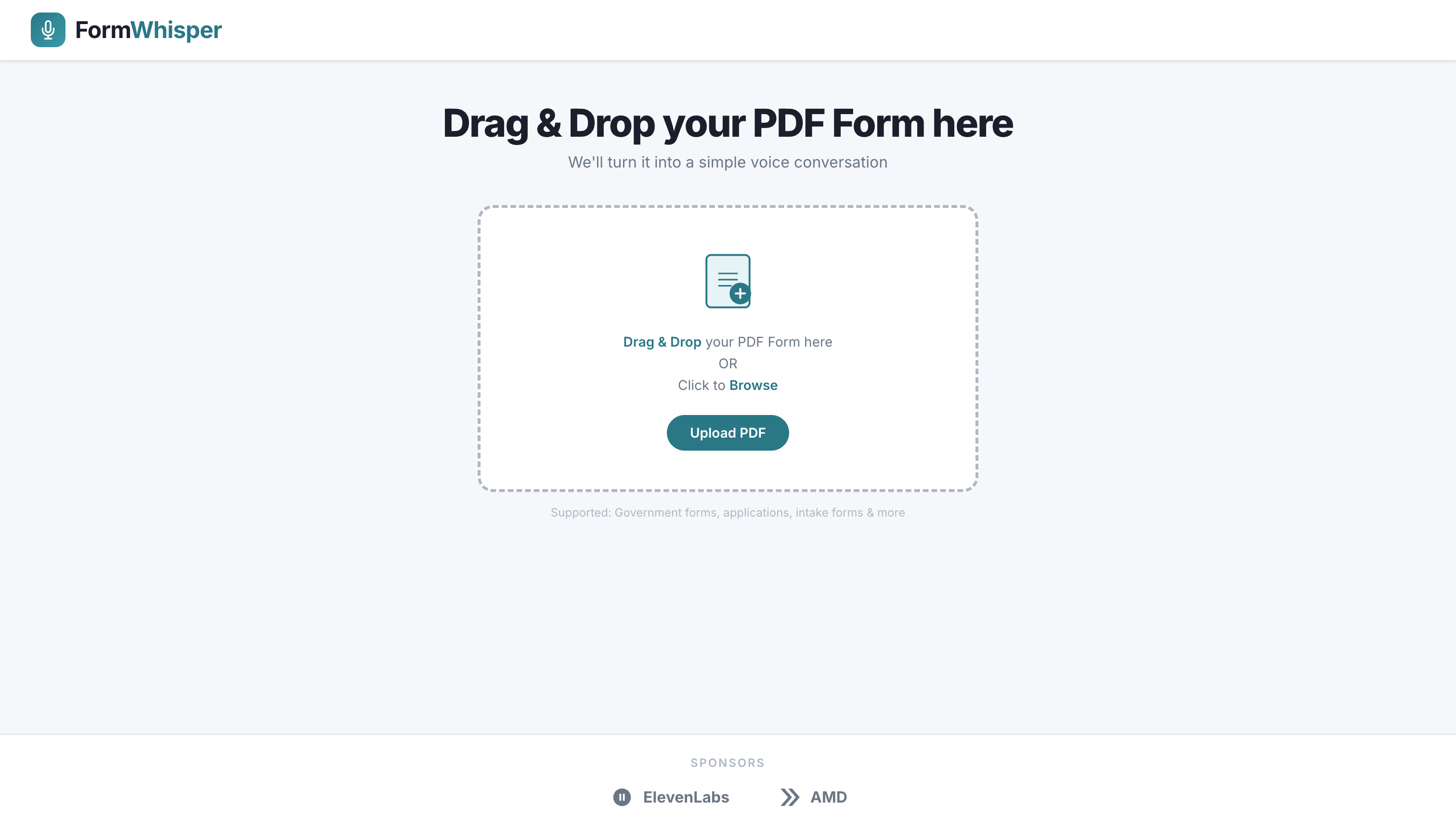
Voice-driven government form filling, powered by AI.
FormWhisper lets users fill out complex PDF forms — like the FEMA Disaster Aid Form 009-0-3 — entirely by speaking. Upload any PDF, the AI reads every fillable field, asks natural spoken questions, transcribes your answers, and exports a completed, ready-to-submit PDF.
Built at Hack4Humanity to make disaster-relief paperwork accessible to everyone, including people with limited literacy, vision impairments, or who are in crisis.
- PDF Form Analysis — Upload any PDF; a Vision-Language Model (Qwen2.5-VL-32B) scans every page and extracts all fillable fields with conversational prompts
- Voice Interaction — Questions are read aloud via ElevenLabs TTS; answers are recorded and transcribed by a self-hosted Whisper ASR model
- Smart Answer Verification — Each answer is validated by the LLM against the field type (date, SSN, phone, address, yes/no, checkbox, etc.) before being accepted
- Accurate PDF Filling — Answers are written back into the original AcroForm fields using PyMuPDF, preserving the original form layout exactly
- FEMA 009-0-3 Support — Hardcoded field-map for the FEMA Disaster Aid form ensures every box lands in the right place
- Accessible UI — Clean React interface with keyboard navigation, large touch targets, and clear progress indicators
┌─────────────────────┐        ┌──────────────────────────────┐
│   React Frontend     │ ◄────► │      FastAPI Backend          │
│   (Vite + React 19) │        │                              │
└─────────────────────┘        │  /upload   – PDF storage     │
                                │  /llm      – VLM analysis,  │
                                │              answer verify,  │
                                │              PDF filling     │
                                │  /tts      – ElevenLabs TTS │
                                │  /session  – form state      │
                                └──────────┬───────────────────┘
                                           │
                        ┌──────────────────┼───────────────────┐
                        │                  │                   │
              ┌─────────▼──────┐  ┌────────▼───────┐  ┌───────▼──────┐
              │ Qwen2.5-VL-32B │  │ Whisper Large  │  │  ElevenLabs  │
              │ (vLLM, AMD)    │  │ v3 (vLLM, AMD) │  │  TTS API     │
              └────────────────┘  └────────────────┘  └──────────────┘
| Layer | Technology |
|---|---|
| Frontend | React 19, Vite 7 |
| Backend | FastAPI, Python 3.11+ |
| VLM / NLP | Qwen2.5-VL-32B-Instruct via vLLM |
| ASR | OpenAI Whisper Large v3 via vLLM |
| TTS | ElevenLabs API |
| PDF Analysis | PyMuPDF (fitz) 1.27+ |
| PDF Filling | PyMuPDF AcroForm writer |
| HTTP Client | httpx (async) |
- Python 3.11+
- Node.js 18+
ffmpeg(for audio transcoding before ASR)- An ElevenLabs API key
cd backend

# Create and activate virtual environment
python -m venv ../.venv
source ../.venv/bin/activate        # Windows: ..\.venv\Scripts\activate

# Install dependencies
pip install -r requirements.txt

# Configure environment (copy and edit)
cp .env.example .env
# Set ELEVENLABS_API_KEY, LLM_BASE_URL, etc.

# Start the API server
uvicorn main:app --reload --port 8000
The API will be available at http://localhost:8000.
Interactive docs: http://localhost:8000/docs
cd frontend

npm install
npm run dev
The app will be available at http://localhost:5173.
Create backend/.env (or set these in your shell):
| Variable | Default | Description |
|---|---|---|
ELEVENLABS_API_KEY |
— | ElevenLabs API key for TTS |
LLM_BASE_URL |
http://165.245.130.21:30000 |
vLLM endpoint for Qwen VL |
LLM_MODEL |
Qwen/Qwen2.5-VL-32B-Instruct |
Model name |
LLM_TIMEOUT |
3000 |
Request timeout (seconds) |
VITE_API_BASE |
http://localhost:8000 |
Backend URL (frontend env) |
Set VITE_API_BASE in frontend/.env for the frontend to reach the backend.
| Method | Path | Description |
|---|---|---|
POST |
/upload/pdf |
Upload a PDF; returns file_id |
POST |
/llm/analyze-pdf |
Analyze uploaded PDF → list of form questions |
POST |
/llm/verify-answer |
Validate a spoken answer against a field type |
POST |
/llm/fill-pdf |
Fill the PDF with answers; returns filled PDF bytes |
POST |
/tts |
Synthesize text to speech (ElevenLabs) |
POST |
/upload/audio |
Upload recorded audio for ASR transcription |
GET |
/health |
Health check |
- Upload your PDF form on the home screen
- FormWhisper analyzes the form and finds every fillable field
- For each field, a spoken question plays automatically
- Speak your answer — it is transcribed and verified
- Confirm or re-record each answer
- When all fields are complete, download the filled PDF
H4H/
├── backend/
│   ├── main.py                 # FastAPI app entry point
│   ├── requirements.txt
│   ├── data/
│   │   ├── fema_template.py    # FEMA 009-0-3 field definitions
│   │   └── uploads/            # Uploaded PDFs + audio recordings
│   ├── models/
│   │   ├── schemas.py          # Pydantic request/response models
│   │   └── session_state.py    # Form session state machine
│   ├── routers/
│   │   ├── llm.py              # VLM analysis + PDF filling endpoints
│   │   ├── tts.py              # ElevenLabs TTS endpoint
│   │   ├── upload.py           # PDF + audio upload endpoints
│   │   ├── session.py          # Legacy session-based flow
│   │   └── security.py        # Device signal / fraud check
│   └── services/
│       ├── llm.py              # VLM client + form analysis pipeline
│       ├── asr.py              # Whisper ASR client
│       ├── pdf_filler.py       # AcroForm-aware PDF filling logic
│       ├── tts.py              # ElevenLabs synthesis
│       └── utils/
│           ├── pdf_to_images.py  # PDF → page images for VLM
│           └── tts_cache.py      # Audio file caching
└── frontend/
    ├── index.html
    ├── vite.config.js
    └── src/
        ├── App.jsx             # Root component + upload flow
        └── components/
            ├── HomePage.jsx    # Landing / upload screen
            ├── FormSession.jsx # Voice interaction + field answering
            ├── Header.jsx      # App header with logo
            └── Sponsors.jsx    # Sponsor credits
| Form | Status |
|---|---|
| FEMA Disaster Aid Form 009-0-3 | ✅ Full AcroForm field mapping |
| Any fillable PDF | ✅ VLM-guided bounding-box overlay |
MIT