We appreciate you go through Apollo documentations and search previous issues before creating an new one. If neither of the sources helped you with your issues, please report the issue using the following form. Please note missing info can delay the response time.
System information
- OS Platform and Distribution (e.g., Linux Ubuntu 18.04): 20.04
- Apollo installed from (source or binary): source
- Apollo version (3.5, 5.0, 5.5, 6.0): master
- Output of
apollo.sh config if on master branch:
Steps to reproduce the issue:
-
I followed the Apollo视觉感知模块实践, and successfully played the demo record
-
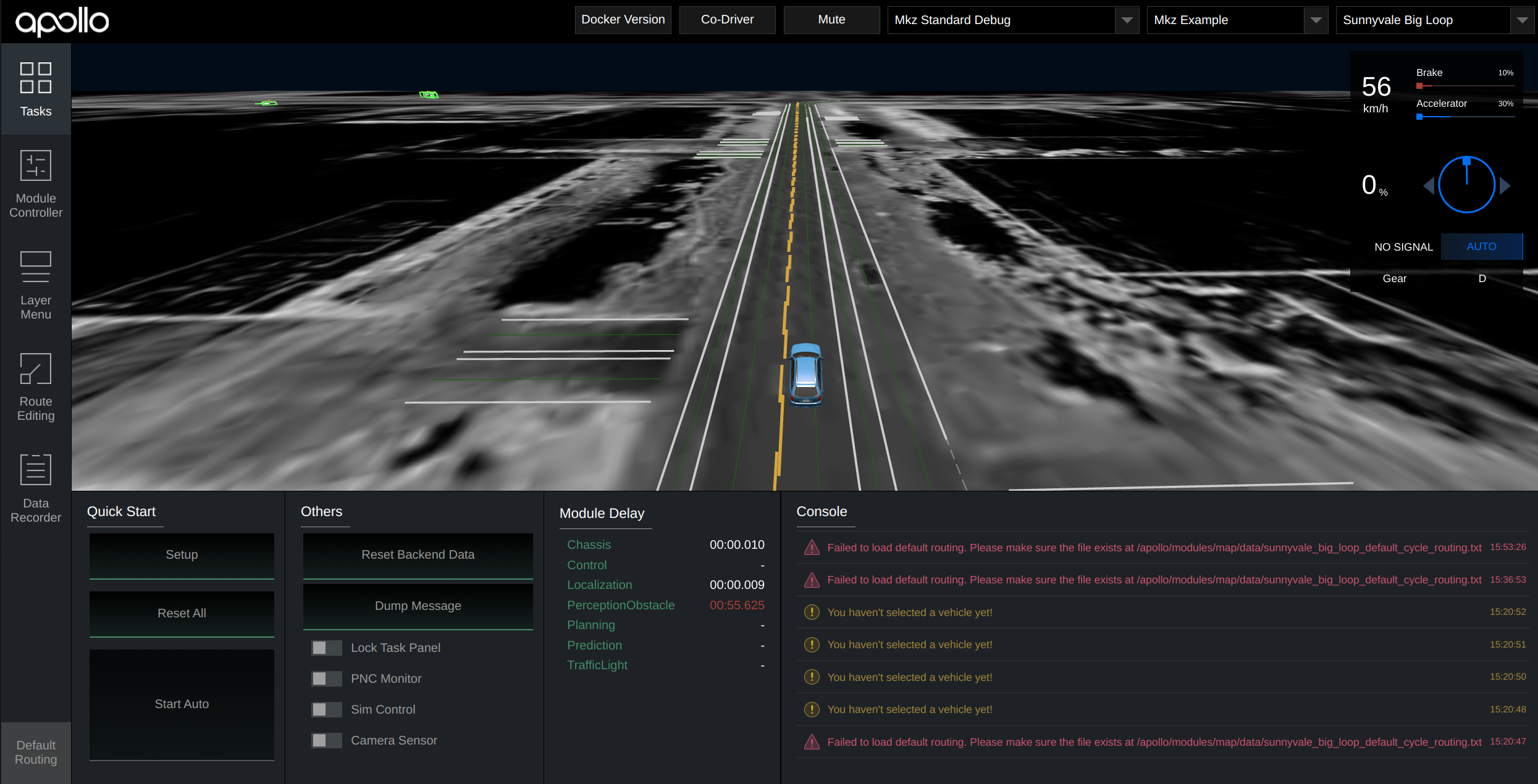
However, when one play is finished, next time I start playing the record, the perception-camera dag seems not working, and the Dreamview will not receive any perception-obstacle messages
-
I checked the mainboard log, it outputs “channel[/tf] read buffer overflow”

-
I have to manually quit the dag_streaming_perception_camera.dag, and restart it again to play the record again
-
Then, the dag stop working, and I have to repeat the above steps.
-
Any way to solve this problem?
Supporting materials (screenshots, command lines, code/script snippets):
P.S. Even I try to play the record file in loop, once the first time ended, same problem occurs


We appreciate you go through Apollo documentations and search previous issues before creating an new one. If neither of the sources helped you with your issues, please report the issue using the following form. Please note missing info can delay the response time.
System information
apollo.sh configif onmasterbranch:Steps to reproduce the issue:
I followed the Apollo视觉感知模块实践, and successfully played the demo record
However, when one play is finished, next time I start playing the record, the perception-camera dag seems not working, and the Dreamview will not receive any perception-obstacle messages

I checked the mainboard log, it outputs “channel[/tf] read buffer overflow”

I have to manually quit the dag_streaming_perception_camera.dag, and restart it again to play the record again
Then, the dag stop working, and I have to repeat the above steps.
Any way to solve this problem?
Supporting materials (screenshots, command lines, code/script snippets):
P.S. Even I try to play the record file in loop, once the first time ended, same problem occurs