Starcraft II is one of the most challenging games, requiring players to excel in both "macro" (game plan and decision-making) and "micro" (execution of the plan). Developing a bot for Starcraft II is a valuable learning experience, especially in artificial intelligence and game development. This project aims to build a bot for Starcraft II using the Protoss race.
The objective of this project is to create an AI bot for Starcraft II that can effectively play as the Protoss race using Stalkers as its primary military unit. The bot should demonstrate proficiency in resource management, unit production, and decision-making in both defensive and offensive scenarios. By optimizing the build order and attacking strategy, we aim to achieve a high win rate against various difficulties and races.

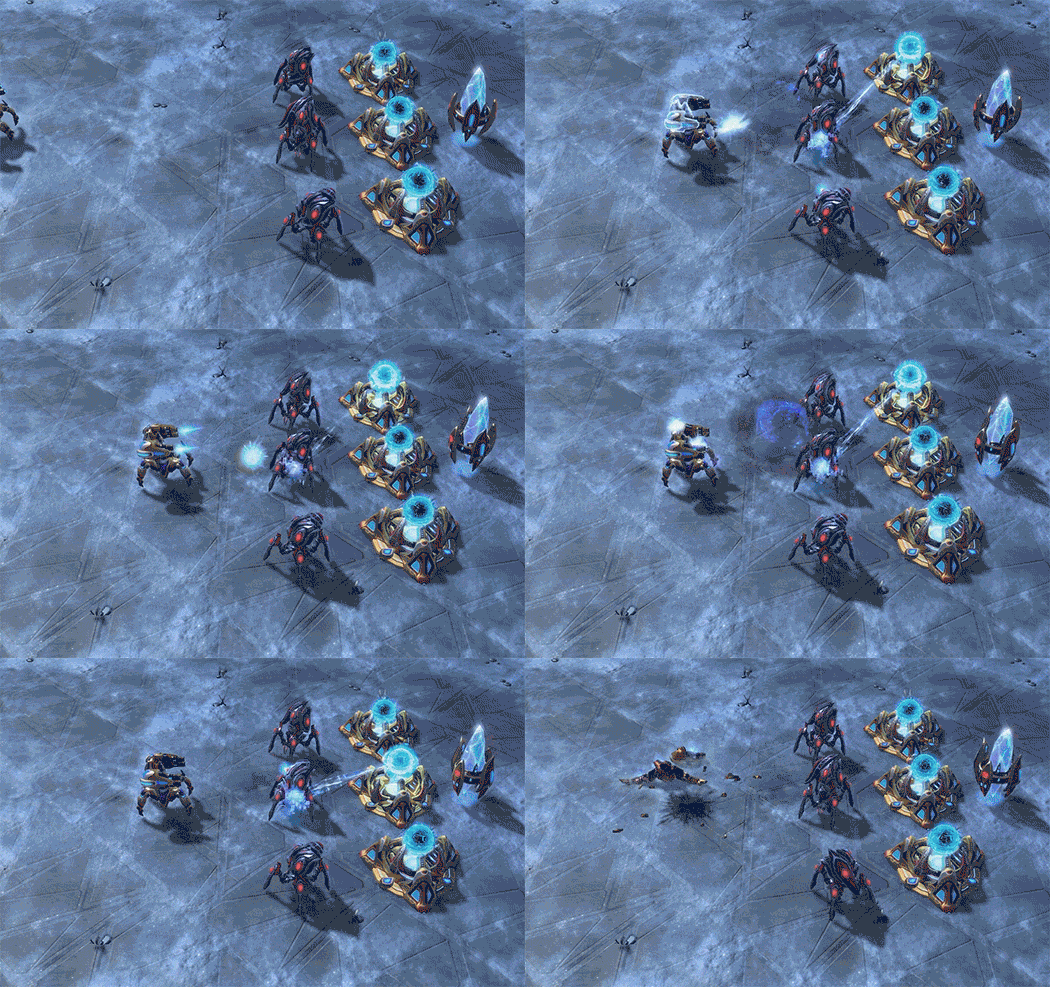
- Overview
- Objective
- Technologies Used
- Features
- Related Work
- Technical Details
- Basic Strategy
- Evaluation
- Limitations
- Installation
- Citations
- C++: The bot is developed using C++ programming language, known for its performance and low-level control, making it suitable for real-time strategy games.
- Blizzard's Starcraft II API: The bot utilizes the official Starcraft II API provided by Blizzard, allowing it to interact with the game and make decisions based on the game state.
- AI and Machine Learning Techniques: The bot incorporates AI and machine learning techniques to optimize resource management, unit production, and decision-making during attacks.
- Micromanagement Algorithms: To execute the "kiting" technique effectively, the bot employs advanced micromanagement algorithms to maximize the efficiency and survivability of Stalkers in battles.
-
Reactive AI : The bot uses reactive AI to make real-time decisions based on the current game state. It analyzes the available resources, unit counts, and game events to decide on building structures, training units, and attacking enemy units.
-
Heuristic Algorithms: The bot employs heuristic algorithms to evaluate the game state and prioritize actions. For example, it uses heuristics to determine when to build Pylons or Assimilators based on the food cap and gas balance.
-
Build Orders: The bot follows predefined build orders to efficiently construct buildings and train units. These build orders are designed based on strategic considerations and are adjusted based on scouting information.
-
Rule-Based Decision Making: Decision-making in the bot is rule-based, where specific conditions are checked to trigger actions. For example, it checks if a Nexus has enough energy to use Chrono Boost for unit production acceleration.
-
Supervised Learning (Chrono Boost): The bot uses a supervised learning approach to decide when to use Chrono Boost. It has learned to use Chrono Boost on Nexus based on certain criteria, such as the first usage and energy availability.
-
Micro-management Techniques: The bot employs micro-management techniques, such as kiting, during Stalker attacks. This technique involves managing the Stalkers' position and attack commands to maximize their effectiveness in combat.
-
Scouting Strategies: The bot uses a proactive scouting strategy with Probes to explore the map and gather information about enemy locations. It uses attack-move commands to scout efficiently.
-
Target Selection: During attacks, the bot selects enemy units or bases intelligently to optimize its Stalkers' attack effectiveness. It assesses enemy threats and prioritizes high-value targets.
-
Resource Balancing: The bot dynamically adjusts its resource gathering strategy to ensure an optimal balance between minerals and vespene gas. It maintains a steady flow of resources to support unit production and technology research.
- Focus on Protoss race using Stalkers as the primary military unit.
- Efficiently gather resources and build Stalkers to attack.
- Implement "kiting" technique for micromanagement to increase effective health while dealing damage.
- Scouting enemy locations to optimize strategy and defense.
We took inspiration from AlphaStar, a notable Starcraft II AI developed by DeepMind. Unlike other AIs, AlphaStar does not exploit inhuman advantages like seeing through the fog of war or high APM. It focuses on making good decisions similar to a human player.
The bot constructs various structures using the TryBuildStructure function. It can build Pylons, Assimilators, Gateways, and the Cybernetics Core. The function intelligently selects Probes for construction and follows build orders based on the current game state.
The TryBuildPylon function ensures that Pylons are built when the food cap is close to being reached, maintaining a steady flow of resources.
The TryBuildAssimilator function handles the construction of Assimilators, ensuring a balanced gathering of Vespene gas.
Overmind produces Stalkers non-stop from Gateways and uses Chrono Boost to speed up Stalker production.
The TryTrainStalker function ensures the necessary conditions are met for Stalker training and issues training commands to Gateways.
The TryAttackWithStalker function coordinates Stalker attacks on enemy units or bases. The bot uses smart attack commands and checks weapon cooldowns to maximize the effectiveness of Stalker attacks.
Overmind uses Probes to scout enemy locations. The TryScoutWithProbe function sends the Probe to attack-move towards the enemy starting locations, revealing the map.
The checkScout function analyzes the scouting data to identify the enemy base location after the Probe completes its scouting mission.
The StalkerCommander function handles Stalker behavior during defense. Stalkers within the defense range of the Nexus attack enemy units, while those outside the range return to defend the Nexus.
- Build Pylons and Probes as needed.
- Construct 1 Gateway, 1 Assimilator, and 1 Cybernetics Core.
- Produce Stalkers non-stop and expand to 1 more Assimilator and 3 additional Gateways.
- Attack the enemy with an army of 6 Stalkers and reinforce continuously.
- Optimized build order improved the bot's win rate against various difficulties and races.
- The number of Gateways and Stalkers was optimized for resource efficiency and successful attacks.
- Vulnerable to early-game rushes and cloaked units.
- Issues with the onStep function and overproduction of certain buildings.
- Scouting challenges due to random spawn locations.
- CMake
- Starcraft 2 (Windows) (Linux)
- Starcraft 2 Map Packs
Download and install Visual Studio 2019 if you need it. Building with Visual Studio 2019 not yet supported.
:: Clone the project
$ git clone --recursive https://github.com/aqll/overmind.git
$ cd overmind

:: Create build directory.
$ mkdir build
$ cd build

:: Generate VS solution.
$ cmake ../ -G "Visual Studio 16 2019"

:: Build the project using Visual Studio.
$ start BasicSc2Bot.slnNote: Try opening the SC2 game client before installing. If the game crashes before opening, you may need to change your Share name:
- Open
System Preferences - Click on
Sharing - In the
Computer Nametextfield, change the default 'Macbook Pro' to a single word name (the exact name shouldn't matter, as long as its not the default name)
:: Clone the project
$ git clone --recursive https://github.com/aqll/overmind.git
$ cd overmind

:: Create build directory.
$ mkdir build
$ cd build

:: Generate a Makefile
:: Use 'cmake -DCMAKE_BUILD_TYPE=Debug ../' if debug info is needed
$ cmake ../

:: Build
$ makeThe Linux version is headless, meaning that you will not be able to see your bot
First, download the Linux package.
Unzip it to your home directory.
The directory should read as /home/<USER>/StarCraftII/.
Rename the Maps directory to lowercase, and place any downloaded maps inside this directory:
$ mv /home/<USER>/StarCraftII/Maps /home/<USER>/StarCraftII/mapsFinally, create a directory (note the added space) which contains a file ExecuteInfo.txt, which lists the executable directory:
$ mkdir "/home/<USER>/StarCraft II"
$ echo "executable = /home/<USER>/StarCraftII/Versions/Base75689/SC2_x64" > "/home/<USER>/StarCraft II/ExecuteInfo.txt"
The Base75689 will need to match the correct version which matches the version you downloaded. To check, navigate to /home/<USER>/StarCraftII/Versions/.
Remember to replace <USER> with the name of your user profile.
In addition to competing against other bots using the Sc2LadderServer, this bot can play against the built-in AI by specifying command line argurments.
For example,
/BasicSc2Bot.exe -c -a zerg -d Hard -m CactusValleyLE.SC2Map
will result in the bot playing against the zerg built-in AI on hard difficulty on the map CactusValleyLE.