Fork of lcoutodemos/clui-cc with multi-agent workflow support, security hardening, and UX fixes. Maintained by Ariside UG.
A lightweight, transparent desktop overlay for Claude Code on macOS. Clui CC wraps the Claude Code CLI in a floating pill interface with multi-tab sessions, a permission approval UI, voice input, and a skills marketplace.
Switch between custom agent personas (--agent pm, --agent dev, etc.) directly from the UI — no terminal needed. Built for teams and professionals running multi-agent workflows across projects.
- Agent Picker dropdown in the status bar — auto-populates from your
agents/directory /agentslash command — switch agents via keyboard (/agent pm,/agent none)- Validated input — agent names are sanitized against argument injection
- Agent name validation (
/^[a-zA-Z0-9_-]{1,64}$/) prevents argument injection viaspawn() - Full security audit performed: Electron config, CSP, IPC boundaries, permission server
- Choose Folder loop — folder picker no longer reopens after selection
- Claude CLI path — supports
~/.local/bin/claude(newer installation method)
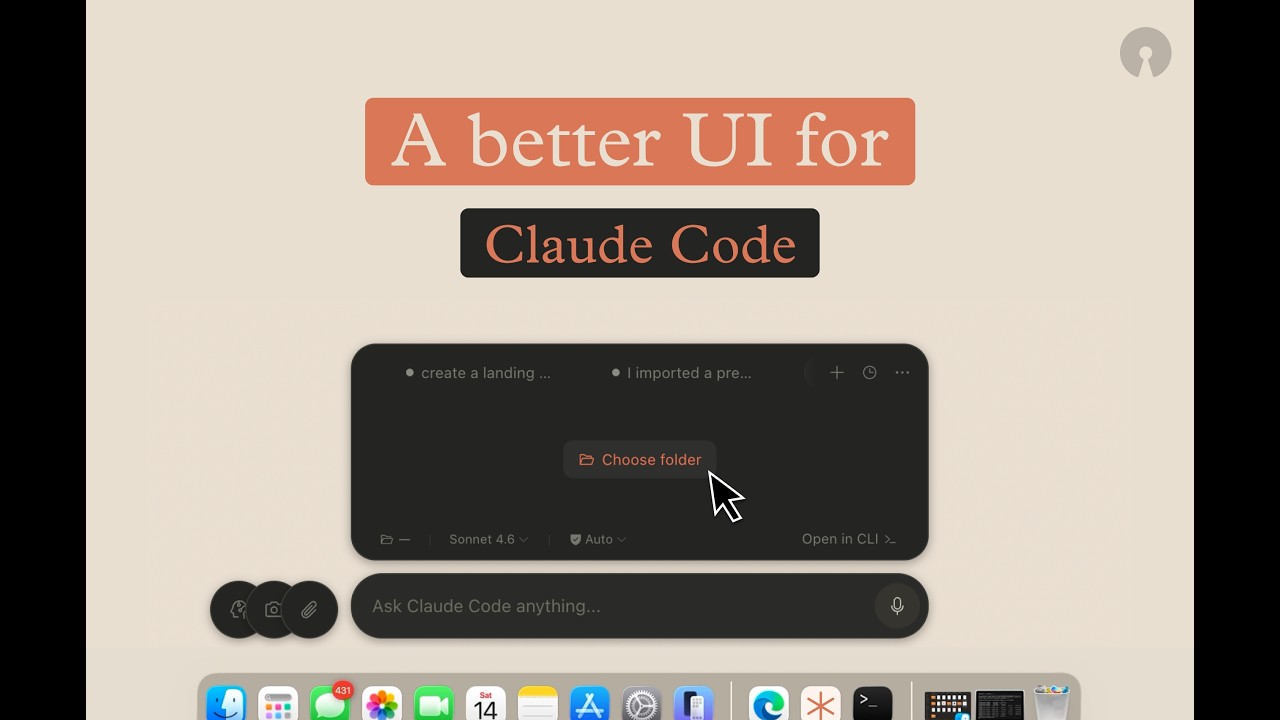


▶ Watch the full demo on YouTube
- Agent Picker — switch between custom agent personas from the UI or via
/agentcommand. - Floating overlay — transparent, click-through window that stays on top. Toggle with
⌥ + Space(fallback:Cmd+Shift+K). - Multi-tab sessions — each tab spawns its own
claude -pprocess with independent session state. - Permission approval UI — intercepts tool calls via PreToolUse HTTP hooks so you can review and approve/deny from the UI.
- Conversation history — browse and resume past Claude Code sessions.
- Skills marketplace — install plugins from Anthropic's GitHub repos without leaving Clui CC.
- Voice input — local speech-to-text via Whisper (required, installed automatically).
- File & screenshot attachments — paste images or attach files directly.
- Dual theme — dark/light mode with system-follow option.
- Claude Code, but visual — keep CLI power while getting a fast desktop UX for approvals, history, and multitasking.
- Human-in-the-loop safety — tool calls are reviewed and approved in-app before execution.
- Session-native workflow — each tab runs an independent Claude session you can resume later.
- Local-first — everything runs through your local Claude CLI. No telemetry, no cloud dependency.
UI prompt → Main process spawns claude -p → NDJSON stream → live render
                                         → tool call? → permission UI → approve/deny
See docs/ARCHITECTURE.md for the full deep-dive.
The fastest way to get Clui CC running as a regular Mac app. This installs dependencies, voice support (Whisper), builds the app, copies it to /Applications, and launches it.
1) Clone the repo
git clone https://github.com/lcoutodemos/clui-cc.git2) Double-click install-app.command
Open the clui-cc folder in Finder and double-click install-app.command.
First launch: macOS may block the app because it's unsigned. Go to System Settings → Privacy & Security → Open Anyway. You only need to do this once. Folder cleanup: the installer removes temporary
dist/andrelease/folders after a successful install to keep the repo tidy.

After the initial install, just open Clui CC from your Applications folder or Spotlight.
Terminal / Developer Commands
Only install-app.command is kept at root intentionally for non-technical users. Developer scripts live in commands/.
git clone https://github.com/lcoutodemos/clui-cc.gitcd clui-cc./commands/setup.command./commands/start.commandPress ⌥ + Space to show/hide the overlay. If your macOS input source claims that combo, use Cmd+Shift+K.
To stop:
./commands/stop.commandnpm installnpm run devRenderer changes update instantly. Main-process changes require restarting npm run dev.
| Command | Purpose |
|---|---|
./commands/setup.command |
Environment check + install dependencies |
./commands/start.command |
Build and launch from source |
./commands/stop.command |
Stop all Clui CC processes |
npm run build |
Production build (no packaging) |
npm run dist |
Package as macOS .app into release/ |
npm run doctor |
Run environment diagnostic |
Setup Prerequisites (Detailed)
You need macOS 13+. Then install these one at a time — copy each command and paste it into Terminal.
Step 1. Install Xcode Command Line Tools (needed to compile native modules):
xcode-select --installStep 2. Install Node.js (recommended: current LTS such as 20 or 22; minimum supported: 18). Download from nodejs.org, or use Homebrew:
brew install nodeVerify it's on your PATH:
node --versionStep 3. Make sure Python has setuptools (needed by the native module compiler). On Python 3.12+ this is missing by default:
python3 -m pip install --upgrade pip setuptoolsStep 4. Install Claude Code CLI:
npm install -g @anthropic-ai/claude-codeStep 5. Authenticate Claude Code (follow the prompts that appear):
claudeStep 6. Install Whisper for voice input:
# Apple Silicon (M1/M2/M3/M4) — preferred:
brew install whisperkit-cli
# Apple Silicon fallback, or Intel Mac:
brew install whisper-cpp
No API keys or
.envfile required. Clui CC uses your existing Claude Code CLI authentication (Pro/Team/Enterprise subscription).
Architecture and Internals
src/
├── main/                   # Electron main process
│   ├── claude/             # ControlPlane, RunManager, EventNormalizer
│   ├── hooks/              # PermissionServer (PreToolUse HTTP hooks)
│   ├── marketplace/        # Plugin catalog fetching + install
│   ├── skills/             # Skill auto-installer
│   └── index.ts            # Window creation, IPC handlers, tray
├── renderer/               # React frontend
│   ├── components/         # TabStrip, ConversationView, InputBar, etc.
│   ├── stores/             # Zustand session store
│   ├── hooks/              # Event listeners, health reconciliation
│   └── theme.ts            # Dual palette + CSS custom properties
├── preload/                # Secure IPC bridge (window.clui API)
└── shared/                 # Canonical types, IPC channel definitions
- Each tab creates a
claude -p --output-format stream-jsonsubprocess. - NDJSON events are parsed by
RunManagerand normalized byEventNormalizer. ControlPlanemanages tab lifecycle (connecting → idle → running → completed/failed/dead).- Tool permission requests arrive via HTTP hooks to
PermissionServer(localhost only). - The renderer polls backend health every 1.5s and reconciles tab state.
- Sessions are resumed with
--resume <session-id>for continuity.
Clui CC operates almost entirely offline. The only outbound network calls are:
| Endpoint | Purpose | Required |
|---|---|---|
raw.githubusercontent.com/anthropics/* |
Marketplace catalog (cached 5 min) | No — graceful fallback |
api.github.com/repos/anthropics/*/tarball/* |
Skill auto-install on startup | No — skipped on failure |
No telemetry, analytics, or auto-update mechanisms. All core Claude Code interaction goes through the local CLI.
For setup issues and recovery commands, see docs/TROUBLESHOOTING.md.
Quick self-check:
npm run doctor| Component | Version |
|---|---|
| macOS | 15.x (Sequoia) |
| Node.js | 20.x LTS, 22.x |
| Python | 3.12 (with setuptools installed) |
| Electron | 33.x |
| Claude Code CLI | 2.1.71 |
- macOS only — transparent overlay, tray icon, and node-pty are macOS-specific. Windows/Linux support is not currently implemented.
- Requires Claude Code CLI — Clui CC is a UI layer, not a standalone AI client. You need an authenticated
claudeCLI. - Permission mode — uses
--permission-mode default. The PTY interactive transport is legacy and disabled by default.