A quick summary of the quality of your surfing activities and different metrics to give you a complete idea about the information contained in the websites you visit. We want to help you determine whether you are accessing authentic information overall, from webpages which have been created and updated regularly so you can ensure that the source of the information you consume is authentic and give you the opportunity to fine-tune and improve the quality of way you surf the internet.
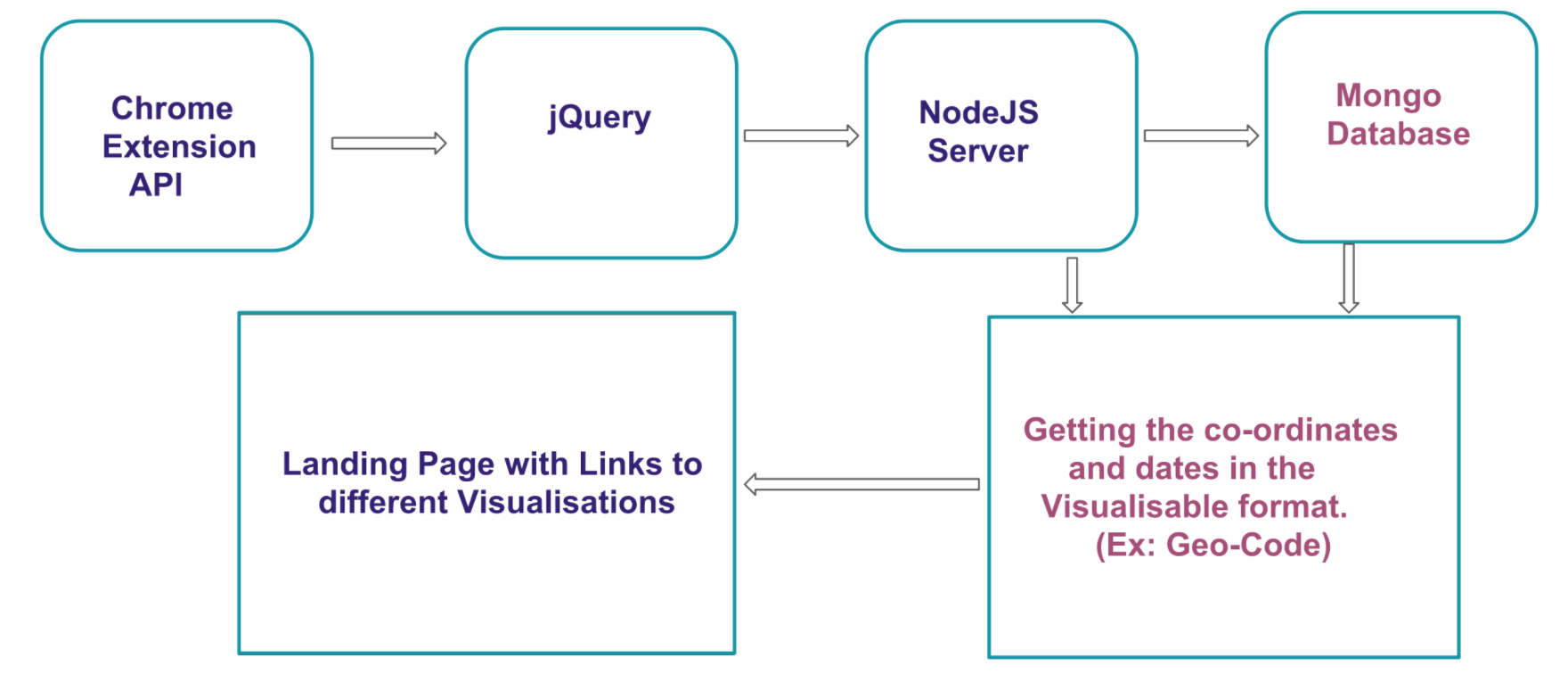
If you already have homebrew, then the following command will install node.
brew install node
(In case you want uninstall it later. Then here is the command: brew uninstall node)
- Clone the repository to your local machine
- You could delete all of the folders except "URL_Analyser" (not "URL Analyser")
- Go to chrome://extensions/ on your chrome browser
- Click on load unpacked on the top navigation bar
- Find the folder in path to/URL_Analyser/ExtensionFiles and click "Select"
- If you click on it, you should be able to see a popup window with all of your current tabs listed
Before clicking on save session, you'll need to have a local nodejs server running.
- From the ExtensionFiles directory of the git repo, run
node app.jsfrom your terminal - Go back to the extension and click on "Save Session"
- From the terminal, run
python finalScript.py
For any other installation and other queries, you can mail me at arshitha@bu.edu
AIM: To build a library that takes as input two arguments, twitter handle and the number of tweets to be read, respectively. The code scans the given twitter handle for images and runs analysis on those images using Google Vision API. All of the images are annotated with the information obtained through Google Vision API. A video is then created using ffmpeg.
FILES STRUCTURE: The files relevant to Miniproject-1 is in the "Miniproject-1" folder. code_withoutKeys.py is the library built. "results" folder contains all of the downloaded images as well as the final video created.
USING THE LIBRARY: For testing, you will need to add your API keys before running it. While running it, you'll need to give in two arguments, i.e., the twitter handle and the count (no. of tweets to be scanned). Resized and annotated images will be saved in the "resized" folder. The originally downloaded images along with the final video will be saved in the "results" folder.
Example: python code_withoutKeys.py iamsrk 20
AIM: Build test scenarios such that a peers Miniproject-1 breaks in those scenarios. Document the observations made.
FILES STRUCTURE: Each script in the folder Miniproject-2 refers to one error case under which the peer's code breaks and throws errors.
AIM: Understanding and reviewing MoviePy software.
FILES STRUCTURE: Contains an example script that ran MoviePy and some of it's use cases. Detailed my observations in the report. Flowchart is the system architecture of MoviePy.
AIM: Understanding setting up and designing a database for a software using MongoDB. Also, detail the differences between SQL and MongoDB by performing phase 1 activity using SQL and MongoDB.
MongoDB set up and airport.json importing using a python script
Designing the database in order to fit the needs of the objectives of Miniproject-1.
Analytics