
Api server boilerplate with database support for a newer version of Luracast Restler
Restler is an "API First Micro Framework" that offers better web api by design.
This template provides full laravel 8 database functionality for your non laravel projects adds Migration, Seeding and Artisan support to Illuminate Database.
It enables artisan command line tool with:
Available commands:

  db                Start a new database CLI session
  dump-autoload     Regenerate framework autoload files
  env               Display the current framework environment
  help              Display help for a command
  inspire           Display an inspiring quote
  list              List commands
  migrate           Run the database migrations
  serve             Serve the application on the PHP development server
  tinker            Interact with your application

db
  db:seed           Seed the database with records
  db:wipe           Drop all tables, views, and types

make
  make:command      Create a new Artisan command
  make:controller   Create a new controller class
  make:factory      Create a new model factory
  make:migration    Create a new migration file
  make:model        Create a new Eloquent model class
  make:seeder       Create a new seeder class

migrate
  migrate:fresh     Drop all tables and re-run all migrations
  migrate:install   Create the migration repository
  migrate:refresh   Reset and re-run all migrations
  migrate:reset     Rollback all database migrations
  migrate:rollback  Rollback the last database migration
  migrate:status    Show the status of each migration

vendor
  vendor:publish    Publish any publishable assets from vendor packages
Laravel is a web application framework with expressive, elegant syntax. We extracted the database functionality from it and made it available for other frameworks.
The Illuminate Database component is a full database toolkit for PHP, providing an expressive query builder, ActiveRecord style ORM, and schema builder. It currently supports MySQL, Postgres, MSSQL Server, and SQLite. We combined it with Illuminate FileSystem and Illuminate Console to make Artisan work with database related commands.
This app utilizes Composer to manage its dependencies.
First, download a copy of the composer.phar. Once you have the PHAR archive,
you can either keep it in your local project directory or move to usr/local/bin
to use it globally on your system. On Windows, you can use the Composer
Windows installer.
Download as zip, and unzip or clone this repository in your development machine. rename the folder to match your application
open terminal inside this newly created folder
composer install
This will install all the dependencies
Eloquent Application Template offers lluminate Database support along with Migration, Seeding and Artisan.
Note:- This template is built using Laravel Database
There is a sample API Class called Home in app/Http/Controllers directory that has the following success message
for the /(root) of the API.
{
    "success": {
        "code": 200,
        "message": "Restler is up and running!"
    }
}
On your development machine, you can run the development server by running the
php artisan serve
on the project root. This will run the php development server at port 8000 on localhost by default. If you need to change that you may use the command line options as shown below
php artisan serve --port=8080
This project also comes with API Explorer based on swagger ui for testing and documenting the api. You can access that using the following url
http://localhost:8000/explorer/

index.php in the public folder includes the autoload.php in bootstrap folder which internally
uses composer autoloader. This enables lazy loading for all db and laravel related classes. Only when you call
one of the DB related class, database engine is initialized. So we get a very performant application.
Refer to all database related sections on Laravel 9 website.
This app uses sqlite database by default. So make sure the file exists by running the following command in the terminal
touch database/database.sqlite
Note:- Feel free to change the database by using an
.envfile or editingconfig/database.php
Check the database connection with the following command.
php artisan migrate:install

Migration table created successfully.
Next you will create a migration file for creating the new table, how about creating an API for writing reviews?
php artisan make:migration --create=reviews create_reviews_table

Created Migration: 2021_08_09_091427_create_reviews_table
Edit the database/migrations/2021_08_09_091427_create_reviews_table file to have the following content
Note:- date and time of calling the command will change the file name accordingly
<?php

use Illuminate\Database\Migrations\Migration;
use Illuminate\Database\Schema\Blueprint;
use Illuminate\Support\Facades\Schema;

return new class extends Migration
{
    /**
     * Run the migrations.
     *
     * @return void
     */
    public function up()
    {
        Schema::create('reviews', function (Blueprint $table) {
            $table->id();
            $table->string('name');
            $table->string('email');
            $table->text('message');
            $table->timestamps();
        });
    }

    /**
     * Reverse the migrations.
     *
     * @return void
     */
    public function down()
    {
        Schema::dropIfExists('reviews');
    }
};
Here we are creating reviews table with the name, email, and message columns. Next we will run the migration tool so that this table will actually be created.
php artisan migrate

Migrating: 2014_10_12_000000_create_users_table
Migrated:  2014_10_12_000000_create_users_table (8.18ms)
Migrating: 2014_10_12_100000_create_password_resets_table
Migrated:  2014_10_12_100000_create_password_resets_table (2.85ms)
Migrating: 2021_08_09_091427_create_reviews_table
Migrated:  2021_08_09_091427_create_reviews_table (1.98ms)
Next let us create a model class and controller class in one go
php artisan make:controller Reviews -m Review

 A App\Review model does not exist. Do you want to generate it? (yes/no) [yes]:
 > yes

Model created successfully.
Controller created successfully.
We basically created a Reviews controller class in app/Http/Controllers/Reviews.php along with a model class in
app/Models/Review.php
Take a look at those files to understand what they do
<?php

namespace App\Models;

use Illuminate\Database\Eloquent\Model;

/**
 * Class Review
 *
 * @property-read  int    $id
 * @property       string $name
 * @property       string $email
 * @property       string $message
 * @property-read  string $created_at {@type date}
 * @property-read  string $updated_at {@type date}
 *
 */
 class Review extends Model
{
  //...
}
As you can see the model class has @property comments that links it to
the database table structure we created earlier with a migration
Let's add this new controller class and comment out Home in /routes/api.php
<?php

use App\Http\Controllers\Home;
use App\Http\Controllers\Reviews;
use Luracast\Restler\OpenApi3\Explorer;
use Luracast\Restler\Routes;

try {
    Routes::mapApiClasses(
        [
            //'' => Home::class,
            Explorer::class,
            Reviews::class,
        ]
    );
} catch (Throwable $throwable) {
    echo $throwable->getMessage() . PHP_EOL;
}
And then run the server again with php artisan serve
You will see the following

Create few reviews by calling POST /reviews in explorer
You will see the listing api as follows when you expand GET /reviews
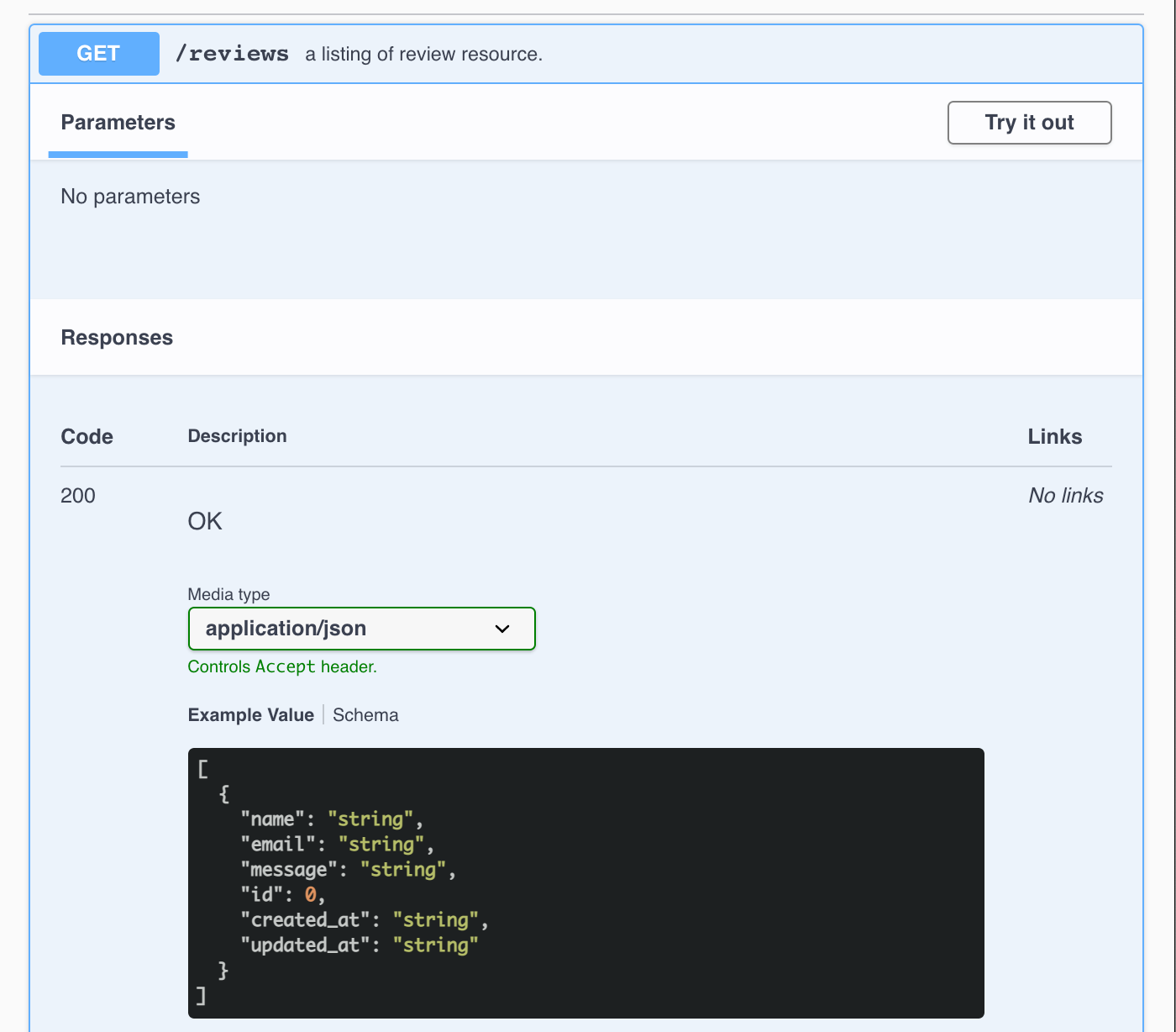
It will be great if we can paginate our listing, right?
Lets re-generate the controller class with pagination
php artisan make:controller Reviews -m Review -p

Controller already exists!

php artisan make:controller Reviews -m Review -p --force

Controller created successfully.
Note the addition of -p to paginate and --force to
force overwriting the controller class.
Now we have pagination support as shown below

Paginated response for the GET request looks something like this:
{
  "current_page": 1,
  "data": [
    {
      "id": 1,
      "name": "Arul",
      "email": "arul@luracast.com",
      "message": "Hello",
      "created_at": "2021-08-09T10:49:36.000000Z",
      "updated_at": "2021-08-09T10:49:36.000000Z"
    }
  ],
  "first_page_url": "/reviews?page=1",
  "from": 1,
  "last_page": 1,
  "last_page_url": "/reviews?page=1",
  "links": [
    {
      "url": null,
      "label": "Previous",
      "active": false
    },
    {
      "url": "/reviews?page=1",
      "label": "1",
      "active": true
    },
    {
      "url": null,
      "label": "Next",
      "active": false
    }
  ],
  "next_page_url": null,
  "path": "/reviews",
  "per_page": 15,
  "prev_page_url": null,
  "to": 1,
  "total": 1
}Make sure all the folders inside storage/framework/cache have written permission for the application to
write the needed files for caching
Create .env by cloning .env.example
cp .env.example .env
and update the environment as follows
APP_ENV=production
You may also update the database configuration inside the .env file
Now Restler should be running in production mode and laravel related components are running under production environment!
Note:- when running in production mode restler won't detect addition or removal of an api. You need to manually delete the cache files under
storage/framework/cache