
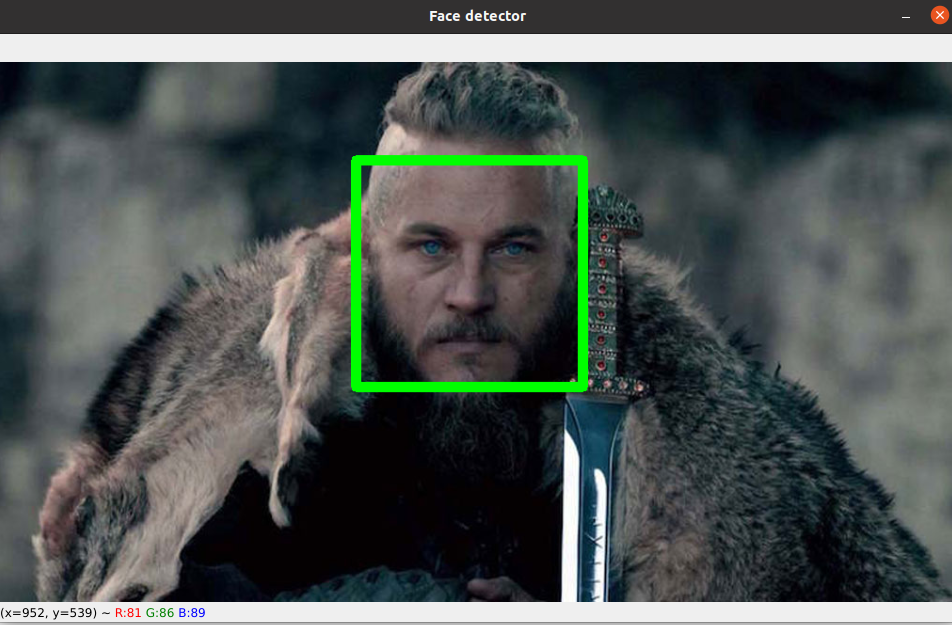
Face detection is a computer vision technology being used in a variety of applications that identifies human faces in digital images. With the advent of technology, face detection has gained a lot of importance especially in fields like photography, security, and marketing.
OpenCV is a great tool for image processing and performing computer vision tasks. It is an open-source library that can be used to perform tasks like face detection, objection tracking..
- OpenCV is free and an open-source library.
- OpenCV is fast as it is written in C/C++ language.
- With less system RAM, OpenCV works better.
- It supports most of the operating systems like Windows, Linux, and macOS.
To install OpenCV you can use this command:
pip install opencv-python
Face detection using Haar cascades is a machine learning based approach where a cascade function is trained with a set of input data. OpenCV already contains many pre-trained classifiers for face, eyes, smiles, etc..
You can get other Haar cascades from this link.
First we need to load face-cascade.
cv2.CascadeClassifier('haarcascade_frontalface_default.xml')The detection works only on grayscale images. So it is important to convert the color image to grayscale.
cv2.cvtColor(img, cv2.COLOR_BGR2GRAY)detectMultiScale function is used to detect the faces. It takes 3 arguments, the input image, scaleFactor and minNeighbours. you can read about it here.
detectMultiScale(gray_scaled_img, scaleFactor=1.2,minNeighbors=5,minSize=(20,20))First we need to inisialize the Webcam.
webcam = cv2.VideoCapture(0)Now we need to add a loop for detect faces in each frame.
...
while True:
    frame = webcam.read()

    gray_scaled_img = cv2.cvtColor(frame, cv2.COLOR_BGR2GRAY)

    face_coordinates = trained_face_data.detectMultiScale(gray_scaled_img, scaleFactor=1.2,minNeighbors=5,minSize=(20,20))

    for(x, y, w, h) in face_coordinates:
        cv2.rectangle(frame, (x, y), (x+w, y+h), (0, 255, 0), 10)
...