Repository navigation
Spectrogram Guide
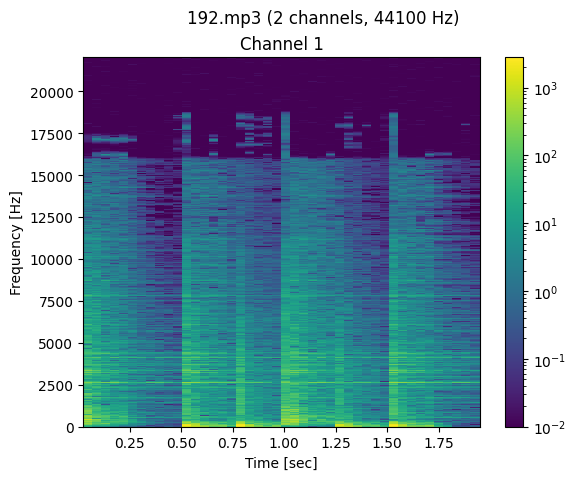
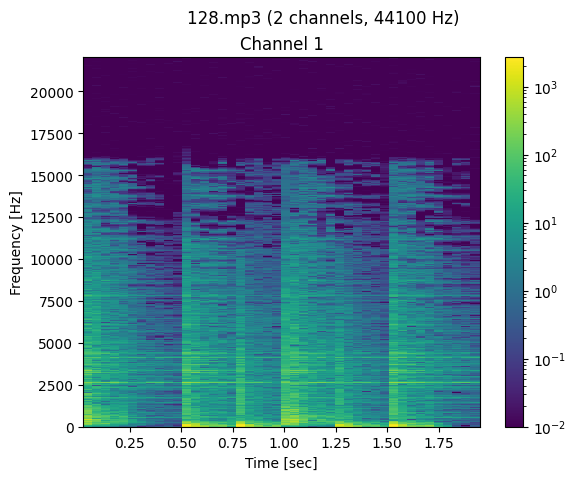
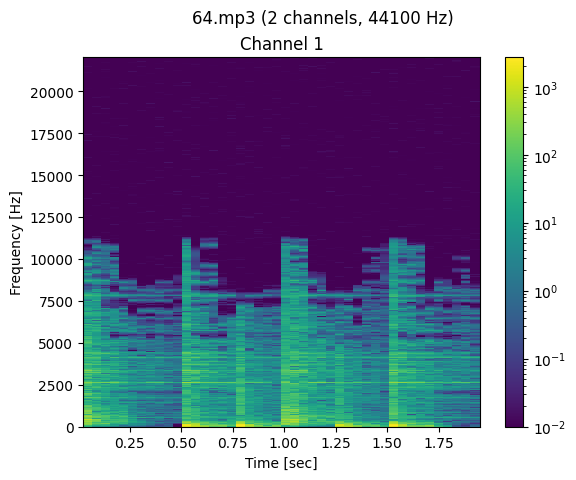
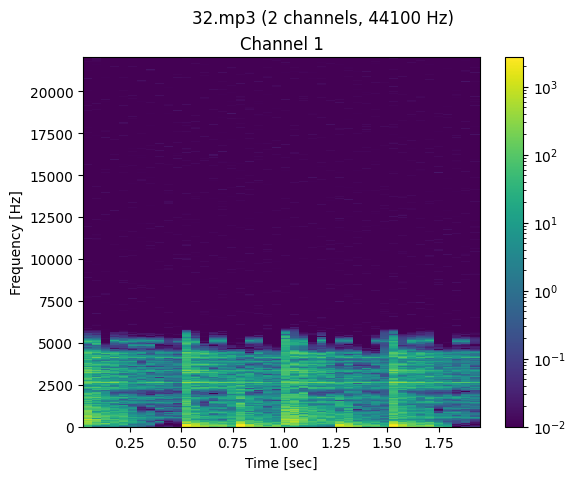
Bloated audio is an audio file encoded with wrong bitrate. To check if your audio is bloated, you need to know what is the bitrate of your audio and compare the Hertz value with the referent bitrate below. Try to find a "line" (cutoff) on spectrogram image like the image below
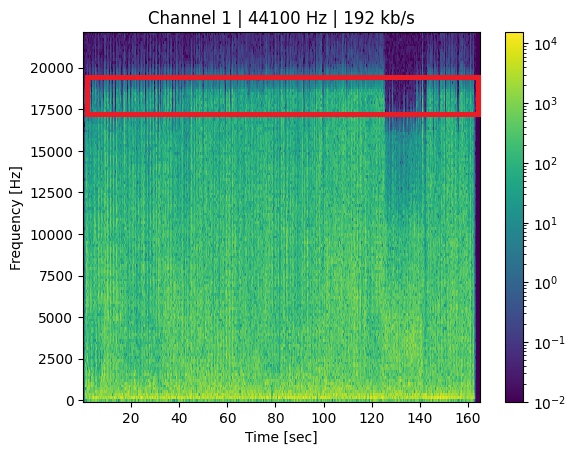
if your audio bitrate is 256kbps and the cutoff is 15KHz your audio is bloated because 15KHz cutoff is for 128kbps audio. To fix it, run /debloat with target 128kbps
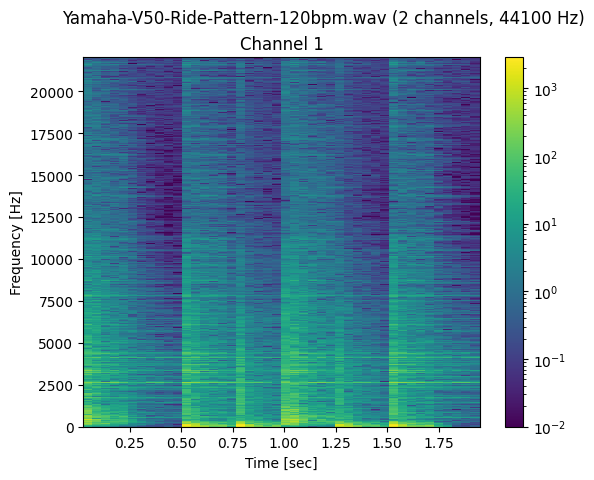 |
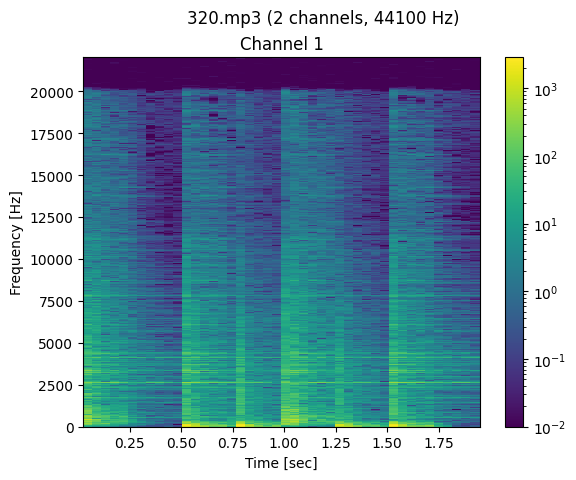 |
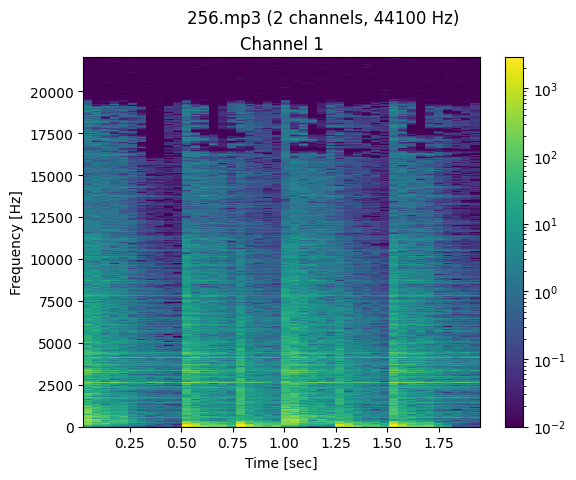 |
|---|---|---|
| Full-quality WAV | 320 kbps MP3 | 256 kbps MP3 |
 |
 |
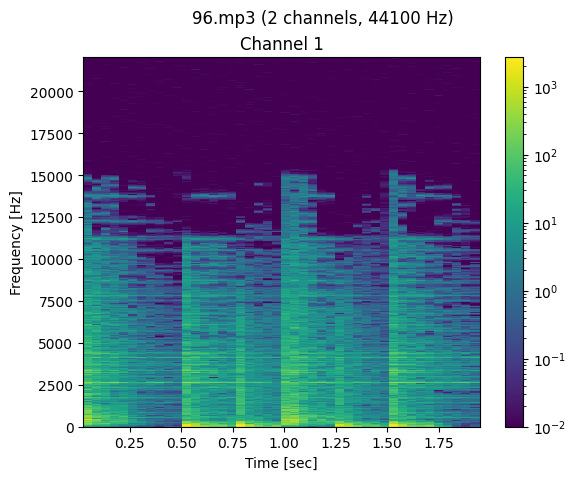 |
| 192 kbps MP3 | 128 kbps MP3 | 96 kbps MP3 |
 |
 |
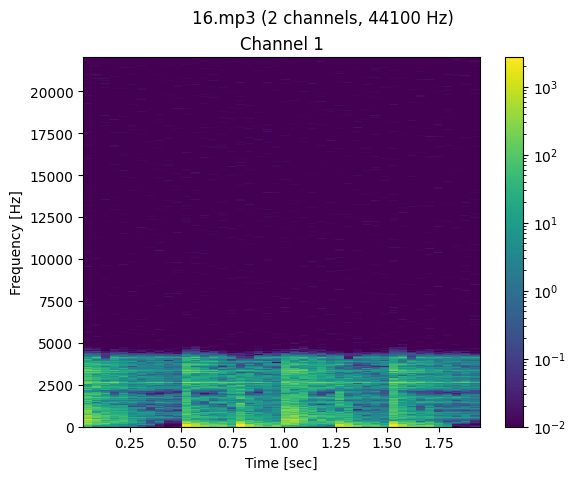 |
| 64 kbps MP3 | 32 kbps MP3 | 16 kbps MP3 |