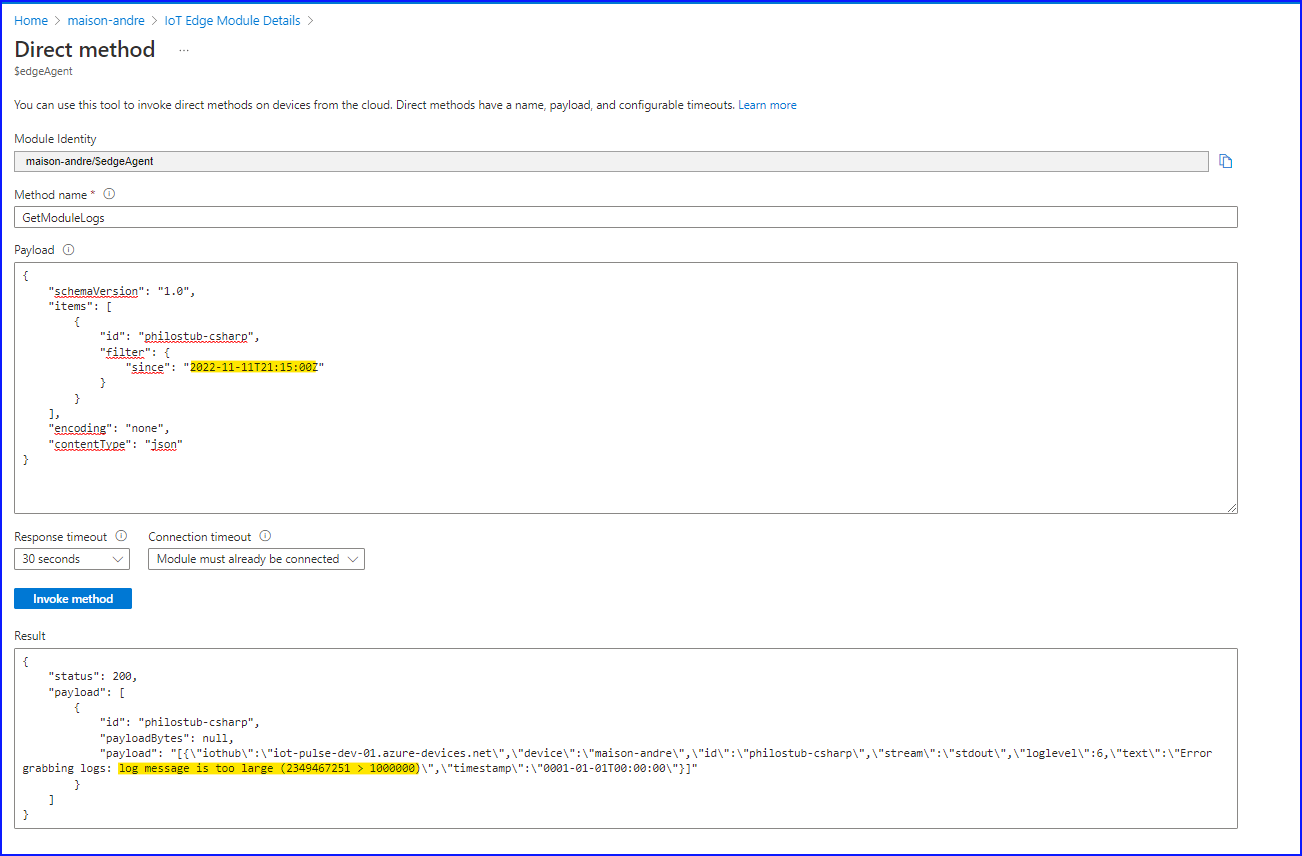
Error grabbing logs: log message is too large (2349467251 > 1000000) #6777


Description

I'm trying to use Troubleshoot from the Azure Portal for a custom module deployed on an IoT Edge Device.
When I click of the Time range criteria and I check the "Enter time instead" to retrieve log of a specific period It gives me the error
Error grabbing logs: log message is too large (2349467251 > 1000000)
Expected Behavior
I should be able to consult the Troubleshoot Logs
Current Behavior
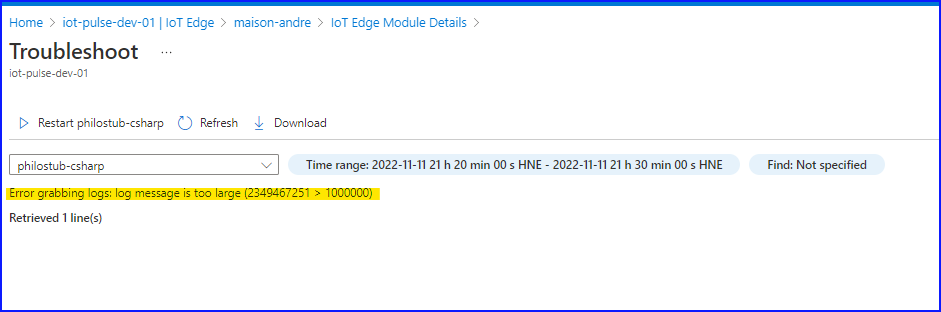
the text "Error grabbing logs: log message is too large (2349467251 > 1000000)" is displayed instead of the logs entries
Steps to Reproduce
Provide a detailed set of steps to reproduce the bug.
- Goto an Azure Portal IotEdge
- Open a Device
- click to open the detail of a module
- open the "Troubleshoot"
- click the "Time range" criteria and check the "Enter time instead" to retrieve log of a specific period
- click "Apply"
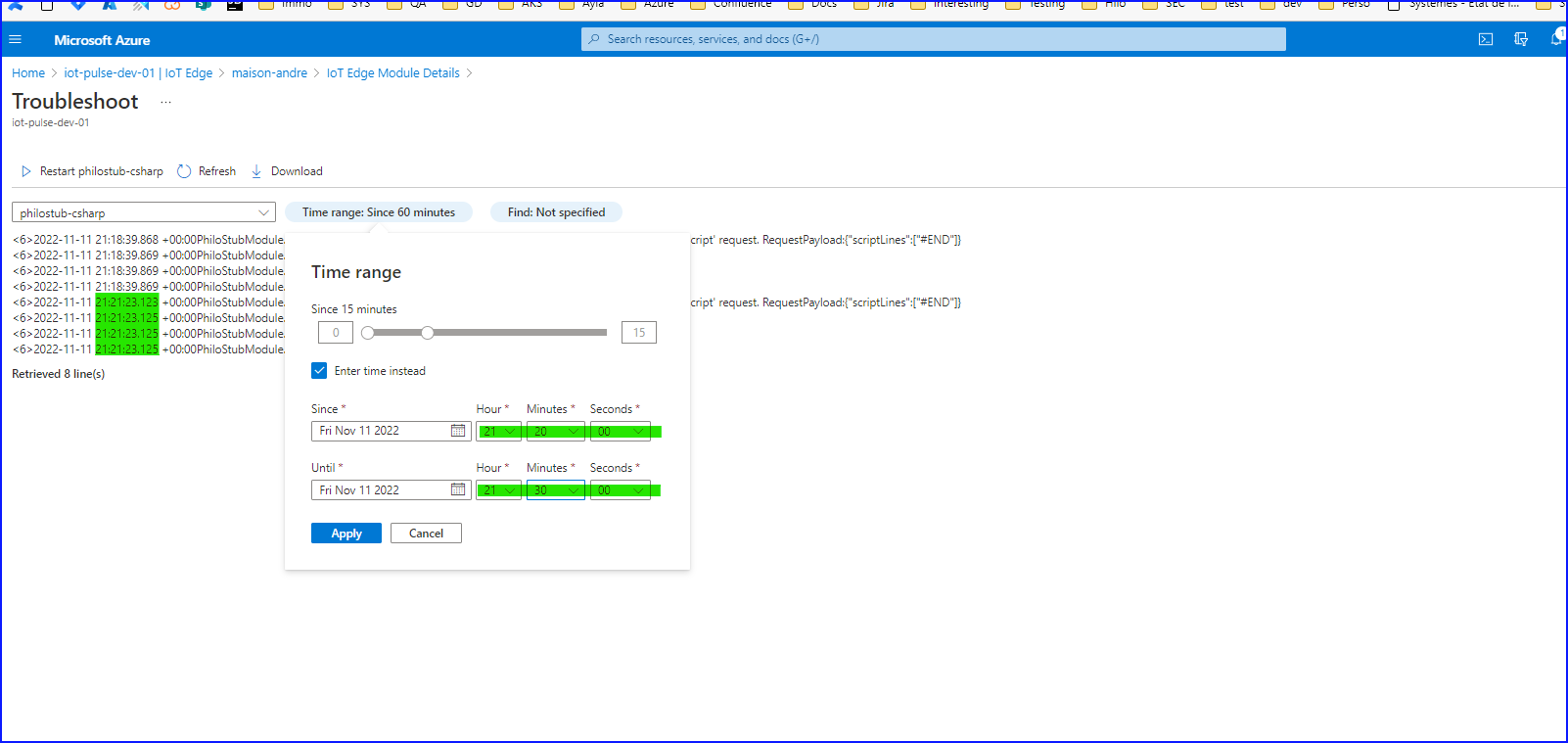
You can see in the image below that the only logs I have (behind the Time range box) are not so large
In the following image is the result I have after I click the Apply button
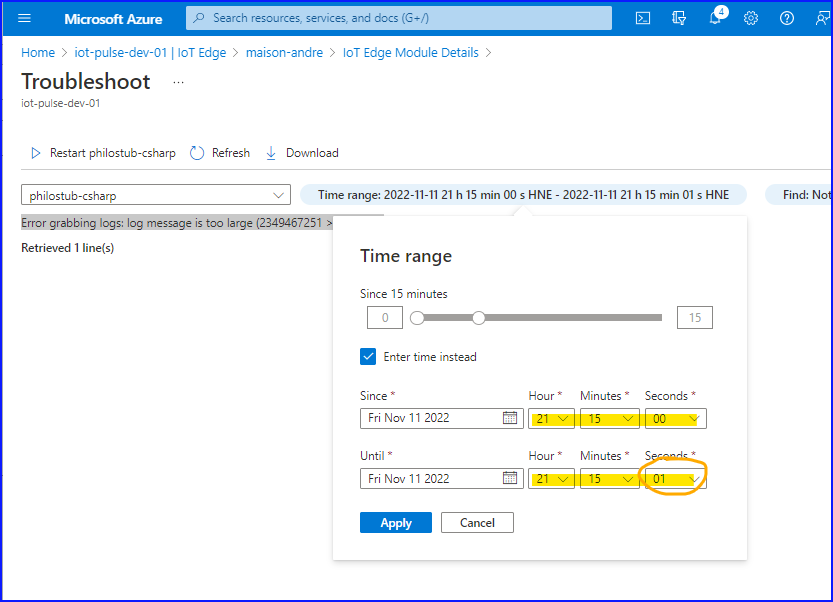
I also reproduced the issue with a time range of 1 second
Device Information
- Host OS : Ubuntu 20.04.5 LTS
- Architecture : amd64
- Container OS: Linux containers
Runtime Versions
- aziot-edged [run
iotedge version]: iotedge 1.4.1 - Edge Agent [image tag (e.g. 1.0.0)]: 1.4.0.59620487 (157650c)
- Edge Hub [image tag (e.g. 1.0.0)]: 1.4.0.59620487 (157650c)
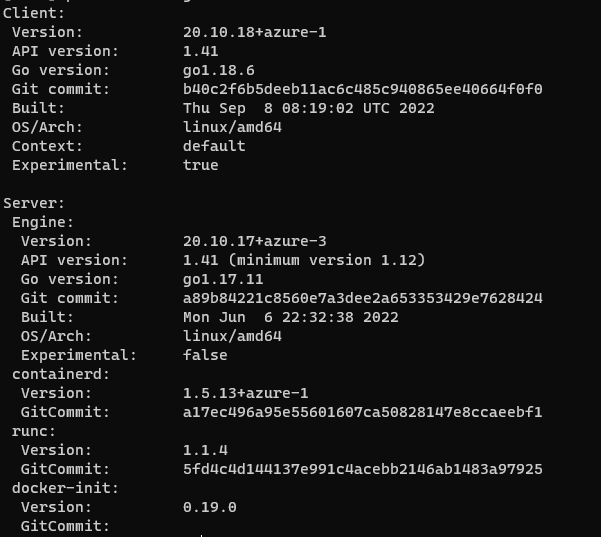
- Docker/Moby [run
docker version]:
Additional Information
I first detected the new behaviour since yesterday (or maybe this morning) by using DirectMethod GetModuleLogs with the since parameter :