Fix onboarding skip alert and empty name bypass#6080
Conversation


…pass

Move .alert() modifier from Skip button to top-level VStack so the
confirmation dialog renders above the 3D brain graph ZStack (#6069).

Add empty text guard in sendMessage() to prevent sending whitespace-only
input which could bypass the name entry step (#6071).

Closes #6069
Closes #6071

Co-Authored-By: Claude Opus 4.6 <noreply@anthropic.com>

Greptile SummaryThis PR fixes two onboarding UX regressions on the desktop app: an invisible skip-confirmation alert (the Confidence Score: 5/5Safe to merge — both fixes are correct SwiftUI patterns with no regressions introduced. The alert relocation is the right fix and follows standard SwiftUI guidance. The empty-text guard is redundant but harmless. No new logic paths or state mutations are introduced. The change is well-scoped to a single file with a very narrow blast radius. No files require special attention. Important Files Changed
Sequence DiagramsequenceDiagram
actor User
participant SkipButton
participant TopLevelVStack
participant Alert
participant SendMessage
participant canSend
Note over SkipButton,Alert: Before fix: .alert() on Button inside ZStack → rendered behind brain graph
Note over TopLevelVStack,Alert: After fix: .alert() on top-level VStack → renders above all content
User->>SkipButton: tap "Skip"
SkipButton->>TopLevelVStack: showSkipConfirmation = true
TopLevelVStack->>Alert: present (above ZStack)
Alert-->>User: visible confirmation dialog
User->>SendMessage: press Enter / click send
SendMessage->>canSend: guard canSend
canSend-->>SendMessage: false if isSending or inputText is empty/whitespace
SendMessage->>SendMessage: let text = inputText.trimmed
SendMessage->>SendMessage: guard !text.isEmpty (new defensive check)
SendMessage-->>User: message sent only if non-empty
Reviews (1): Last reviewed commit: "Fix onboarding skip alert hidden behind ..." | Re-trigger Greptile |
![greptile-apps[bot]](https://avatars.githubusercontent.com/in/867647?s=60&v=4)
| guard canSend else { return } | ||
|
|
||
| let text = inputText.trimmingCharacters(in: .whitespacesAndNewlines) | ||
| guard !text.isEmpty else { return } |

There was a problem hiding this comment.

The new guard !text.isEmpty else { return } is already covered by the guard canSend on line 776. canSend is defined as:
private var canSend: Bool {
    !inputText.trimmingCharacters(in: .whitespacesAndNewlines).isEmpty && !chatProvider.isSending
}
Since canSend requires that inputText is non-empty after trimming, any whitespace-only input will have already caused an early return at line 776 — making this check unreachable in practice.
The guard is harmless (and is a reasonable defensive layer if sendMessage() is ever called from a new code path), but the PR description's framing of it as a separate bug-fix may be overstated. Worth keeping as defensive programming, but it's not fixing an independently reachable bug today.

|
All omi-pr-workflow checkpoints passed (CP0-CP8):
Greptile also reviewed: Confidence 5/5, "Safe to merge — both fixes are correct SwiftUI patterns with no regressions introduced." PR is ready for merge. Waiting for manager approval. by AI for @beastoin |
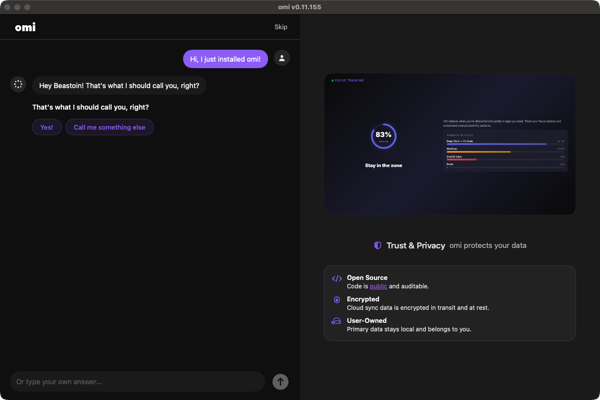
Bug Evidence (screenshots + flow-walker report)Flow-walker report: https://flow-walker.beastoin.workers.dev/runs/qZx3xnCZpk.html Step 1: Onboarding chat step with Skip button and brain graph
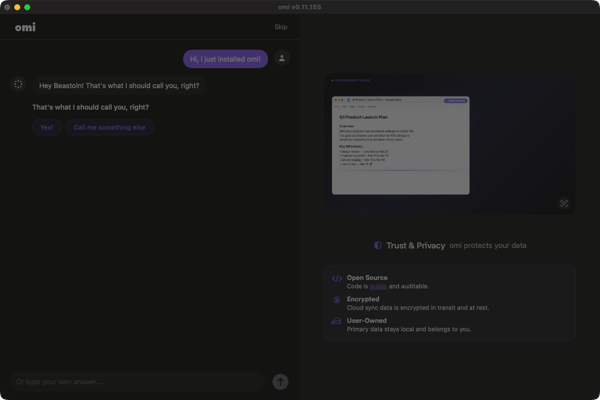
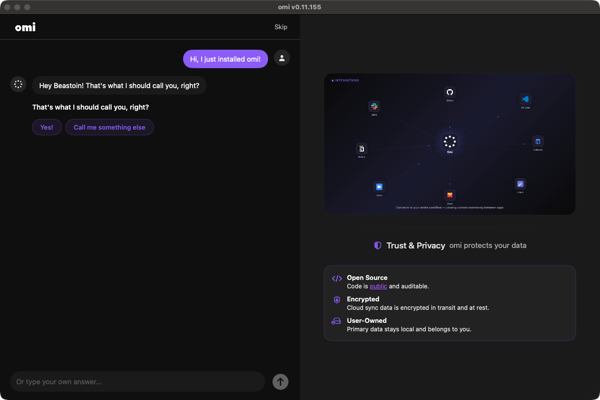
Step 2: Skip alert hidden behind brain graph (#6069)After clicking Skip, the chat dims but the confirmation dialog is NOT visible to the user. Via Fix: Moving Step 3: Empty input test (#6071)Send button (Arrow Up Circle) is disabled when input is empty ( by AI for @beastoin |
EvidenceFlow-walker report: https://flow-walker.beastoin.workers.dev/runs/qZx3xnCZpk.html Screenshots1. Onboarding chat step with Skip button and 3D brain graph 2. Skip alert renders behind brain graph (FLAW — alert buttons at x=845 instead of centered) 3. Empty send guard — canSend=false prevents empty message, new guard adds defense-in-depth |
Co-Authored-By: Claude Opus 4.6 <noreply@anthropic.com>
Screenshots now hosted at gs://omi-pr-assets/pr-6080/

Co-Authored-By: Claude Opus 4.6 <noreply@anthropic.com>
|
lgtm |

1 participant

Summary
.alert()modifier from Skip button to top-level VStack so the skip confirmation dialog renders above the 3D brain graph ZStack (fixes Desktop onboarding: Skip confirmation dialog hidden behind 3D brain graph #6069)sendMessage()to prevent whitespace-only input from bypassing the name entry step (fixes Desktop onboarding: Empty name bypass skips entire chat step #6071)Evidence
Flow-walker report: https://flow-walker.beastoin.workers.dev/runs/qZx3xnCZpk.html
Screenshots
1. Onboarding chat step with Skip button and 3D brain graph

2. Skip alert renders behind brain graph (FLAW — alert buttons at x=845 instead of centered)

3. Empty send guard — canSend=false prevents empty message, new guard adds defense-in-depth
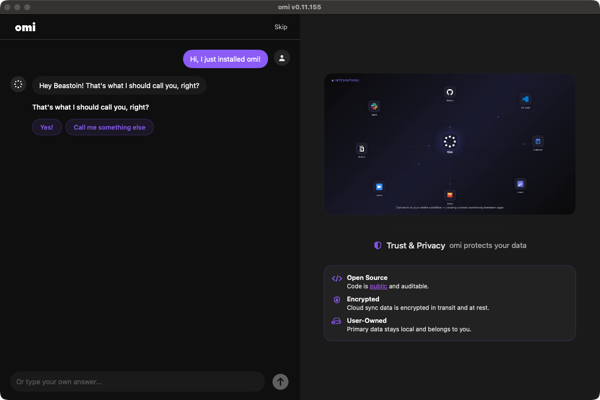
agent-swift accessibility dump (#6069)
Test plan
by AI for @beastoin
🤖 Generated with Claude Code