This is based on the github from bni over at bni/freesynd. The bni port is in turn from https://freesynd.sourceforge.io/ which itself a GPLed reimplementation of the engine for the classic Bullfrog game, Syndicate which came out in 1993.
I've rejigged the project files and fixed some ARM specific errors that came up for Android project. I have added binaries for Android and Windows but they do not include the game files as its not allowed. See important note below about game assets and there are instructions on how to add them.

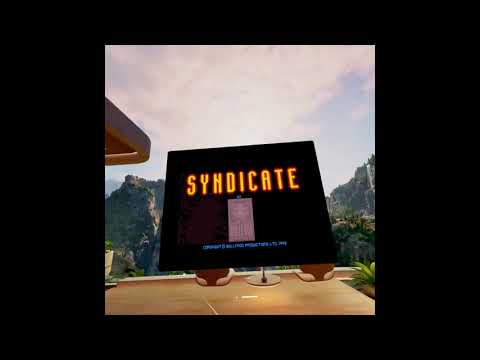
Video of it in action on a Quest on YouTube (watch with subtitles for details).
Project files are in:
\FreeSynd
    \platform
        \android <-- Open in this folder in Android Studio
        \windows <-- Open the solution file in here for Visual Studio
Important
You need to supply the games asset files. Buy the game or find cd/disk of it. Syndicate Plus will not work, it has to be the original 1993 release without American Revolt (Check eBay. The DOS version is probably easier to install and extract files from). Another option is to buy it on gog.com and then download the original game on archive.org.
- Install the original pc game from disk/download like normal on your pc. If it's DOS, you'll probably have to use DosBox or similar.
- Download the lowercase.ps1 powershell script or find it in the assets folder of this project. Place the script into the folder where all game files are, should all be in a folder called Data.
- Run the script in Powershell (type lowercase.ps1) and all files will now be lowercase.
- You should now have a folder called data with all assets inside ready to use.
Note
Make sure you know what your final device OS version and CPU is! For Android its usually arm64-v8a but some Android TVs are 32 bit so would be armeabi-v7a. This project is compatible with Android version 7.0 or above. For Windows the choice is x86 or x64, probably runs from XP upwards (not tested except Windows 10 and 11).
Tip
Connect a Bluetooth keyboard and mouse for phone, TV and Quest. It is possible to play without mouse and keyboard on them as there is basic scrolling support for touchscreens. On Quest you can pan around by moving cursor to edge of screen.
- Download and extract the files from the zip in Releases.
- Copy the data folder into where the exe and dlls are.
- The file layout should look like so:


- Run the freesynd.exe!
- WASD keys can pan around.
- P to Pause.
- Number keys 1-4 to select an agent.
- Esc to quit or go back (Some devices seems to ignore this, so needs fixing).
- Right mouse key to shoot manually.
- Don't use middle click on mouse buttons as Android uses it to minimise the app.
This will work on any Android device above version 7.0 (Nougat). Also works on Quest for extra large screen gameplay (instructions for installing on Quest is further down)!!
- Download the FreeSynd apk for your device (arm64-v8a is for 64 bit devices, armeabi-v7a is for 32 bit).
- Copy that apk to your device Download folder and run it to install it. It won't properly run yet as we need to copy the game data files.
- If you installed the apk, the folder for assets to go in should already be created. Go to sdcard/Android/data/com.bassquake.freesynd/files (Note: sdcard is called Phone on File Explorer on pc. It might be called something different depending on your device).
- Now copy the data folder that contains all the game assets to sdcard/Android/data/com.bassquake.freesynd/files. Make sure its the main drive and not the extra memory card some phones have!
- You should see the FreeSynd icon on your device, tap to run!
Note
For phones, double tap over a target to fire weapon.
- Plug your headset in via usb.
- Download the FreeSynd release apk and install it with SideQuest using the "Install APK file from folder on computer". (Your headset probably should be in Developer mode already):
- After install completes, you should see this in the "Currently installed apps":

- Now still in SideQuest, go to "Manage files on the headset".
- Navigate to "sdcard/Android/data".
- Create a folder called "com.bassquake.freesynd" and inside that create a folder called "files" if there isn't one already.
- Copy all the game assets into that files folder. The layout should be like so on your device (ignore dexopt and geoid_height_map as they're generated by Quest):

- Now go to Unknown Sources on the headset and run FreeSynd!
- B button is mapped to secondary mouse button so it's used for firing weapon.
- A or the Trigger is to select.
- Move pointer to edge of screen to pan around play area.
- Add support for using touchscreen to move around. Partially supported.
Fix right mouse to shoot.Fix issue when minimised app it just goes black and eventually crashes out.Fixed.Fix hang when tap an area of the screen during game play on Arm devices.Fixed.Fix resizing issue on Quest.Fixed.- Untested Linux support.
- Add support for MacOS for Intel and M chips.
- Add Arm support for Windows.