

Belens is a mobile application designed to give users insight into their nutritional habits using advanced image recognition technology. The app helps users make informed decisions about their beverage choices by analyzing images of drinks and offering nutritional information. Developed by the C242-PS245 team as part of the Capstone Project at Bangkit Academy 2024, the app brings together expertise from three different learning paths: Machine Learning, Cloud Computing, and Mobile Development.
Managing sugar intake is essential to maintaining a healthy lifestyle. However, identifying the sugar content in packaged beverages can be challenging for consumers, as even though the ingredients are listed, some people often overlook them, leading to an unhealthy lifestyle.
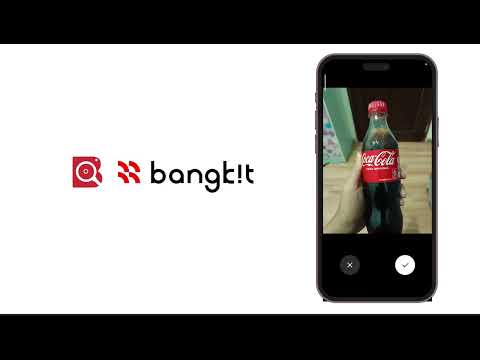
Belens was created to address this issue by utilizing advanced technology. The app allows users to scan beverage packaging for sugar content, as well as beverage grade and recommendations to avoid over-consumption. By providing this information, the user instantly knows what is important about the drink.
- Instant Scan: Utilize the app to scan beverage packaging and get sugar content information by simply taking a photo of the front of the beverage without having to scan a specific part.
- Personalized Insights: Get recommendations and insights based on health goals.
Belens is not just a tool, it’s a companion for anyone looking to prioritize their health while enjoying their favorite drinks.
With Belens, making healthier choices has never been easier. Our mission is to foster a more health-conscious society through innovative technology.
Team-ID: C242-PS245
| Name | Student-ID | Path |
|---|---|---|
| Andriansyah | M179B4KY0531 | Machine Learning |
| Bagoes Trias Airlangga | M002B4KY0790 | Machine Learning |
| Destyawan Satria Nugraha | M179B4KY1053 | Machine Learning |
| Hasan Nur Rasyid | C179B4KY1742 | Cloud Computing |
| Robi Ferliansyah | C318B4KY3953 | Cloud Computing |
| Edison | A333B4KY1227 | Android Development |
| Farqad Assanji | A179B4KY1419 | Android Development |


Instructions for installing and running the Belens app:
- Clone this repository:
git clone https://github.com/Belens-Capstone-Project/MD-Project
- Open the project in Android Studio.
- Build and run the app on your Android device or emulator.