A minimal bilingual Hugo theme for longreads. Tailwind v4, CJK-native, 25+ content shortcodes. 中文 · English
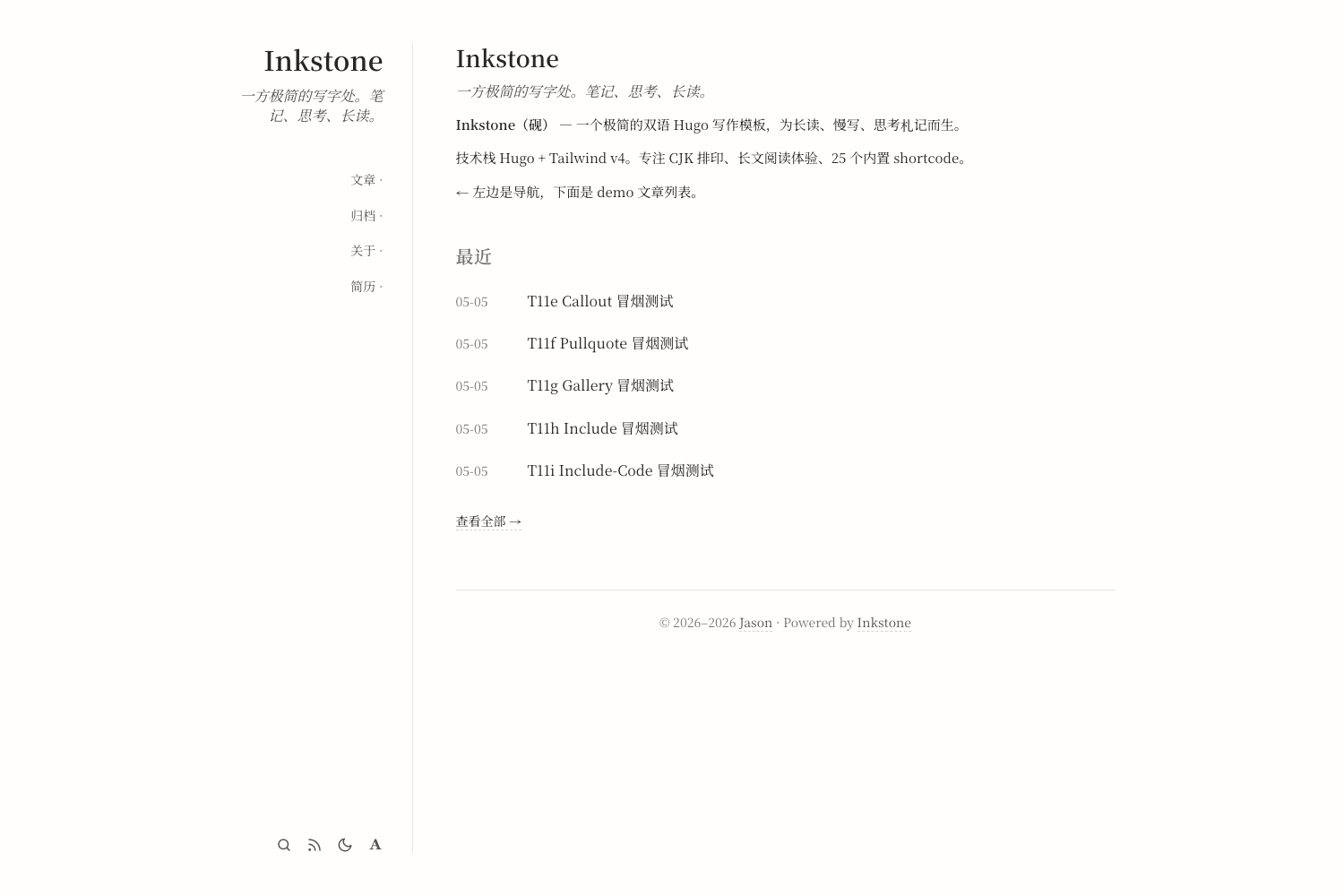
Inkstone(砚) 是一款为长文阅读、慢速写作、中英排版而生的极简 Hugo 主题。开箱即用的双语 i18n、25+ 内容 shortcode,以及对中文排版的细致打磨。
- 🌐 双语 i18n — 中文 / 英文 UI 字符串全套,可扩展任意语言
- 📐 CJK 排版 — 自动检测中文,按字符计阅读时间,针对中英混排调优
- 🧩 25+ shortcode — admonition、callout、gallery、video、tab、mermaid、markmap、math 等
- 🎨 Tailwind v4 — 通过 Hugo 0.128+ 内建
css.TailwindCSS,无需独立构建步骤 - 🔍 Pagefind 搜索 — 内置
⌘Kmodal,搜索索引按需启用 - 🌓 深色模式 — 尊重
prefers-color-scheme,切换持久化到localStorage
hugo new site mysite
cd mysite
git init
git submodule add https://github.com/BerBai/inkstone themes/inkstone
echo 'theme = "inkstone"' >> hugo.toml
hugo serverhugo new site mysite
cd mysite
hugo mod init github.com/<you>/mysite在 hugo.toml 加:
[module]
  [[module.imports]]
    path = "github.com/BerBai/inkstone"
然后:
hugo mod get github.com/BerBai/inkstone@latest
hugo servergit clone https://github.com/BerBai/inkstone themes/inkstone
echo 'theme = "inkstone"' >> hugo.toml
hugo server- Hugo extended ≥ 0.128(用
css.TailwindCSS) - Tailwind v4 CLI(详见下方 Tailwind v4 Setup 章节)
- Node.js(仅当用 npm 装 Tailwind 时;standalone CLI 无需 Node)
- Pagefind(可选,仅用搜索时):
npm install -D pagefind,构建时pagefind --site public
主题用 Hugo 0.128+ 内建的 css.TailwindCSS 函数处理 Tailwind v4。这个函数需要在 PATH 中找到 tailwindcss 二进制。三种路径,按推荐度排序:
最常见的方式,与 Hugo 生态最融合:
# 在你的站点根目录
npm init -y    # 如果还没有 package.json
npm install -D tailwindcss @tailwindcss/cli
Hugo 会自动从 ./node_modules/.bin/tailwindcss 调用。无需手动配置 PATH,Hugo 0.128+ 会优先查 node_modules/.bin。
优点:版本可锁定(package-lock.json),与 npm/CI workflow 兼容
缺点:需要 Node.js + npm 环境(约 200MB node_modules/)
Tailwind 官方提供独立二进制,从 tailwindlabs/tailwindcss releases 下载:
# macOS arm64 示例(按你的平台换 URL)
curl -fsSL https://github.com/tailwindlabs/tailwindcss/releases/latest/download/tailwindcss-macos-arm64 \
  -o /usr/local/bin/tailwindcss
chmod +x /usr/local/bin/tailwindcss

# 验证
tailwindcss --help
或用 Homebrew:
brew install tailwindcss优点:无 Node.js 依赖;CI 镜像可保持精简(不装 Node 就行)
缺点:版本不通过 package.json 管理,需要手动同步;不同机器/CI 间版本可能漂移
GitHub Actions 跑 Hugo build:
- uses: actions/setup-node@v4
  with:
    node-version: '22'
- run: npm install         # 拉 tailwindcss 到 node_modules
- uses: peaceiris/actions-hugo@v3
  with:
    hugo-version: '0.161.1'
    extended: true
- run: hugo --gc --minify # 自动从 node_modules/.bin 找 tailwindcss注意:peaceiris/actions-hugo 不会把 node_modules/.bin 加到 PATH,但 Hugo 内部会查找 node_modules/.bin/tailwindcss,所以这种顺序工作。
hugo 报错 binary with name "tailwindcss" not found in PATH:
- 检查
which tailwindcss是否能找到。如果用 npm 安装,临时 export:export PATH="./node_modules/.bin:$PATH" - 检查
tailwindcss --help能否运行(macOS 第一次跑可能要chmod +x) - 检查 Hugo 版本 ≥ 0.128:
hugo version
最少 hugo.toml:
baseURL = "https://example.com/"
title = "My Site"
theme = "inkstone"
defaultContentLanguage = "en"
defaultContentLanguageInSubdir = false
hasCJKLanguage = true   # 仅当内容含 CJK 时

[languages.en]
  weight = 1
  [languages.en.params]
    description = "Site description"
    tagline = "Site tagline"

[taxonomies]
  tag = "tags"

[params]
  author = "Your Name"
  jsdelivrMirror = "https://cdn.jsdmirror.com"   # CDN 前缀(cn 友好)
完整可参考 exampleSite/hugo.toml。
[languages.en]
  label = "English"
  locale = "en"
  weight = 1
[languages.zh-cn]
  label = "中文"
  locale = "zh-cn"
  weight = 2
UI 字符串在 themes/inkstone/i18n/en.toml 和 zh-cn.toml,需要新增语言时复制一份并翻译值即可。
主题集成的 CDN 库版本通过 [params] 配置:
[params]
  jsdelivrMirror   = "https://cdn.jsdmirror.com"
  g2Version        = "5.4.8"
  mathjaxVersion   = "4"
  mermaidVersion   = "11.14.0"
  markmapVersion   = "0.18.12"
  videojsVersion   = "8.10.0"
  swiperVersion    = "11.1.4"
# 完整列表见 exampleSite/hugo.toml主题内置 25+ 内容 shortcode。完整 demo 与参数说明见 exampleSite/content/shortcodes-demo.md(启动 demo 后访问 /shortcodes-demo/)。
按分类速览:
- Callouts:
callout,admonition - Layout:
flex,flex-item,tab,tab-item,details - Code & Text:
highlight,include,include-code,copy-to-clipboard,pseudocode,button,pullquote - Media:
figure,image-compare,gallery,video,youtube,bilibili,song,swiper - Diagrams:
antv-g2(fenced codeblock 支持 mermaid / markmap,自动识别) - External:
iframe(带主题桥接),douban-card,wechat-qr
颜色、间距、字号、字体栈都在 assets/css/variable.css 用 Tailwind v4 @theme 块声明。覆盖时在你站点的 assets/css/main.css 加:
@theme {
  --color-accent: #your-color;
  --font-family-prose: "Your Serif", "LXGW WenKai", serif;
}Hugo 主题继承机制:在你站点 layouts/partials/ 或 layouts/shortcodes/ 下放同名文件即可覆盖主题版本。例如自定义页脚:
<!-- layouts/partials/footer.html -->
<footer class="footer">
  <p>© {{ now.Format "2006" }} {{ .Site.Params.author }}. Custom footer here.</p>
</footer>主题已经内置 ⌘K modal UI;搜索索引由 Pagefind 在构建后生成:
npm install -D pagefind
# package.json scripts:
#   "build": "hugo --gc --minify && pagefind --site public"
构建产物 public/pagefind/ 会被 assets/js/search.js 自动加载。
主题用 Tailwind v4,目标 baseline:
- Chrome/Edge ≥ 120
- Safari ≥ 16.4
- Firefox ≥ 121
不支持 IE 11 / 老旧 Android Browser。
MIT — 见 LICENSE。
- LXGW WenKai — © Lin Xiang Wei, OFL 1.1
- Noto Serif SC — © Google, OFL 1.1
- Heroicons / Phosphor — MIT
Issue 或 PR 欢迎到 github.com/BerBai/inkstone 提交。