QR码全称Quick Response Code,是由日本Denso Wave公司于1994年发明的。其目的是在制造过程中跟踪车辆; 它旨在允许高速组件扫描。QR码现在在更广泛的背景下使用,包括商业跟踪应用和针对移动电话用户的面向便利的应用(称为移动标签)。
QR码可用于向用户显示文本,向用户的设备添加vCard联系人,打开统一资源标识符(URI)或撰写电子邮件或文本消息。有许多QR码发生器可以作为软件或在线工具使用。QR码已成为二维码中使用最多的类型之一。
与条形码不同的是,条形码被设计为通过窄光束进行机械扫描,QR码由二维数字图像传感器检测,然后由编程的处理器进行数字分析。处理器在QR代码图像的角落定位三个独特的方块,使用第四个角附近的较小方块(或多个方块)来规范图像的大小,方向和观看角度。QR码中的小点随后被转换为二进制数并通过纠错算法进行验证。
如下图,就是一个非常短的二维码


苹果官方文档中有两个关键字inputMessage和inputCorrectionLevel
- inputMessage 要被编码为QR码的数据。一个NSData对象,其显示名称是消息。
- inputCorrectionLevel 该inputCorrectionLevel参数控制输出图像中编码的附加数据量以提供纠错。较高级别的纠错会导致较大的输出图像,但会使代码的较大区域被破坏或被遮挡。有四种可能的更正模式(具有相应的错误恢复等级): L:7% M:15% Q:25% H:30% 默认值是M。
// 1、创建滤镜对象
CIFilter *filter = [CIFilter filterWithName:@"CIQRCodeGenerator"];
// 恢复滤镜的默认属性
[filter setDefaults];
// 2、设置数据
NSString *info = data;
// 将字符串转换成
NSData *infoData = [info dataUsingEncoding:NSUTF8StringEncoding];
// 通过KVC设置滤镜inputMessage数据
[filter setValue:infoData forKeyPath:@"inputMessage"];
//设置二维码的纠错水平,越高纠错水平越高,可以污损的范围越大
[filter setValue:@"H" forKey:@"inputCorrectionLevel"];
// 3、获得滤镜输出的图像
CIImage *outputImage = [filter outputImage];
这时会产生一个简单的二维码,当然,我们还需要生成一个指定大小的二维码
/** 根据CIImage生成指定大小的UIImage */
+ (UIImage *)createNonInterpolatedUIImageFormCIImage:(CIImage *)image withSize:(CGFloat)size {
CGRect extent = CGRectIntegral(image.extent);
CGFloat scale = MIN(size/CGRectGetWidth(extent), size/CGRectGetHeight(extent));

// 1.创建bitmap;
size_t width = CGRectGetWidth(extent) * scale;
size_t height = CGRectGetHeight(extent) * scale;
CGColorSpaceRef cs = CGColorSpaceCreateDeviceGray();
CGContextRef bitmapRef = CGBitmapContextCreate(nil, width, height, 8, 0, cs, (CGBitmapInfo)kCGImageAlphaNone);
CIContext *context = [CIContext contextWithOptions:nil];
CGImageRef bitmapImage = [context createCGImage:image fromRect:extent];
CGContextSetInterpolationQuality(bitmapRef, kCGInterpolationNone);
CGContextScaleCTM(bitmapRef, scale, scale);
CGContextDrawImage(bitmapRef, extent, bitmapImage);

// 2.保存bitmap到图片
CGImageRef scaledImage = CGBitmapContextCreateImage(bitmapRef);
CGContextRelease(bitmapRef);
CGImageRelease(bitmapImage);
return [UIImage imageWithCGImage:scaledImage];
}
这样就会产生一个指定大小的二维码。 假如要生成一个类似的,和微信类似的中间带一个logo的二维码
/**
*  生成一张带有logo的二维码
*
*  @param data    传入你要生成二维码的数据
*  @param logoImageName    logo的image名
*  @param logoScaleToSuperView    logo相对于父视图的缩放比(取值范围:0-1,0,代表不显示,1,代表与父视图大小相同)
*/
+ (UIImage *)generateWithLogoQRCodeData:(NSString *)data logoImageName:(NSString *)logoImageName logoScaleToSuperView:(CGFloat)logoScaleToSuperView {
// 1、创建滤镜对象
CIFilter *filter = [CIFilter filterWithName:@"CIQRCodeGenerator"];
// 恢复滤镜的默认属性
[filter setDefaults];

// 2、设置数据
NSString *string_data = data;
// 将字符串转换成 NSdata (虽然二维码本质上是字符串, 但是这里需要转换, 不转换就崩溃)
NSData *qrImageData = [string_data dataUsingEncoding:NSUTF8StringEncoding];

// 设置过滤器的输入值, KVC赋值
[filter setValue:qrImageData forKey:@"inputMessage"];

// 3、获得滤镜输出的图像
CIImage *outputImage = [filter outputImage];

// 图片小于(27,27),我们需要放大
outputImage = [outputImage imageByApplyingTransform:CGAffineTransformMakeScale(20, 20)];
// 4、将CIImage类型转成UIImage类型
UIImage *start_image = [UIImage imageWithCIImage:outputImage];
// - - - - - - - - - - - - - - - - 添加中间小图标 - - - - - - - - - - - - - - - -
// 5、开启绘图, 获取图形上下文 (上下文的大小, 就是二维码的大小)
UIGraphicsBeginImageContext(start_image.size);
// 把二维码图片画上去 (这里是以图形上下文, 左上角为(0,0)点
[start_image drawInRect:CGRectMake(0, 0, start_image.size.width, start_image.size.height)];
// 再把小图片画上去
NSString *icon_imageName = logoImageName;
UIImage *icon_image = [UIImage imageNamed:icon_imageName];
CGFloat icon_imageW = start_image.size.width * logoScaleToSuperView;
CGFloat icon_imageH = start_image.size.height * logoScaleToSuperView;
CGFloat icon_imageX = (start_image.size.width - icon_imageW) * 0.5;
CGFloat icon_imageY = (start_image.size.height - icon_imageH) * 0.5;
[icon_image drawInRect:CGRectMake(icon_imageX, icon_imageY, icon_imageW, icon_imageH)];

// 6、获取当前画得的这张图片
UIImage *final_image = UIGraphicsGetImageFromCurrentImageContext();

// 7、关闭图形上下文
UIGraphicsEndImageContext();

return final_image;
}
这样就可以添加中间的一个logo。 当然,在二维码中间设置logo,是有可能让二维码识别困难的,这里需要我们灵活设置inputCorrectionLevel。 在这里,我们也可以通过设置相关滤镜,让二维码更加多彩,背景是彩色,甚至是gif,都是可以的。
在识别二维码的时候,需要先设置手机的相机权限和相册权限。
AVCaptureSession * session= [[AVCaptureSession alloc] init];
AVCaptureDevice *device = [AVCaptureDevice defaultDeviceWithMediaType:AVMediaTypeVideo];
NSError *error;
AVCaptureDeviceInput *deviceInput = [AVCaptureDeviceInput deviceInputWithDevice:device error:&error];
if (deviceInput) {
[session addInput:deviceInput];


AVCaptureMetadataOutput *metadataOutput = [[AVCaptureMetadataOutput alloc] init];
[metadataOutput setMetadataObjectsDelegate:self queue:dispatch_get_main_queue()];
[session addOutput:metadataOutput];

metadataOutput.metadataObjectTypes = @[AVMetadataObjectTypeQRCode];

AVCaptureVideoPreviewLayer *previewLayer = [[AVCaptureVideoPreviewLayer alloc] initWithSession:session];
previewLayer.videoGravity = AVLayerVideoGravityResizeAspectFill;
previewLayer.frame = self.view.frame;
[self.view.layer insertSublayer:previewLayer atIndex:0];

CGFloat screenHeight = ScreenSize.height;
CGFloat screenWidth = ScreenSize.width;

self.scanRect = CGRectMake((screenWidth - TransparentArea([QRScanView width], [QRScanView height]).width) / 2,
(screenHeight - TransparentArea([QRScanView width], [QRScanView height]).height) / 2,
TransparentArea([QRScanView width], [QRScanView height]).width,
TransparentArea([QRScanView width], [QRScanView height]).height);
__weak typeof(self) weakSelf = self;
[[NSNotificationCenter defaultCenter] addObserverForName:AVCaptureInputPortFormatDescriptionDidChangeNotification
object:nil
queue:[NSOperationQueue currentQueue]
usingBlock:^(NSNotification * _Nonnull note) {
[metadataOutput setRectOfInterest:CGRectMake(
weakSelf.scanRect.origin.y / screenHeight,
weakSelf.scanRect.origin.x / screenWidth,
weakSelf.scanRect.size.height / screenHeight,
weakSelf.scanRect.size.width / screenWidth)];
//如果不设置 整个屏幕都会扫描
}];
[session startRunning];
然后需要等待**- (void)captureOutput:(AVCaptureOutput *)captureOutput didOutputMetadataObjects:(NSArray *)metadataObjects fromConnection:(AVCaptureConnection *)connection;**方法的输出。 这里有几个关键点 metadataObjectTypes是一个数组,这里会要求输入需要识别的种类,一半来讲,有一个二维码就可以了
NSArray *arr = @[AVMetadataObjectTypeQRCode];从相册返回过来的二维码图片也是类似的。 当然,这里其实有很多种的识别码,除了二维码,用的最多的是条形码。可以扫描条形码,返回一串数字。 除了以上的关键方法,其实还有几个方法也会在二维码扫描中使用到。
#pragma mark - - - AVCaptureVideoDataOutputSampleBufferDelegate的方法
- (void)captureOutput:(AVCaptureOutput *)captureOutput didOutputSampleBuffer:(CMSampleBufferRef)sampleBuffer fromConnection:(AVCaptureConnection *)connection {
// 这个方法会时时调用,但内存很稳定
CFDictionaryRef metadataDict = CMCopyDictionaryOfAttachments(NULL,sampleBuffer, kCMAttachmentMode_ShouldPropagate);
NSDictionary *metadata = [[NSMutableDictionary alloc] initWithDictionary:(__bridge NSDictionary*)metadataDict];
CFRelease(metadataDict);
NSDictionary *exifMetadata = [[metadata objectForKey:(NSString *)kCGImagePropertyExifDictionary] mutableCopy];
float brightnessValue = [[exifMetadata objectForKey:(NSString *)kCGImagePropertyExifBrightnessValue] floatValue];
}
brightnessValue的数值,代表是摄像头返回过来的亮度。在亮度过低的情况下,我们可以选择打开手机手电筒
打开手电筒
AVCaptureDevice *captureDevice = [AVCaptureDevice defaultDeviceWithMediaType:AVMediaTypeVideo];
NSError *error = nil;
//先判断是否有手电筒
if ([captureDevice hasTorch]) {
BOOL locked = [captureDevice lockForConfiguration:&error];
if (locked) {
captureDevice.torchMode = AVCaptureTorchModeOn;
[captureDevice unlockForConfiguration];
}
}
关闭手电筒
AVCaptureDevice *device = [AVCaptureDevice defaultDeviceWithMediaType:AVMediaTypeVideo];
if ([device hasTorch]) {
[device lockForConfiguration:nil];
[device setTorchMode: AVCaptureTorchModeOff];
[device unlockForConfiguration];
}
这里开始的时候我翻过一个错误,是否可以自动打开手电筒,后来发现,假如通过判断brightnessValue的数值实时开关,会造成手电筒闪烁。当然也可以判断亮度低到一定程序就一直打开直到扫码成功,但是这样会造成没必要的耗电,没有必要的情况下不必如此。 另外,假如细心的人可以发现,微信的扫描二维码的镜头焦距是和照相机不同的,我们可以通过设置videoScaleAndCropFactor来改变。
AVCaptureStillImageOutput* output = (AVCaptureStillImageOutput*)[self.captureSession.outputs objectAtIndex:0];
AVCaptureConnection *videoConnection = [output connectionWithMediaType:AVMediaTypeVideo];
CGFloat maxScale = videoConnection.videoMaxScaleAndCropFactor;
CGFloat zoom = maxScale / 50;
if (zoom < 1.0f || zoom > maxScale)
{
return;
}
videoConnection.videoScaleAndCropFactor += zoom;
self.preVideoView.transform = CGAffineTransformScale(self.preVideoView.transform, zoom, zoom); 二维码其实可以存储很多的数据,一篇论文都可以放进去。但是这就给了我们相当多的使用可能。
在使用第三方登陆、分享sdk的时候,我们的项目会在本机安装有目标平台的应用的情况下进行应用跳转,并且传递信息过去。这在沙盒机制下的iOS应用而言,理应是不符合规则的。但是,iOS SDK给我们提供了一个叫做url scheme的机制来实现这个功能。 url scheme让我们可以像使用Safari打开网页的方式跳转到其他应用中,并使用类似网络请求的GET请求的参数拼凑方式来在不同应用之间传递数据。
这个我们就看的比较多了,比如说微信登录。当我们使用这个功能时,为了进行保密操作,往往需要配合app端进行确定操作。 比如说下面这个bilibili的登录二维码
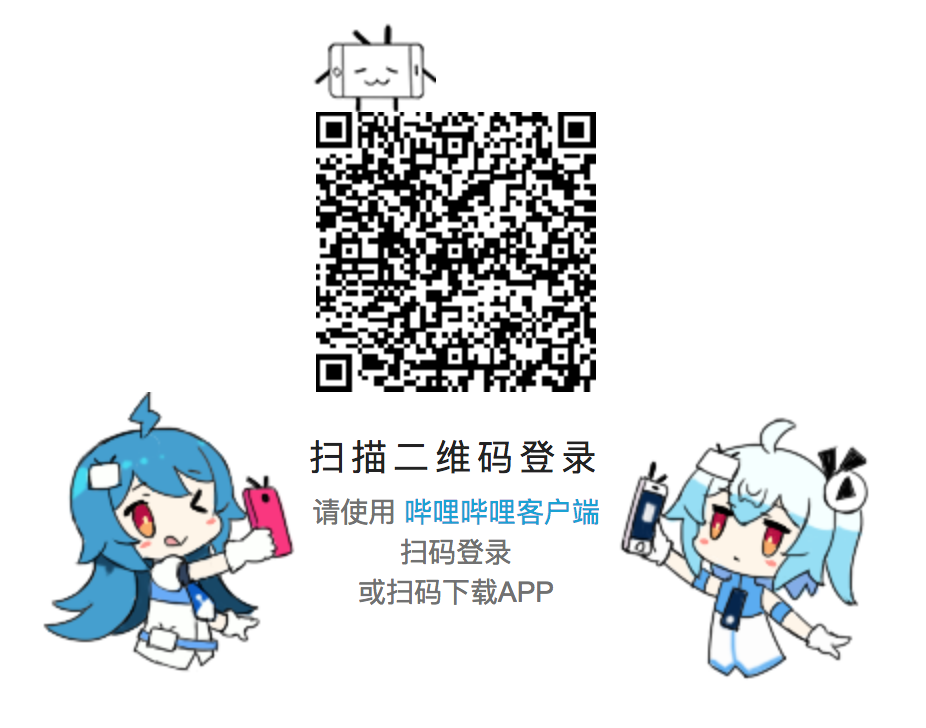
其实代表了这一段字符
https://passport.bilibili.com/qrcode/h5/login?oauthKey=049f6272368bd38e5d6f9602436dc17b
作为个人或者某件商品的身份名片
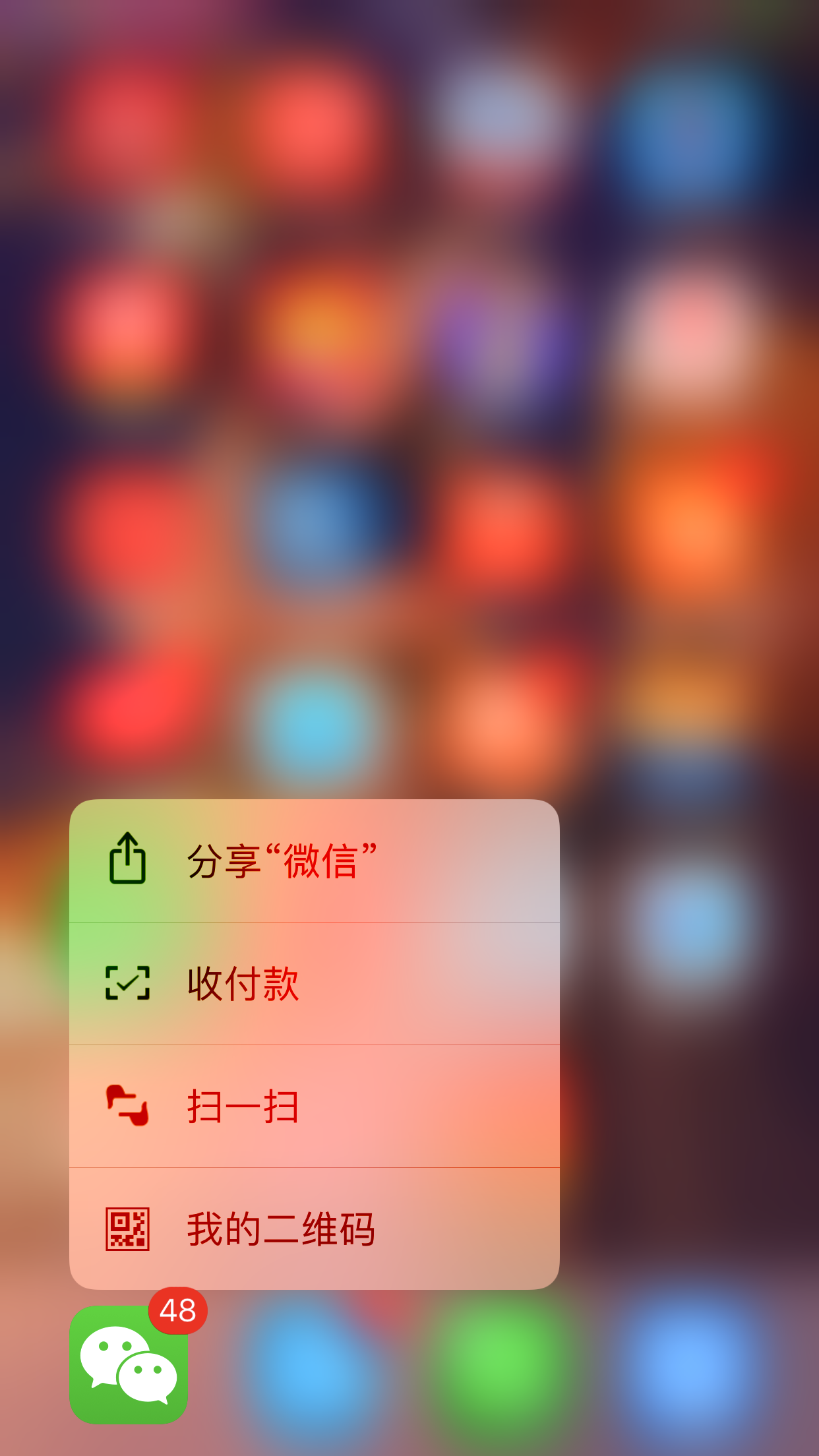
在很多电商应用中,我们经常可以看到这个应用方式,扫描某个二维码,直接到达商品的页面。甚至有的应用把扫一扫的功能直接放置到FouceTouch上,以及Application Extension上,直接在应用外直达相关页面。
iOS Application Extension