Typing an @-sign on a Swiss-German Keyboard (Mac) #2517

Description

Current behavior
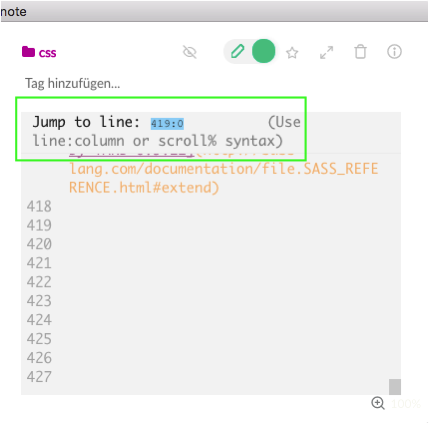
When trying to type an @-sign, the "Jump to line:" function opens. I'm only able to type an @ after a triple backtick or per copy/paste.
Expected behavior
I'd like to being able to type an @ sign anywhere I want.
Steps to reproduce
- I press alt + g to insert an @-sign
- "Jump to line: ..." opens at the top of the window.
- This happens in plain text and with
single backticks - The only way I can add an @ is in
code snippets (triple backticks)or with copy/paste
Environment
- Version : Boostnote 0.11.10
- OS Version and name : macOS High Sierra Version 10.13.6
- Keyboard Layout: Swiss, German