Using HantaNet
-
Navigate to https://cdcgov.github.io/HantaNet/
-
Select the segment for the new sequences (Small, Medium or Large) in order to load the reference gene module

- The reference network is loaded
- On the main menu, click File and Add Data

- Download the aligned FASTA .fas file (downloading the metadata .csv file is optional; use the if you want to add the new sequence metadata)

- Use a multiple sequence alignment tool like MAFFT to align the new sequences against the aligned reference FASTA (Currently, HantaNet doesn't include a multiple sequence alignment tool; new sequences must be aligned against the HantaNet's reference alignment before loading them onto HantaNet for classification)
Refer to Sequence Alignment Protocols for instructions on how to use MAFFT to align your sequences against the HantaNet's reference alignment
-
Repeat steps 1-4 to load the new aligned FASTA .fas file (if loading a new sequence metadata .csv file, then the identifier under the Accession_ID field in the metadata file must match the sequence identifier in the FASTA file)
-
Once loaded, click Launch
-
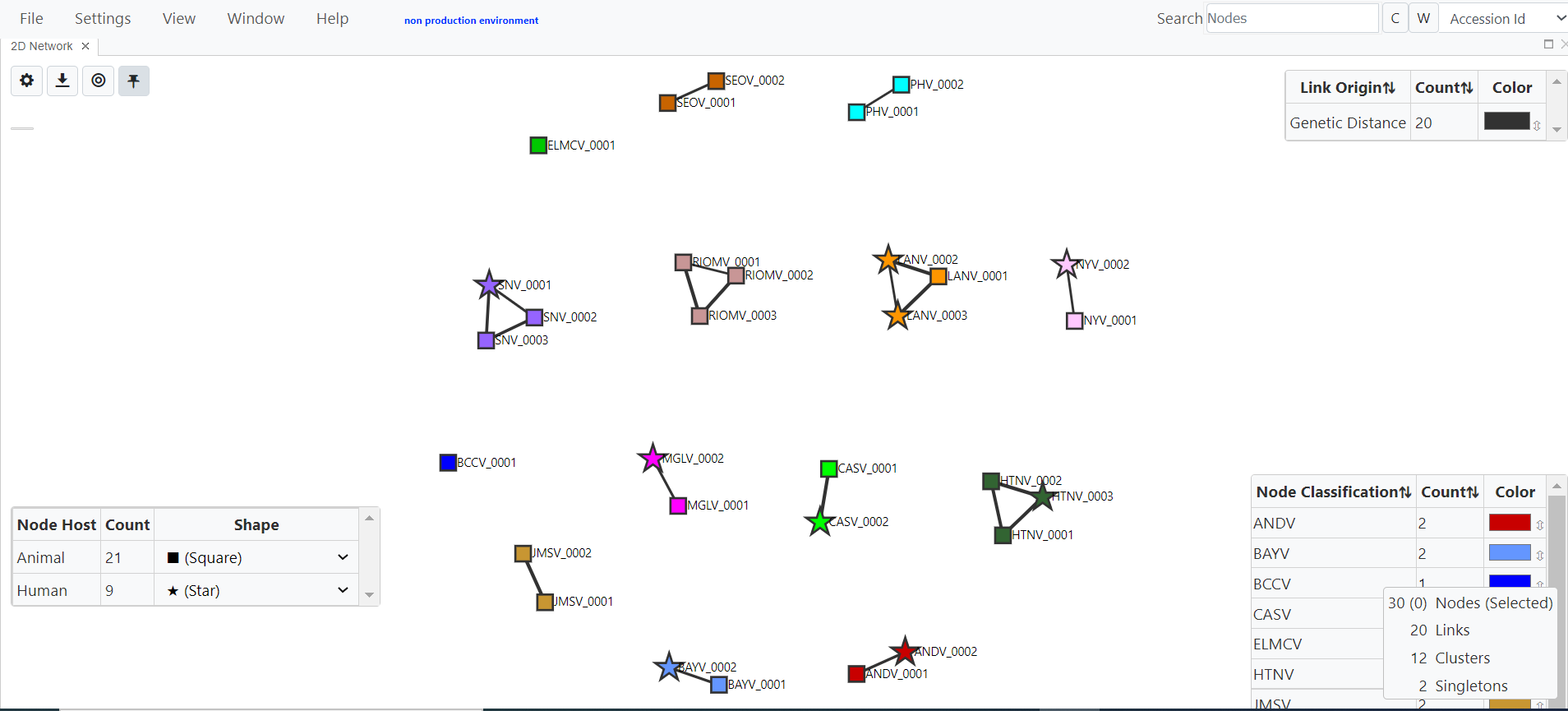
You will see the network which includes your sequences; unpin nodes, re-scale the 2D network and pin nodes again

- On the main menu, click Settings and adjust the Filtering Threshold (genetic distance) and additional parameters as needed

- Modify the 2D Network Settings (Nodes, Links, Network, Polygons) as needed

- On the main menu, click File and Save to save the current view as a .microbetrace session file that can be shared and uploaded into MicrobeTrace or HantaNet

- Save customized settings as a .microbetracestyle file that can be uploaded onto the Global Settings- Styling menu to apply them on a new HantaNet session
