


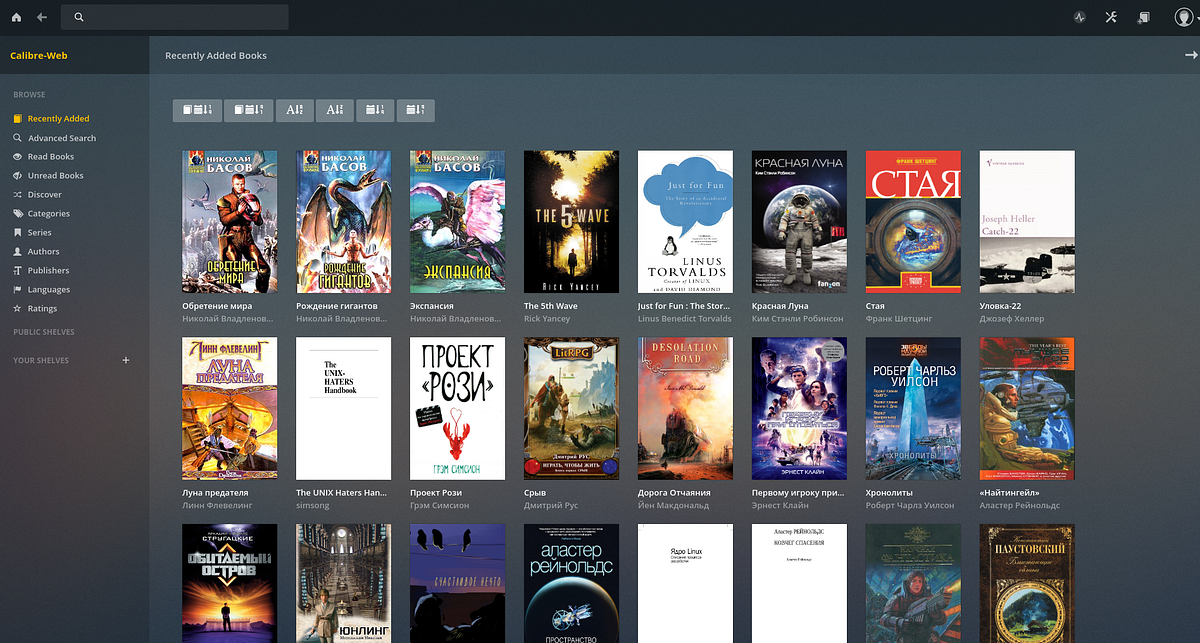
Calibre-Web is a web application that provides an elegant and intuitive interface for browsing, reading, and downloading eBooks stored in a Calibre database [citation:1][citation:6]. Unlike the built-in Calibre Content Server, which is primarily designed for home network use, Calibre-Web offers enhanced multi-user capabilities and administrative controls [citation:2].
Infrastructure teams managing digital libraries benefit from Calibre-Web's streamlined deployment model and robust permission system. The application runs as a standalone Python web service, eliminating the need for a full Calibre desktop installation on the server. Users can access their ebook collection from any device with a browser, making it an ideal solution for organizations maintaining shared reference libraries or personal archives [citation:10].
System administrators appreciate the comprehensive user management features, including fine-grained permissions, public registration support, and integration with LDAP and OAuth providers [citation:1][citation:6]. The OPDS feed functionality enables seamless integration with dedicated ebook reader applications, while the built-in browser reader supports multiple formats for direct viewing.
| Feature | Description |
|---|---|
| Calibre Database Integration | Connect directly to an existing Calibre library folder containing the metadata.db file for seamless access [citation:1][citation:8]. |
| User Management | Comprehensive permission system with per-user access controls, public registration, and admin interface [citation:6]. |
| OPDS Feed Support | Provide OPDS catalog feeds for easy access from dedicated ebook reader applications [citation:1]. |
| In-Browser Reading | Read eBooks directly in the browser with support for multiple formats including EPUB, PDF, and audio formats [citation:1][citation:6]. |
| Metadata Management | Edit and delete metadata, download metadata from various sources, and support for custom columns [citation:1]. |
| Kobo Device Sync | Synchronize reading progress with Kobo devices through Calibre database [citation:1][citation:6]. |
| LDAP & OAuth Authentication | Support LDAP, Google, and GitHub OAuth for enterprise authentication [citation:1][citation:6]. |
| Multi-Language Support | Available in 20+ languages with fully internationalized user interface [citation:1][citation:6]. |
- Python 3.7 or higher installed on your Windows system
- Optional: Calibre desktop program for on-the-fly ebook conversion and metadata editing [citation:6]
- Optional: Kepubify tool for enhanced Kobo device support (place binary in
C:\Program Files\kepubify) [citation:6] - For Windows: Install libmagic for your Python version (32-bit or 64-bit) in your script folder [citation:6]
Create an isolated Python virtual environment to avoid dependency conflicts:
python -m venv calibre-web-env
calibre-web-env\Scripts\activate