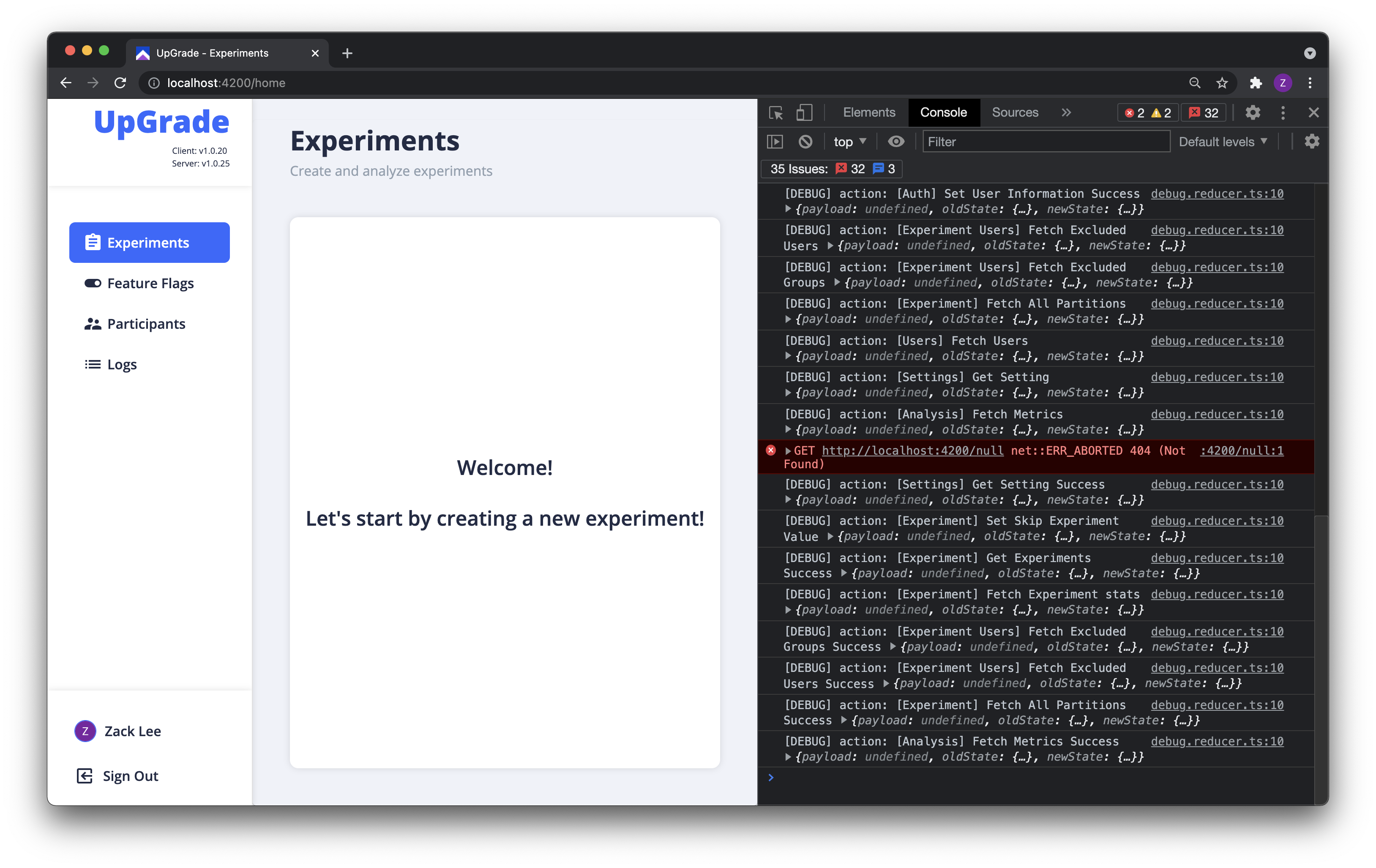
When I run UpGrade locally on macOS (11.5.2) and visit http://localhost:4200/, the "ADD EXPERIMENT" button is missing in the page and I get the following 2 errors in the browser console:
jquery.min.js:2 GET http://localhost:4200/environment.json 404 (Not Found)

GET http://localhost:4200/null net::ERR_ABORTED 404 (Not Found)
And in the backend Terminal console, I get the following message whenever I visit the webpage.
info: [auth:AuthService] Validating ID Token
No metadata found. There is more than once class-validator version installed probably. You need to flatten your dependencies.
After googling this error message, I found a post saying it happens when multiple class-validator libraries of different versions are being used in a project.
So when I run npm ls class-validator, I got the following error message saying one of the dependencies requires 0.10.1 instead of 0.10.2.
ab_testing_backend@1.0.25 /Users/zlee/Desktop/code/educational-experiment-service/packages/Upgrade
└── UNMET PEER DEPENDENCY class-validator@0.10.2

npm ERR! peer dep missing: class-validator@0.10.1, required by routing-controllers@0.8.1
So I installed 0.10.1 with npm install class-validator@0.10.1 and then the above error was gone.
However even after this fix, I still get the No metadata found. There is more than once class-validator version installed probably. You need to flatten your dependencies. error message whenever I visit the webpage.
By the way, I used node v12.16.1 as suggested by @ppratikcr7
Has anyone tried running UpGrade on macOS recently? I think it would be nice to validate the software works fine on both macOS and Linux, and update our documentation accordingly. And also update some of the old dependencies. (after npm install, it finds 3962 vulnerabilities)

When I run UpGrade locally on macOS (11.5.2) and visit http://localhost:4200/, the "ADD EXPERIMENT" button is missing in the page and I get the following 2 errors in the browser console:
And in the backend Terminal console, I get the following message whenever I visit the webpage.
After googling this error message, I found a post saying it happens when multiple
class-validatorlibraries of different versions are being used in a project.So when I run
npm ls class-validator, I got the following error message saying one of the dependencies requires 0.10.1 instead of 0.10.2.So I installed 0.10.1 with
npm install class-validator@0.10.1and then the above error was gone.However even after this fix, I still get the
No metadata found. There is more than once class-validator version installed probably. You need to flatten your dependencies.error message whenever I visit the webpage.By the way, I used node v12.16.1 as suggested by @ppratikcr7
Has anyone tried running UpGrade on macOS recently? I think it would be nice to validate the software works fine on both macOS and Linux, and update our documentation accordingly. And also update some of the old dependencies. (after npm install, it finds 3962 vulnerabilities)