Is your feature request related to a problem? Please describe.
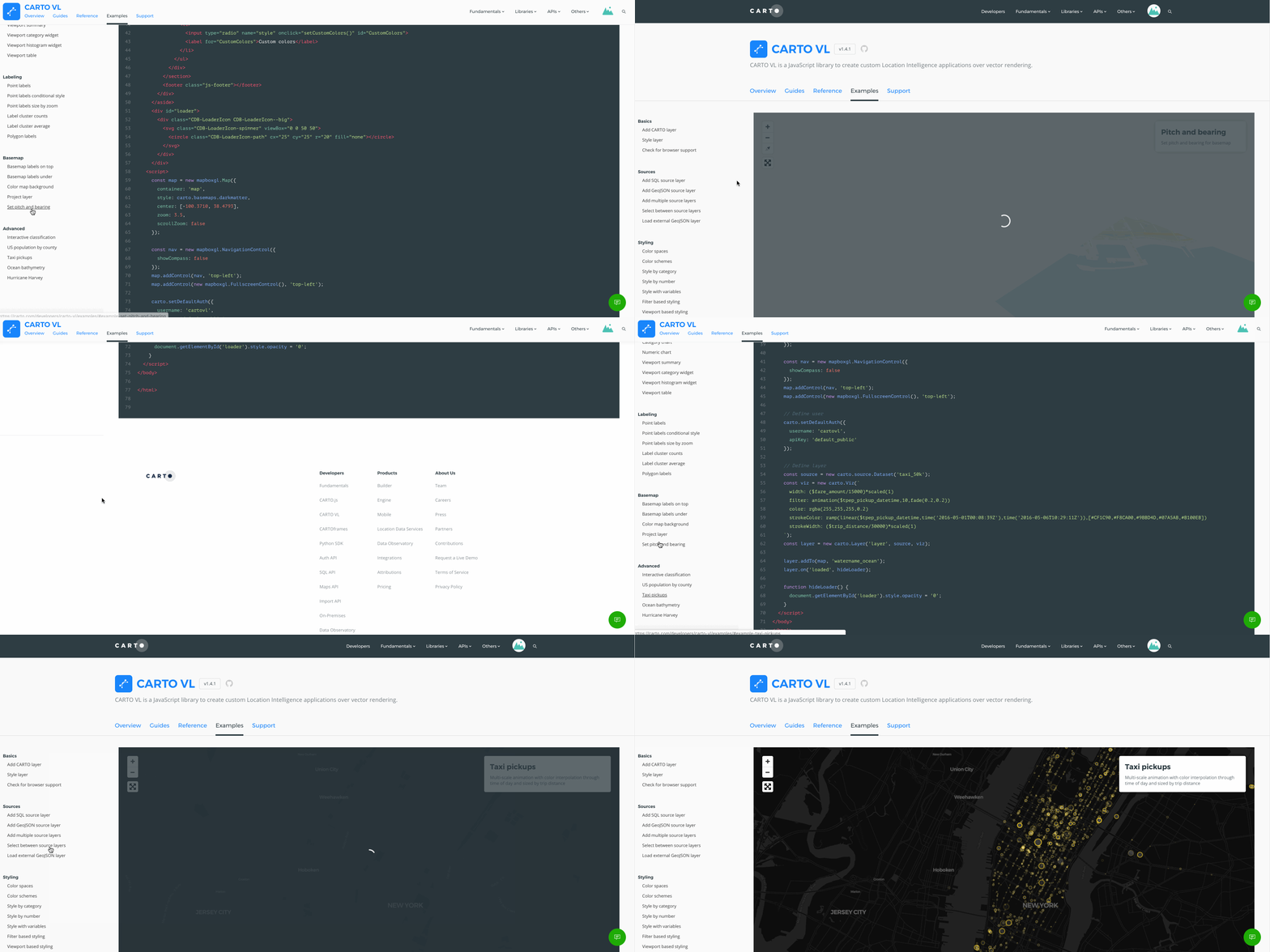
This is related to the interaction with examples in the Examples sections. Most of the examples sections have long side bar menus because there are a lot of examples to share!
Currently, when you click on an example down the list in the sidebar, you aren't taken to the top of the page by default. In order to see the example, you have to scroll to the top of the page and if you want to see another example in that same section, you have to scroll back to the section in the sidebar and the same thing happens again when you click on another example.
Describe the solution you'd like
It would be great if when you click on an example in the Examples section that the page automatically jumps to the beginning of that example and the menu sidebar is still at the section you are clicking on.
For long lists of examples, I'm finding that it is hard to keep track of where you are in the Menu sidebar because I always have to scroll all the way back to the top to see the example.
It seems like the scroll on the menu bar and the example area are synched so if you scroll the page up, you actually scroll the menu bar too.
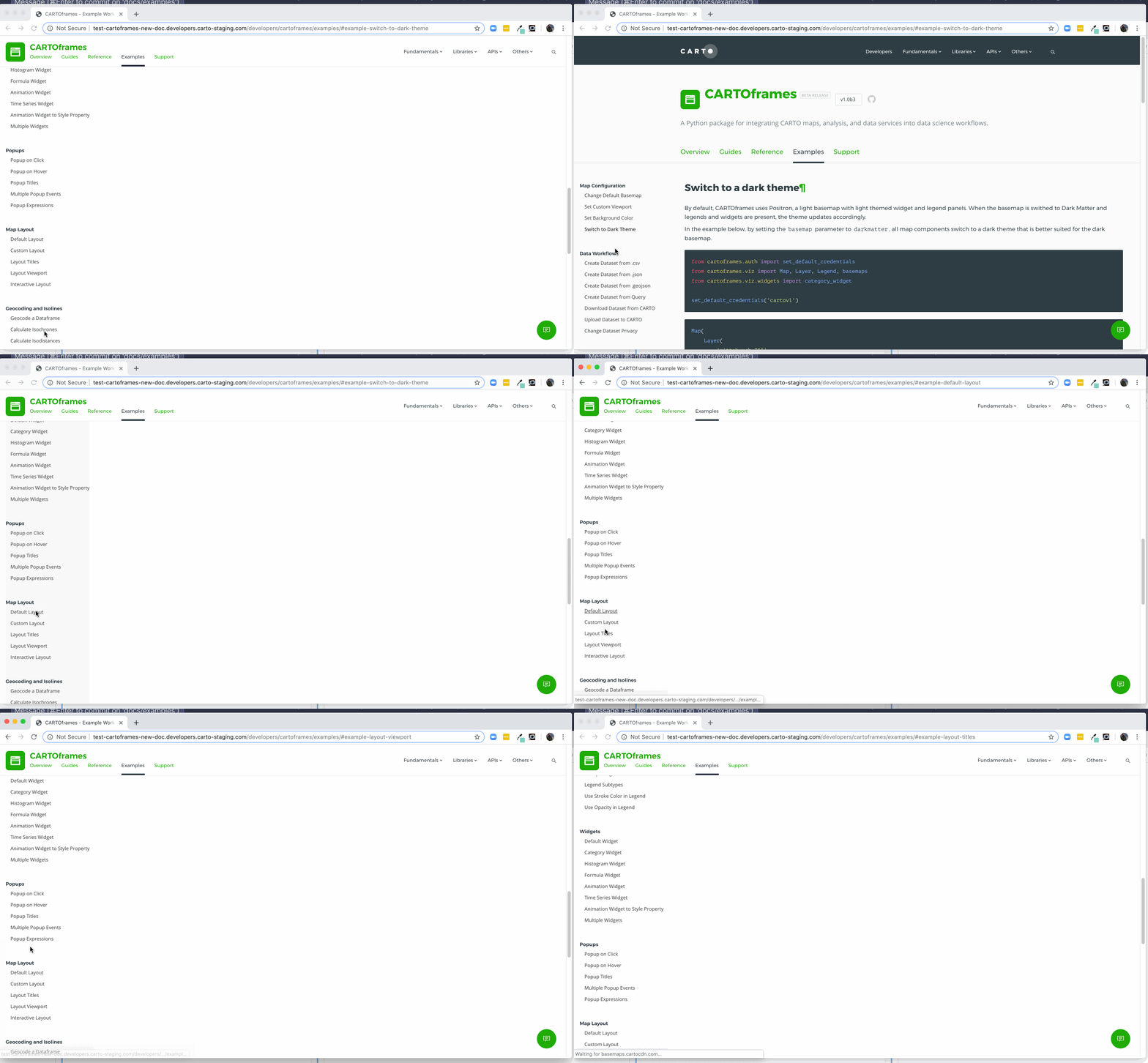
we have a long list of CF examples and since the layout of those examples is different (code at top Map under), there are times you click on an example and it looks like you are on a blank page because there just isn't content that far down the example
in this gif, you'll see that I'm clicking on three different examples towards the bottom of the menu and even though we are switching to that example with each click, it looks like a blank white page and in order to see it, I have to scroll all the way back up
thanks for taking this into consideration!
cc @elenatorro
@CartoDB/dc-managers

Is your feature request related to a problem? Please describe.
This is related to the interaction with examples in the Examples sections. Most of the examples sections have long side bar menus because there are a lot of examples to share!
Currently, when you click on an example down the list in the sidebar, you aren't taken to the top of the page by default. In order to see the example, you have to scroll to the top of the page and if you want to see another example in that same section, you have to scroll back to the section in the sidebar and the same thing happens again when you click on another example.
Describe the solution you'd like
It would be great if when you click on an example in the Examples section that the page automatically jumps to the beginning of that example and the menu sidebar is still at the section you are clicking on.
For long lists of examples, I'm finding that it is hard to keep track of where you are in the Menu sidebar because I always have to scroll all the way back to the top to see the example.
It seems like the scroll on the menu bar and the example area are synched so if you scroll the page up, you actually scroll the menu bar too.
we have a long list of CF examples and since the layout of those examples is different (code at top Map under), there are times you click on an example and it looks like you are on a blank page because there just isn't content that far down the example
in this gif, you'll see that I'm clicking on three different examples towards the bottom of the menu and even though we are switching to that example with each click, it looks like a blank white page and in order to see it, I have to scroll all the way back up
thanks for taking this into consideration!
cc @elenatorro
@CartoDB/dc-managers