Repository navigation
Releases
Broadcaster v0.3.5

Broadcaster v0.3.5 — release notes
This maintenance release refreshes 38 semver-compatible locked Rust dependencies and updates the pinned LuaJIT source used by both production and development Flatpak builds. It introduces no new application features.
Security and compatibility
- RustSec RUSTSEC-2026-0592:
url2.5.8 → 2.5.9, fixing a possible stack overflow in nestedblob:URL origin calculation. - zbus 6.3.0 → 6.5.0 and associated D-Bus dependencies; regex 1.13.1 → 1.13.2.
- GTK-related and network-stack dependencies receive compatible maintenance updates.
- LuaJIT advances 11 upstream
v2.1commits, fromea9eb7edb5eac4a9d175d74523db34fac0fa5180to96f7b297326e9fd454b7186c6858b2773f94a0dc, in both Flatpak manifests. The mpv version remains 0.42.0. tower-httpremains at 0.6.11, the latest version compatible with the current upstreamreqwest0.13.5 dependency requirement. No unsupported override has been made.
Upgrade and verification
No application database-schema migrations, new network permissions, Flatpak sandbox changes or application feature changes were introduced. The normal standalone Flatpak upgrade procedure remains unchanged. Preserve important application data as usual, and install in the same --user or --system scope as the existing installation.
See the installation instructions, release verification guide and previous v0.3.4 release notes.
Broadcaster v0.3.4
Broadcaster v0.3.4 — release notes
This maintenance release updates two Rust dependencies compared with v0.3.3:
- uuid: 1.29.2 → 1.29.3 (Serde deserialization improvements and compatibility fixes, including for embedded targets).
- rusqlite: 0.42.0 → 0.43.0 (upstream fixes for memory-safety issues in several SQLite extension APIs, improved time-value handling, and rejection of empty or comment-only SQL statements).
No new application features, database-schema migrations, network permissions, or media-runtime updates are introduced by these dependency changes. Existing supported application data should remain usable after the normal Flatpak update. As with any application update, retaining a backup of important data is advisable.
This update retains the established standalone Flatpak distribution and existing installation procedure. See the installation instructions and the release verification guide. The previous v0.3.3 release notes remain available.
Broadcaster v0.3.3
Broadcaster v0.3.3 — release notes
This maintenance release updates seven Rust packages (five direct dependencies and two transitive dependencies):
- ammonia: 4.2.4 → 4.2.5 (security fix for SVG/MathML HTML sanitization; RUSTSEC-2026-0533).
- flate2: 1.1.10 → 1.1.11 (upstream compression and decompression fixes).
- libsqlite3-sys: 0.39.1 → 0.40.0 (SQLite bindings used by rusqlite; transitive).
- rusqlite: 0.41.1 → 0.42.0 (SQLite integration maintenance).
- uuid: 1.29.0 → 1.29.2 (upstream fixes and compatibility improvements).
- zbus: 6.2.1 → 6.3.0 (D-Bus connection and protocol fixes).
- zbus_macros: 6.2.1 → 6.3.0 (matching D-Bus procedural macros; transitive).
Broadcaster v0.3.2
Broadcaster v0.3.2 — release notes
Broadcaster v0.3.2 is a maintenance and playback-control update over v0.3.1. It brings the bundled media and Rust/SQLite dependencies forward and improves directional navigation in the on-screen mpv controls. It does not introduce new programme sources, screens, automatic app updates or new network permissions.
Changes
- Spatial TV-remote navigation in mpv: The D-pad now moves to the nearest suitably aligned control in the actual on-screen layout, instead of following a three-button/five-button row index. For example, Down from Play/Pause selects Speed; Down from the left/right seek controls selects Audio/Exit. Horizontal navigation stays within the visible row without wrapping. Timeline seeking, OK, Back/Home, submenus, audio/subtitle choices, fullscreen and auto-hide retain their existing roles.
- Media runtime refresh: The standalone Flatpak bundles mpv 0.42.0, libplacebo 7.387.0 and a pinned current LuaJIT 2.1 development commit. Both production and development manifests use matching source revisions. The media stack retains the existing stream-header/HLS handling and remote-control script.
- Rust and database refresh: Updates include rusqlite 0.41.1 with bundled SQLite 3.54.1, zbus 6.2.1 and compatible locked Rust dependency versions. Existing supported databases and exports, including v0.3.1 data, are intended to remain usable after upgrade. The backup/import interaction and retained migration recovery copies are unchanged.
- Validation coverage: More checks cover old SQLite databases and exports, network consent after restart, media HTTP headers and redirects, certificate rejection, real LuaJIT loading and spatial remote behavior. These are regression safeguards, not new permissions or a claim of support for every stream provider.
HTTPS compatibility note
mpv 0.42 uses stricter HTTPS certificate verification. A stream served using a self-signed, expired or otherwise untrusted certificate may now fail to play even if it worked with an older mpv. This is not a change to the separate playlist-fetch LAN consent rules. Check the source's certificate chain and configure an appropriate trusted CA where justified; do not disable TLS verification globally. Compatibility of individual private IPTV servers remains dependent on their configuration.
Upgrade and installation
A normal v0.3.1 → v0.3.2 upgrade does not require database export/import, uninstallation or deleting application data. Close Broadcaster, install the verified new production bundle in the same --user or --system installation scope, and restart. Backups remain advisable for important data. Import and Replace Database is a separate, explicitly confirmed full replacement after restart—not part of normal upgrading.
Once v0.3.2 has actually been published, obtain broadcaster-0.3.2-x86_64.flatpak or broadcaster-0.3.2-aarch64.flatpak together with SHA256SUMS from the v0.3.2 GitHub release. Verify the bundle checksum, then for example run flatpak install --user --or-update ./broadcaster-0.3.2-x86_64.flatpak (substitute the other architecture where applicable). See installation instructions and release verification. Release-candidate CI artifacts are not tagged, production-attested releases. No claim of published v0.3.2 assets is made by this document alone.
Broadcaster continues to use GNOME Platform 51; H.264 playback may require org.freedesktop.Platform.codecs-extra//26.08-extra. Distribution remains standalone Flatpak bundles on GitHub Releases, not Flathub, and does not supply an independently signed automatic-update remote.
Scope and limitations
Playlist, guide and logo destination checks and source-specific private-LAN opt-in remain as documented in network trust. Playlist permission does not automatically permit nested streams, HLS requests or external players; those consumers have their own network behavior. Managed mpv HTTP(S) stream and header checks are not a universal sandbox or SSRF guarantee. Stream availability, subtitles and TLS configuration remain provider-dependent.
SQLite backups and historical migration recovery files may contain private URLs or tokens. Keep them confidential; do not attach raw databases or playlists to public bug reports. Scheduled playlist/guide refresh runs only while the app is open. See the v0.3.1 release notes for the previous security and consent improvements.
This hobby project is offered as-is without a promised support or release cadence. Please report security problems privately where possible.
Broadcaster v0.3.1
Broadcaster v0.3.1 — release notes
Broadcaster v0.3.1 is primarily a security, stability and release-maintenance update to v0.3.0, not a new screen or feature milestone. It strengthens handling of untrusted network input and playlist permissions, extends regression coverage, and improves release verification. The existing Mediathek, Live TV, My Channels, XMLTV Now/Next, favourites, scheduled refresh and backup/restore functions remain available.
Changes
- Untrusted playback and external targets: Tighter HTTP(S) URL admission before handing provider-supplied media, website/download or subtitle references to managed mpv or a configured external application. Unsafe primary schemes, local-file references and embedded URL user information are rejected. IPTV stream imports retain their separate HTTP(S) admission checks.
- Network fetching: Playlist, XMLTV guide and logo fetchers apply checked destination rules across redirects and DNS resolutions, with bounded and source-specific access rules. Logos remain public-network-only. Private-LAN playlist access requires a deliberate, source-specific opt-in; guides retain their separate explicitly configured LAN rules.
- Private-LAN playlist consent and revocation: Each remote playlist starts with private-LAN access disabled. On Add Playlist or Edit Source Defaults, use Allow this playlist to connect to private LAN addresses (explicit opt-in) only for a trusted playlist URL. Permission is tied to the selected source and exact URL; replacing the URL requires a new decision. A separate durable denial record prevents a revoked permission from being restored by stale GSettings consent after an ordinary process restart. If a revocation cannot be persisted, Broadcaster reports the failure and denies access for that running process. If all persistent writes fail, a previously saved grant can reappear after restart: retry the revocation once storage is writable, before closing the app.
- Scheduled playlist refresh: Optional automatic M3U refresh remains off by default and runs only while Broadcaster is open. Scheduled requests must satisfy the source's current network authorization, including after restart or revocation; a stale saved setting alone does not grant LAN access. Unexpectedly large list shrinkage still requires manual review.
- EPG, storage and reliability: Additional storage/EPG profiling and maintenance checks, source-management and remote-navigation regression coverage, and more robust handling of potentially hostile or incomplete data.
- Release and dependency assurance: Release-candidate verification includes locked Rust checks, RustSec advisory auditing, REUSE licensing checks, native validation and both production Flatpak architectures. Tagged releases use additional artifact checks and GitHub build provenance, provided the tagged release workflow completes successfully. These are supply-chain checks, not a promise of independent code certification or automatic updates.
Upgrade and installation
Download broadcaster-0.3.1-x86_64.flatpak or broadcaster-0.3.1-aarch64.flatpak and the matching SHA256SUMS from Broadcaster v0.3.1 on GitHub Releases. Check the selected bundle against the checksum file, then use flatpak install --user --or-update ./broadcaster-0.3.1-x86_64.flatpak (substitute aarch64 where appropriate). For an existing system-wide installation, use sudo flatpak install --system --or-update ... and keep that same installation scope.
See the English installation instructions, the German README, the German v0.3.1 release notes, and the release verification instructions.
Upgrading from v0.3.0 does not require database export/import, uninstallation or deleting app data. Supported existing data remains in its normal Flatpak application location. An explicitly confirmed Import and Replace Database operation is different: it replaces the entire database on the next restart, not just selected entries. Historical migration recovery copies remain on disk intentionally.
The Flatpak uses GNOME Platform 51. H.264 playback may need the corresponding org.freedesktop.Platform.codecs-extra//26.08-extra extension. Broadcaster is distributed as standalone GitHub Releases Flatpak bundles, not as a Flathub application. No independently signed automatic-update remote is shipped: later releases must be installed manually.
Release provenance and checksums can be checked using the documented workflow; the historical v0.3.0 notes remain available.
Scope and limitations
Private-LAN consent covers playlist fetching under its documented rules; it does not automatically authorize every URL inside the playlist, nested HLS/DASH/media resource, external player or downloader. These consumers and their own network behavior are not fully sandboxed by the playlist fetch policy. This is not an absolute SSRF-prevention or storage/power-failure guarantee. Certain protected addresses and unsafe redirects remain denied even with consent; some corporate proxies may not be usable by the guarded fetchers. See network trust details and the threat model.
External M3U/XMLTV files, provider streams, media players and programme data are outside Broadcaster's control. URLs, source tokens and HTTP headers can be sensitive; SQLite exports and retained historical recovery copies can preserve them. Broadcaster cannot guarantee provider availability, complete EPG information or compatibility with every remote. Playlist and guide schedules do not run while the application is closed.
Broadcaster is a hobby project provided as-is, without guaranteed support or release cadence. Please report security issues privately where possible and avoid posting source URLs, tokens, raw databases or confidential logs.
Broadcaster v0.3.0
Broadcaster v0.3.0 — release notes
Broadcaster v0.3.0 adds optional automatic refresh for user-managed M3U playlists, more flexible per-playlist programme-guide choices, and a complete SQLite database backup/restore facility. XMLTV import and storage recovery have also been improved. Mediathek search, Live TV, favourites, Now/Next and mpv playback remain available.
Changes
- Automatic playlist refresh: Enable scheduled refresh separately for each M3U source in My Channels → Manage Sources → Automatic Playlist Refresh. It is off by default, with a configurable interval of 6–168 hours. Broadcaster checks due sources while the application runs; no playlist update occurs while it is closed. Manual refresh remains available. An unexpectedly large loss of channels is held for manual review rather than applied without confirmation.
- Per-playlist guide choices: A playlist can inherit the Shared Default XMLTV guide, select a particular guide or explicitly choose no guide. One playlist's choice does not change other playlists. Merely adding an EPG source still does not associate it with a playlist, and uncertain channel matches still require review.
- Complete database backup and restore: Export a consistent copy of Broadcaster's SQLite database, including playlists, channels, favourites, guide associations, cached programmes and database refresh settings. Importing an existing backup is an explicitly confirmed full replacement, not a merge, performed after the application is closed and restarted.
- XMLTV compatibility: Problematic control characters in programme titles can be omitted safely, with broader regression and large-guide coverage. External listings may still be incomplete or inaccurate.
- Storage maintenance and remote interaction: Abandoned XMLTV download staging files receive bounded, lock-aware cleanup. Historical database migration recovery copies remain available. Additional regression checks cover source-management and remote-navigation behaviour.
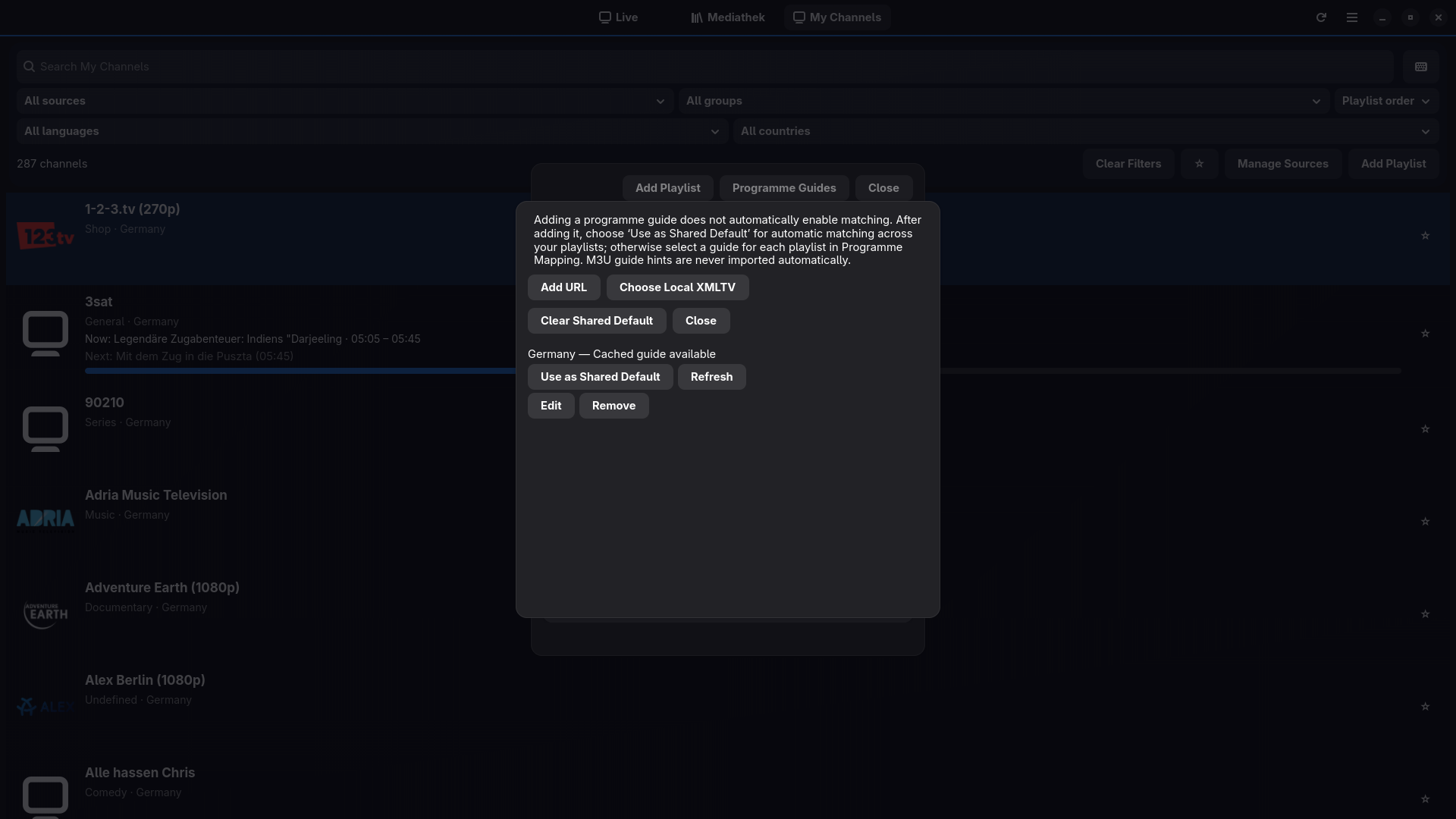
Screenshots
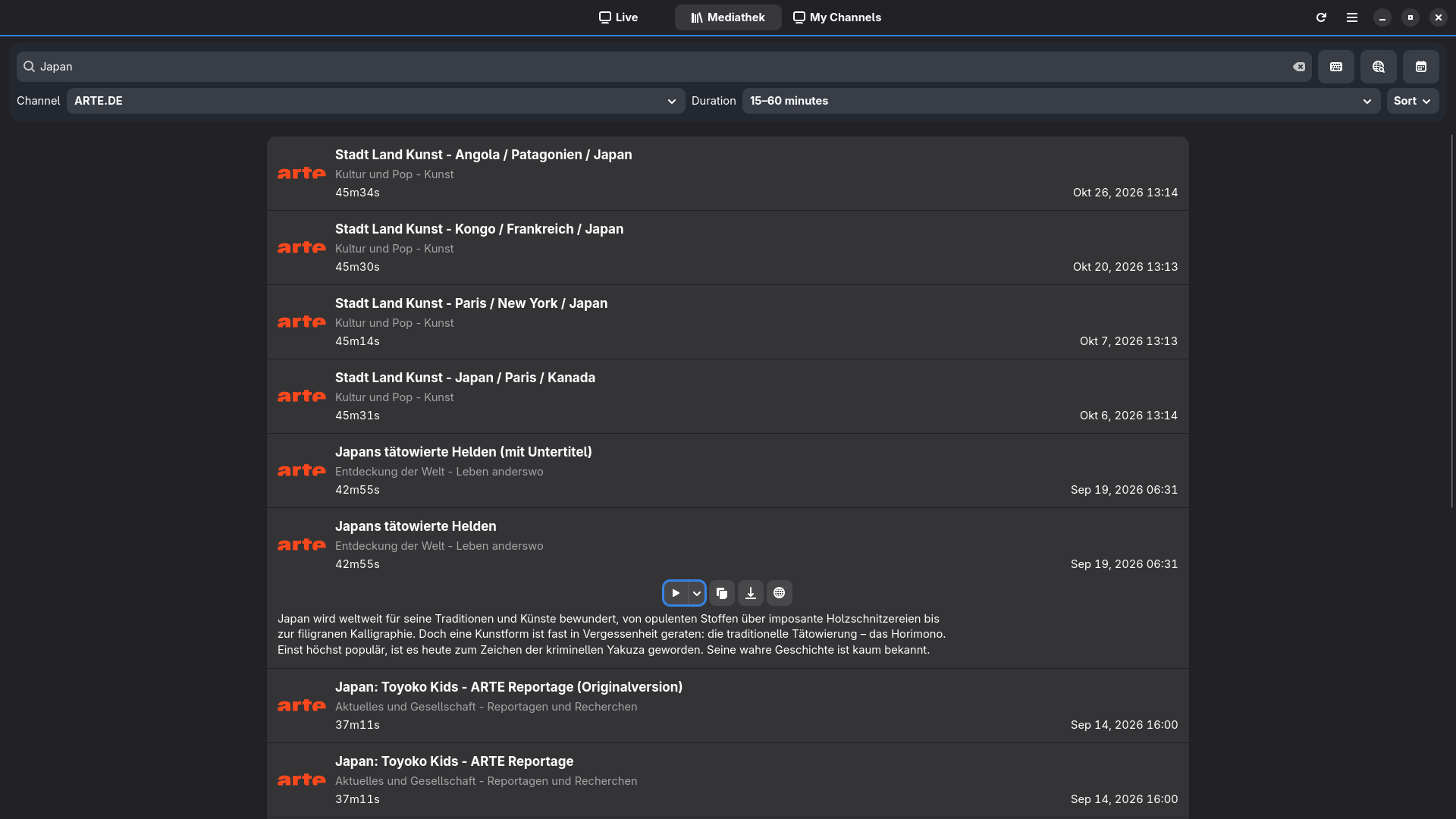
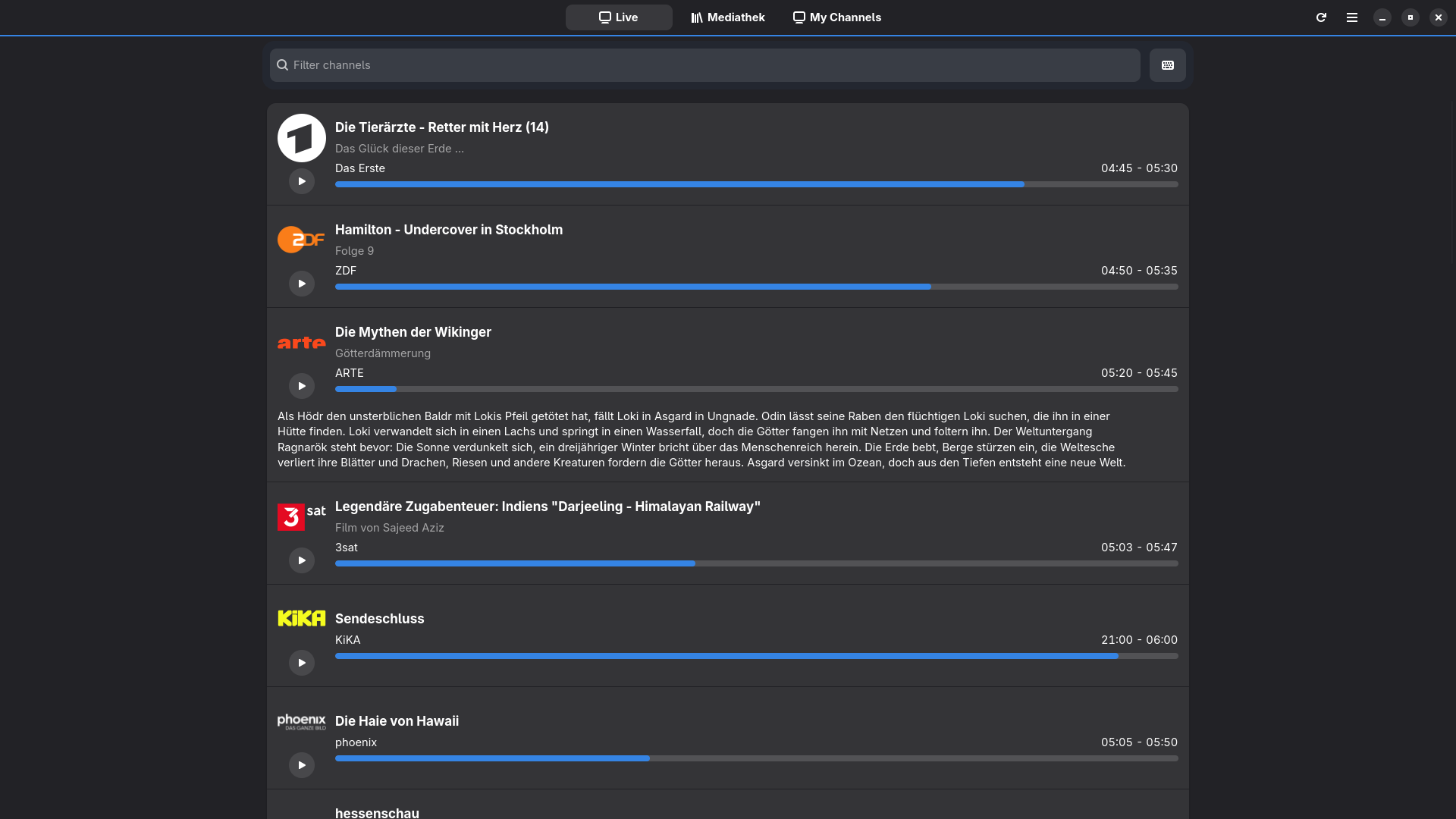
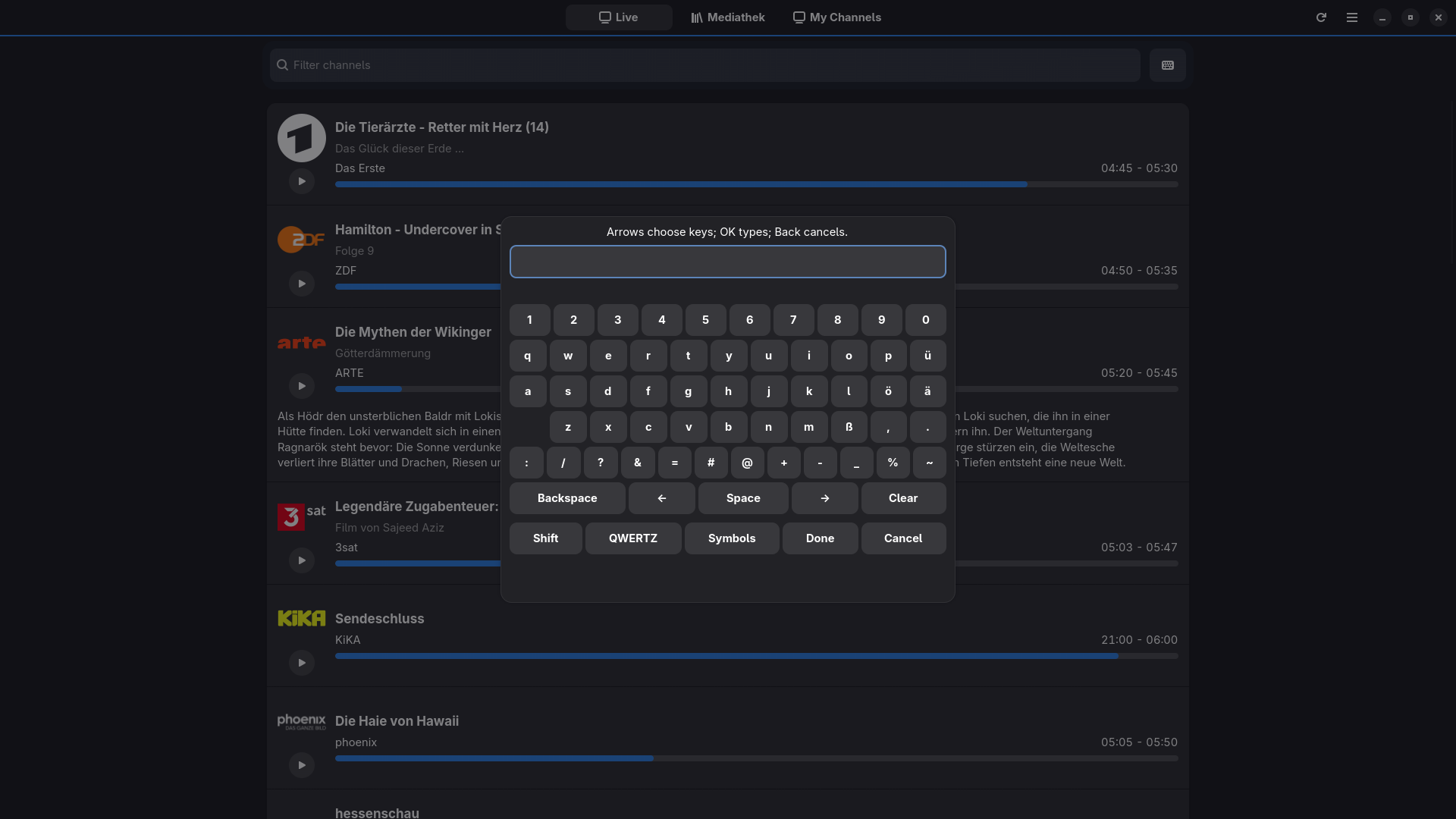
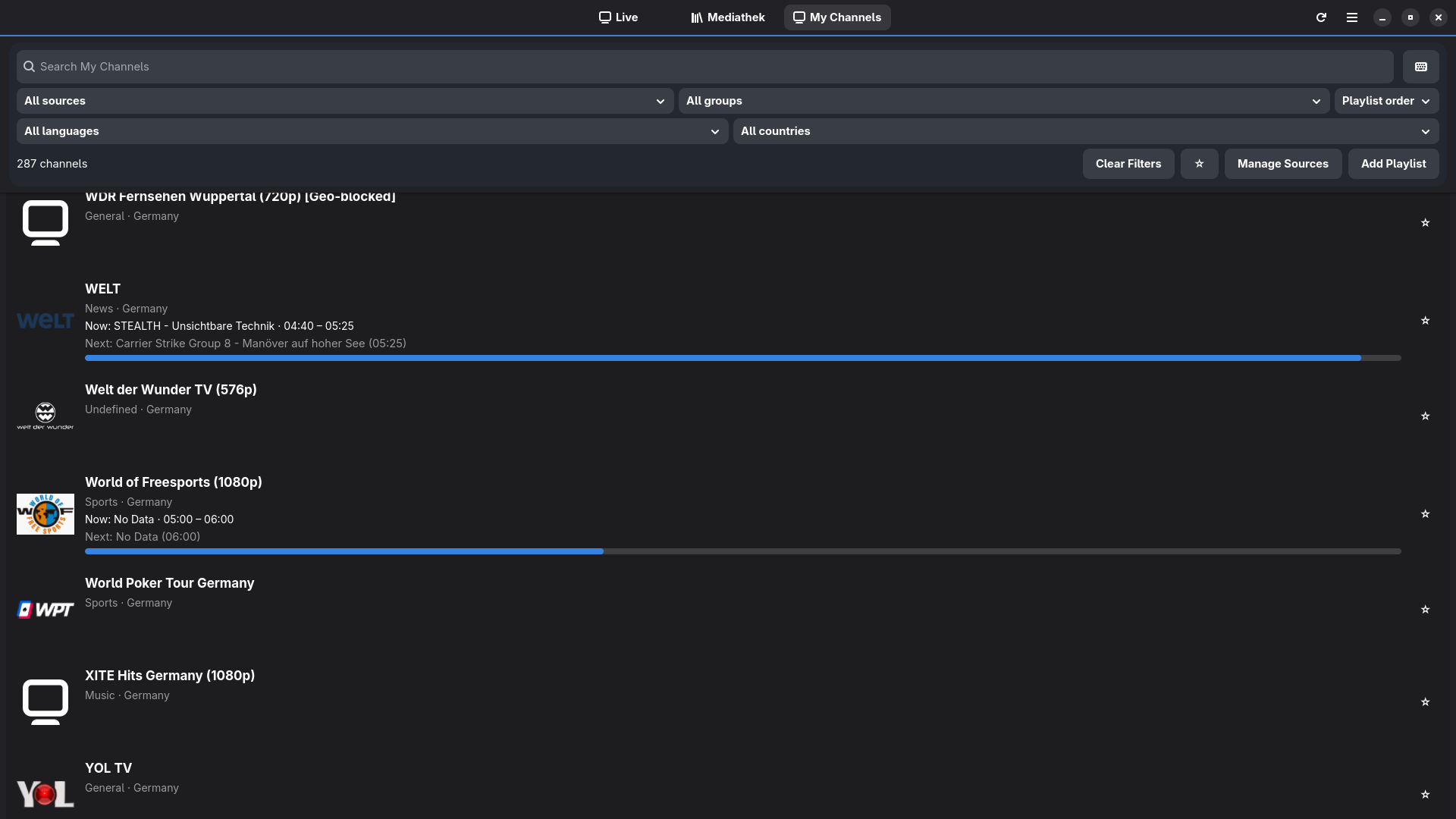
These screenshots were captured in v0.2.5 and remain representative of the v0.3.0 interface. New playlist-refresh and database backup/restore dialogs are not pictured.
Mediathek search
Live TV
On-screen keyboard
My Channels with Now/Next
Programme Guides
Database backup and restore
Open My Channels → Manage Sources → Backup / Restore.
To back up your data, choose Export Complete Database, then select a writable folder in the folder picker. Broadcaster needs permission to access that chosen folder to create and verify a uniquely named file such as broadcaster-backup-<random-id>.sqlite3. This is a folder-access grant, not a request to choose a single output file; existing backups are not overwritten.
To restore, choose Import and Replace Database, select a compatible Broadcaster SQLite backup and review the displayed counts of playlists, channels, guides and cached programmes. Confirm Replace Entire Database After Restart only if you want to replace all current database contents. Then close and relaunch Broadcaster: the replacement takes effect before normal database access on the next startup. Do not begin another playlist or guide refresh between confirmation and closing the app. The previous database is retained as a private recovery copy; automatic source and guide refresh are suppressed on the restore startup.
Backups are sensitive. They can contain playlist and EPG URLs, local paths, access tokens and cached programme data. Store and share them accordingly. They do not include external M3U/XMLTV files, downloaded artwork, desktop GSettings preferences or Flatpak document-portal grants. Local source files may need reauthorization after restoration. These backup operations are for moving or recovering a saved database; they are not required for an ordinary application version upgrade.
Installation
Download the published production Flatpak bundle for your architecture (x86_64 or aarch64) and its SHA256SUMS file from GitHub Releases. Verify the checksum, then install the bundle into the same Flatpak installation scope (--user or --system) as your existing Broadcaster installation. Existing application data is normally retained; a supported older database is migrated on first launch. Do not uninstall Broadcaster or delete its data to upgrade.
For the complete checksum, installation and upgrade commands, see the English README or German README. Broadcaster itself is distributed through standalone GitHub Release bundles, not through Flathub. Its GNOME Platform 51 runtime dependencies may be installed from Flathub. Standalone bundles do not configure automatic application updates; the experimental signed-update remote is not included in v0.3.0.
Scope and limitations
Programme guides and playlists have separate refresh settings, and neither runs while the application is closed. Adding a playlist does not authorize downloading any guide URL suggested inside it. Now/Next still requires a selected guide and a suitable channel match; it is not a full programme-grid EPG. External services control stream availability and programme accuracy.
Private historical migration snapshots may retain old URLs or credentials even after they have been removed from the current database. They are not automatically deleted. Storage cleanup is bounded rather than a total disk-space quota or secure-erasure guarantee; no general protection against hostile same-user filesystem races or a physical power-cut scenario is claimed.
Broadcaster neither supplies nor endorses media, playlist subscriptions or guide services. Use only sources you are permitted to access. It is a hobby project distributed as-is, without promised maintenance intervals or universal hardware compatibility. Existing upstream copyright and third-party licence notices remain applicable.
Broadcaster v0.2.5
Broadcaster v0.2.5 — release notes
Broadcaster v0.2.5 adds optional electronic programme-guide information to My Channels, improves navigation with television remotes, and retains Mediathek search, Live TV, user-managed M3U playlists and mpv playback.
Changes
- XMLTV guides: Add multiple guides from local XMLTV files or explicitly configured HTTP(S) addresses. Refresh on demand or use automatic per-guide refresh (enabled by default in the Add Guide dialog, with a 24-hour age threshold adjustable to 6–168 hours). Broadcaster checks due guides while running, including when the guide service starts; it does not refresh them after the app closes. Guide import failures do not prevent normal playback or Mediathek operations; last-good guide data can remain available where applicable.
- Explicit guide selection: Choose a guide as the Shared Default for playlists or bind a guide individually to a playlist. Merely adding an XMLTV source does not associate it with your playlists. A single shared guide may serve multiple playlists.
- Now/Next: My Channels displays current and upcoming programme information when guide data and a usable channel match exist. Exact IDs and certain corroborated identity variants match automatically; name-based suggestions do not become bindings without confirmation. Users may need to confirm or manually override uncertain matches, particularly regional variants.
- Favourites: Star channels and filter to favourites. Playlist stream addresses and playback headers remain separate from programme-guide associations.
- Remote and keyboard controls: Additional corrections to card actions, source and guide management, editor focus, favourites access, and the shared on-screen keyboard.
- Compatibility and durability: Updated compatible Rust dependencies, XMLTV parser adaptation and extended negative/capacity regression coverage.
Installation
Download only published production Flatpak bundles and the matching SHA256SUMS for your architecture (x86_64 or aarch64). Verify the checksum before installing. Installation and runtime guidance is in the English README and German README. Production application bundles are distributed via GitHub Releases rather than Flathub; GNOME Platform 51 runtime dependencies may be installed from Flathub.
Scope and limitations
Broadcaster does not provide or endorse playlists, guide sources or media. Configure only sources you may lawfully use. M3U playlist refresh remains manual and independent of guide scheduling. Network XMLTV retrieval occurs only for guides deliberately configured by the user; playlist import alone does not authorize guide downloads. External guide providers may observe requests to their services.
XMLTV and channel metadata can be incomplete or inaccurate. Matching is deliberately conservative and may need manual intervention. Now/Next is not a full schedule-grid EPG. This release does not claim Windows or Android support or promise particular provider availability, maximum dataset performance or universal device compatibility. Existing Televido-derived code, third-party assets and contributors retain their notices and applicable licences.
Broadcaster v0.2.1
Broadcaster v0.2.1 — remote navigation and IPTV reliability
Broadcaster v0.2.1 refines TV-remote operation and improves the safety and reliability of custom IPTV sources. The app remains a lightweight Linux television and Mediathek player.
What's new
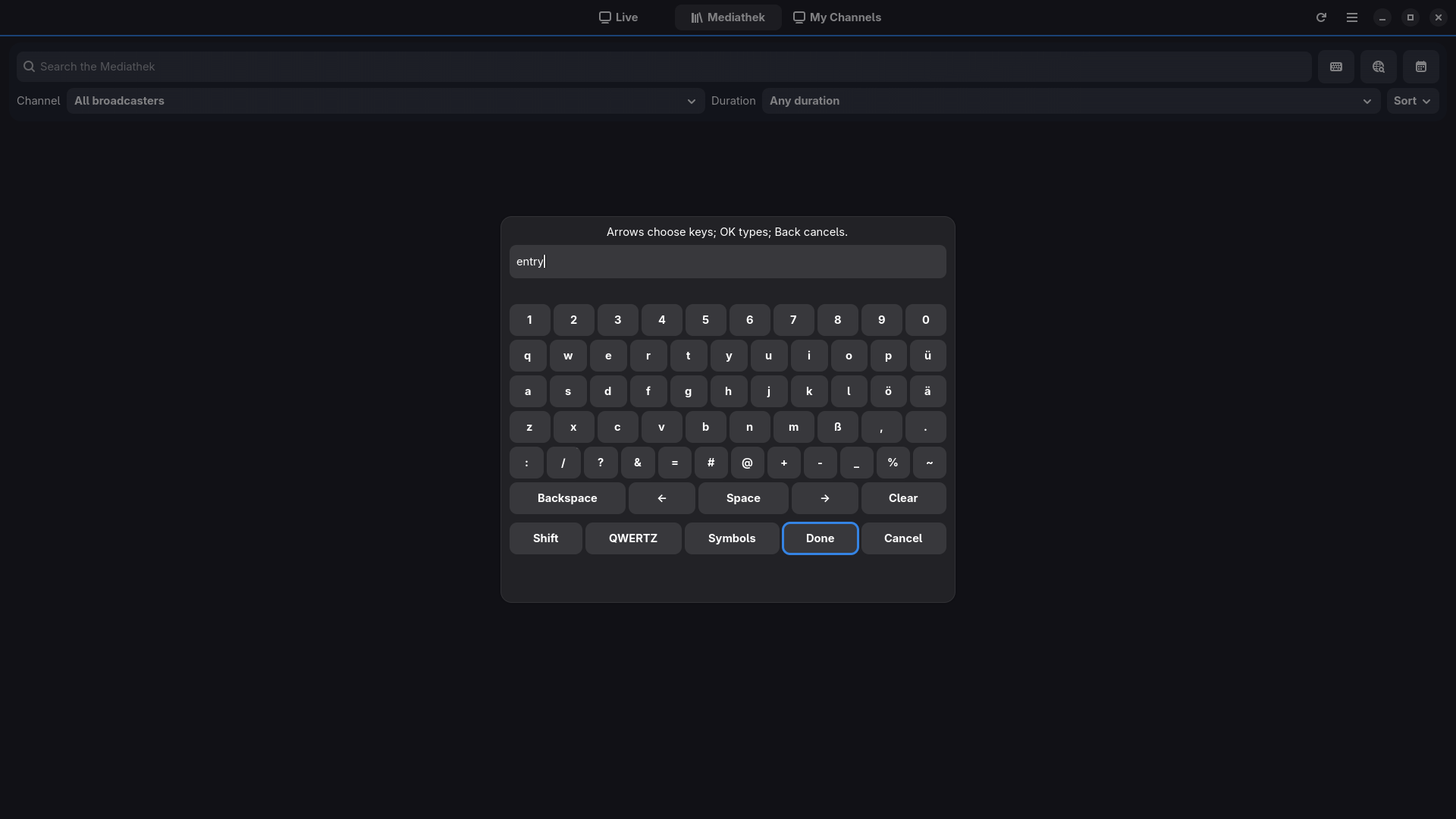
- On-screen keyboard: An on-demand keyboard supports editable fields using ordinary directional remote keys. It is available by default, can be disabled in Settings, and does not replace normal typing, pasting, or mouse input.
- Remote navigation: Keyboard and toolbar focus handling were refined across the interface, including dialogs and source-management actions.
- Safer playlist imports: HTTP(S) playlist requests check eligible destination addresses and redirect hops to protect against public-to-private network redirects. Playlist fetching deliberately bypasses configured HTTP proxies so that the validated destination is the one contacted; directly configured permitted LAN sources remain supported.
- Safer local data: First-run IPTV SQLite initialization uses validated, non-overwriting database publication. Unedited channels missing from sources for 90 days can be cleaned up without deleting channels that have user overrides.
- Per-channel playback headers: Imported User-Agent and Referer hints can be validated and passed to Broadcaster's managed mpv player for individual IPTV channels. They are not applied to Live TV, Mediathek, or playback in an external player.
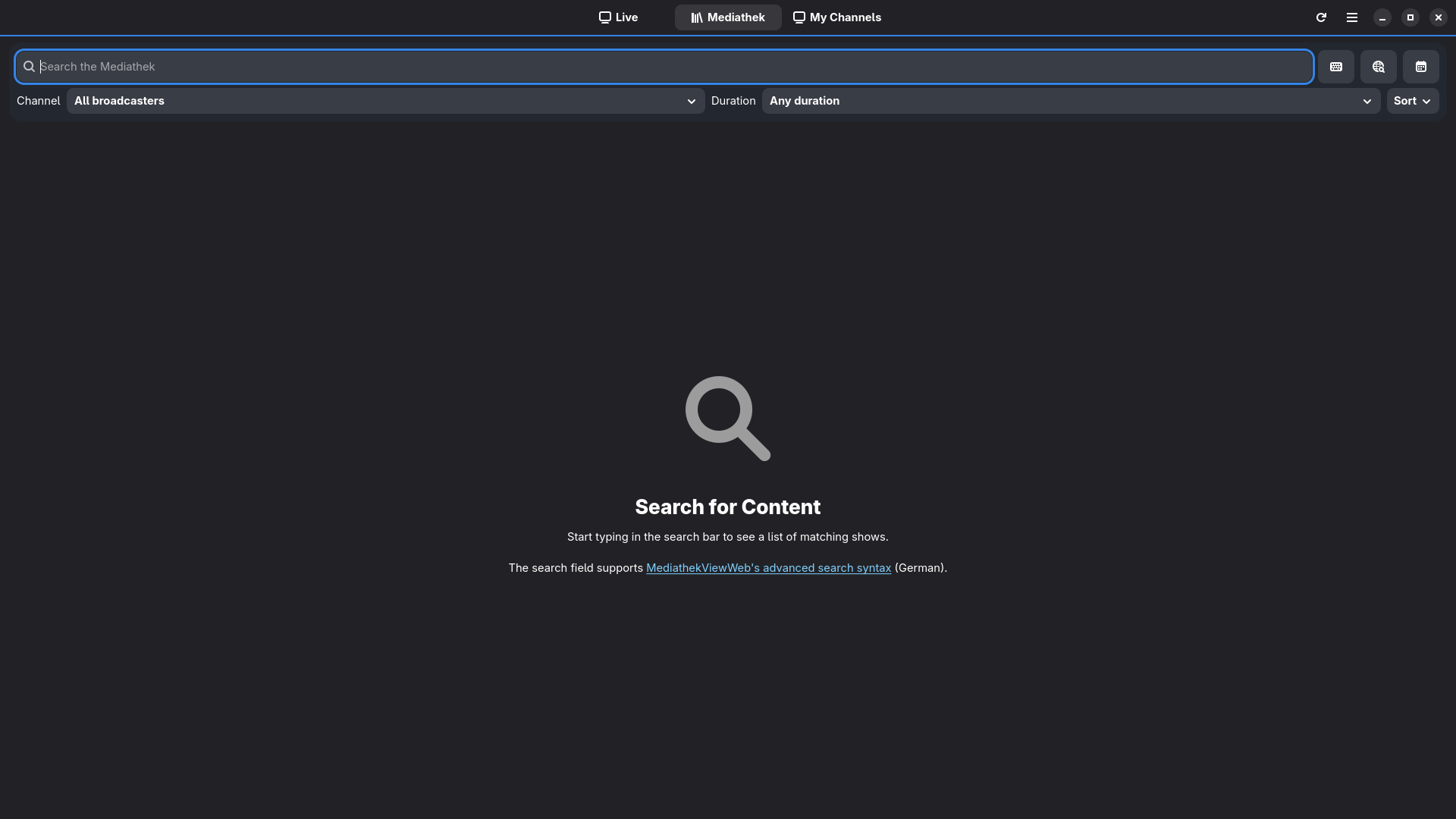
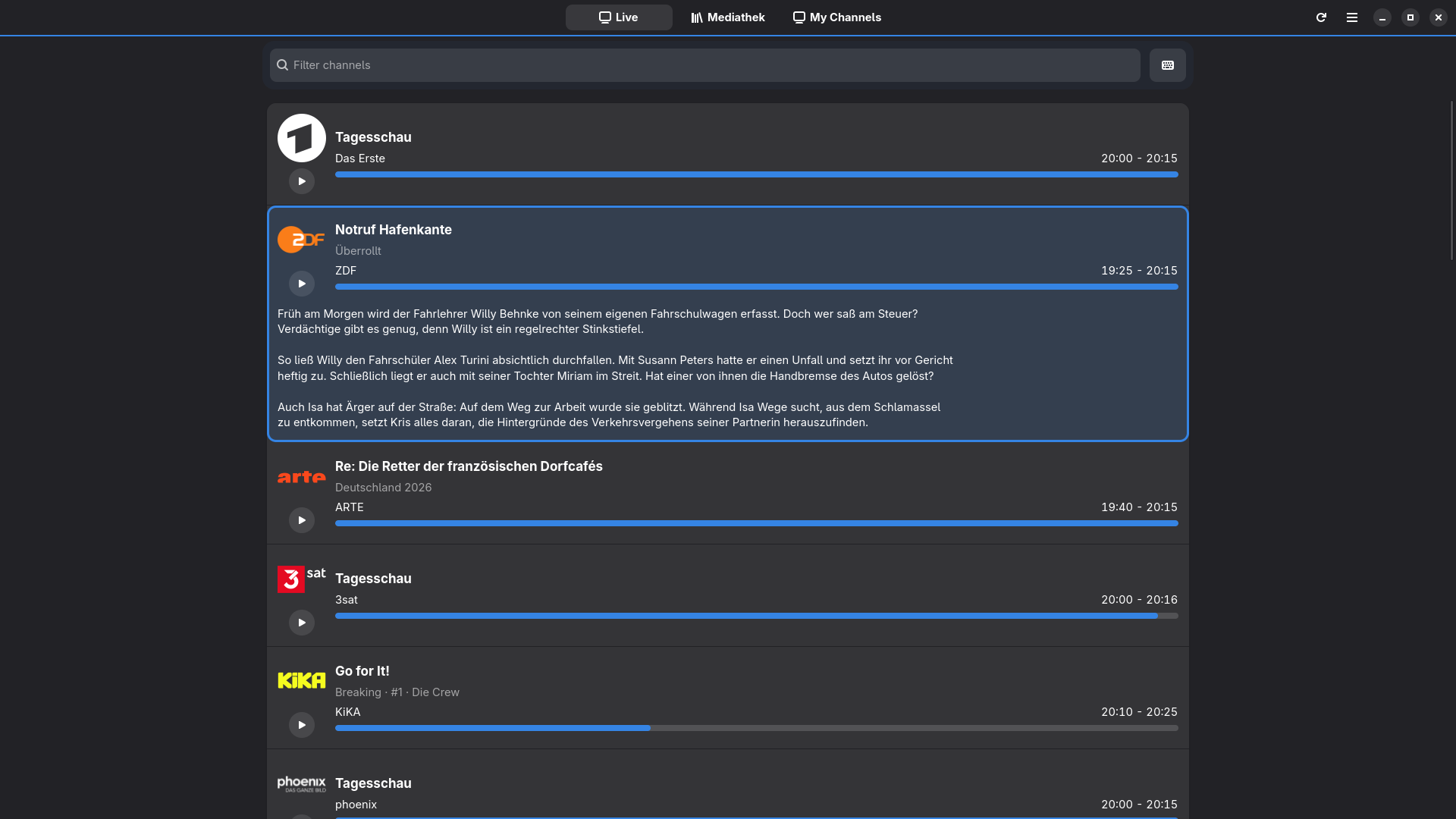
Screenshots
Mediathek search
Remote-controlled on-screen keyboard
Live TV
My Channels
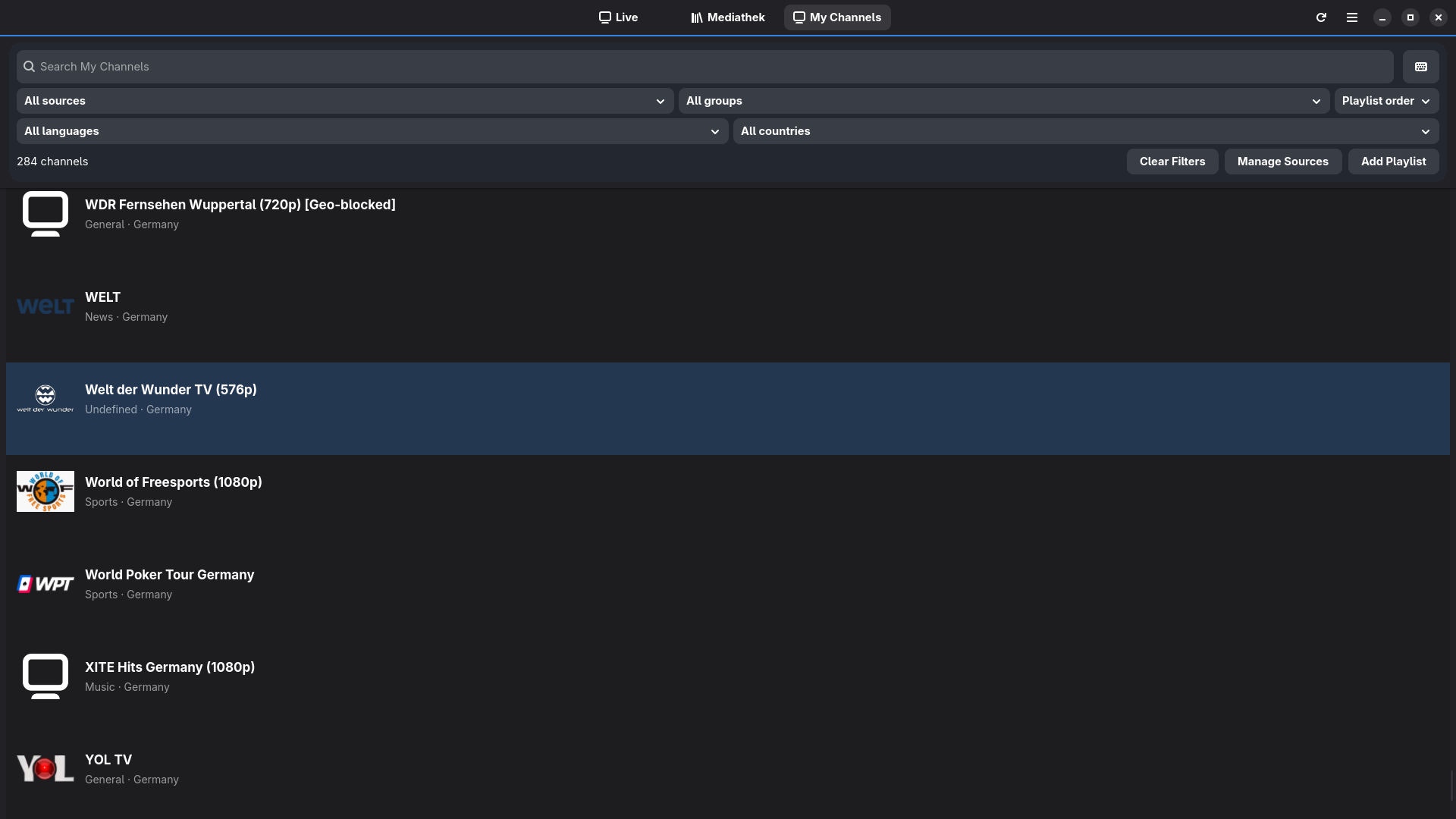
Player controls (unchanged)

Installation and compatibility
Download the production Flatpak bundle for your architecture (broadcaster-0.2.1-x86_64.flatpak or broadcaster-0.2.1-aarch64.flatpak) and the accompanying SHA256SUMS from the published release assets. Verify the downloaded bundle against that checksum file before installation. For this historical v0.2.1 release, run these commands in the download directory (x86_64 example; for ARM64 substitute aarch64 in both filenames):
grep 'broadcaster-0.2.1-x86_64.flatpak$' SHA256SUMS | sha256sum -c -
flatpak remote-add --user --if-not-exists flathub https://flathub.org/repo/flathub.flatpakrepo
flatpak install --user ./broadcaster-0.2.1-x86_64.flatpak
flatpak run io.github.Certain1989.Broadcaster
The current English README and German README describe the latest release, which may use different Flatpak filenames.
The Flatpak uses GNOME Platform 51 and bundles mpv. Some video formats require the matching org.freedesktop.Platform.codecs-extra//26.08-extra extension. Broadcaster is not on Flathub; downloaded Flatpak bundles do not configure automatic application updates.
Important limitations
- mpv may forward imported User-Agent and Referer values across stream redirects or cross-origin HLS requests; these values are not origin-confined. Avoid including sensitive credentials in them.
- Playlist downloads bypass HTTP proxies by design. Explicitly configured permitted local playlists can still be imported; remote media playback follows the player's own configuration.
- Imported playlists are user-managed: there is no automatic playlist refresh, IPTV account login, EPG or recording feature in this release. Available streams, rights and regional restrictions depend on their providers.
- A standalone Flatpak's access to local files uses the normal file chooser/document portal; a prior grant may require reauthorization.
Broadcaster neither hosts television streams nor provides IPTV subscriptions. It is a hobby project distributed as-is with no guarantee of device, compositor or remote-control compatibility.
Broadcaster v0.2.0
Broadcaster v0.2.0
Live TV, on-demand programmes and your own channels — in one remote-friendly Linux app.
Broadcaster brings German public-service television, Mediathek search and your own M3U playlists into a consistent GTK4 interface. It works with a mouse and keyboard on your desktop, or with directional controls from the sofa.
Discover programmes
Search the Mediathek across broadcasters, filter by channel or duration, and sort the results without learning special commands. Expand a result to see details and playback options.

Watch live television
Browse current broadcasts with channel logos, programme information and progress bars. Search the Live list and choose which built-in channels appear and in what order.

Make it yours with My Channels
New in v0.2.0, My Channels imports local M3U files or HTTP(S) playlist URLs. Manage multiple sources, search and filter by source, group, language or country, and edit channel metadata. Your edits survive normal playlist refreshes. Available channel logos are shown where possible; streams do not need a logo to play.


Playback made for a TV remote
The integrated mpv player offers large on-screen controls for seeking, pausing, audio tracks, subtitles, speed and fullscreen — while keeping the same experience across Live, Mediathek and My Channels.
Install or upgrade
Download the Flatpak bundle matching your computer and the SHA256SUMS file from this release:
broadcaster-0.2.0-x86_64.flatpak— most desktop and laptop PCsbroadcaster-0.2.0-aarch64.flatpak— ARM64 systems
For x86_64, run these commands in the download directory:
grep 'broadcaster-0.2.0-x86_64.flatpak$' SHA256SUMS | sha256sum -c -
flatpak remote-add --user --if-not-exists flathub https://flathub.org/repo/flathub.flatpakrepo
flatpak install --user ./broadcaster-0.2.0-x86_64.flatpak
flatpak run io.github.Certain1989.Broadcaster
For ARM64, replace x86_64 with aarch64. If you use an existing system-wide installation, install with sudo flatpak install --system ./broadcaster-0.2.0-x86_64.flatpak instead.
Good to know
Broadcaster does not provide streams, subscriptions or IPTV accounts. Playback availability depends on the broadcasters and playlists you use. There is no recording, DRM support, EPG import or automatic playlist refresh. The standalone Flatpak is not distributed through Flathub and does not configure automatic app updates; Flathub is used above to obtain the required runtime.
Much of Broadcaster was developed and reviewed with LLM assistance. The software is provided as-is, without guaranteed maintenance or security response times. Please see SECURITY.md for reporting guidance, and never include private playlists, tokens or credentials in issue reports.
Broadcaster v0.1.1
Broadcaster v0.1.1
Security, dependency and reliability maintenance for the existing v0.1.x Linux television application. This version supersedes v0.1.0; IPTV/M3U import belongs to a future release.
Security and reliability updates
- Safer playback diagnostics: Broadcaster drains and discards managed mpv output instead of forwarding arbitrary player diagnostics to logs or error toasts. Startup failures retain application-owned, actionable error categories.
- Bounded network responses: Zapp channel and programme requests and the Mediathek channel catalogue use size-limited, chunk-based reading. Provider-supplied channel identifiers are encoded as a single URL path segment.
- Safer display and error handling: Remote programme markup is sanitized through maintained
ammonia 4.2.4; network and catalogue errors are translated into trusted user-facing messages. Player command-line arguments remain separated from media URLs. - Dependency maintenance: The vulnerable
html2pango → ammonia 3.xchain was removed; Rust's resolved TLS dependency includesrustls 0.23.46; D-Bus integration useszbus 6.0.0. Other Rust dependency updates are locked inCargo.lock. - Release supply-chain protections: The tagged-release pipeline enforces
cargo audit --deny warningsas a blocking RustSec check, SHA-pins GitHub Actions, pins bundled native Flatpak sources to commits and verifies checksums of both architecture-specific bundles.
Packaging and compatibility
- Production and development Flatpaks use GNOME Platform 51. They bundle mpv, LuaJIT, libass and libplacebo for x86-64 and AArch64.
- Live TV, Mediathek search, remote navigation, quality selection, subtitles, fullscreen behaviour and optional external-player integration retain their existing interfaces.
- The matching Freedesktop H.264 codec extension for this runtime is
org.freedesktop.Platform.codecs-extra//26.08-extra. An older Broadcaster installation using GNOME Platform 50 instead requires25.08-extra. - A clean-install H.264 decode test without pre-existing codec extensions remains an outstanding hardware acceptance check; CI builds do not establish first-install codec resolution on every desktop.
Install or upgrade
Download the broadcaster-0.1.1-x86_64.flatpak or broadcaster-0.1.1-aarch64.flatpak asset and SHA256SUMS from this release. On x86-64, in the download directory:
grep 'broadcaster-0.1.1-x86_64.flatpak$' SHA256SUMS | sha256sum -c -
flatpak remote-add --user --if-not-exists flathub https://flathub.org/repo/flathub.flatpakrepo
flatpak install --user ./broadcaster-0.1.1-x86_64.flatpak
flatpak run io.github.Certain1989.Broadcaster
Replace x86_64 with aarch64 for ARM64. For an existing system-wide installation, use sudo flatpak install --system ./broadcaster-0.1.1-x86_64.flatpak instead and launch the application as an ordinary user. Broadcaster is not distributed on Flathub; standalone Flatpak bundles do not configure automatic application updates.
Verification and limitations
Tagged release assets are produced only after the release workflow's Rust formatting, Clippy, tests, strict RustSec audit, REUSE check, both production Flatpak builds and assembled checksum checks have succeeded. Check the workflow result for this tag before using the assets.
External broadcasters and players determine stream availability and diagnostics. Some Wayland sessions briefly display mpv's stock controls on startup. Remote mappings depend on hardware. If video is black while audio works, check the matching codec extension as described in the installation guide.
Substantial portions of Broadcaster were developed and reviewed using LLM assistance. The software is provided as-is, without guaranteed maintenance or security response times. See SECURITY.md for responsible reporting, and remove credentials or private stream URLs from reports.