Station System
Station system provides player a brand new experience of making a realistic railway system. It is store at world's save file (./[world name]/eki-stations/[station name with postition].json). In current version's json format, it has:
- Name (Yes, it's station's name)
- Pos (Position of the block)
- Lines (Lines that pass through this station) (Optional)
- Operator (Company or people that maintain this station) (Optional)
These elements will use in these gadgets or blocks so you'll get a more clear list of "stations". See Establishment.
{
    "name": "Forest Valley Station",
    "x": -280,
    "y": 68,
    "z": 99,
    "lines": [
        "Purpur Line"
    ],
    "operator": "Highland Railway"
}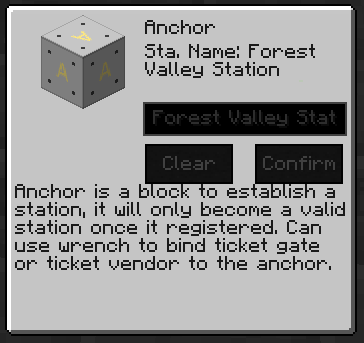 To create a valid station, you'll need to place an anchor block for your station. Once placed, right-click the anchor, it'll open a GUI like the picture (Pic-I).