Harmony Staking Manager is a Telegram bot that serves both Harmony validators and stakers.
Harmony Staking Manager can be accessed here: https://t.me/HarmonyStakingMngBot
The purpose of creating this bot was to provide the Harmony community with a high quality UX monitoring and alerting tool that works as a personal assistant in order to never miss crucial information related to the validator stats, staker stats and network status.
Who can use this bot?
Both stakers and validators can use this bot and choose which type of alerts or notifications they would like to receive.
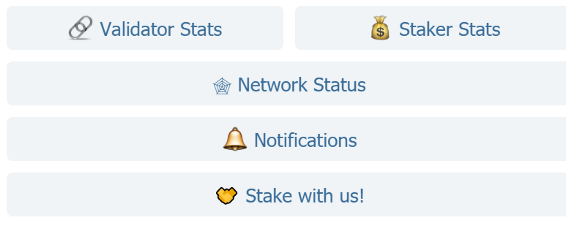
The Harmony Staking Manager menu is very intuitive and provides the following functionalities:
Validator Stats
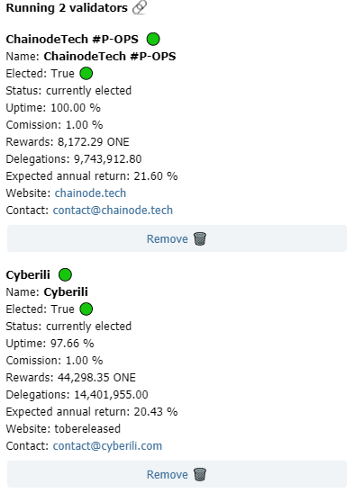
The Validator Stats part of the menu is relevant for the Harmony validators and in this section it is possible to add, remove and monitor your validators. You can add 1 or multiple validators, as shown below.
Staker Stats
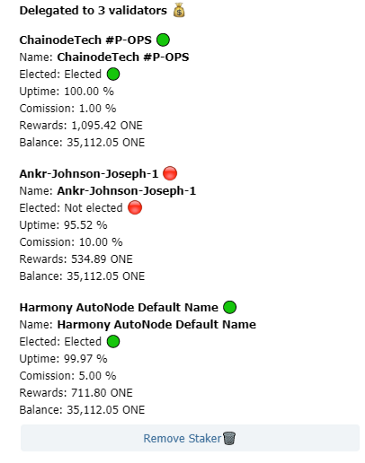
The Staker Stats part of the menu is a section dedicated to all Harmony stakers/delegators. Stakers will only need to add their address and press again on “Staker Stats”. The software will then check to which validators the staker has delegated the ONE tokens and display a list of relevant parameters like validator status, commission rate, uptime and rewards.
Network Status
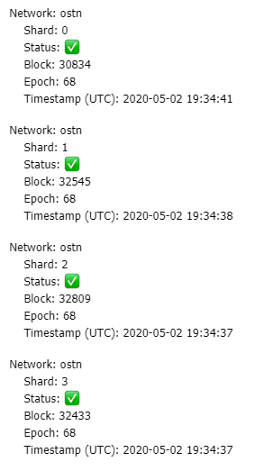
Network Status is a feature that can be used by both validators and stakers and will display the health check of the network by showing the latest status of each shard.
Notifications
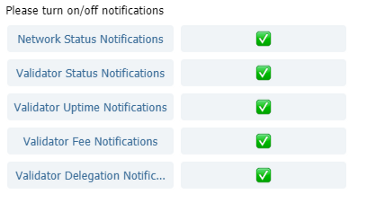
The “Notifications” section represents the most powerful part of the Staking Manager Bot and it currently provides the following features:
Network Status Notifications
In case one shard or multiple shards will have an issue, the user will be automatically notified if this alert is set as active.
Validator Status Notifications
If this feature will be activated the user will be notified about the election status of both manually added validators in the section “Validators Stats” and validators identified automatically in the section “Staker Stats”.
Validator Uptime Notifications
If this feature will be activated the user will be notified about the uptime change of both manually added validators in the section “Validators Stats” and validators identified automatically in the section “Staker Stats”.
Each user can define an uptime change threshold in the format xx.xx. The software will interpret this as a change in uptime of xx.xx % and will notify the user if one of the validators will increase or decrease in uptime by xx.xx %. Example: a user defines an uptime change threshold of 0.1. The Staking Manager tool will interpret this as 0.1% and if one of the validators will decrease or increase their uptime by 0.1%, then the user will be automatically notified.
Validator Fee Notifications
If this feature will be activated the user will be notified about the fee change of both manually added validators in the section “Validators Stats” and validators identified automatically in the section “Staker Stats”.
Validator Delegation Notifications
This feature is specially dedicated to validators. They can define a lower and upper margin for the amount of tokens delegated to them and will be notified if a certain amount of tokens were delegated to or removed from their validator. This type of notification will inform validators when they have to check and potentially expand or limit their validator capacity (for example by adding or removing a BLS key).
UX (User Experience)
When we designed the Harmony Staking Manager tool, we did it with the UX in the back of our minds. As we are already running validators on multiple blockchain protocols, including Harmony, we made use of our validator experience when deciding which parameters and notifications we wanted the tool to provide. We did this with both validators and stakers in mind and made sure to cater the most important information in the most efficient and user friendly way.
Therefore, each of the implemented notifications can be activated/deactivated individually, as shown in the picture below, where all notifications are activated.