v0.1.0-alpha — Grok Build, on your desktop
Pre-release
Pre-release

Grokulator v0.1.0 — alpha
Grok Build. On your desktop. · Early software.
I got tired of doing all my Grok Build work stuck in a pure terminal loop, so I built a real window for it — chat-first, project when you mean it, Full Auto only after you pick a folder.
⚠️ Alpha — read this
This is an alpha release. I have not done a full safety / security audit.
- Use it on machines and folders you trust
- Keep Full Auto scoped to a project you’re willing to let an agent modify (
grok agent --always-approve) - Assume bugs
- Feedback welcome — production-critical use is on you for now
What’s in 0.1.0
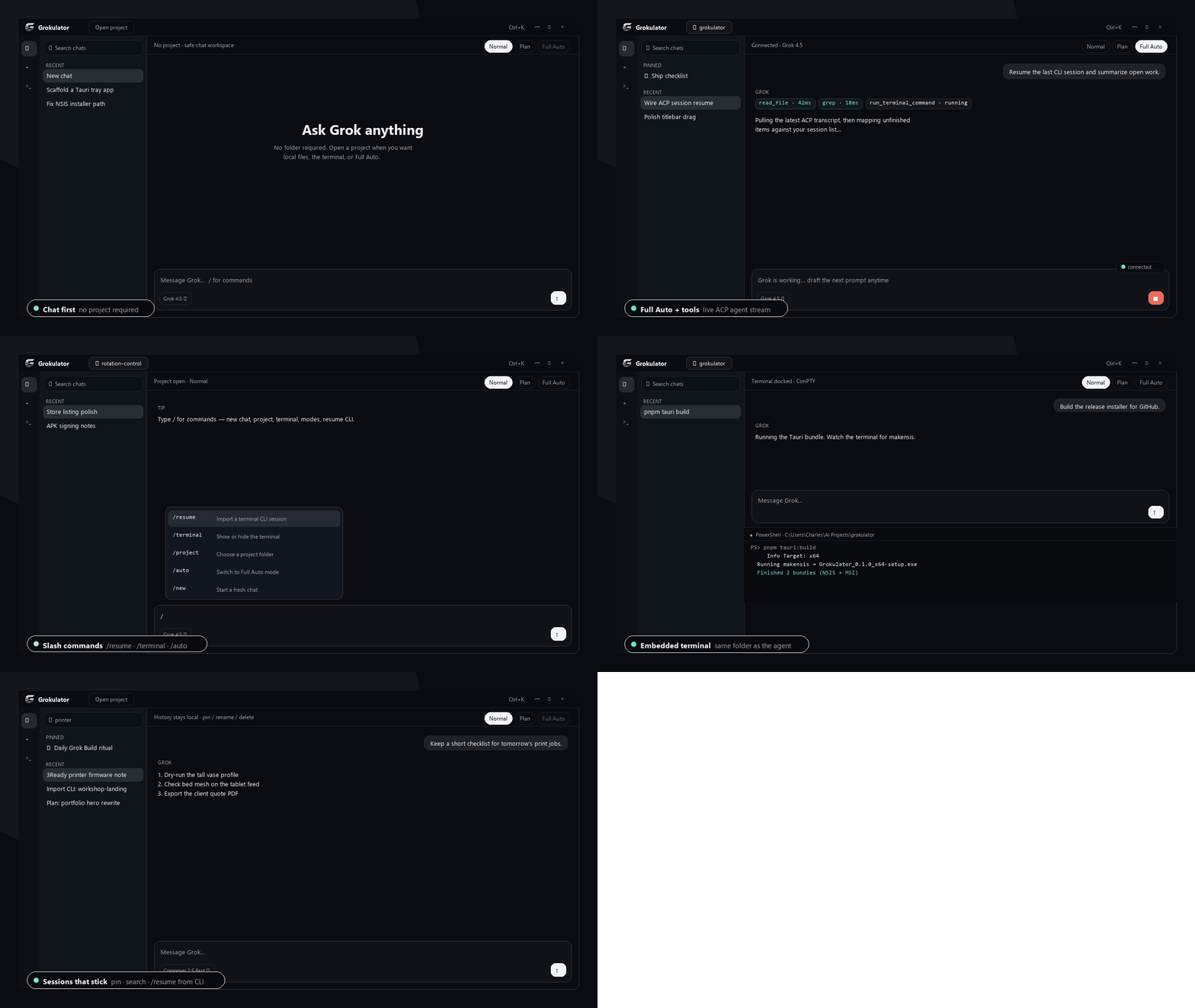
- Chat without a folder — private app-data workspace, not your home directory
- Normal / Plan / Full Auto — Full Auto locked until a project is open
- Slash commands —
/new/project/terminal/normal/plan/auto/connect/resume - Resume CLI sessions — pull a terminal Grok session into a chat
- Sessions — pin, search, rename, delete with confirm
- Embedded terminal — ConPTY, same cwd as the agent
- Models — Grok 4.5 + Composer 2.5 Fast, thinking level when it applies
- Frameless Windows chrome — drag, min/max/restore, double-click titlebar
Install
Download Grokulator_0.1.0_x64-setup.exe (recommended).
Alternate: Grokulator_0.1.0_x64_en-US.msi
Then:
- Install and open Grokulator
- Make sure the Grok CLI is signed in (
grok login) - Start typing — open a project only when you need files / terminal / Full Auto
Assets
| File | What |
|---|---|
Grokulator_0.1.0_x64-setup.exe |
NSIS installer (current user) — use this |
Grokulator_0.1.0_x64_en-US.msi |
MSI alternate |
grokulator-showcase.gif |
Feature tour |
SHA256SUMS.txt |
Checksums |
Notes
- Windows 11 + WebView2
- Local-only sessions under
%APPDATA%\com.charles.grokulator\ - Not affiliated with xAI. Independent MIT project.
Source: https://github.com/Charles-3Ready/grokulator
If it helps and you want to tip: https://ko-fi.com/3readyproto