Home


Connect Claude, Cursor, VS Code or any other MCP client to a running Unreal Editor,
and let it build levels, Blueprints, UI, materials, effects and more.
🚀 Quick Start · 📦 Install · 🔌 Connect a client · 🩺 Troubleshooting
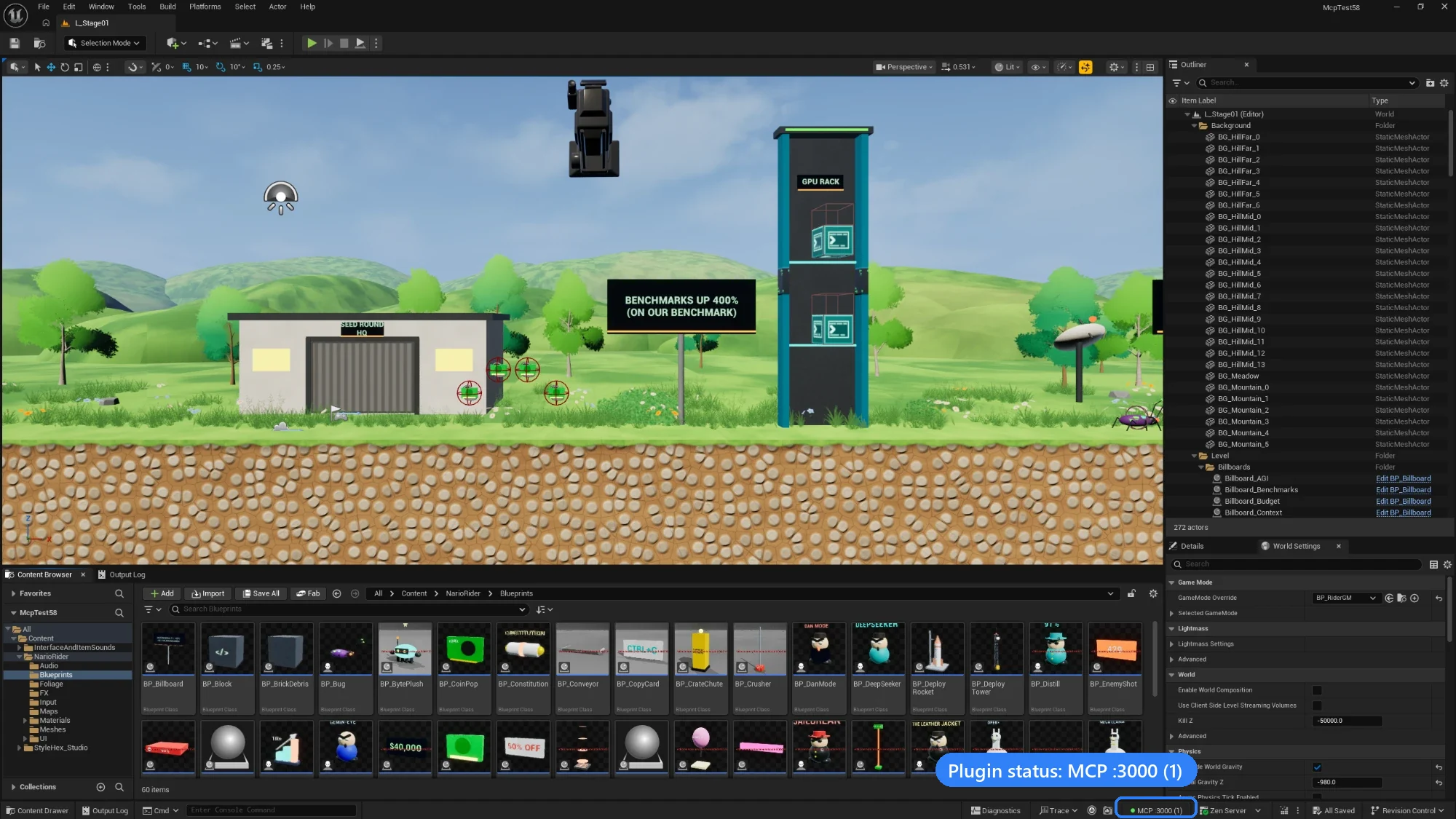
A platformer level built with the MCP, open in Unreal Editor 5.8. Bottom right: the plugin's status, MCP :3000 (1), meaning the native server is running on port 3000 with one client connected. Click to enlarge.
|
🏗️ Levels and actors |
🧩 Blueprints and UI |
🎨 Materials and worlds |
|
🕹️ Gameplay |
🎬 Cinematics and audio |
🧪 Play and verify |
Nearly 400 capabilities in all. The assistant finds them by searching in plain words, so nobody has to learn their names.
flowchart TB
    client["AI client<br/>Claude Code · Cursor · VS Code · …"]
    node["unreal-engine-mcp-server<br/>Node.js, optional"]
    subgraph ue["Unreal Editor"]
        plugin["MCP Automation Bridge<br/>editor plugin"]
        apis["Editor APIs<br/>game thread"]
        plugin --> apis
    end
    client -- "Route A · HTTP :3000/mcp" --> plugin
    client -- "Route B · stdio" --> node
    node -- "WebSocket :8090" --> plugin
    classDef ext fill:#30363d,stroke:#8b949e,color:#f0f6fc
    classDef ours fill:#1f6feb,stroke:#58a6ff,color:#ffffff
    classDef engine fill:#238636,stroke:#3fb950,color:#ffffff
    class client ext
    class node,plugin ours
    class apis engine
    style ue fill:#8b949e1f,stroke:#8b949e
- One plugin does the work. The editor-only C++ plugin, MCP Automation Bridge, runs every request on the editor's game thread.
-
Two ways in. Clients reach it either over HTTP served by the plugin itself (no Node.js), or over stdio through the small Node.js server. Both expose the same single tool,
unreal. -
Safe by default. Everything listens on
127.0.0.1and needs your project's capability token. Deletes need a consent grant in every call. See 🔐 Security.
|
🚀 Quick Start |
📦 Installation |
🔌 Connecting Clients |
|
🧭 Using the Gateway |
🧰 Tools Reference |
📚 Resources and Prompts |
|
⚙️ Configuration |
🔐 Security |
🩺 Troubleshooting |
|
💬 FAQ |
⬆️ Upgrading |
🛠️ Development |
| 0.6 line (this wiki) | 0.5.30 | |
|---|---|---|
| Status | Beta, on the dev branch (the repository's default) |
Previous stable release |
| npm | unreal-engine-mcp-server@beta |
unreal-engine-mcp-server (latest) |
| What the client sees | One tool, unreal, with search · describe · execute · configure
|
23 separate tools (manage_asset, control_actor, …) |
Note
Coming from 0.5.x? Direct calls to the old tool names now go through the unreal tool. ⬆️ Upgrading walks through the change.
| Looking for | Go to |
|---|---|
| 💬 Questions and ideas | Discussions |
| 🐞 Bugs and feature requests | Issues |
| 📦 Downloads |
Releases · npm · MCP Registry io.github.ChiR24/unreal-engine-mcp
|
| 📝 What changed | Changelog |
| 🗺️ What's next | Project roadmap |