LibroMarkit is a book search app that allows users to browse featured books, search for specific books, and save them to a personalized saved books list. This project is built using Next.js, GraphQL, MongoDB, and Tailwind CSS, and utilizes the Google Books API for book data.
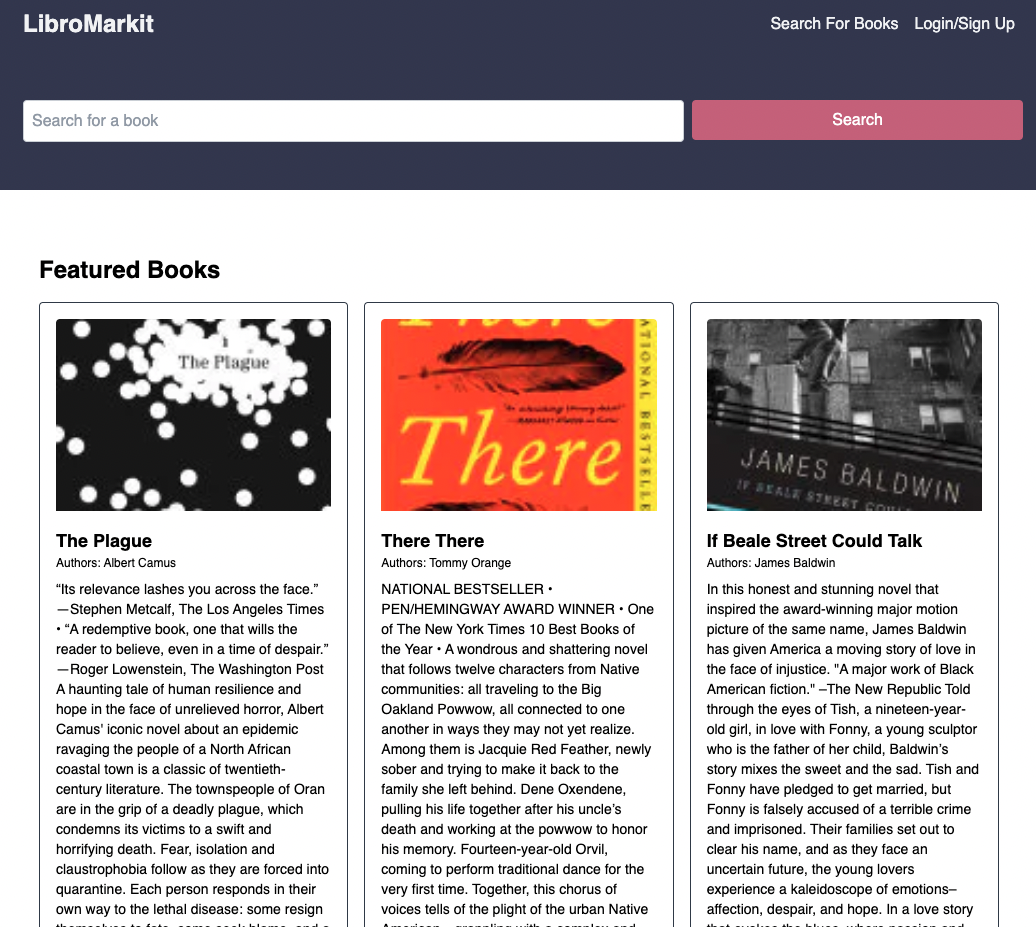
- Featured books displayed on the landing page
- User authentication (signup and login)
- Book search functionality using the Google Books API
- Saving books to a personal saved books list
- Removing books from the saved books list
- Responsive design using Tailwind CSS
To set up the project on your local machine, follow these instructions:
-
Clone the repository:
git clone https://github.com/yourusername/libromarkit.git -
Change directory to the project folder:
cd libromarkit
- Install the required dependencies:
npm install
- Create a
.env.localfile in the root directory and add your environment variables:
NEXT_PUBLIC_GOOGLE_BOOKS_API_KEY=your_google_books_api_key
MONGODB_URI=your_mongodb_connection_string
- You're all set! Now you can run the app.
In the project directory, you can run the following scripts:
-
npm run dev- Runs the app in development mode. Open http://localhost:3000 to view it in the browser. The page will reload if you make edits. -
npm run build- Builds the app for production. It correctly bundles React in production mode and optimizes the build for the best performance. The build is minified, and the filenames include the hashes. -
npm run start- Runs the production build of the app. Ensure you've runnpm run buildbefore using this command. -
npm run lint- Lints the project using Next.js built-in ESLint configuration.
Contributions are always welcome! To contribute to this project, follow these steps:
- Fork the repository
- Create a new branch with your changes
- Commit and push your changes
- Create a pull request to the main repository
