











A TypeScript toolkit to parse, render, edit, present, and convert Microsoft PowerPoint (
.pptx) files - in the browser and Node.js. No PowerPoint install, no server round-trips, no native dependencies.
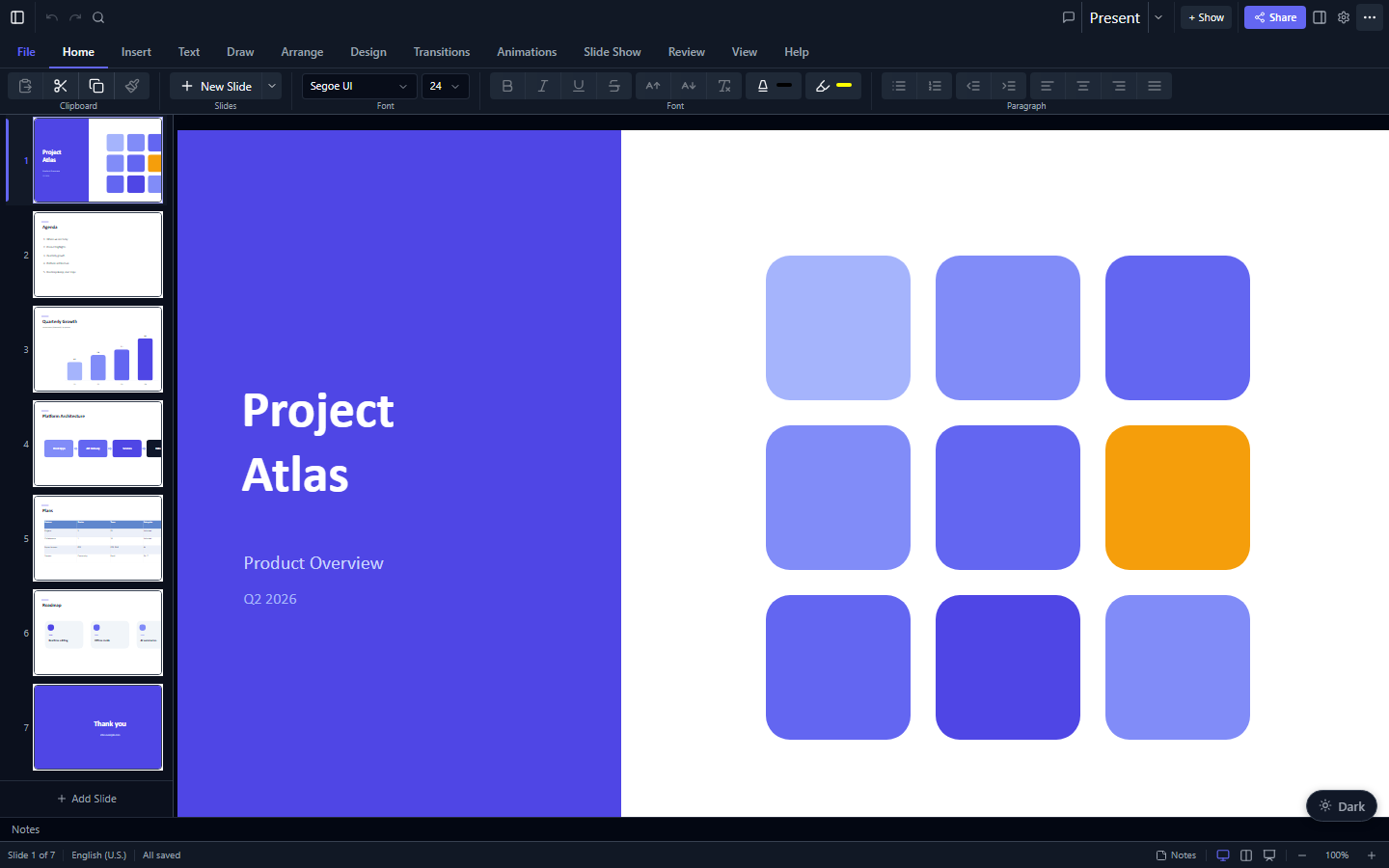
Open a .pptx, render it with full visual fidelity, edit it in a WYSIWYG UI (or programmatically), present it fullscreen with animations and transitions, collaborate live, and save back to a valid .pptx - all client-side. The same engine also converts decks to Markdown and exports slides to PNG/SVG/PDF/GIF/video.
Works with React 19, Vue 3, Angular, Svelte 5, and vanilla JavaScript (no framework at all) out of the box. The core engine is framework-agnostic and runs in Node.js, Bun, Deno, serverless functions, and build scripts.
Try the live demo
·
Read the full docs
·
or run bun run demo locally
npx @christophervr/pptx-viewer@latestAsks what you're building (React, Vue, Angular, Svelte, vanilla JS, the headless core engine, and/or the MCP server - pick more than one if you like), then either installs the right package(s) plus their required companions into the current project, or scaffolds a brand-new starter app for you using the framework's own official tooling (create-vite / @angular/cli). It also detects your package manager (bun, pnpm, yarn, npm) and checks framework-version compatibility before touching anything.
Non-interactive form for scripts/CI:
npx @christophervr/pptx-viewer@latest --target react,mcp --yesSee packages/cli for the full flag reference. If you'd rather install a package by hand, or aren't set up for npx, use the table below.
The UI packages bundle the core engine, so for an app you install exactly one package - no separate pptx-viewer-core required.
| I'm building... | Install | Package |
|---|---|---|
| A React app | npm i pptx-react-viewer |
pptx-react-viewer |
| A Vue 3 app | npm i pptx-vue-viewer |
pptx-vue-viewer |
| An Angular app | npm i pptx-angular-viewer |
pptx-angular-viewer |
| A Svelte 5 app | npm i pptx-svelte-viewer |
pptx-svelte-viewer |
| No framework (plain DOM) | npm i pptx-vanilla-viewer |
pptx-vanilla-viewer |
| Headless parse / edit / convert (Node or web) | npm i pptx-viewer-core |
pptx-viewer-core |
| CLI / MCP / AI tooling | npm i pptx-viewer-mcp |
pptx-viewer-mcp |
- Parse
.pptxfiles from a rawArrayBufferinto a structuredPptxDatamodel - Create presentations from scratch with a fluent builder API
- Render slides as interactive React / Vue / Angular / Svelte / vanilla JS components with full visual fidelity
- Edit presentations programmatically or via the built-in WYSIWYG editor
- Save changes back to a valid
.pptxfile (round-trip safe) - Convert presentations to Markdown with optional media extraction
- Export slides as images (PNG/JPEG), SVG, PDF, GIF, or video
- Collaborate in real-time via Yjs CRDT with presence tracking
- Encrypt/Decrypt password-protected PPTX files (AES-128/256)
The engine handles the full OpenXML specification: 16 element types, 187+ preset shapes, 23 chart types, SmartArt (14 layouts), 3D models, animations (40+ presets), transitions (46 types including morph), themes, slide masters, embedded media, EMF/WMF metafiles, OLE objects, digital ink with pressure sensitivity, digital signatures, PPTX encryption, VBA macro preservation, OOXML Strict conformance, and more - backed by 18,800+ passing tests across 1,300+ files.
Developed with Claude Code (Opus 4.x).
packages/
  core/              pptx-viewer-core     - Parse, create, edit, serialize PPTX files (framework-agnostic)
  shared/            pptx-viewer-shared   - Framework-agnostic viewer logic shared by the UI bindings
  locales/           pptx-viewer-locales  - Internal French, Spanish, and German demo dictionaries
  react/             pptx-react-viewer    - React-based viewer/editor component
  vue/               pptx-vue-viewer      - Vue 3 viewer/editor component
  angular/           pptx-angular-viewer  - Angular viewer/editor component
  svelte/            pptx-svelte-viewer   - Svelte 5 viewer/editor component
  vanilla/           pptx-vanilla-viewer  - Zero-framework (plain DOM) viewer/editor
  tools/             pptx-viewer-mcp      - CLI / MCP server and tool functions for AI agents
  cli/               @christophervr/pptx-viewer - Interactive npx installer/scaffolder for all of the above
| Package | npm | Description | README |
|---|---|---|---|
| pptx-viewer-core |  |
Core PPTX engine - parse, create, edit, serialize, and convert PowerPoint files. Framework-agnostic. | Documentation |
| pptx-viewer-shared | (internal - not published) | Framework-agnostic viewer logic (theme, rendering, editing state) shared by all five UI bindings. | Documentation |
| pptx-viewer-locales | (internal - not published) | Complete French, Spanish, and German reference dictionaries used by the five demo applications. | Contributing |
| pptx-react-viewer |  |
React-based PowerPoint viewer, editor, and presenter with toolbar, inspector, collaboration, and export. | Documentation |
| pptx-vue-viewer |  |
Vue 3 PowerPoint viewer/editor component. Feature-equivalent counterpart of the React package. | Documentation |
| pptx-angular-viewer |  |
Angular PowerPoint viewer/editor component. Feature-equivalent counterpart of the React package. | Documentation |
| pptx-svelte-viewer |  |
Svelte 5 PowerPoint viewer/editor component built on the same shared engine. | Documentation |
| pptx-vanilla-viewer |  |
Zero-framework PowerPoint viewer/editor: plain DOM, one factory function, no framework dependency. | Documentation |
| pptx-viewer-mcp |  |
CLI / MCP server and pure tool functions for AI agents to parse, edit, and convert PPTX files. | Documentation |
| @christophervr/pptx-viewer |  |
Interactive npx installer: picks and installs the right package(s) above, or scaffolds a new app. |
Documentation |
pptx-react-viewer   ┐
pptx-vue-viewer     │
pptx-angular-viewer ├── pptx-viewer-shared ──┐
pptx-svelte-viewer  │                        ├── pptx-viewer-core
pptx-vanilla-viewer ┘  (each UI binding) ────┘
pptx-viewer-corealso depends on the standaloneemf-converter(EMF/WMF to PNG) andmtx-decompressor(MicroType Express fonts) packages, published separately from their own repositories.
Important: Read this section before adopting the library to understand what is and isn't supported.
- Embedded OLE objects are not editable in place - OLE objects (embedded Excel, Word, etc.) are recognised, their preview images are displayed, and the embedded payload can be extracted and downloaded/opened from the viewer, but their internal content cannot be edited in place. OLE2 is an opaque binary container format; deserialising and re-serialising the internal object structure (e.g. an embedded Excel workbook) would require embedding the full application runtime.
- SmartArt editing - SmartArt diagrams support inline node text editing (double-click any node), per-node fill colour overrides via a hover swatch bar, node add/remove/reorder/promote/demote, layout switching, colour scheme, and style changes - all round-tripping through undo/redo and save. Multi-line node text (Shift+Enter) is supported across all three bindings. An optional Three.js 3D renderer (
smartArt3Dprop) applies spatial layout variants (carousel, receding tree, stacked tiers) and also supports inline editing via an SVG hit-test overlay. The library uses PowerPoint's own pre-computed shape geometry when available; after structural edits (add/remove/reorder nodes) it rebuilds the drawing shapes via a live reflow engine (reflowToDrawingShapes) so the high-fidelity drawing-shape renderer is used immediately and positions persist through save. The algorithmic fallback covers 14 layout families and is used only for diagrams that were never rendered by PowerPoint's layout engine. - Chart editing covers data, legend, axes, data labels, trendlines, error bars, and per-point overrides - You can add/remove series, edit data points, add/remove categories, change chart type, show/hide or reposition the legend, set axis min/max, major/minor units, number format, and tick-label position, toggle data labels with their content (value/category/series/percent/legend key) and position, add a per-series trendline (linear, exponential, logarithmic, polynomial, power, moving average) with optional equation and R-squared, add per-series error bars (fixed value, percentage, standard deviation, standard error, or custom) with direction and plus/minus type, set axis titles, toggle major/minor axis gridlines, set value-axis display units, override data labels and marker symbol/size/fill per individual data point, and set series-level marker style - all round-trip on save.
- Strict OOXML conformance is normalised - Office 365 can save files in ISO/IEC 29500 Strict mode, which uses different namespace URIs than the more common Transitional (ECMA-376) format. The engine maps 46+ namespace URI pairs on load (Strict to Transitional) and converts back on save. Features that rely on strict-only extensions outside these mapped namespaces may not round-trip.
- CSS-based rendering - Slides are rendered as HTML/CSS rather than Canvas, which gives sharp text at any zoom, native accessibility, and DOM interactivity.
mix-blend-modeand CSS 3D transforms (shape extrusion side faces,rotateX/Y) render natively in the live viewer. A couple of effects are approximated even on screen:backdrop-filteris replaced with semi-transparent backgrounds, and path gradients are approximated as elliptical radials. Raster export flattens more of these (see Print and export fidelity below). - Font availability - Text renders using fonts available in the browser. Missing fonts fall back to system defaults, which may affect text metrics and layout fidelity. Embedded fonts in the PPTX are deobfuscated and injected into the DOM when available.
- Embedded media - Audio/video playback depends on browser codec support (e.g. browsers may not support WMV or legacy codecs). DRM-protected media will not play.
- Animation triggers - 40+ animation presets are supported with
onClick,withPrevious,afterPrevious,afterDelay,onHover, andonShapeClicktriggers. Compound OOXML timing conditions (p:stCondLst/p:endCondLstOR-sets) are fully parsed; the engine resolves each set to its governing trigger while preserving click and hover alternatives for interactive playback. - Morph transitions - Morph matches elements across slides using three strategies: explicit
!!naming convention, element ID matching, and proximity matching (within 300px). Position, size, opacity, rotation, colour, and shape geometry (cross-shape-type vertex interpolation resampled to 64 outline points) are all interpolated. Unmatched elements crossfade. - Chart interactivity - Charts are rendered as static SVG with hover tooltips. They are not directly editable via the chart surface; use the inspector panel's chart data editor instead.
- Print and export fidelity - Raster exports (PNG/JPEG/PDF) go through
html2canvas, which does not supportbackdrop-filter, CSS custom properties (var()), or CSS 3D transforms. The library preprocesses CSS to approximate these, but some fidelity is lost. An SVG export path is available as a vector alternative. - Maximum export resolution - Canvas-based exports are constrained by the browser's maximum canvas size (typically 16384x16384 or 32768x32768 pixels depending on browser and GPU).
- 3D models - Rendering GLB/GLTF 3D models requires the single optional
threepeer dependency. Without it, the element falls back to its poster image.
npx @christophervr/pptx-viewer@latestThis is the fastest way in: pick React, Vue, Angular, Svelte, vanilla JS, the core engine, and/or the MCP server, and it installs into your current project or scaffolds a new one. See Which package do I install? above for details, or install a package directly with npm i pptx-react-viewer / pptx-vue-viewer / pptx-angular-viewer / pptx-svelte-viewer / pptx-vanilla-viewer / pptx-viewer-core / pptx-viewer-mcp.
Building pptx-viewer itself (not just consuming it) requires cloning the monorepo:
- Bun (package manager and runtime)
- Node.js 18+ (for TypeScript compilation)
# Clone the repository
git clone <repo-url>
cd pptx-viewer

# Install dependencies
bun install

# Build all packages (order: core -> shared -> react / vue / angular / vanilla / svelte)
bun run build

# Run tests
bun run test

# Type-check
bun run typecheck
This project follows a Code of Conduct - please read it before opening an issue or PR. Found a security vulnerability instead of a bug? See SECURITY.md for how to report it privately.
import { PptxHandler } from 'pptx-viewer-core';

const { handler, data, createSlide } = await PptxHandler.create({
	title: 'My Presentation',
	creator: 'Author Name',
	theme: {
		name: 'Custom Theme',
		colors: { accent1: '4472C4', accent2: 'ED7D31' },
		fonts: { majorFont: 'Calibri Light', minorFont: 'Calibri' },
	},
});

// Build a slide with the fluent API
const slide = createSlide()
	.addText('Hello World', { x: 100, y: 100, width: 600, height: 80, fontSize: 36 })
	.addShape('rect', { x: 100, y: 250, width: 300, height: 200 })
	.addImage('https://example.com/photo.jpg', { x: 450, y: 250, width: 300, height: 200 })
	.build();

data.slides.push(slide);

// Save to .pptx
const output = await handler.save(data.slides);
await fs.writeFile('presentation.pptx', Buffer.from(output));import { PptxHandler } from 'pptx-viewer-core';
const handler = new PptxHandler();
const buffer = await fs.readFile('presentation.pptx');
const data = await handler.load(buffer.buffer);
console.log(`Loaded ${data.slides.length} slides`);
console.log(`Theme: ${data.theme?.name}`);
// Access slide content
for (const slide of data.slides) {
for (const element of slide.elements) {
if (element.type === 'text') {
console.log(`Text: ${element.text}`);
}
}
}
// Modify and save
data.slides[0].elements[0].text = 'Updated Title';
const output = await handler.save(data.slides);
await fs.writeFile('output.pptx', Buffer.from(output));import { PptxHandler, PptxMarkdownConverter } from 'pptx-viewer-core';
const handler = new PptxHandler();
const data = await handler.load(buffer);
const converter = new PptxMarkdownConverter('./output', {
sourceName: 'presentation.pptx',
includeSpeakerNotes: true,
mediaFolderName: 'media',
includeMetadata: true,
semanticMode: true, // clean markdown vs positioned HTML
});
const markdown = await converter.convert(data);
console.log(markdown);Installs from npm as
pptx-react-viewer(see packages/react).
import { PowerPointViewer } from 'pptx-react-viewer';

function App() {
	const [content, setContent] = useState<Uint8Array | null>(null);

	if (!content) return null;
	return (
		<PowerPointViewer
			content={content}
			canEdit={true}
			onContentChange={(newContent) => {
				// Called when the presentation is modified
			}}
			onDirtyChange={(isDirty) => {
				// Called when dirty state changes
			}}
		/>
	);
}Installs from npm as
pptx-vue-viewer(see packages/vue).
<script setup lang="ts">
import { ref } from 'vue';
import { PowerPointViewer } from 'pptx-vue-viewer';

const content = ref<ArrayBuffer | null>(null);
</script>

<template>
	<PowerPointViewer v-if="content" :content="content" can-edit />
</template>Installs from npm as
pptx-angular-viewer(see packages/angular).
import { Component, signal } from '@angular/core';
import { PowerPointViewerComponent } from 'pptx-angular-viewer';

@Component({
	selector: 'app-root',
	standalone: true,
	imports: [PowerPointViewerComponent],
	template: `<pptx-viewer [content]="content()" [canEdit]="true" />`,
})
export class AppComponent {
	readonly content = signal<ArrayBuffer | null>(null);
}Installs from npm as
pptx-svelte-viewer(see packages/svelte).
<script lang="ts">
	import { PowerPointViewer } from 'pptx-svelte-viewer';

	let source: ArrayBuffer | undefined = $state();
</script>

{#if source}
	<PowerPointViewer {source} editable />
{/if}Installs from npm as
pptx-vanilla-viewer(see packages/vanilla).
import { createPptxViewer } from 'pptx-vanilla-viewer';

const viewer = createPptxViewer(document.getElementById('host')!, {
	source: '/decks/quarterly.pptx', // URL, ArrayBuffer, Uint8Array, Blob, or File
	editable: true,
});Use
pptx-viewer-mcpto let AI agents (Claude, Cursor, etc.) manipulate PPTX files via the Model Context Protocol.
{
	"mcpServers": {
		"pptx": {
			"command": "npx",
			"args": ["pptx-viewer-mcp"]
		}
	}
}
Or call the 51 tool functions directly in your own pipeline:
import { PptxHandler } from 'pptx-viewer-core';
import { addSlide, replaceText } from 'pptx-viewer-mcp';

const handler = new PptxHandler();
const bytes = await fs.readFile('deck.pptx');
const pptxData = await handler.load(bytes.buffer);

const { pptxData: updated } = replaceText({ pptxData }, { find: 'Draft', replace: 'Final' });
const out = await handler.save(updated.slides);
await fs.writeFile('deck.pptx', out);
For full API references, architecture deep dives, and advanced usage, see each package's README linked in the Packages table above.
+-------------------------------------------------------------------+
|     React / Vue / Angular / Svelte / Vanilla JS (UI bindings)      |
|                                                                    |
|  +----------------+  +--------------+  +------------------------+  |
|  | PowerPoint     |  | SlideCanvas  |  |   Inspector/Toolbar    |  |
|  |   Viewer       |--|  + Elements  |  |   + Dialogs            |  |
|  | (orchestrator) |  |  Rendering   |  |   (editing UI)         |  |
|  +-------+--------+  +--------------+  +------------------------+  |
|          |                                                         |
|  +-------+-----------------------------------------------------+  |
|  |       Shared Layer (framework-agnostic viewer logic)         |  |
|  |  State, editing, loading, interaction, presentation,          |  |
|  |  export, collaboration, comments, find/replace, ...           |  |
|  +--------------------------------------------------------------+  |
+---------------------------+----------------------------------------+
                            | imports
+---------------------------+----------------------------------------+
|                   Core Package (pptx-viewer-core)                  |
|                                                                    |
|  +----------------+  +------------------+  +--------------------+  |
|  | PptxHandler    |  |   Converter      |  |    Services         |  |
|  | (public API)   |  | (PPTX -> MD)     |  | (animation, loader, |  |
|  +-------+--------+  +------------------+  |  transitions,       |  |
|          |                                  |  crypto, etc.)      |  |
|  +-------+-------------------------------+ +--------------------+  |
|  |              Runtime Layer             |                        |
|  |  PptxHandlerRuntime - 50+ mixin        |                        |
|  |  modules for parsing, serializing,     |                        |
|  |  theme resolution, element processing  |                        |
|  +-------+-------------------------------+                         |
|          |                                                         |
|  +-------+-----------------------------------------------------+  |
|  |  +---------+  +----------+  +---------+  +----------+        |  |
|  |  |  Types  |  | Geometry |  |  Color   |  | Builders |       |  |
|  |  | System  |  |  Engine  |  |  Engine  |  | (SDK)    |       |  |
|  |  +---------+  +----------+  +---------+  +----------+        |  |
|  +--------------------------------------------------------------+  |
+--------------------------------------------------------------------+
pptx-viewer-corealso pulls in the standaloneemf-converter(EMF/WMF metafiles to PNG) andmtx-decompressor(MicroType Express font decompression) packages as external dependencies.
| Decision | Rationale |
|---|---|
| CSS-based rendering (not Canvas) | Sharp text at any zoom, native accessibility, DOM interactivity, and standard CSS styling |
| Mixin composition for runtime | 50+ focused modules keep each concern isolated and testable; new capabilities added as new mixins |
| Discriminated union for elements | TypeScript narrows to the correct element type via the type field - no casting needed |
| EMU units internally | PowerPoint uses English Metric Units (1 inch = 914,400 EMU). Conversion constants in constants.ts |
| Theme resolution chain | Element -> Placeholder -> Layout -> Master -> Theme mirrors PowerPoint's own style inheritance |
| Deferred image processing | EMF/WMF record replay is synchronous for performance; bitmap draws are collected and resolved asynchronously |
bun install                  # Install all workspace dependencies
bun run build                # Build all packages (core -> shared -> react / vue / angular / vanilla / svelte)
bun run test                 # Run vitest across all packages
bun run typecheck            # Type-check all packages
bun run fmt                  # Format all files with oxfmt
bun run fmt:check            # Check formatting (CI-safe, no writes)
bun run lint                 # Lint with oxlint
bun run lint:fix             # Auto-fix lint issues
bun run demo                 # Start the React demo dev server (Vite, port 4173)
bun run demo:vue             # Start the Vue demo dev server (Vite, port 4175)
bun run demo:angular         # Start the Angular demo dev server (Vite, port 4174)
bun run demo:vanilla         # Start the Vanilla JS demo dev server (Vite, port 4176)
bun run demo:svelte          # Start the Svelte demo dev server (Vite, port 4177)
Build order matters: core -> shared -> react / vue / angular / vanilla / svelte
cd packages/core && bun run build     # Build a specific package
cd packages/core && bun run dev       # Watch mode
cd packages/core && bun run test      # Run package tests
cd packages/core && bun run typecheck # Type-check packagebun run pack:core # packages/core
bun run pack:shared # packages/shared
bun run pack:react # packages/react
bun run pack:vue # packages/vue
bun run pack:angular # packages/angular
bun run pack:vanilla # packages/vanilla
bun run pack:svelte # packages/svelte| Category | Technologies |
|---|---|
| Language | TypeScript 6.0 (strict mode) |
| Runtime | Bun (package manager), Node.js 18+ |
| UI | React 19 / Vue 3 / Angular / Svelte 5 / vanilla JS, Framer Motion, Tailwind CSS 4, Lucide |
| Parsing | JSZip (ZIP), fast-xml-parser (XML) |
| Export | html2canvas + jsPDF (PDF), custom GIF encoder, MediaRecorder (video) |
| 3D | Three.js (optional) |
| Collaboration | Yjs (CRDT), y-websocket (optional) |
| Crypto | Web Crypto API (AES-128/256 for PPTX encryption) |
| Testing | Vitest (18,800+ tests across 1,300+ files) |
| Formatting | oxfmt (from the oxc toolchain) |
| Linting | oxlint (from the oxc toolchain) |
| Bundler | tsup (ESM + CJS with .d.ts declarations) |
- Define the interface in
packages/core/src/core/types/elements.ts- extendPptxElementBase - Add to the union - add your type to the
PptxElementdiscriminated union - Add a type guard in
packages/core/src/core/types/type-guards.ts - Add parsing - create or extend a
PptxHandlerRuntime*Parsing.tsmodule in the core runtime - Add serialization - handle your type in
*SaveElementWriter.ts - Add a React renderer in
packages/react/src/viewer/components/elements/ - Add a converter processor in
packages/core/src/converter/elements/for Markdown output
Released under the Apache License 2.0 - free to use, modify, and distribute, including in commercial and closed-source projects. Apache-2.0 also gives you an explicit patent grant, so adopting pptx-viewer is safe for legal teams.
Apache-2.0 keeps attribution simple and clear. When you redistribute pptx-viewer or a derivative, please:
- Keep the
LICENSEfile with your distribution (section 4a). - Keep a readable copy of the
NOTICEfile's attribution - in your ownNOTICE, your docs, or a credits/about screen (section 4d). - If you modify our files, add a brief note that you changed them (section 4b).
That's the whole ask, and most of it is just keeping two text files intact. Beyond the license, a link back to this repository is always appreciated and helps others find the project.
Note: Some bundled components carry their own licenses (for example,
mtx-decompressoris MPL-2.0). Those terms are listed in theNOTICEfile and the per-packageNOTICEfiles, and must be preserved as described there.