


- 🎬 Virtual Camera & Brain System: Replace Unity's standard camera with modular "Virtual Cameras" controlled by a central "Cinemachine Brain" for automatic shot selection, blending, and transitions.
- 🎯 Sophisticated Follow & Look-At Behaviors: Use built-in components (Orbital Transposer, Framing Transposer, Hard Look At) to create complex camera rigs that track targets smoothly, handle collisions, and maintain perfect framing.
- ✨ Cinematic Effects & Impulses: Add professional polish with noise profiles for handheld camera shake, impulse sources for impacts, post-processing overrides, and custom blends between camera shots.
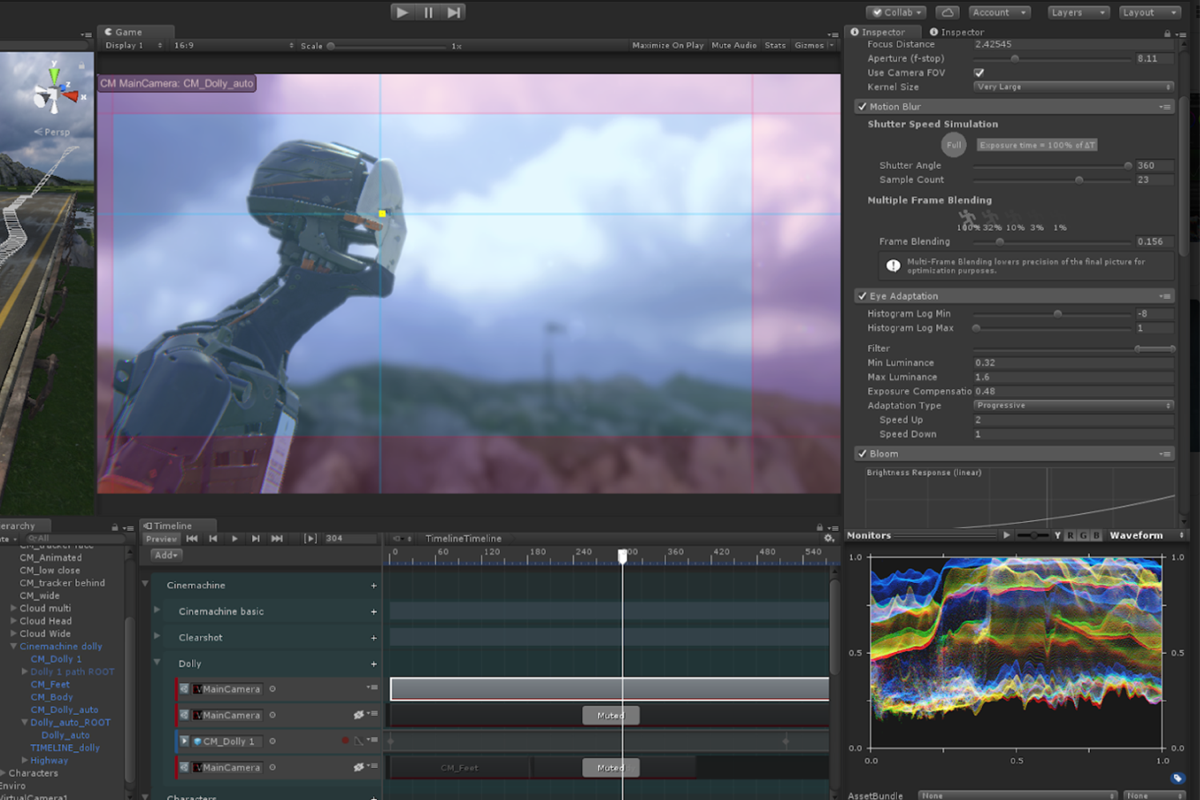
Cinemachine is a powerful, modular camera system developed by Unity Technologies that revolutionizes how developers and cinematographers create camera behaviors within the Unity game engine. It abstracts the complex mathematics of camera control into an intuitive, component-based framework, allowing artists and designers to construct sophisticated cinematic sequences, dynamic follow cameras, and reactive shot systems without writing a single line of code. At its heart is the concept of "Virtual Cameras"—self-contained assets that define a specific shot, composition, and behavior—which are managed by the "Cinemachine Brain" to determine the final camera output based on priority and blending rules.
The toolkit is designed to solve common and complex camera challenges elegantly. Need a camera that smoothly follows a character but avoids clipping into walls? The "CinemachineCollider" handles it. Want a camera that orbits a target while keeping it framed according to composition rules? The "Orbital Transposer" and "Composer" components make it simple. From creating a basic third-person camera to orchestrating multi-camera cutscenes with timed transitions, Cinemachine provides a robust, performance-optimized solution. Its deep integration with the Unity Editor, including real-time previews in the Game view, makes iterative camera design fast and visual, empowering teams to achieve a Hollywood-level cinematic quality in their games and interactive experiences.
- 👁️ Artist-Friendly & Codeless: Empower designers and artists to prototype and polish camera behaviors directly in the editor, accelerating iteration and creative experimentation.
- 🔄 Robust & Production-Ready: A stable, performant system used in countless shipped Unity titles, from indie games to AAA blockbusters, ensuring reliability for serious projects.
- 🎞️ Deep Unity Integration: Works seamlessly with Timeline for cutscenes, the Post-Processing Stack for visual effects, and the Input System for player-controlled cameras.
For Unity Development:
- Primary Software: Requires a compatible version of the Unity Game Engine (Consult the Cinemachine package page for specific Unity version support).
- Operating System: Compatible with the operating systems supported by your version of Unity (macOS, Windows).
- Processor: Multi-core processor recommended for Unity development.
- Memory (RAM): 8 GB minimum (16 GB+ recommended for game development).
- Graphics: Graphics card with DX10 (shader model 4.0) or OpenGL 3.2 capabilities.
- Disk Space: Varies based on Unity installation and project size. The Cinemachine package itself is relatively small.
- Third-Person & First-Person Character Cameras: Creating responsive, player-controlled cameras for action, adventure, and RPG games.
- Cutscene & Cinematic Direction: Choreographing complex camera moves, shot sequences, and transitions using Unity Timeline integrated with Cinemachine.
- Strategy & Simulation Cameras: Implementing RTS-style camera controls, orbital views for 3D models, or dynamic cameras for sports and racing games.
- Game Feel & Feedback: Using noise profiles and impulse sources to add screen shake for explosions, hits, or environmental effects.
cinemachine, unity cinemachine, cine machine, Unity camera system, cinemachine mac, cinemachine macos, cinemachine windows, Cinemachine tutorial, game camera, virtual camera, cinematic camera, follow camera, Unity asset, camera controller, cutscene camera, camera shake
Download Cinemachine for Unity to create professional, dynamic cameras. Design follow cams, cutscenes, and camera effects with a modular, codeless toolset used by game developers worldwide.