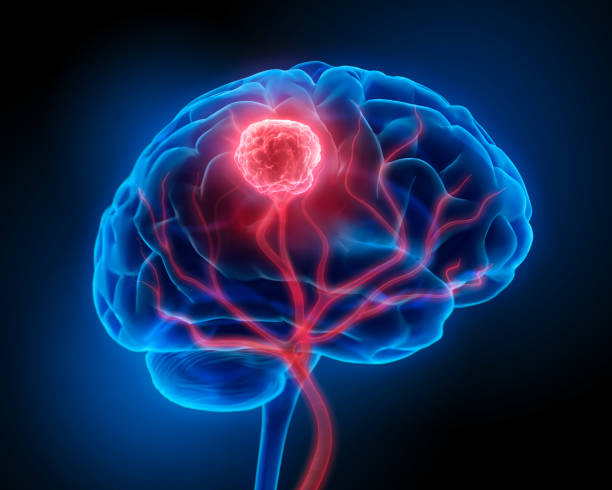
NeuraScan is a machine learning-based web application designed to detect and classify brain tumors from MRI scans. This project utilizes a deep learning model that predicts the type of tumor, such as Glioma, Meningioma, Pituitary Tumor, or No Tumor, with a high degree of accuracy. The application provides valuable recommendations based on the analysis, making it an essential tool for early detection and medical consultation.
- User-Friendly Interface: A sleek, modern UI with an easy-to-use file upload mechanism.
- Accurate Predictions: The app leverages a trained machine learning model to classify brain tumors.
- Recommendations: Provides tailored next steps and recommendations based on the prediction result.
- Tumor Information: Offers detailed information about different types of brain tumors.


- Frontend: HTML, CSS (Bootstrap), JavaScript (for file handling and UI)
- Backend: Python (Flask)
- Machine Learning: Trained deep learning model (TensorFlow/Keras)
- File Handling: Uploads MRI scans in various formats (JPEG, PNG)
- Deployment: Works locally or can be deployed to any cloud provider (Heroku, AWS, etc.)
To set up the project locally, follow these steps:
- Python 3.x
- Flask
- TensorFlow/Keras
- Jupyter (Optional, for model testing)
- Git (for cloning the repository)
-
Clone the Repository
First, clone the project repository from GitHub:
git clone https://github.com/your-username/brain-tumor-detection.git cd brain-tumor-detection -
Set Up a Virtual Environment (Optional but Recommended)
It's a good practice to use a virtual environment to isolate dependencies:
python3 -m venv venv
source venv/bin/activate  # On Windows, use `venv\Scripts\activate`
-
Install Dependencies
Install all necessary Python packages:
pip install -r requirements.txt
-
Download the Trained Model
You need to place the trained deep learning model in the
rootdirectory. If you haven't trained a model yet, you can use a pre-trained one (optional). For this project, make sure the model file is namedbrain_tumor_detection_model.kerasand placed in therootdirectory. -
Set Up Flask Environment Variables
Create a
.envfile in the root directory and define your Flask environment variables:FLASK_APP=app.py FLASK_ENV=development
-
Run the Application
Use Flask to start the server:
flask run
-
Access the Application
Once the server is running, open your browser and go to:
http://127.0.0.1:5000From there, you can upload an MRI image and get predictions.
brain-tumor-detection/
├── app.py               # Main Flask application file
├── model/               # Directory containing the trained model
│   └── brain_tumor_detection_model.keras    # Pre-trained model for prediction
├── static/              # Static files (CSS, JS, Images)
├── templates/           # HTML templates for Flask views
│   ├── index.html        # Homepage for file upload
│   └── result.html       # Analysis result page
├── requirements.txt     # Python dependencies
└── README.md            # Project documentation (this file)
The app uses a trained machine learning model to predict the type of tumor from an MRI image. If you have your own model, ensure it's compatible and place it in the root directory.
The app classifies brain MRI scans into four categories:
- Glioma: Aggressive tumors originating from glial cells.
- Meningioma: Typically benign tumors arising from the meninges.
- Pituitary Tumor: Benign tumors near the pituitary gland.
- No Tumor: Indicates no detectable brain tumor in the MRI scan.


Some ideas for improving this project include:
- Implementing a more detailed analysis report.
- Allowing multiple file uploads for batch processing.
- Improving the model's accuracy with a larger dataset.
- Deploying the application on a cloud platform.
NeuraScan - Enhancing brain tumor diagnosis through machine learning.