English | 简体中文
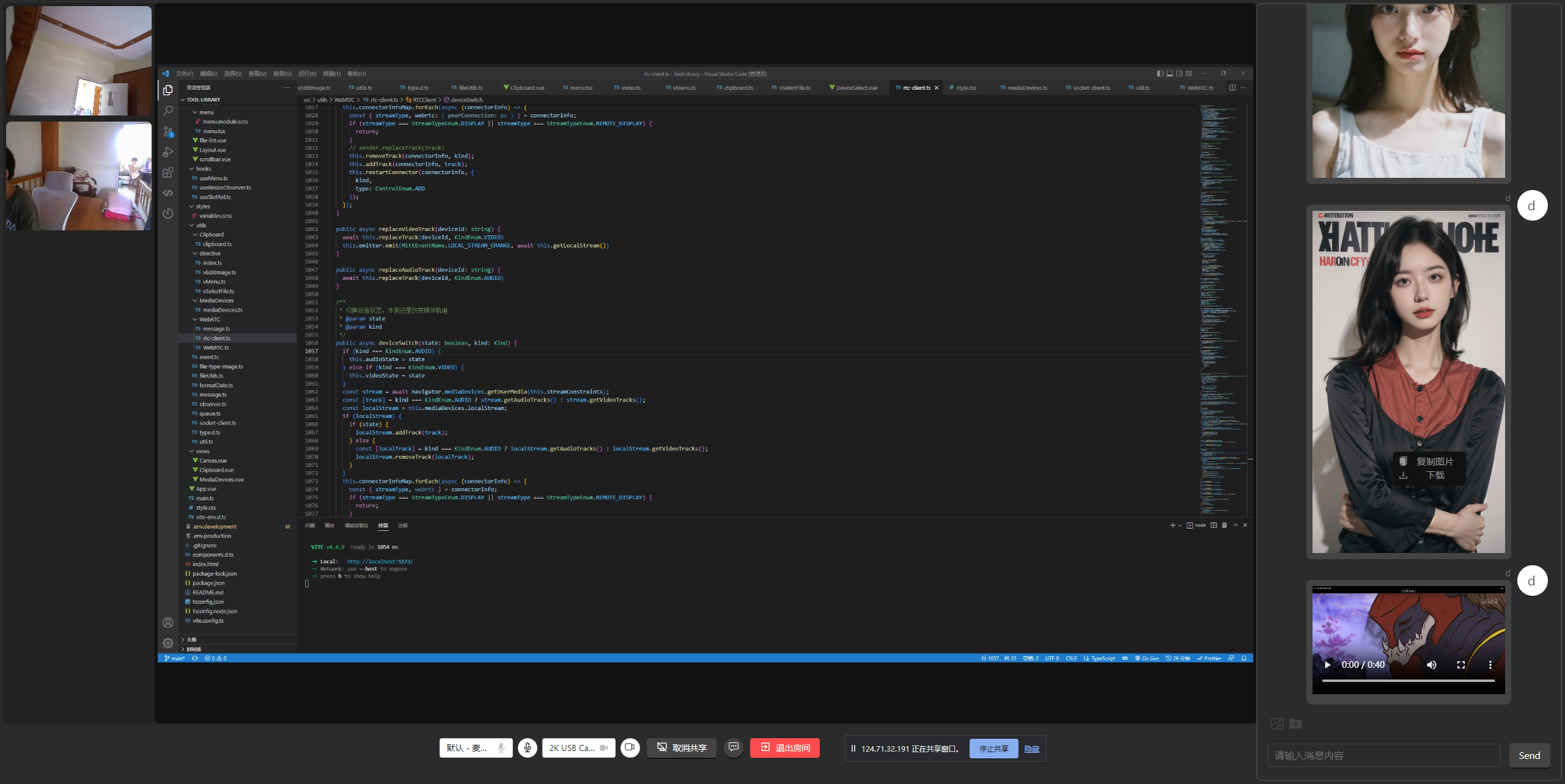
A P2P multi-person video chat room built with WebRTC. It supports multi-person video calls, screen sharing, device switching, audio/video toggles, instant messaging, reconnection, video recording, and image editing.
RTC Chatroom uses WebRTC for direct client-to-client media and data transmission. The server only forwards SDP and signaling messages required to establish WebRTC connections, so media streams and chat data are not relayed through the server.
The RTC-related implementation is packaged as an SDK. Additional features such as video recording and image editing are implemented as reusable hooks or custom directives.
- Multi-person P2P video calls
- Screen sharing and cancellation
- Camera and microphone switching
- Audio/video enable and disable controls
- RTCDataChannel messaging
- Disconnection and reconnection support
- Video recording
- Image editing
- Frontend:
Vue 3,TypeScript,Vite 5,Socket.IO - UI:
ant-design-vue - State management:
Pinia - Server:
Express,Socket.IO
- Vue 3: milletlovemouse/rtc-chatroom
- React: milletlovemouse/chatroom
- Server: milletlovemouse/chatroom-server
- SDK: milletlovemouse/rtc-client
- Node.js 18+
- pnpm
pnpm installpnpm devpnpm buildpnpm previewimport RTCClient from 'rtc-client';
const host = 'https://127.0.0.1';
const port = 3000;
const rtc = new RTCClient({
configuration: {
iceServers: [
{
urls: 'turn:stun.l.google.com:19302',
username: 'webrtc',
credential: 'turnserver',
},
],
},
constraints: {
audio: true,
video: true,
},
socketConfig: {
host,
port,
},
});configuration: RTCConfiguration- WebRTC connection configuration.constraints: MediaStreamConstraints- Local media constraints.socketConfig- Signaling service configuration.host: string- Domain or IP address.port?: number- Optional port.
on(type: string, listener: function): void- Bind an event listener.off(type: string, listener: function): void- Unbind an event listener.shareDisplayMedia(): Promise<MediaStream>- Start screen sharing.cancelShareDisplayMedia(): void- Cancel screen sharing.join(data: { username: string; roomname: string }): void- Join a room.leave(): void- Leave the current room.getDevicesInfoList(): Promise<MediaDeviceInfo[]>- Get the device list.getVideoDeviceInfo(): Promise<MediaDeviceInfo>- Get the current video input device.getAudioDeviceInfo(): Promise<MediaDeviceInfo>- Get the current audio input device.channelSendMesage(): void- Send messages through RTCDataChannel.replaceTrack(deviceId: string, kind: 'video' | 'audio'): void- Switch a media track.replaceVideoTrack(deviceId: string): void- Switch the video media track.replaceAudioTrack(deviceId: string): void- Switch the audio media track.deviceSwitch(state: boolean, kind: 'video' | 'audio'): void- Toggle a device state.disableAudio(): void- Disable microphone.enableAudio(): void- Enable microphone.disableVideo(): void- Disable camera.enableVideo(): void- Enable camera.getLocalStream(): Promise<MediaStream>- Get the local media stream.getDisplayStream(): Promise<MediaStream>- Get the screen sharing media stream.close(): void- Close the RTCClient instance.
Triggered when the connected client list changes or updates.
rtc.on('connectorInfoListChange', (data) => {
  console.log('onConnectorInfoListChange', data);
});Triggered when the screen sharing media stream changes.
rtc.on('displayStreamChange', async (stream) => {
  displayStream = stream;
});Triggered when the local media stream changes.
rtc.on('localStreamChange', async (stream) => {
  localStream = stream;
});Triggered when RTCDataChannel receives a message.
rtc.on('message', async (message: MessageItem) => {
  message.isSelf = false;
  messageList.push(message);
  console.log(message);
});