

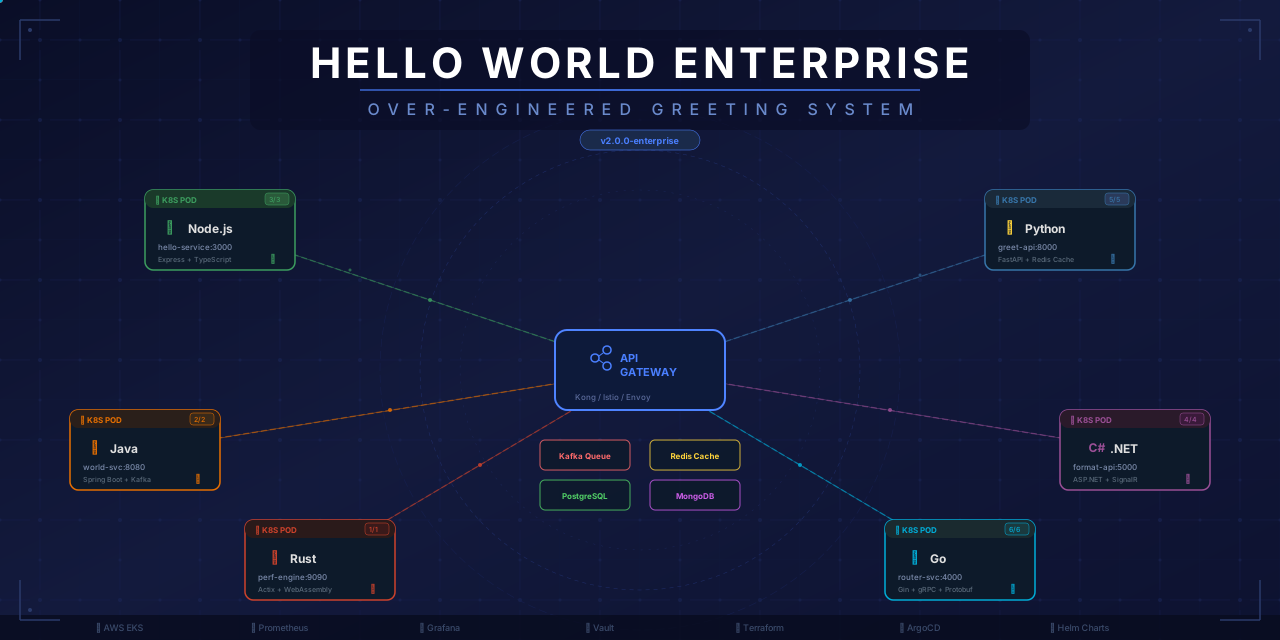



"Because saying 'Hello World' should require at least 47 microservices, an AI decision engine, and a teapot."
Welcome to HelloWorld Enterprise Edition™ — the pinnacle of software over-engineering. This project demonstrates how to take the simplest possible task (displaying "Hello World") and turn it into a distributed system with 9 microservices, 6 programming languages, cloud infrastructure, CI/CD, monitoring, and 47 architecture decision records.
In the world of enterprise software, complexity is a virtue. Simplicity is for amateurs. This project proves that even "Hello World" deserves:
- A microservices architecture
- AI-powered decision making
- A/B testing for punctuation
- Feature flags for greeting words
- A teapot health check (HTTP 418)
- 24/7 monitoring and alerting
- Railway service sprawl
- Docker containers
- Vercel preview deployments
- And much more!
- A live request form that sends user context through the API gateway
- Cost-per-greeting accounting in the frontend
- An April 1st easter egg that overrides the greeting with
APRIL FOOLS - A richer OpenAPI contract in docs/api-specification.yaml
- A Grafana dashboard asset in monitoring/dashboard.json
- An operations runbook in docs/runbook.md
- A changelog chronicling greeting-related drama in CHANGELOG.md
                                    THE ARCHITECTURE NOBODY ASKED FOR
                                    ==================================

    ┌─────────────┐     ┌────────────────────┐     ┌──────────────────────┐
    │   End User  │────▶│  Vercel Frontend   │────▶│  Railway API Gateway │
    │  (Browser)  │     │  (Next.js)         │     │  (Express.js)        │
    └─────────────┘     └────────────────────┘     └─────────┬────────────┘
                                                             │
                    ┌────────────────────────────────────────┼─────────────────────────────────────────┐
                    │                                        │                                         │
                    ▼                                        ▼                                         ▼
         ┌──────────────────────┐                ┌──────────────────────┐                  ┌──────────────────────┐
         │ Greeting AI Decision │                │ Feature Flag Service │                  │ HTCPCP Teapot       │
         │ Engine (Node.js)     │                │ (Node.js)            │                  │ Service (Go)        │
         └──────────────────────┘                └──────────────────────┘                  └──────────────────────┘
                    │                                        │                                         │
                    ├──────────────────────┬─────────────────┴───────────────┬─────────────────────────┤
                    │                      │                                 │                         │
                    ▼                      ▼                                 ▼                         ▼
         ┌──────────────────────┐  ┌──────────────────────┐        ┌──────────────────────┐  ┌──────────────────────┐
         │ Punctuation Service  │  │ Capitalization       │        │ Concatenation        │  │ A/B Testing Service  │
         │ (Rust)               │  │ Service (Spring)     │        │ Service (.NET)       │  │ (Python/Flask)       │
         └──────────────────────┘  └──────────────────────┘        └──────────────────────┘  └──────────────────────┘
- Node.js 18+
- Go 1.21+
- Rust 1.70+
- Java 25+
- .NET 7+
- Python 3.11+
- Docker
- Railway account (for backend deployment)
- Vercel account (for frontend deployment)
- Clone this repo
- Start Docker Desktop and wait until Docker is running
- Copy
.env.exampleto.env - Add your Gemini API key to
.env - Run
docker compose -f infrastructure/docker-compose.yml up --build - Open http://localhost:3000
The AI Decision Engine reads GEMINI_API_KEY from the repo-root .env file during local Docker Compose runs.
- Copy
.env.exampleto.env - Set:
GEMINI_API_KEY=your_real_key_here - Restart the stack with:
docker compose -f infrastructure/docker-compose.yml up --build
If GEMINI_API_KEY is missing, the AI service falls back to mock responses automatically.
- Set up your GitLab or GitHub repository
- Deploy backend services via Railway
- Configure the
api-gatewayservice URLs in Railway - Deploy the frontend via Vercel
- Add Netlify only if you want a secondary frontend deployment
Follow:
Routes requests to microservices with enterprise-grade rate limiting (1 request/minute).
Uses Google's Gemini AI to decide between "Hello", "Hi", "Hey", etc., considering moon phases and vibes.
Real integration: Set GEMINI_API_KEY environment variable for actual Gemini Flash-Lite API calls.
Demo mode: Falls back to mock responses when no API key is provided (perfect for demos and testing).
Can also be demonstrated via Google AI Studio for the challenge submission.
RFC 2324 compliant health check that returns HTTP 418 "I'm a teapot".
Adds punctuation with memory safety guarantees.
Capitalizes the first letter using enterprise Java.
Concatenates strings with Microsoft-grade reliability.
Controls greeting variations via feature flags.
Tests punctuation variants statistically.
Displays the greeting with a loading animation showing all services.
| Component | Technology | Justification |
|---|---|---|
| API Gateway | Node.js/Express | Industry standard for routing |
| AI Engine | Gemini Flash-Lite Latest | Critical greeting decisions (with mock fallback) |
| Teapot | Go | Fast refusal to brew coffee |
| Punctuation | Rust | Memory safety for one character |
| Capitalization | Java/Spring | Enterprise capitalization |
| Concatenation | C#/.NET | Microsoft-grade joining |
| Feature Flags | Node.js + Firestore | Governance for greetings |
| A/B Testing | Python/Flask | Data-driven punctuation |
| Frontend | React/Next.js | SSR for 2 words |
| Database | Firestore | NoSQL for greeting words |
| Cache | Redis | Caching AI vibes |
| Infra | Railway + Vercel | Free-tier friendly backend and frontend hosting |
| CI/CD | GitLab CI/CD | 400 minutes/month free |
| Monitoring | Platform logs + smoke checks | Enough operational drama for two words |
- Swagger/OpenAPI Documentation: docs/api-specification.yaml now documents the greeting contract, nested metadata, fallback behavior, and cost model in painful detail.
- Grafana Dashboard: monitoring/dashboard.json includes panels for latency, AI confidence, teapot 418 counts, cost per greeting, and variant distribution.
- SLA Document: SLA.md formalizes our deeply unserious uptime commitment.
- On-Call Runbook: docs/runbook.md explains what to do when "Hello World" fails at 3 AM.
- Cloud Run Deployment Guide: docs/cloud-run-deployment.md is kept as a legacy alternative if you want a GCP-based deployment path later.
- Vercel Frontend Deployment Guide: docs/vercel-frontend-deployment.md documents the frontend-only deployment path.
- CHANGELOG: CHANGELOG.md records the historical consequences of greeting drift.
See CONTRIBUTING.md for our 14-step contribution process.
This project is licensed under the "Don't Use This In Production" license.
This project solves exactly zero real-world problems. It's purely for entertainment and demonstrating the absurdity of over-engineering.
Estimated cloud cost: $0/month (free tiers for open-source).
Was it worth it? Yes, and it's free!
But did we have fun? Yes.