


AI Lift is an application designed to give user's options when it comes to their workouts. Traditional workout programs are carbon copied from person to person, but do not factor in important factors like workout history and current recovery levels. AI Lift pairs user reported data and automatically gathered HealthKit data to dynamically adjust a user's workout program. Information such as sleep quality, current stress levels, and other biometric data are used to automatically adjust how much exercise volume the user is doing during a workout.
One significant metric that is measured is heart rate variability (HRV). HRV is the difference in time between the beats of your heart. This is an easy way to measure the autonomic nervous system which plays a large role in how ready one is to get back into the gym. HRV can also give insights into how physically fit one is which can help determine the user's experience level. On average, a higher HRV measurement is better, but it is important to note that this value varies drastically from person to person.


AI Lift is designed for anyone looking to improve their overall physical strength levels without having to worry about overdoing or underdoing their workouts. All experience levels are welcome.



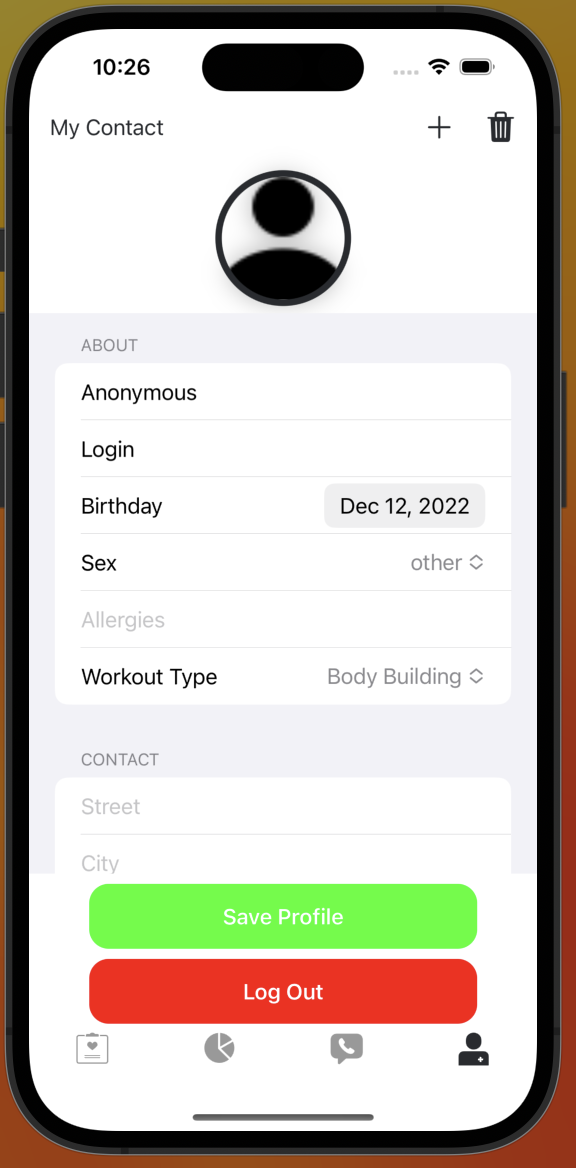

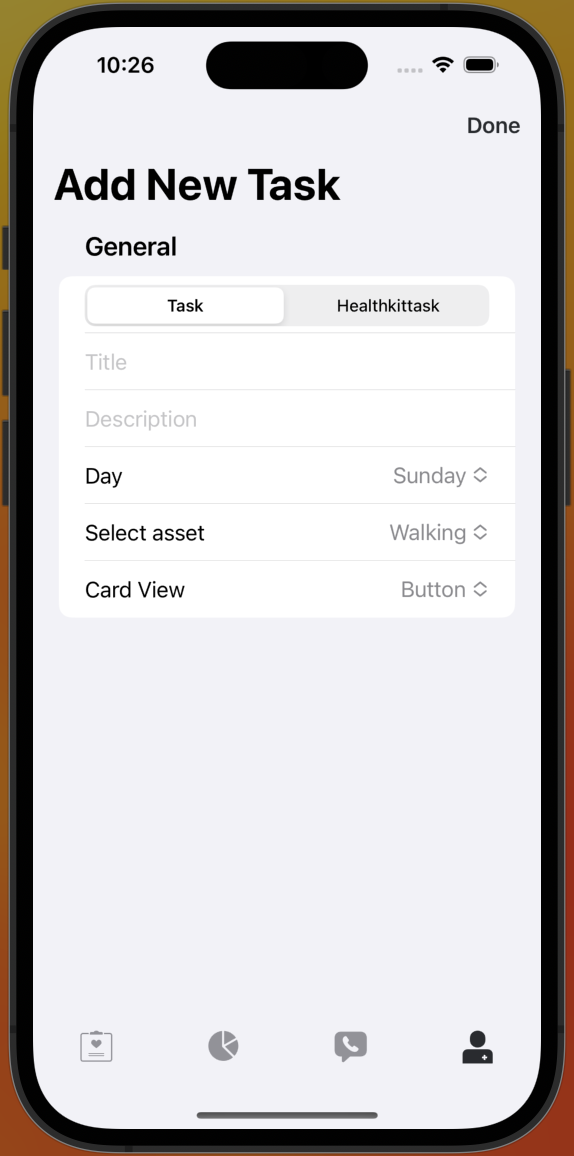
- Colin Carver -
University of Kentucky,Computer Science
ParseCareKit synchronizes the following entities to Parse tables/classes using Parse-Swift:
- OCKTask <-> Task
- OCKHealthKitTask <-> HealthKitTask
- OCKOutcome <-> Outcome
- OCKRevisionRecord.KnowledgeVector <-> Clock
- OCKPatient <-> Patient
- OCKCarePlan <-> CarePlan
- OCKContact <-> Contact
Use at your own risk. There is no promise that this is HIPAA compliant and we are not responsible for any mishandling of your data
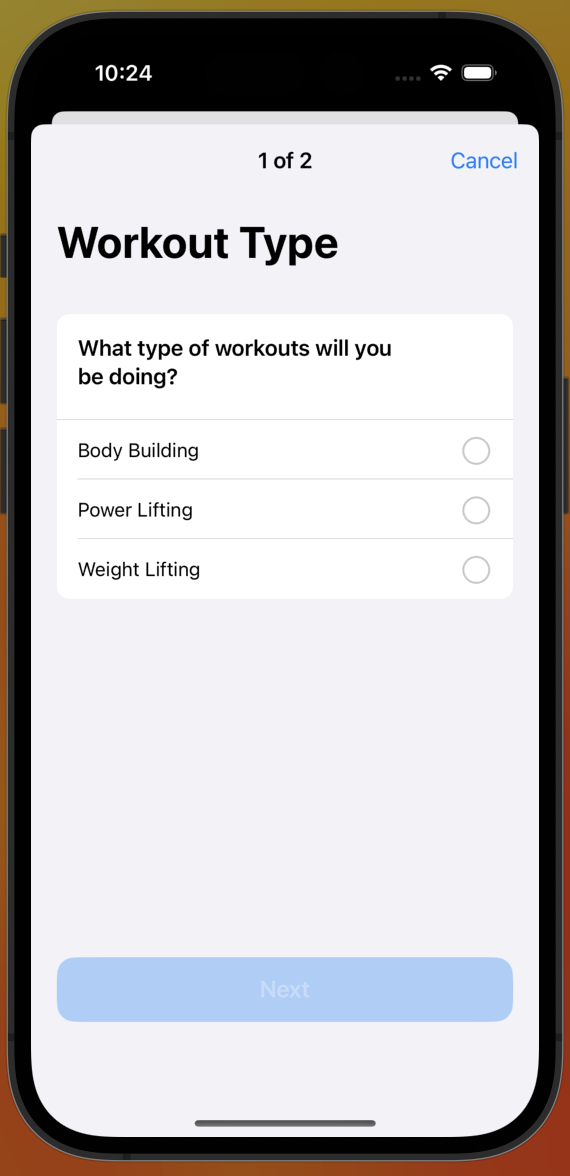
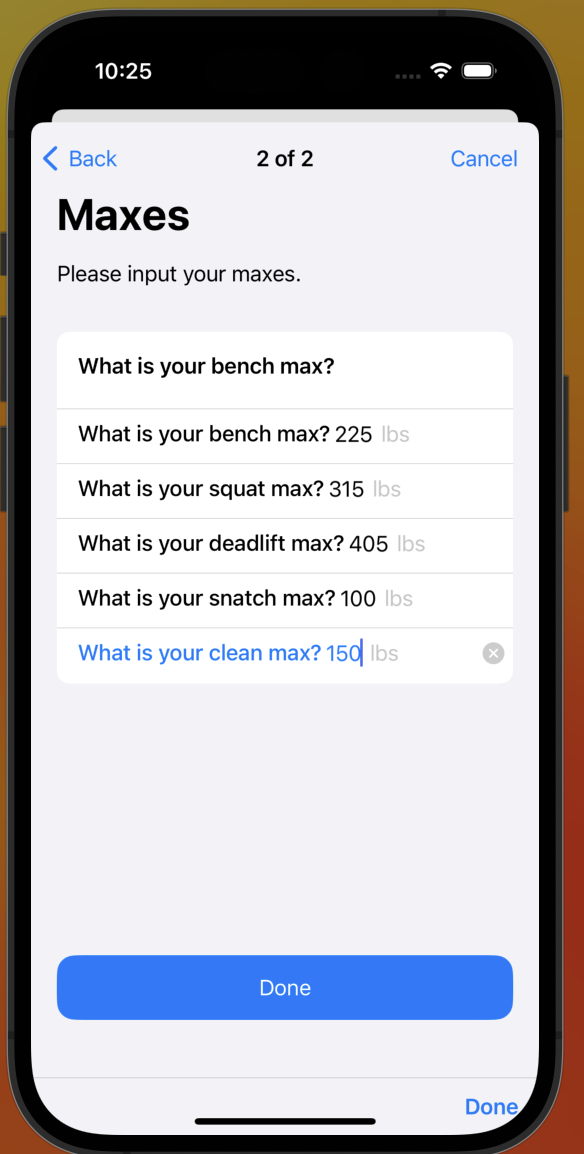
- Added workout setup survey that asks the user to select workout type (bodybuilding, powerlifting, or weightlifting). Additionally, asks the users to input their current maxes for each major compound lift.
- Custom Survey that uses ORKQuestionStep and ORKForm.
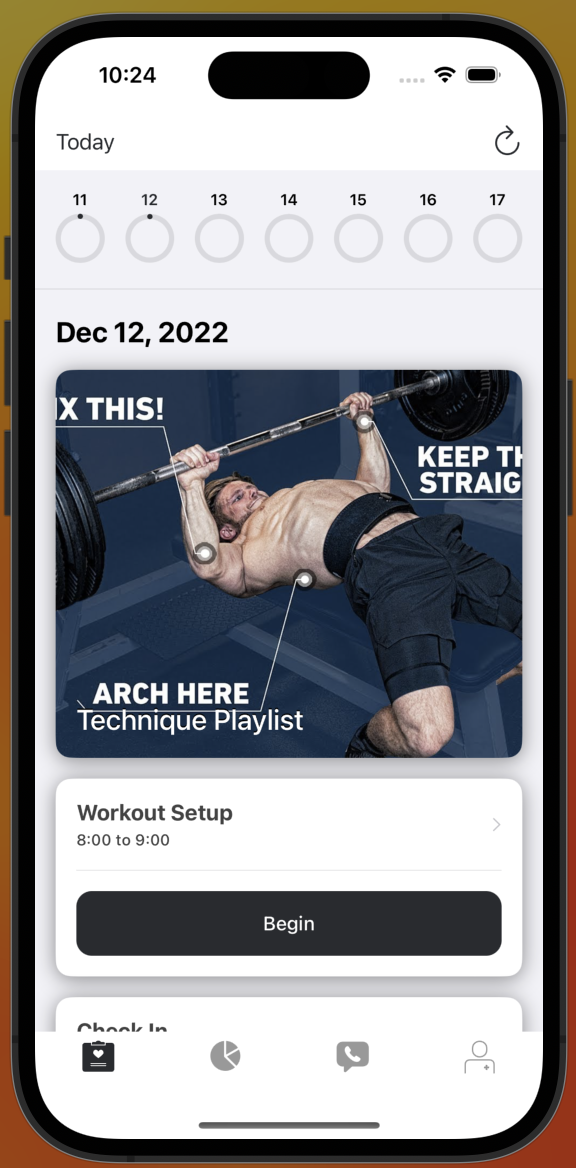
- CustomFeaturedContentView that links to a playlist of videos displaying how to do the exercises listed.
- Updated CheckIn survey to poll the user's sleep quality, recovery level, and current stress levels.
- All survey's display information on completion.
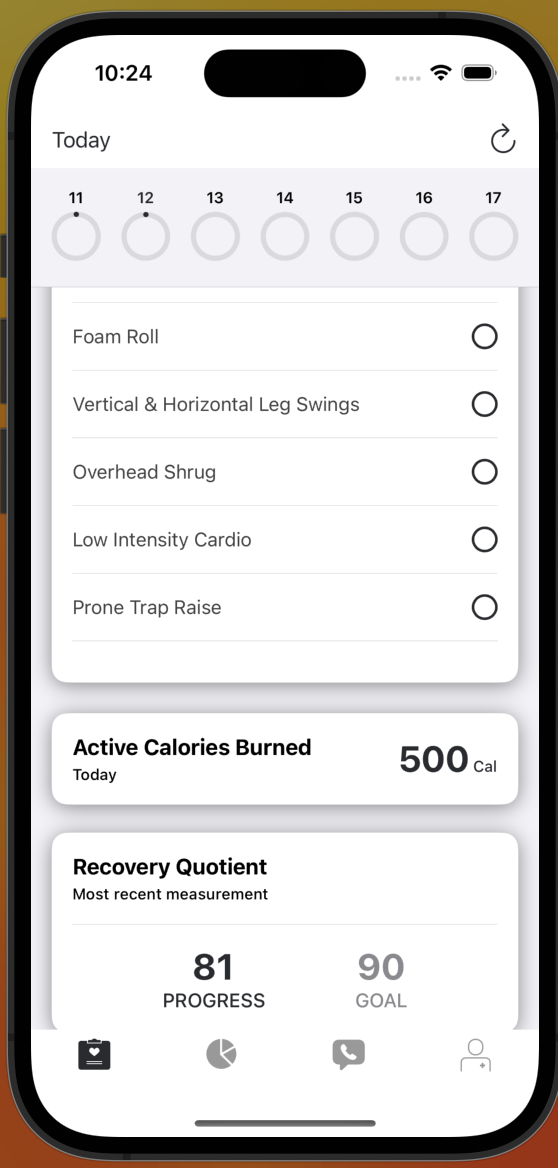
- Heart Rate Variability OCKHealthKitTask displayed as NumericProgressTaskView
- OCKSimpleTaskViewController to display rest days.
- Check List that displays users warmup process.
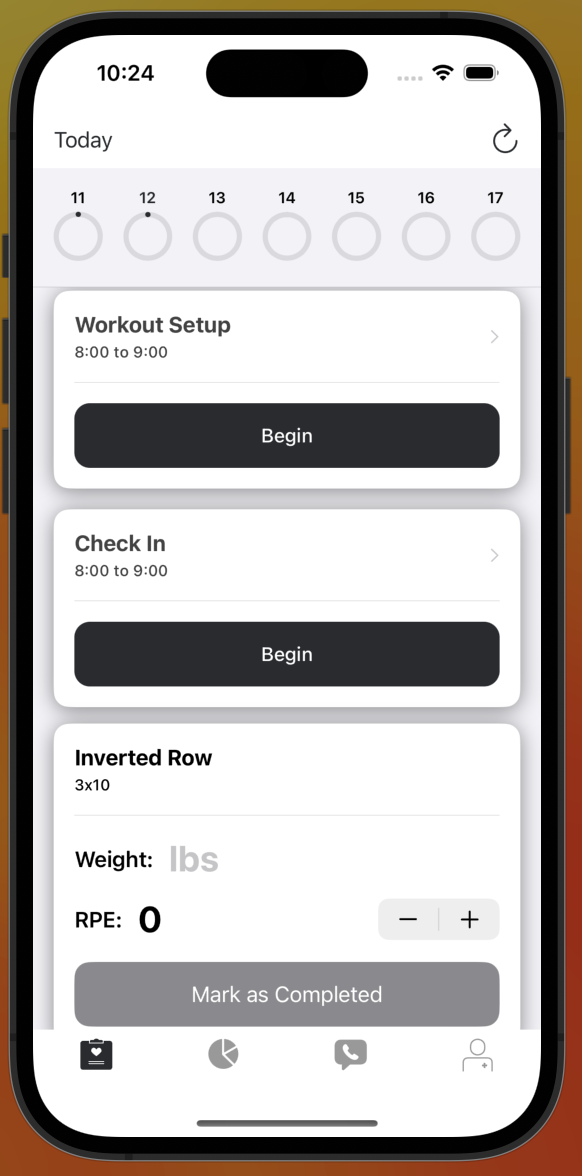
- Custom Card that display workouts.
- Allows user to input the weight they used for the lift.
- User inputs RPE (Rate of Perceived Exertion) using stepper.
- Users can add tasks in profile view.
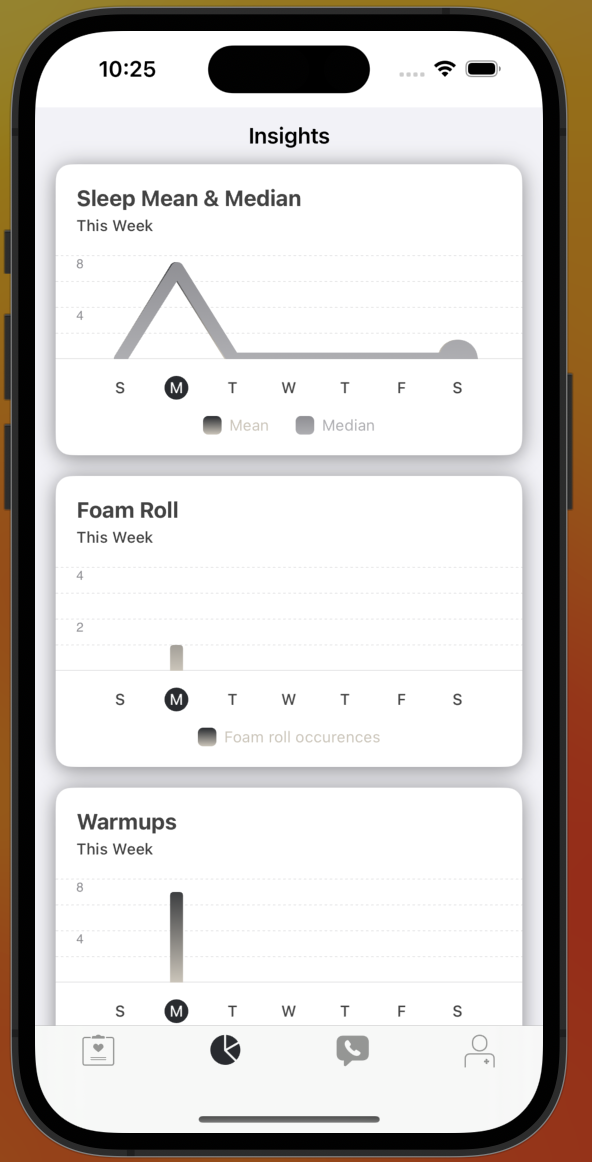
- Added insights tab to display charts for each task.
- LabeledValueTask to display total number of active calories burned during the day.
- SimpleTaskView to check if user has foam rolled or not.
- Added leg day, arm day, and rest day OCKCarePlans.
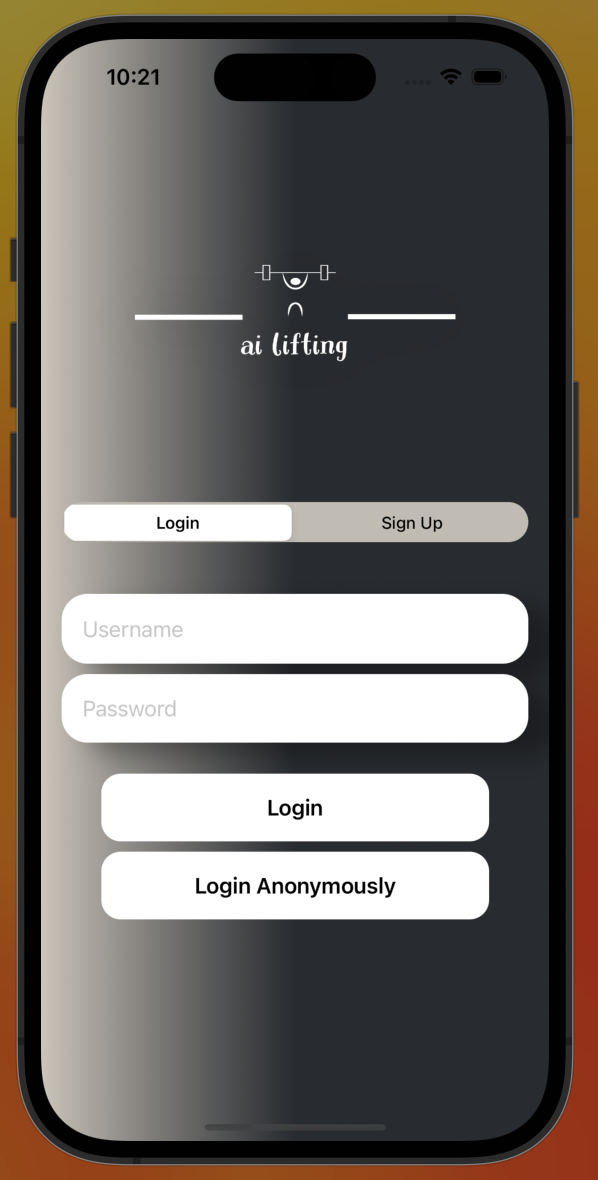
- Signup/Login screen tailored to app
- Signup/Login with email address
- Custom app logo
- Custom styling
- Add at least 5 new OCKTask/OCKHealthKitTasks to your app
- Have a minimum of 7 OCKTask/OCKHealthKitTasks in your app
- 3/7 of OCKTasks should have different OCKSchedules than what's in the original app
- Use at least 5/7 card below in your app
- InstructionsTaskView
- SimpleTaskView
- Checklist
- Button Log
- GridTaskView
- NumericProgressTaskView
- LabeledValueTaskView
- Allow user to add new tasks including custom cards
- Add the LinkView (SwiftUI) card to your app
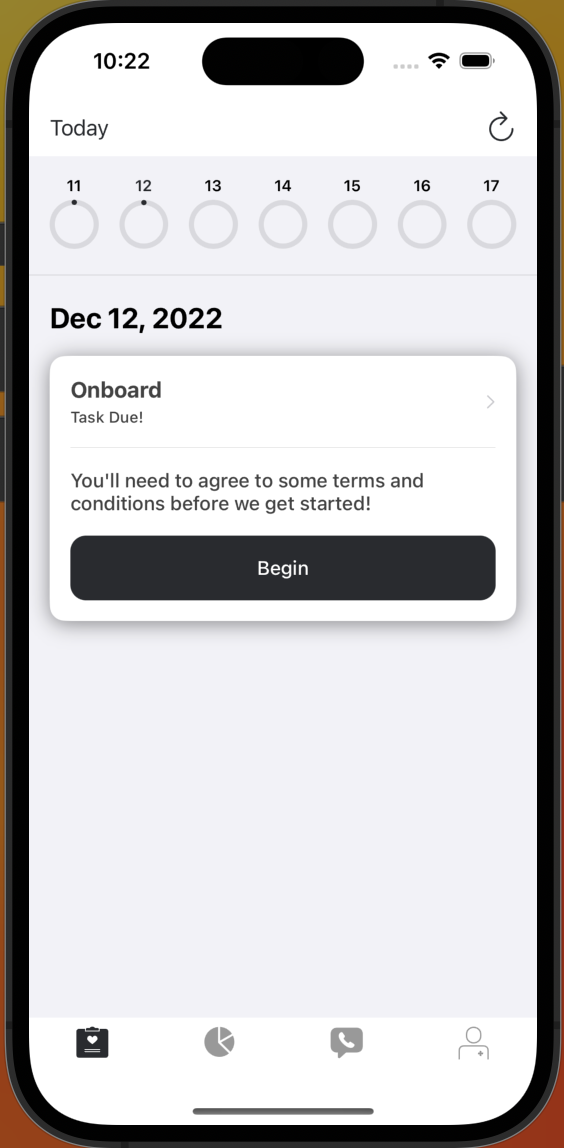
- Tailor the ResearchKit Onboarding to reflect your application
- Add tailored check-in ResearchKit survey to your app
- Add another Researchkit survey card
- Replace current ContactView with Searchable contact view
- Change the ProfileView to use a Form view
- Add at least two OCKCarePlan's and tie them to their respective OCKTask's and OCContact's
- Add a new tab called "Insights" to MainTabView
- Use at least 2 custom cards
- Replace the current TipView with a class with CustomFeaturedContentView that subclasses OCKFeaturedContentView.
- Update OCKStore based off type of workout selected.
- Add other workout programs.
- Have profile view autoupdate. Currently does not automatically change to what is set by Workout Setup Survey.
- Create algorithm to display user friendly charts that depict recovery levels based off HRV, sleep, etc.
- Graph user inputted weight of each major lift over time. (Ideally graph it against projected max)
- Use sleep and HRV to update workout volume.
- Delete tasks.
Overall this was quite a challenging project, but the freedom that we had in creating our own app allowed me to learn a lot. The challenges that I faced are listed:
- Extracting answers from custom surveys.
- Displaying data in charts for more complex data.
- Adding a custom workoutType property to the patient.
- Creating a high quality looking custom card.
- Automatically updating profileView to accept new change from WorkoutSetup survey.
- Initially understanding how storeManager worked and how to access it.
The easiest way to setup your server is using the one-button-click deployment method for parse-hipaa.
You can setup your parse-hipaa using Docker. Simply type the following to get parse-hipaa running with postgres locally:
- Fork parse-hipaa
cd parse-hipaadocker-compose up- this will take a couple of minutes to setup as it needs to initialize postgres, but as soon as you seeparse-server running on port 1337., it's ready to go. See here for details- If you would like to use mongo instead of postgres, in step 3, type
docker-compose -f docker-compose.mongo.yml upinstead ofdocker-compose up
- Fork CareKitSample-ParseCareKit
- Open
OCKSample.xcodeprojin Xcode - You may need to configure your "Team" and "Bundle Identifier" in "Signing and Capabilities"
- Run the app and data will synchronize with parse-hipaa via http://localhost:1337/parse automatically
- You can edit Parse server setup in the ParseCareKit.plist file under "Supporting Files" in the Xcode browser
The easiest way to setup your dashboard is using the one-button-click deployment method for parse-hipaa-dashboard.
Parse Dashboard is the easiest way to view your data in the Cloud (or local machine in this example) and comes with parse-hipaa. To access:
- Open your browser and go to http://localhost:4040/dashboard
- Username:
parse - Password:
1234 - Be sure to refresh your browser to see new changes synched from your CareKitSample app
Note that CareKit data is extremely sensitive and you are responsible for ensuring your parse-server meets HIPAA compliance.
If you plan on using this app as a starting point for your produciton app. Once you have your parse-hipaa server in the Cloud behind ssl, you should open ParseCareKit.plist in Xcode and change the value for Server to point to your server(s) in the Cloud. You should also open Info.plist in Xcode and remove App Transport Security Settings and any key/value pairs under it as this was only in place to allow you to test the sample app to connect to a server setup on your local machine. iOS apps do not allow non-ssl connections in production, and even if you find a way to connect to non-ssl servers, it would not be HIPAA compliant.
You should run the extra scripts outlined on parse-hipaa here.