Repository navigation
Ownership and Locking
Every note has an owner – the player who placed it, or the original owner if a written note is placed again – and is either unlocked or locked.
| Unlocked note | Locked note | |
|---|---|---|
| Read | everybody | everybody |
| Edit the text | everybody¹, always the owner | only the owner (Shift + right-click) |
| Lock / unlock | only the owner | only the owner |
| Remove (Shift + left-click) | only the owner² | only the owner² |
¹ Server setting allowEditingOpenNotes (default: on). When it is off, other players get the read view.
² Server setting allowRemovingOthersNotes lets everybody remove notes; operators (permission level 2)
may remove any note while adminRemoval is on (default).
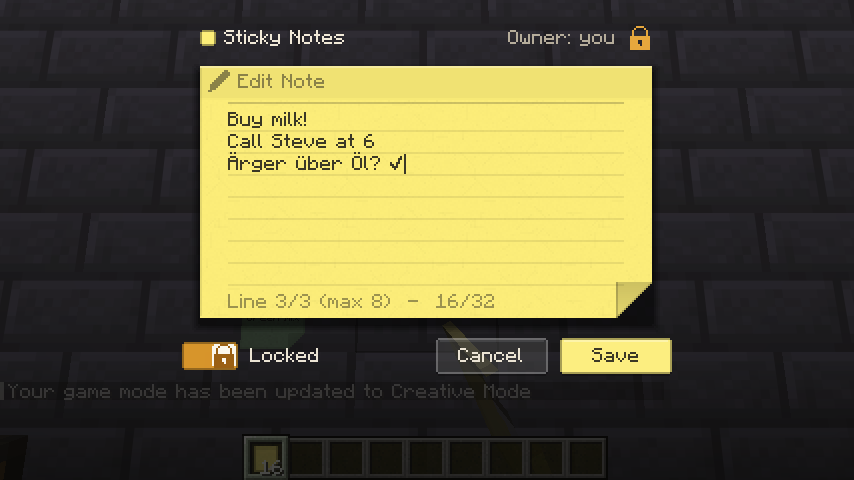
The owner sees a switch at the bottom left of the editor: Unlocked / Locked. The new state is saved
with Save. A locked note shows a small padlock in the world (client setting showLockIcon).
A locked note opens in the read view for everybody, its owner included – so you do not edit it by accident. The owner opens the editor with Shift + right-click.
Removing a note gives back an item that remembers text, colour, owner and lock state. Whoever places that item again, the owner stays the same: you can hand a written note to a friend, and it is still yours. A blank note belongs to the player who places it.
- Every request is checked on the server: does the note exist in your current dimension, are you close enough, may you do this, is the text within the limits. The open editor is only a view – a modified client cannot unlock or overwrite somebody else's note.
- Each note has a revision number. Saving an outdated version is refused, and the editor offers to load the latest text or to overwrite it consciously (see Placing and Editing).
- Too many requests in a short time are refused (server setting
editsPerSecond).