This project enables a computer to be powered on using an infrared (IR) remote control. An Arduino Uno receives the IR signal and activates a relay module that simulates pressing the PC’s physical power button.
The system is designed to trigger a single power-on action when a specific button on the IR remote is pressed.
- Arduino Uno
- IR Receiver Module
- IR Remote Controller
- 5V Relay Module
- Jumper Wires
- DIYables_IRcontroller
- The IR receiver detects input from the remote control.
- When the designated button (OK) is pressed, the Arduino activates the relay.
- The relay briefly closes the circuit connected to the PC motherboard’s power switch pins.
- This simulates a physical button press and powers on the computer.
- The relay is released after the button is no longer pressed.
| Component | Arduino Pin |
|---|---|
| IR Receiver | Pin 2 |
| Relay Module | Pin 3 |
#include <DIYables_IRcontroller.h>

#define IR_RECEIVER 2
#define ZAP 3

DIYables_IRcontroller_17 irController(IR_RECEIVER, 200);

unsigned long pressStart = 0;
bool relayOn = false;

void setup() {
  Serial.begin(9600);
  irController.begin();
  pinMode(ZAP, OUTPUT);
  digitalWrite(ZAP, LOW);
}

void loop() {
  Key17 currentKey = irController.getKey();

  if ((int)currentKey == KEY17_OK) {
    if (!relayOn) {
      pressStart = millis();
      relayOn = true;
      digitalWrite(ZAP, HIGH);
    }
  } else {
    if (relayOn) {
      digitalWrite(ZAP, LOW);
      relayOn = false;
    }
  }

  delay(50);
}The program continuously reads input from the IR receiver. When the OK button on the remote is detected, the relay is activated, simulating a press of the PC power button. Once the button is released, the relay is deactivated.

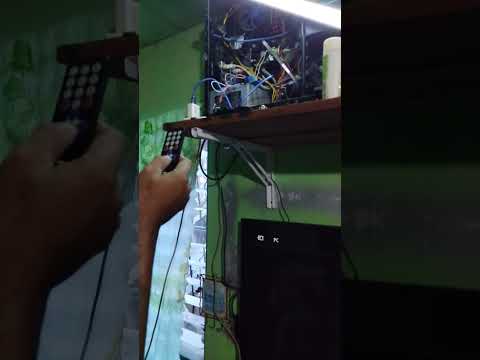
- Ensure correct connection of the relay module to the motherboard power switch pins.
- Verify that the IR remote button code matches
KEY17_OK. - Adjust wiring and placement of the IR receiver for reliable signal detection.
- Cavero Cyrus
- Regindin Sean