Repository navigation
Screenshots
Hive-Rail running. All of these are from one run, taken on 1 November 2026. The run used the test layout examples/layout/bench-m5.json:
- two nodes on one computer, called MacBook and Windows, each running its own district;
- the layout simulator on the mesh, driving six trains;
- the dispatcher screen.
Nothing in the pictures is staged; they show the program as it is. The M5StickC lite node, which normally runs the third district in the middle, was not switched on. Its district's trains still appear, because the simulator stands in for it.
The web view pictures come from Chrome. The node dashboard and the dispatcher are terminal programs: they were run in a terminal of 150 × 46 characters and drawn from that terminal's screen.
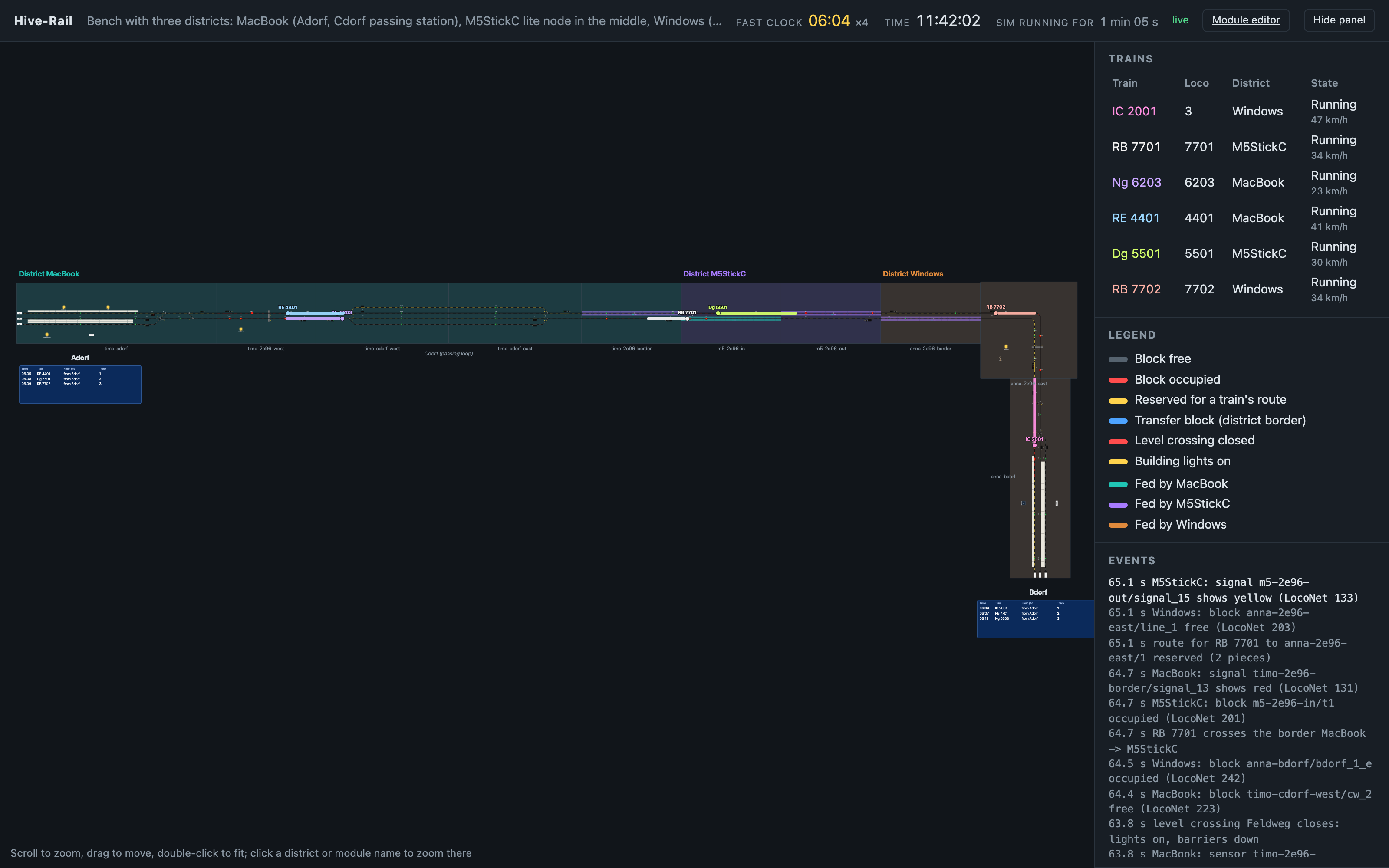
The whole layout. Each module is drawn from its SpDrS60 tiles, and the modules are joined at their ends. Each district has its own colour:
- MacBook: Adorf and the Cdorf passing station;
- M5StickC: in the middle;
- Windows: Bdorf.
At the top are the fast clock (here four times real speed), the real time, and how long the simulation has run. On the right:
- the trains, with their loco, their district, and what they are doing;
- the legend;
- the events: signals, blocks, turnouts, level crossings, trains crossing district borders, and the LocoNet address each was reported on.

Adorf, the west terminus, shown with ?modules=timo-adorf, as it would appear on a screen next to the station. RE 4401 is entering track 1 over the throat. Its route is lit yellow on the tiles.
The station board below works like the boards on a real platform. It lists the next arrivals with the fast-clock time, the train, where it comes from, and the track. The lamps in the station and goods shed are lit, because it is 06:04 on the fast clock and still dark.

Bdorf, the east terminus. IC 2001 stands at track 1, and the board shows it as boarding, departing to Adorf at 06:05. The next two arrivals are below it.
In the trains list, the IC's state counts down to its departure.

Cdorf, a passing station built over two modules (timo-cdorf-west and timo-cdorf-east). The goods train Dg 5501 stands in the loop while Ng 6203 runs on the through track. Reserved routes are yellow, and occupied blocks are red.
In the trains list, IC 2001 is waiting at signal P1 for RB 7701 ahead of it.
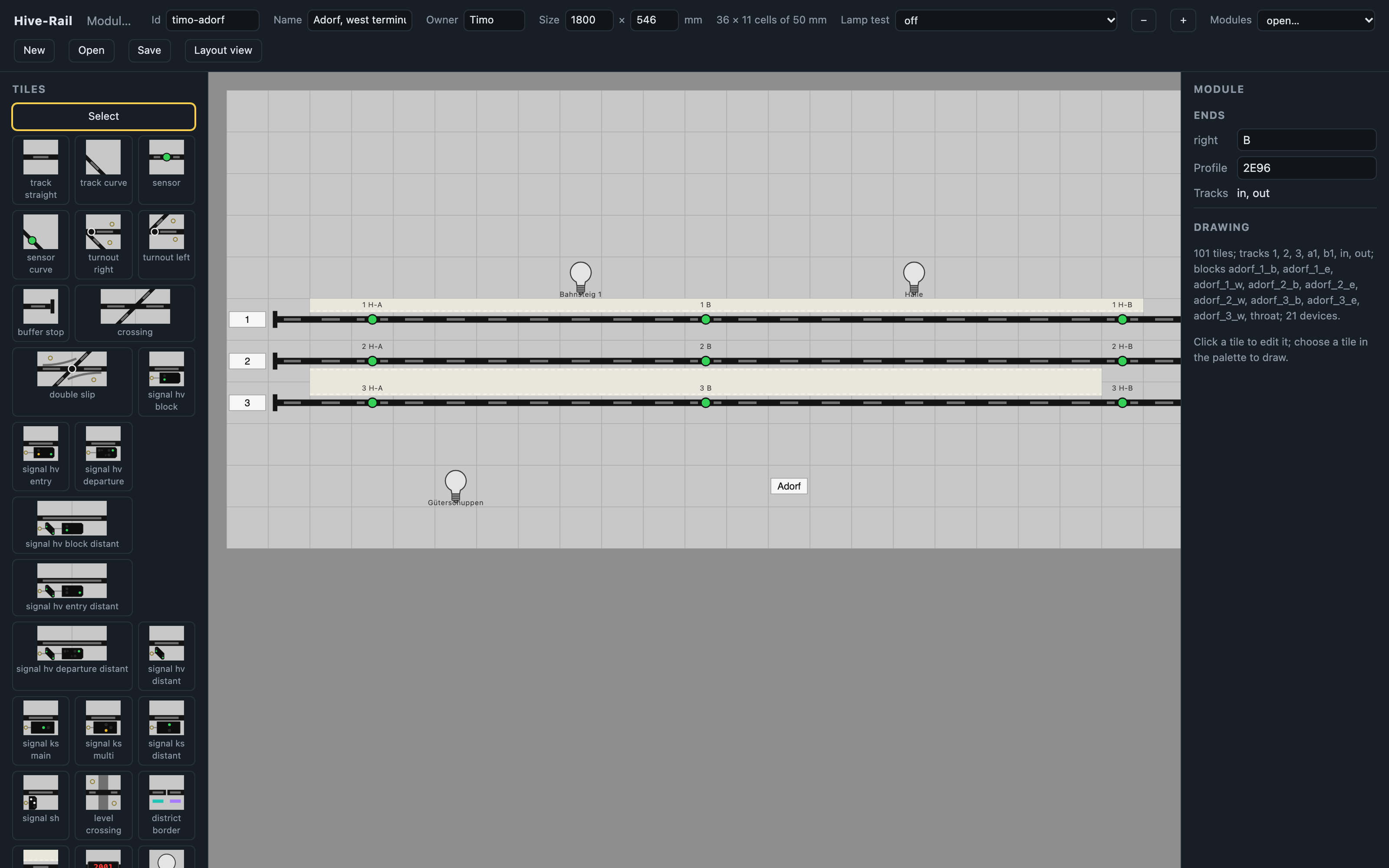
The module editor (/panel), with Adorf open. The module is drawn from tiles in the style of the Siemens SpDrS60 signal box, on a grid of 50 mm cells: Adorf is 36 × 11 cells, its real 1800 × 546 mm.
- Left: the tile palette, with track, turnouts, sensors, and a tile for each DB LED signal Viessmann makes for H0.
- Right: the module's ends and what the drawing contains.
See Module and Layout Files §11 and Signal Faces.

The dispatcher screen, for the Zugleiter who oversees the whole meeting. It shows:
- at the top: the fast clock, and which node keeps the clock and hands out throttle numbers (★);
- every district: heartbeat, power, number of locos, and whether its copy of the loco register is in sync;
- the loco register of the whole layout: each loco's speed, direction, functions, district, and where it is driven from;
- at the bottom: the events of every district, such as trains crossing district borders, transfer blocks changing feed, and level crossings.
From here the Zugleiter can stop or restart the whole layout (E, G) and run the fast clock.
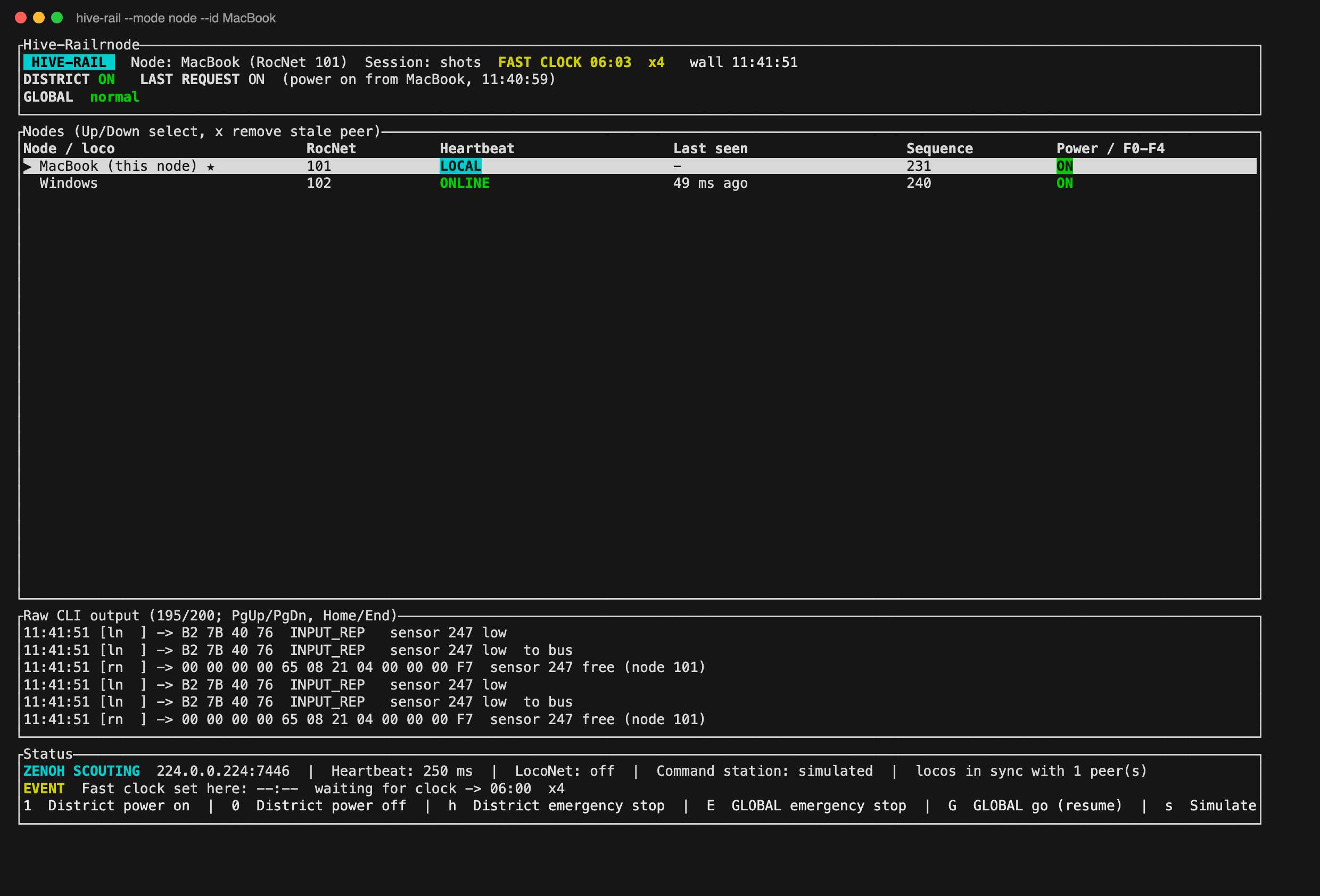
The dashboard of one node, MacBook (RocNet address 101), as the Fahrdienstleiter at a module sees it. It shows:
- the district's power, and the last request that changed it;
- the other nodes it hears on the mesh, with their heartbeats;
- the raw traffic, including a sensor going free reported both ways: on LocoNet (
[ln],OPC_INPUT_REP) and on the mesh as a RocNet sensor report ([rn], group 8); - at the bottom, the keys: district power, emergency stop, and the global stop for the whole layout.
- Choosing and Placing Signals: track situations drawn as SpDrS60 panels, two of them animated.
- Signal Faces: every signal Hive-Rail draws, in each of its aspects.