An Express web application that returns data from the database based on the route provided in the URL.
Install mySQL: https://dev.mysql.com/downloads/installer/
COMMAND PROMPT
(1) Run the following to navigate to your Desktop:
cd Desktop
(2) Create a new folder on Desktop:
mkdir Express
(3) Navigate to the Express directory:
cd Express
(4) Run the following command to install the Express generator globally onto your computer:
npm install express-generator -g
(5) Enter the following command to generate the Express starter app. This will set the view to use Handlebars and will name the app express_mySQL_returnDataBasedOnUrl:
express --view=hbs express_returnDataBasedOnUrl
(6) Once the process is complete, navigate into the express_mySQL_returnDataBasedOnUrl directory:
cd express_mySQL_returnDataBasedOnUrl
(7) Now in the express_mySQL_returnDataBasedOnUrl directory, run the following:
npm install
(8) Install Nodemon globally:
npm install -g nodemon
(9) Install Nodemon as a devDependency in the package.json file within the express_mySQL_returnDataBasedOnUrl directory:
npm install -save-dev nodemon
(10) Install mySQL:
npm install --save mysql
(11) Start the server with Nodemon with the following command:
nodemon
(12) Open in VS code:
code .
MYSQL
(13) run a select query in mySQL to view all the films: 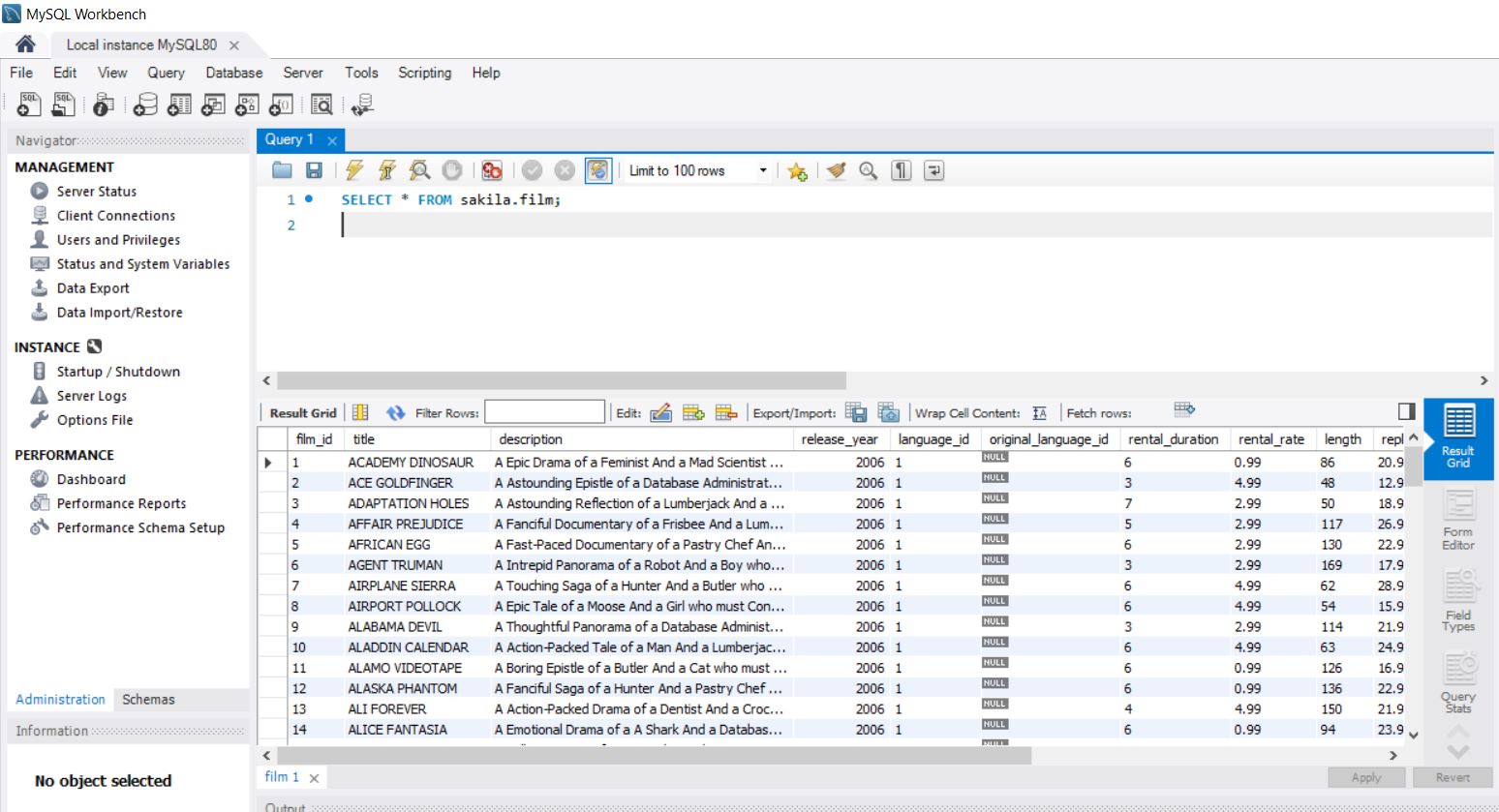
VS CODE
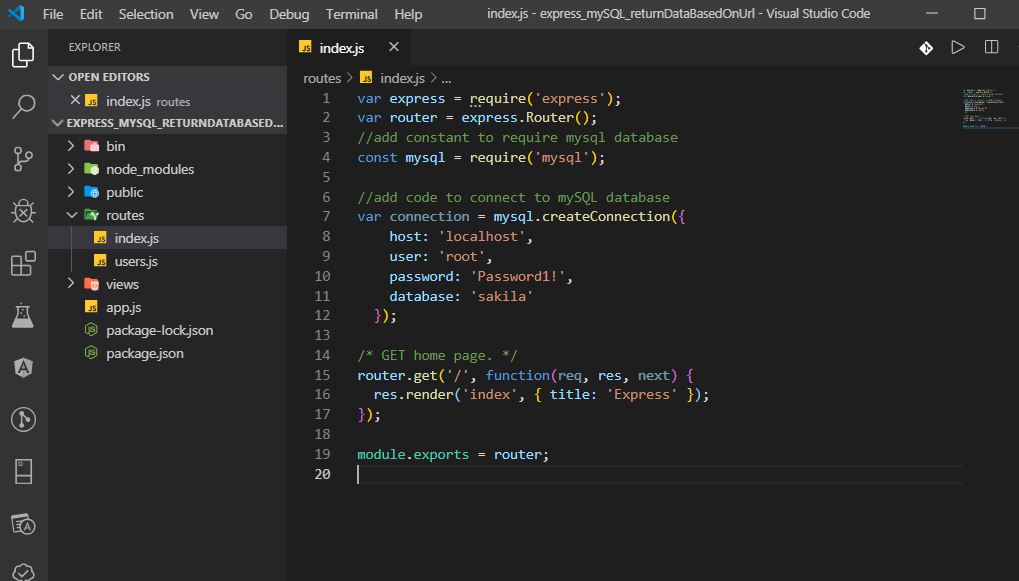
(14) Navigate to the routes/index.js file and update. Need to require the mySQL, add the connection information to connect to mySQL: 
(15) Create a get() method to for /film to the index.js file: 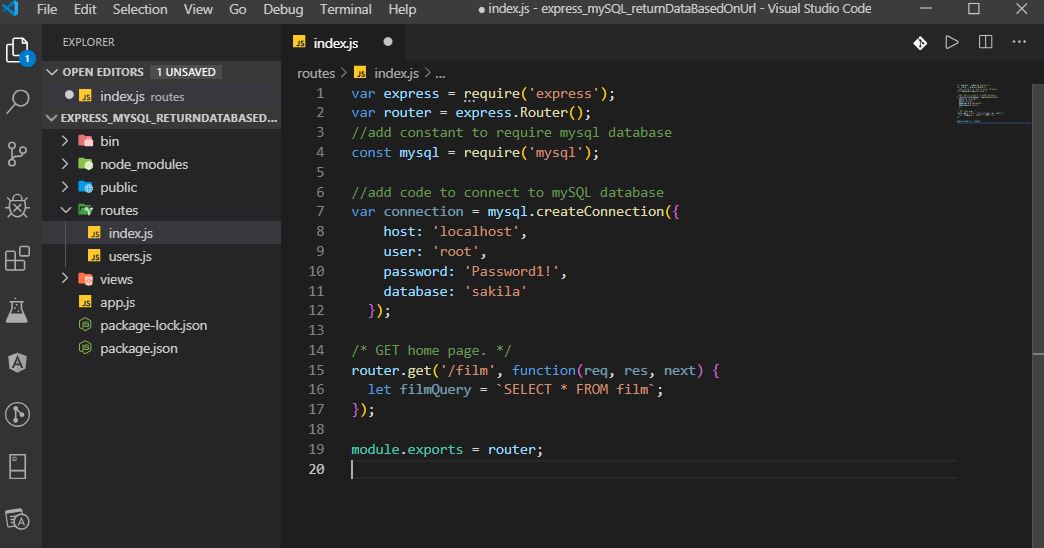
(16) Create a new query in the index.js file for film search: 
(17) Create new get() method in index.js file for film details and query for film actor: 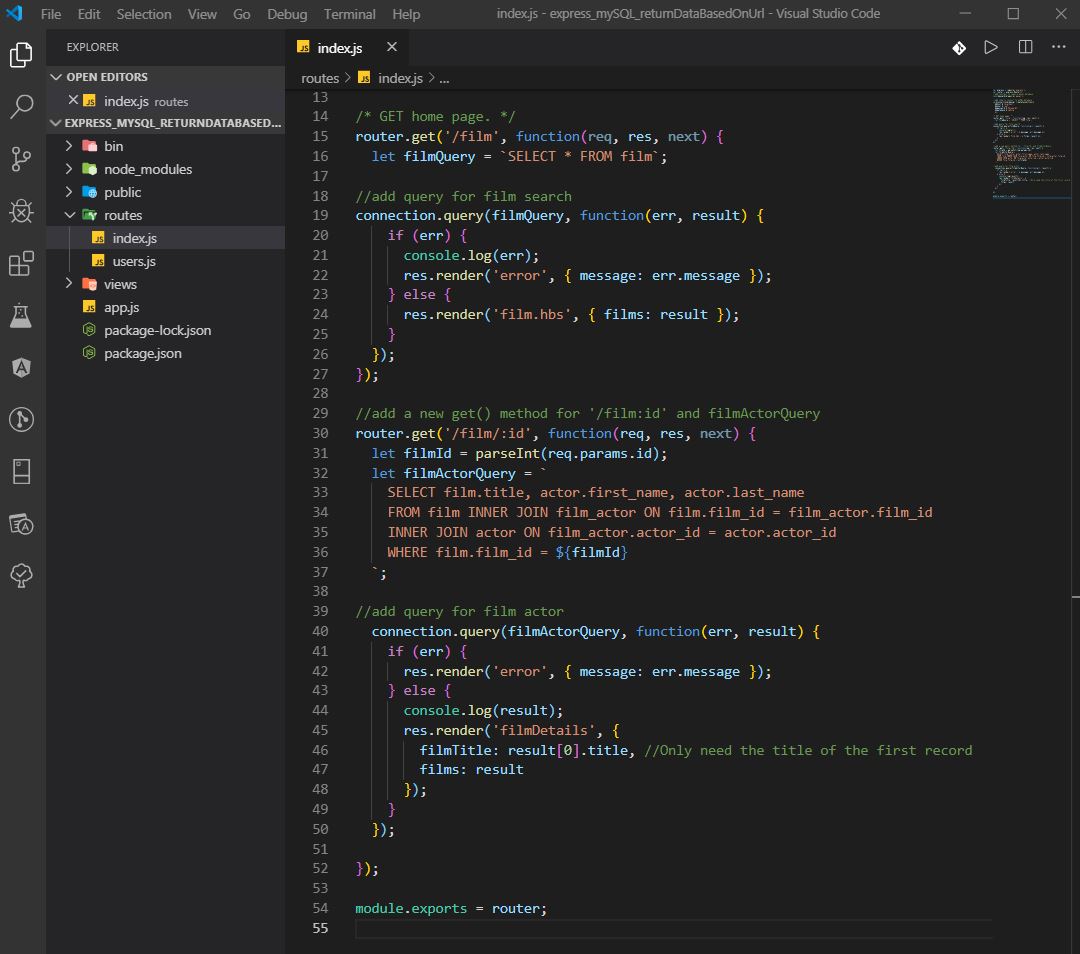
(18) Create views/film.hbs file with loop: 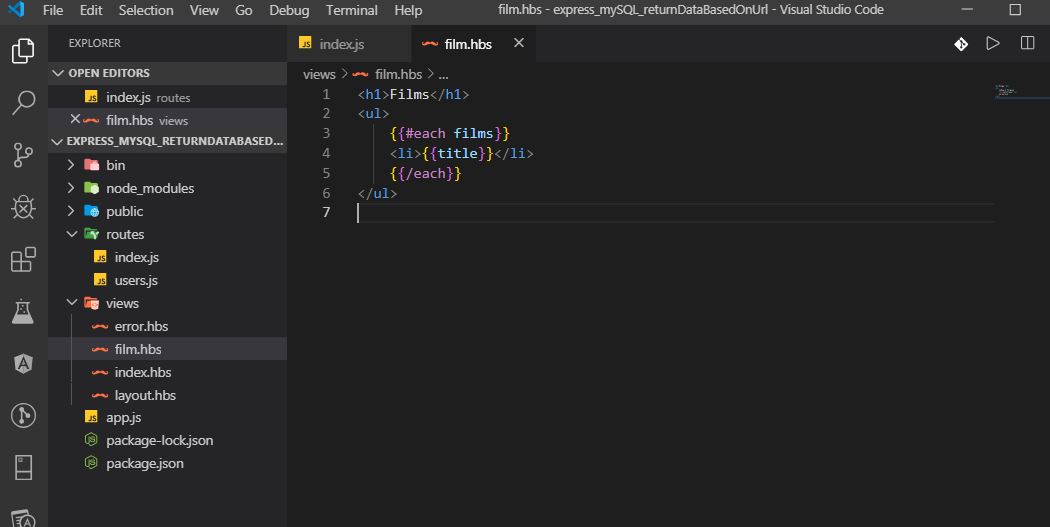
(19) Create views/filmDetails.hbs file with loop: 
WEB BROWSER
(20) Navigate to localhost:3000/film to view list: 
(21) Navigate to localhost:3000/film/5 to view specific filmDetails: 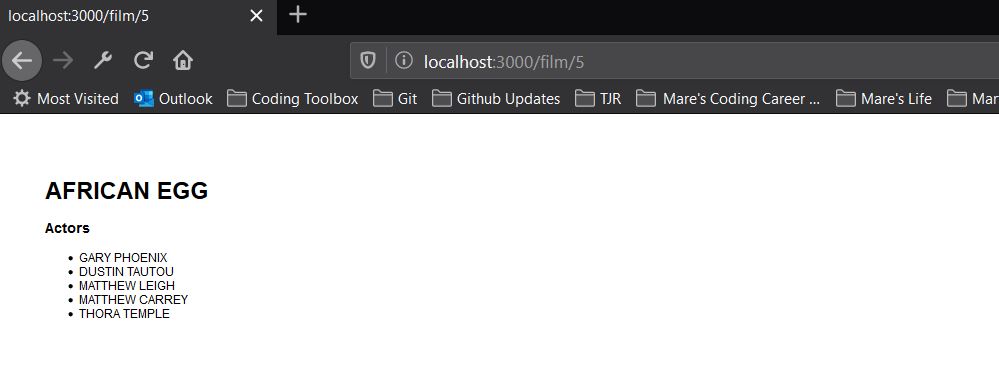
COMMAND PROMPT/VS CODE
(22) View details in terminal: 
NODEMON NOTE
Sometimes nodemon crashes in Windows 10 and there is a simple fix:
(1) Open Task manager (press Ctrl+Alt+Delete)
(2) Select the 'Processes tab'
(3) Search for 'Node.js: Server-side JavaScript'
(4) Select it and click on 'End task' button
Now you can run npm start.