We're using gitlab ci (with autopulling from github). Only authorised user can deploy it to our servers. Also, it provides build with following stages:
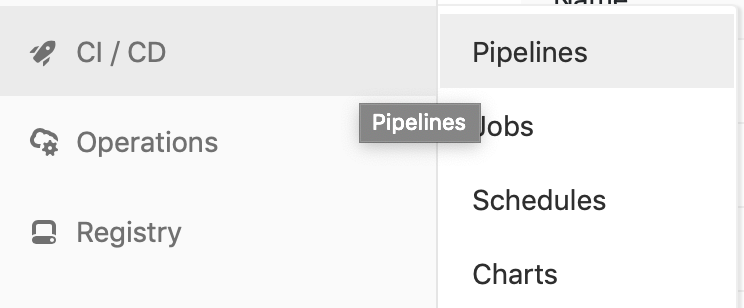
To see the stages at gitlab you should go to menu and open CI/CD - Pipelines.
For the base we've picked Node 10.11.0 alpine image. To build our monorepo first of all we should install all the dependencies of each package using
lerna bootstrap. It works like yarn install in all the folders. Then we should build each of our packages for sending it to next stages using yarn --ignore-engines build:ts.
The full script is:
apk add --no-cache make gcc g++ python git bash
npm install --global lerna
yarn global add npm-check-updates --prefix /usr/local
git --version
npm --version
node --version
lerna bootstrap
CI=false yarn --ignore-engines build:ts
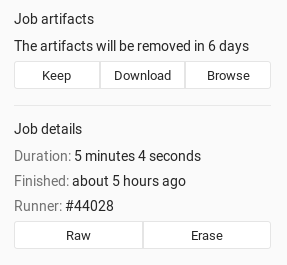
Then we save everything weve built using artifacts.
It works only after pushing to develop branch and exclude schedules.
In this stage we build docker containers and push it to our registry. For each package we build containers. For static (webpages, etc.) we store data at it container and share it using nginx. In other cases it's ready to launch solutions and everything we need to expose port from container and configure it using nginx. Next stage - deploying it to our server. We just pull the {Branch}-latest image from server and restart container with -v (removing volumes).
The full script is:
apk update
apk add --no-cache openssl bash openssh-keygen openssh-client

mkdir /root/.ssh/
openssl aes-256-cbc -k $ENCRYPT_PASS -in id_rsa.enc -out ~/.ssh/id_rsa -d
chmod 600 ~/.ssh/id_rsa
ssh-keygen -y -f ~/.ssh/id_rsa > ~/.ssh/id_rsa.pub
chmod 600 ~/.ssh/id_rsa.pub

echo "${DOCKER_PASS}" | docker login -u "${DOCKER_USER}" --password-stdin

cd packages/package/
docker build -t registry/package .
docker tag registry/package registry/package:${CI_COMMIT_REF_NAME}-latest
docker push registry/package
rm -rf /root/.docker/config.json
ssh -o StrictHostKeyChecking=no $USER@$HOST "docker pull registry/package:${CI_COMMIT_REF_NAME}-latest"
ssh -o StrictHostKeyChecking=no $USER@$HOST "docker-compose --file /root/package/docker-compose.yml down -v"
ssh -o StrictHostKeyChecking=no $USER@$HOST "docker-compose --file /root/package/docker-compose.yml up -d"This stage allows us to push everything from monorepo to separated (read-only) repositories. To laucnh this stage you should go to schedules and press launch button.

If you want to correct something in our CI you can edit .gitlab-ci.yml. The basics of bash is needed.
In order to add new jobs (ex. Test) first of all add it to stages list:
stages:
    - build
    - test
    - deploy
Then you should declare it. The basic declaration is:
test:
    image: node:alpine
    stage: test
    script:
        - echo "Test"
In this case we pick building image node:alpine. The stage field defines a job stage from our list. The script stage is something we want to do during our job (in bash).
More you can read at Gitlab Docs.